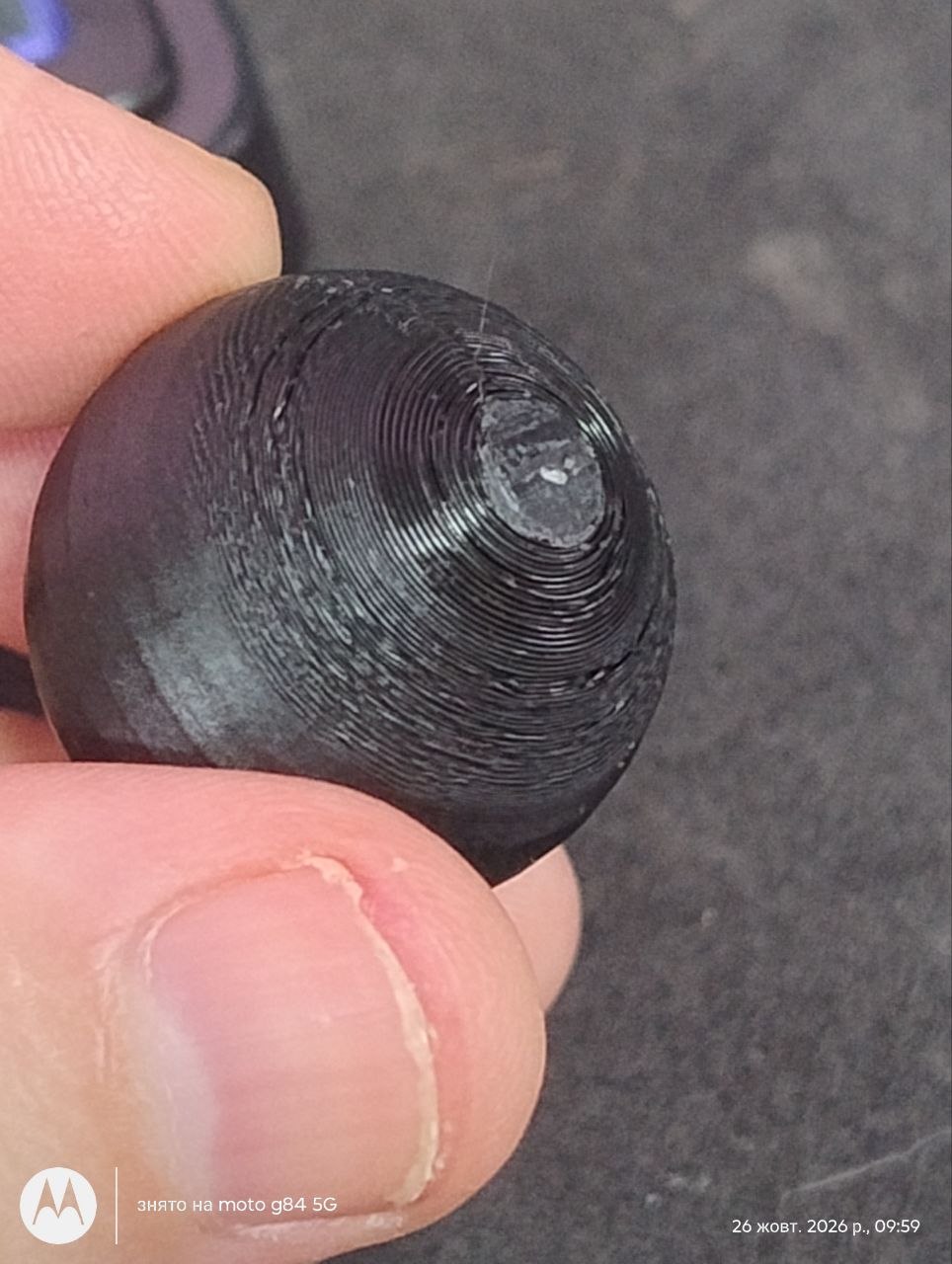
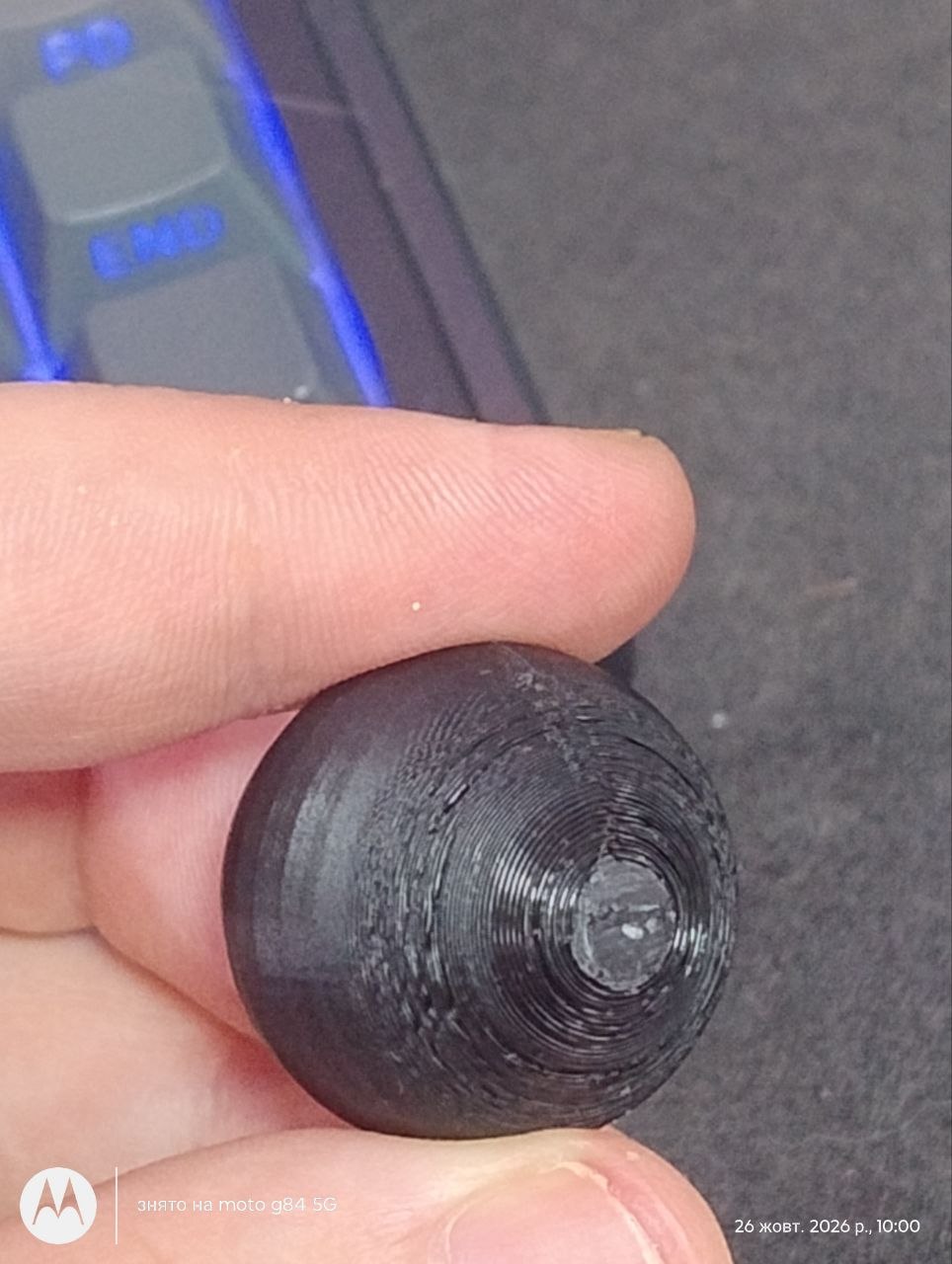
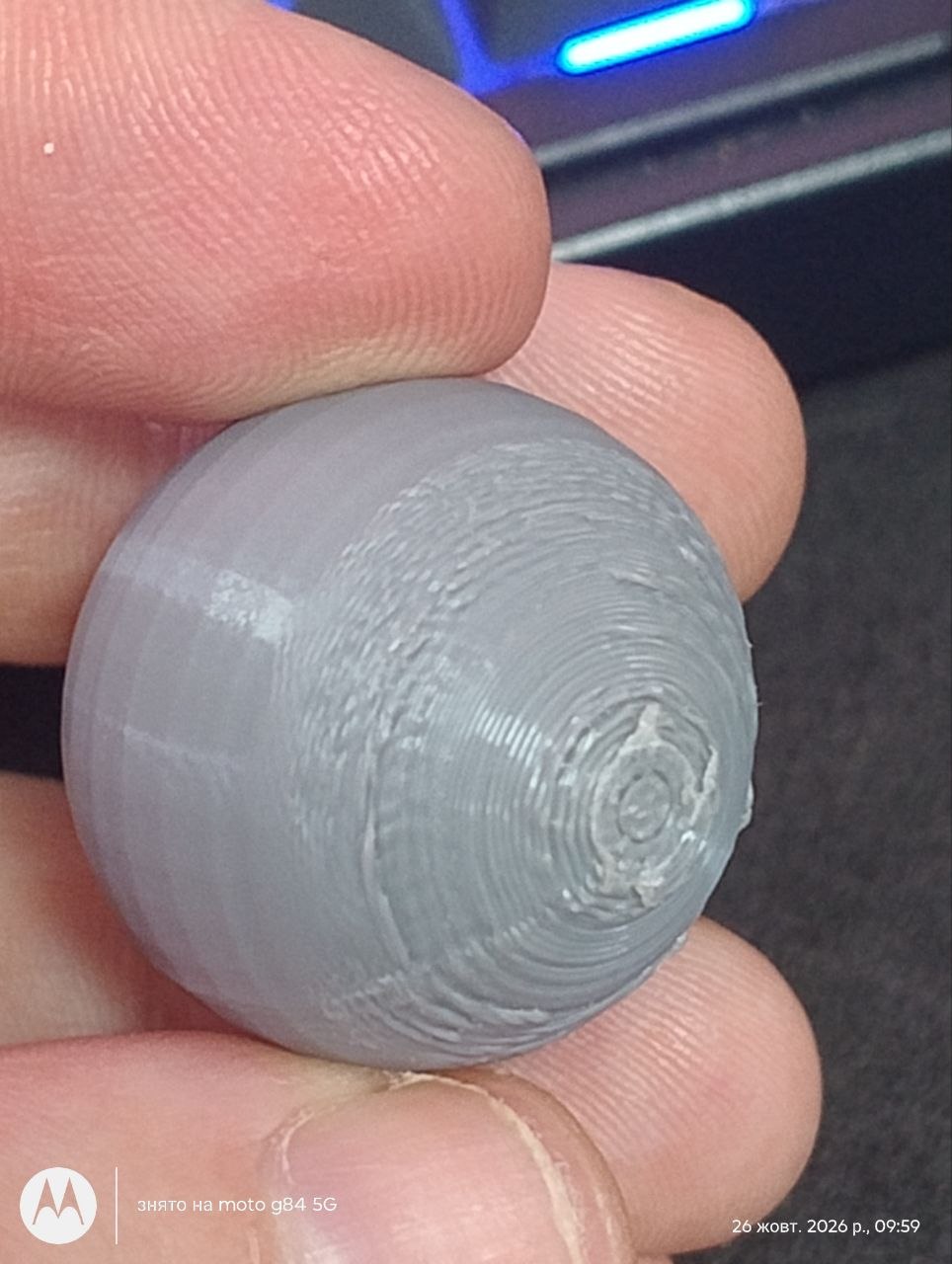
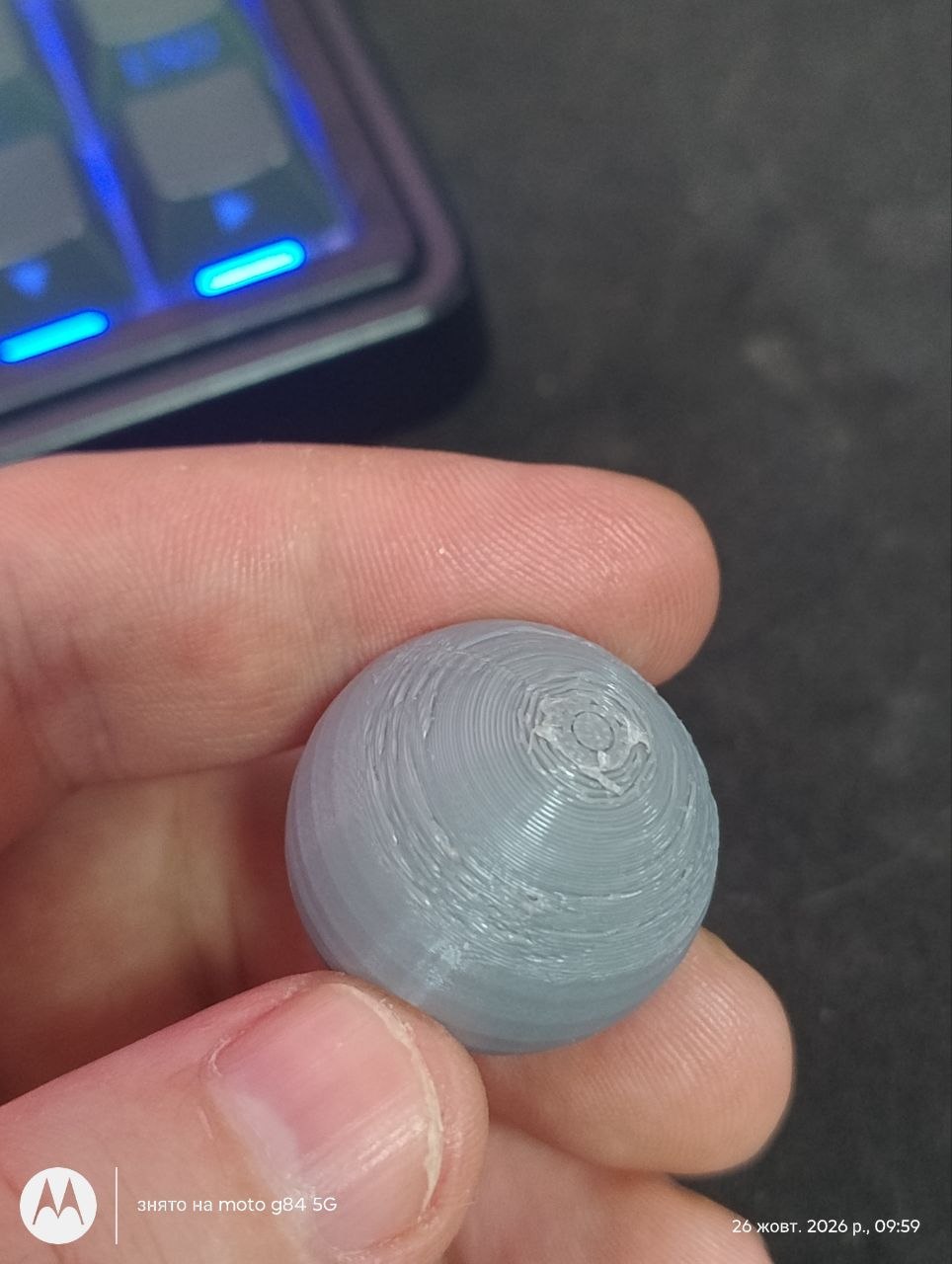
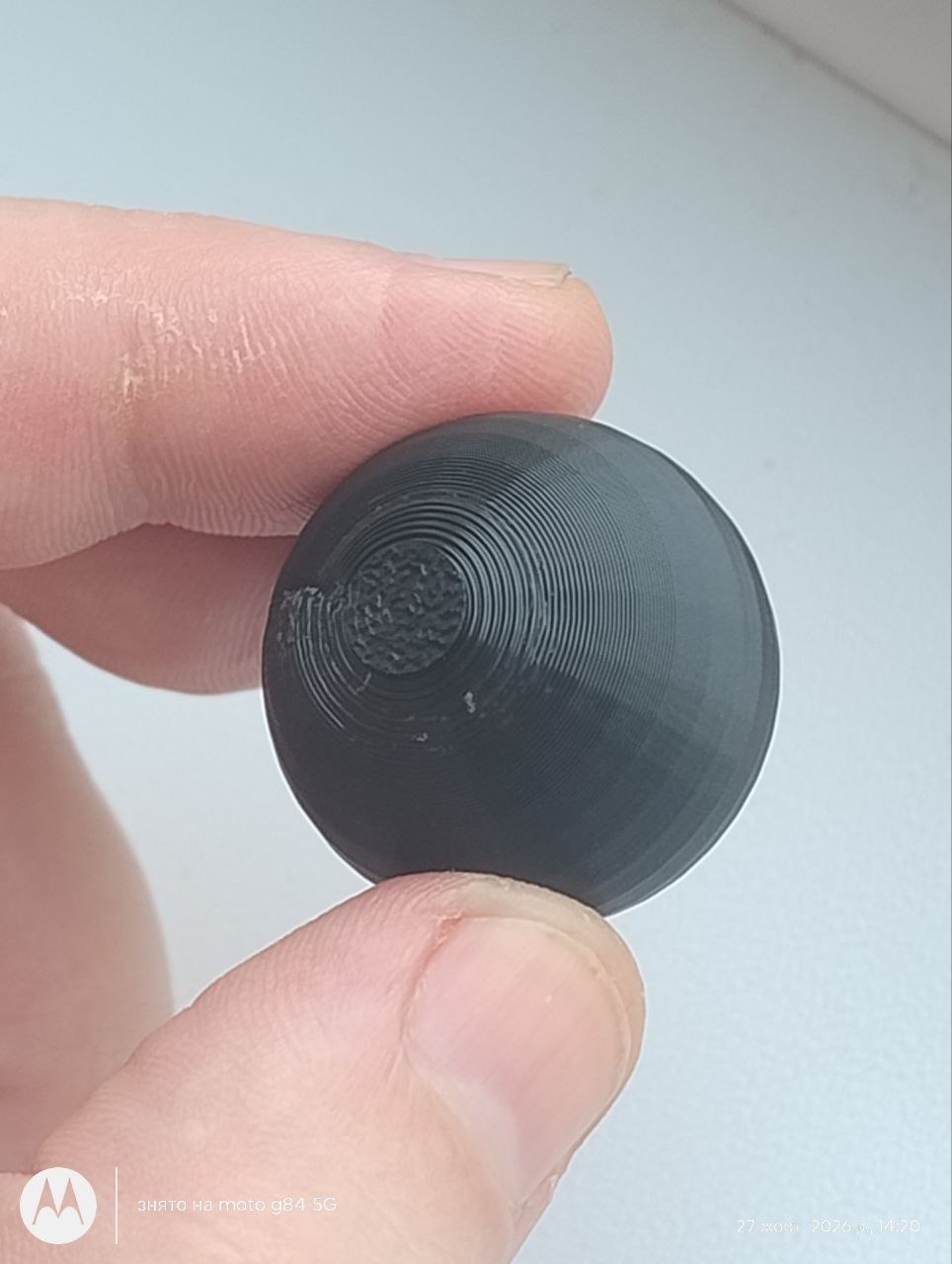
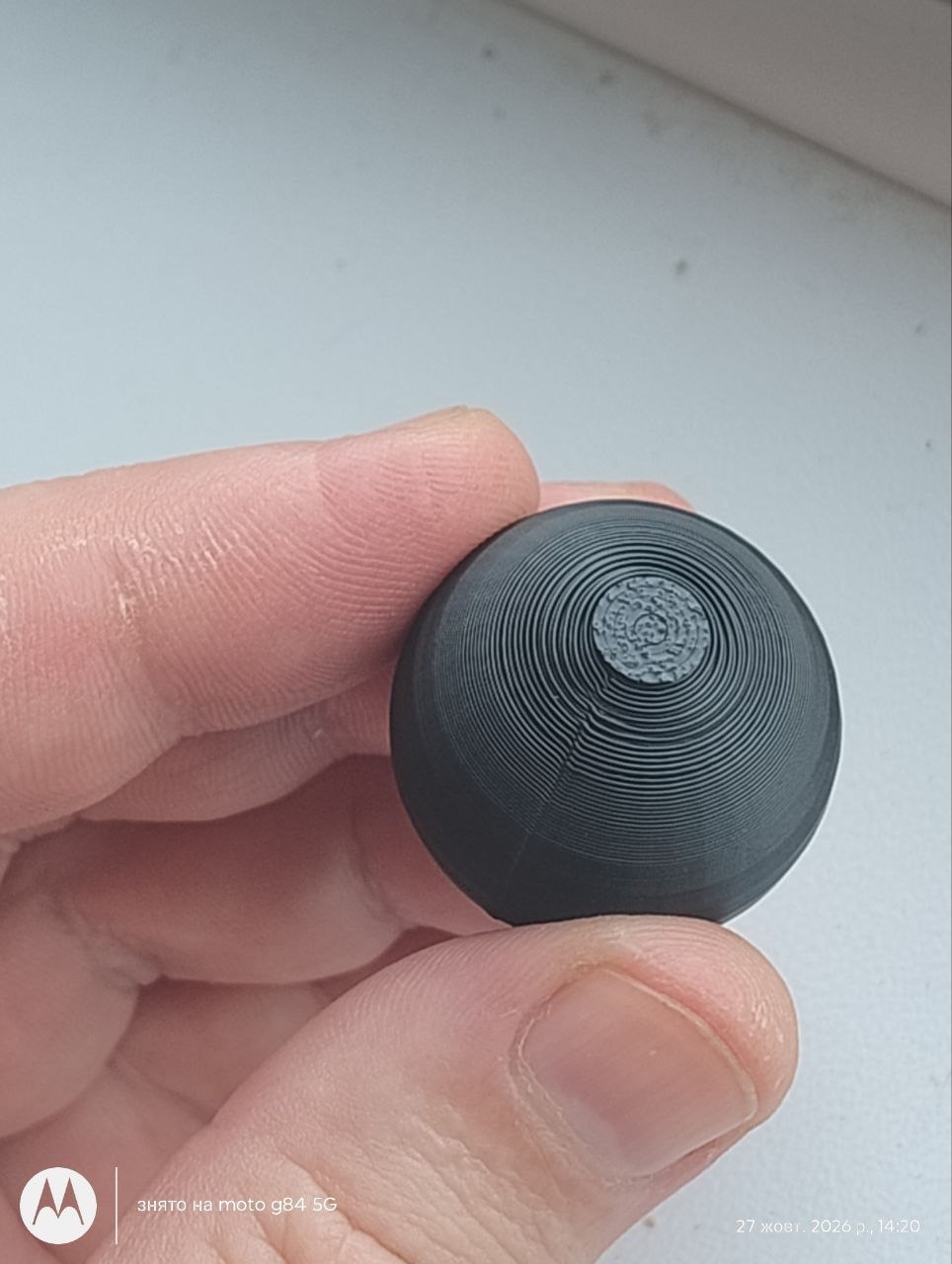
I’m new to this, but it seems to me that the Bambu Lab P2S can’t print spheres.
I bought the P2S just a couple of days ago and started learning about 3D printing. I’ve printed various phone stands and flower pots, and I was satisfied with the quality. But when I decided to print a sphere, I was really disappointed with the quality because another printer—which costs half as much—printed it perfectly compared to my P2S.
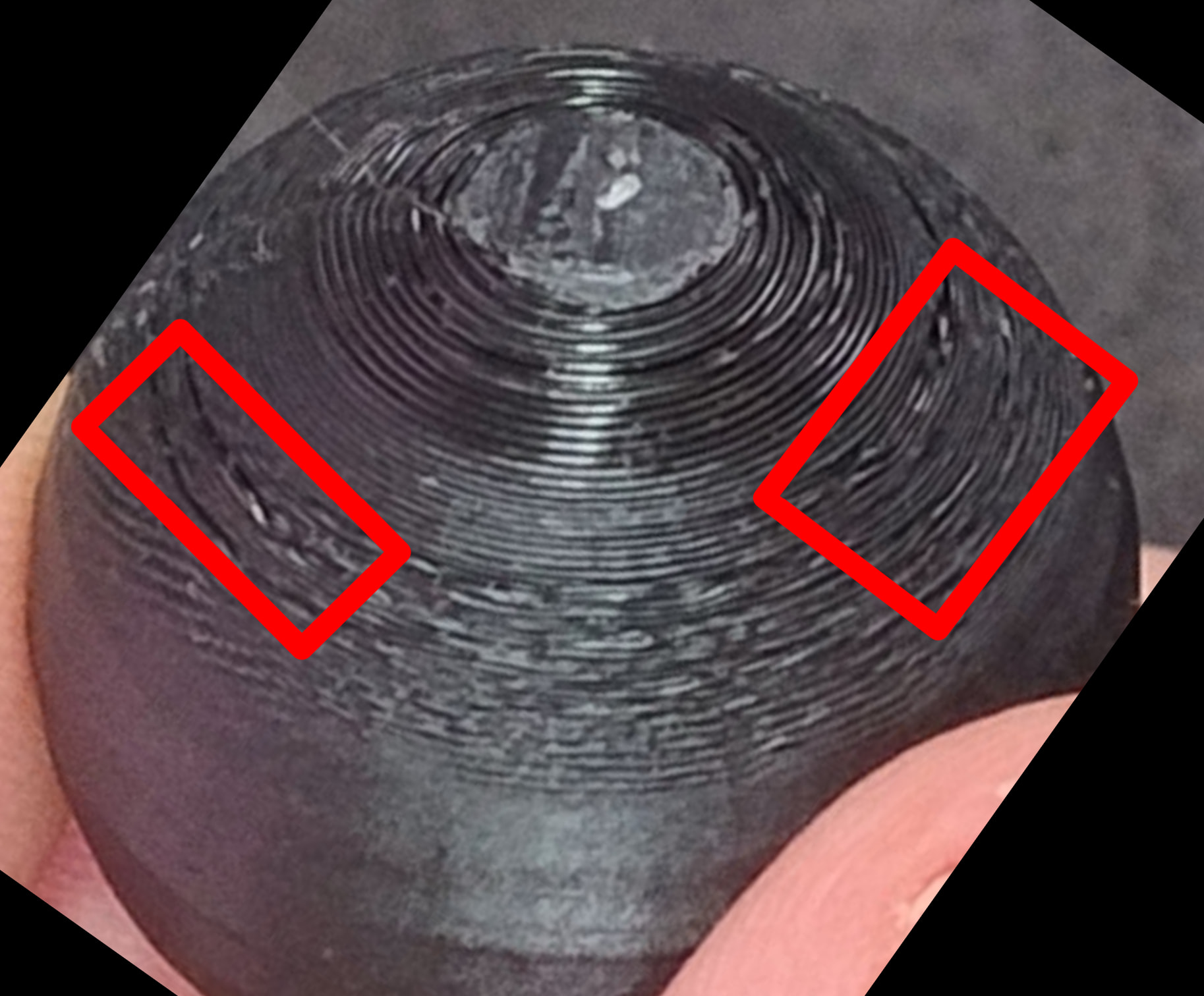
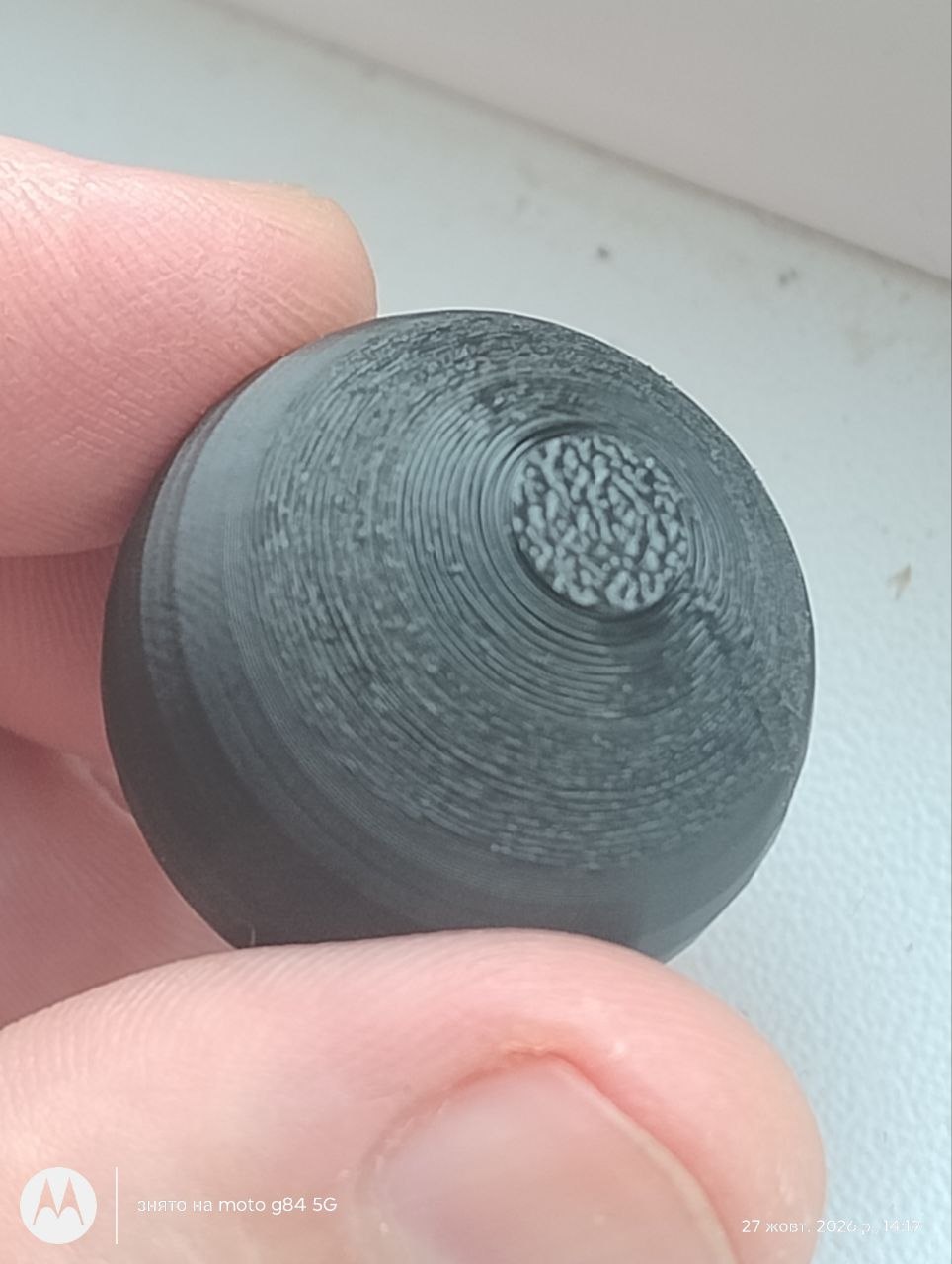
I tried printing this file, I didn’t change any settings in Bamboo Studio—I just calibrated the ink flow—and here are the two results, black and gray. By the way, in 80 percent of cases, the part would simply be torn off the table at the beginning or the end. I was only able to print the gray part successfully after setting the PLA temperature to 230 degrees; in all other cases, it always peeled off. I printed the black part at 220 degrees, but using PVP glue.
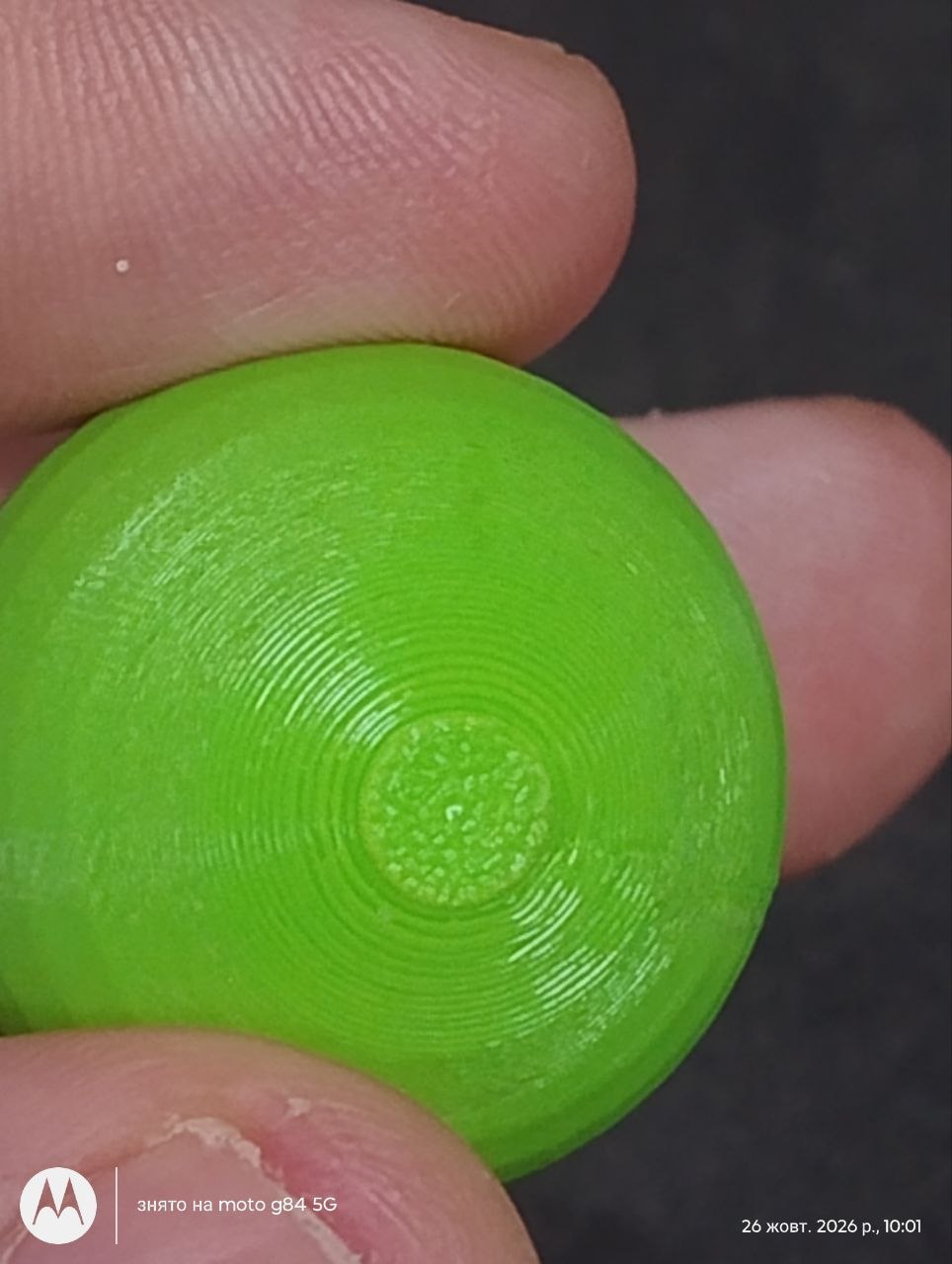
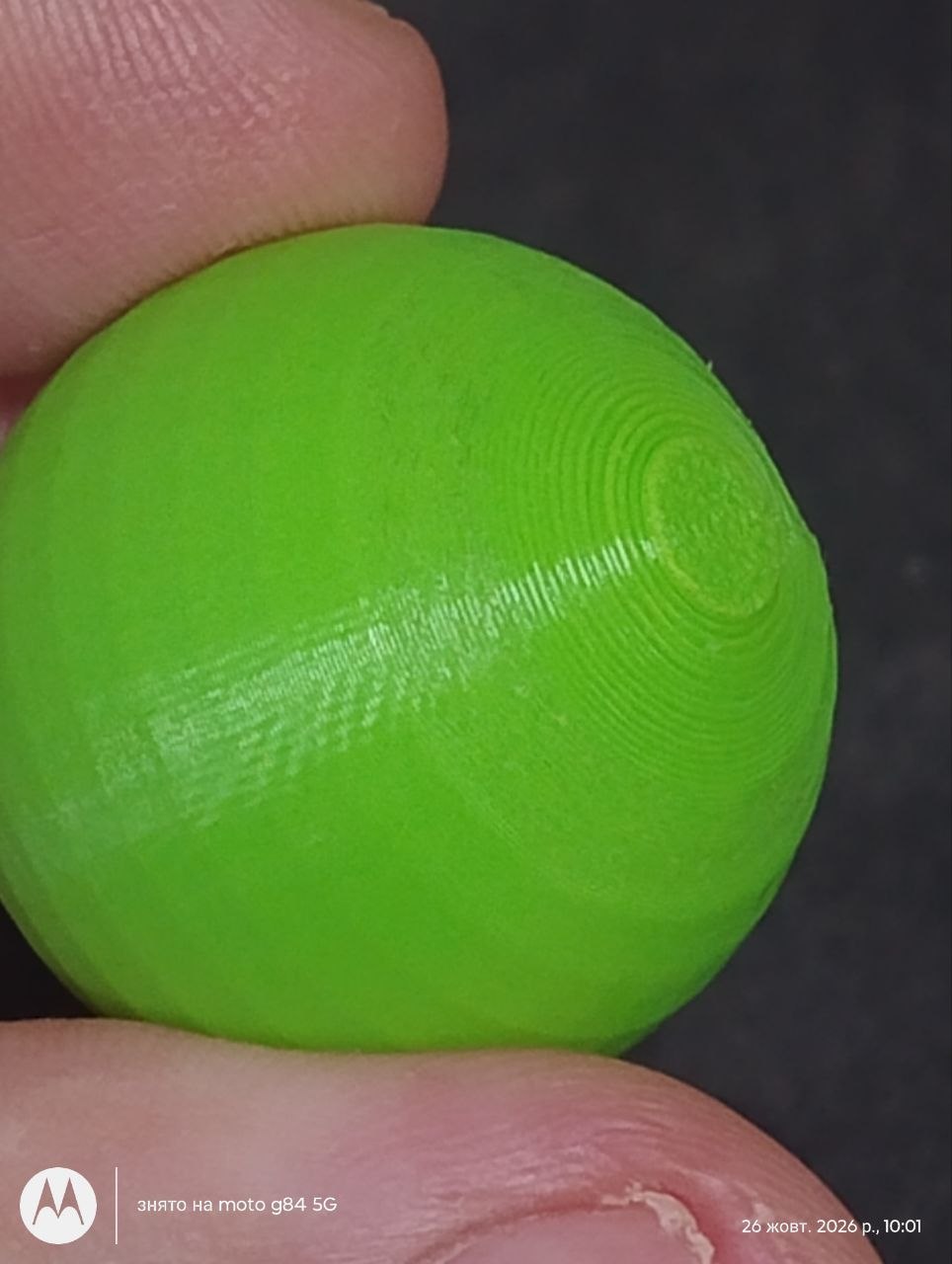
I was disappointed, so I went to see a friend who had also bought a printer a week before me—only he’d bought a Creality i7—and here’s his result: he used the exact same file, with no additional settings or supports, and no glue—just PLA from the same manufacturer, but in green. His sphere printed perfectly on the first try without lifting off the bed, and I’d say the quality was perfect compared to my P2S.
I figured that the printer’s open design cools the plastic better, which is why there’s no warping. I set the fan speed to 100% and printed with the door open, set the temperature to 210 degrees, but nothing helped.
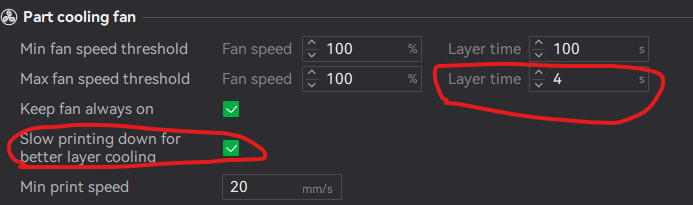
Look for “Minium layer time” in the filament profile. Should be in the cooling section.
Crank that up a bit and see how it goes.
I think they might have to print it at an angle
To me, this looks either like a calibration issue or incorrect settings. You can clearly see that the defects start appearing at a certain height on the print. I’m not even sure if it’s the upper or lower part of the model in the photos, but the transition is quite noticeable.
I don’t think the filament is the problem, since some areas of the print look very good. Since you mentioned that the printer is new, my guess would be that something went wrong during the filament calibration, or that one of the print settings isn’t configured correctly.
Just throwing this in since you mentioned the printer is brand new: Have you checked the screws on the toolhead and made sure the nozzle is properly tightened? It might also be worth checking the belt tension.
It’s not uncommon for things to loosen slightly during shipping. If that’s the case, it could easily explain issues like the ones you’re seeing. Before diving too deep into software settings or filament calibration, I’d make sure all the mechanical parts are secure and properly tensioned.
Thanks for the advice. It’s lower part . I tightened all the belts and, while I was at it, lubricated the guide rails, and then printed a few spheres. As far as I can tell, the quality has definitely improved. There are no more layer smears on the bottom. I’ve noticed that when printing with a layer height of 0.12 or lower, a defect appears on the bottom layers. I wonder if there’s a way to get rid of it without having to sand it down?
Thanks for the advice, but unfortunately I couldn’t find that section.
I was at the Charlotte Microcenter last week and the had some pretty spot on golf balls they had printed. Could barely see any layer lines at all. Only negative I saw is that it looked like the used some sort of supports (maybe?) but the three I looked at had a sort of color change that went a sort of a cream at the very bottom, up to around the 10mm height layer at which it became a standard golf ball white. Was the same on all 3