First/Top Layer Gaps on H2 Series — Confirmed Bug, Still Unresolved

That is exactly my question as well. I have opened up a ticket with Bambu Support (because apparently I am a glutton for punishment), and have been working through their initial standard answers and suggestions.

They suggested I go through this guide: H2C First Layer Print Quality Improvement Guide | Bambu Lab Wiki

However, after doing everything on the list to ensure everything was tightened correctly and even manually leveling the bed (tramming), I’m still getting the same results that point to the nozzle being too far away from the bed. For their tests with that guide they are only using a single large square, and I’ll admit, when I printed that after doing all the calibrations, it looked pretty decent, only like 1 small section had disconnected lines. But, when i started printing some different shape objects I’ve printed on my P1S in the past, I could definitely see how the nozzle was too far away from the build plate causing lower bed adhesion (inner circles). Pictures included, you can see each individual line and the inner circles are pulling away from the other lines.
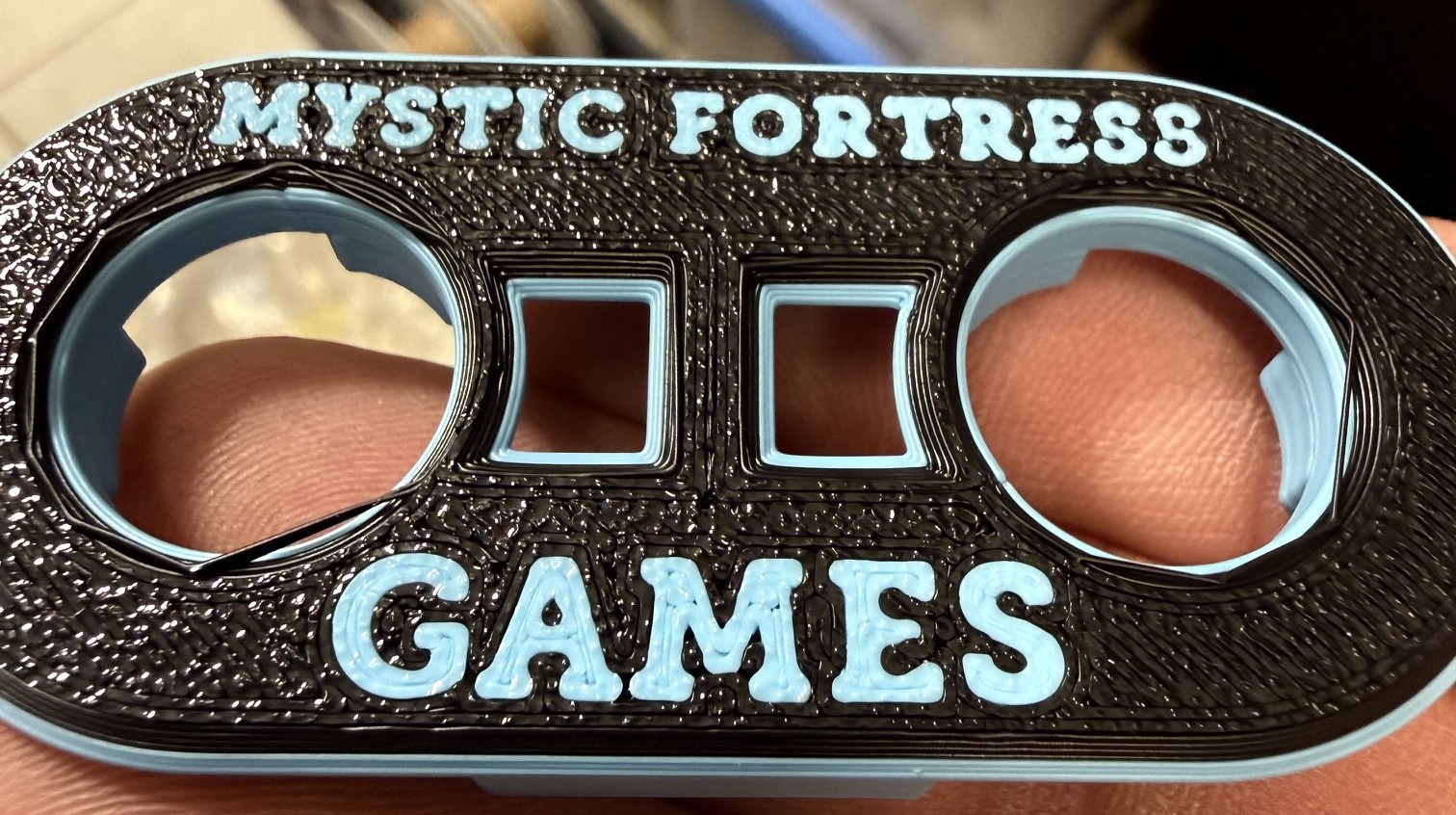
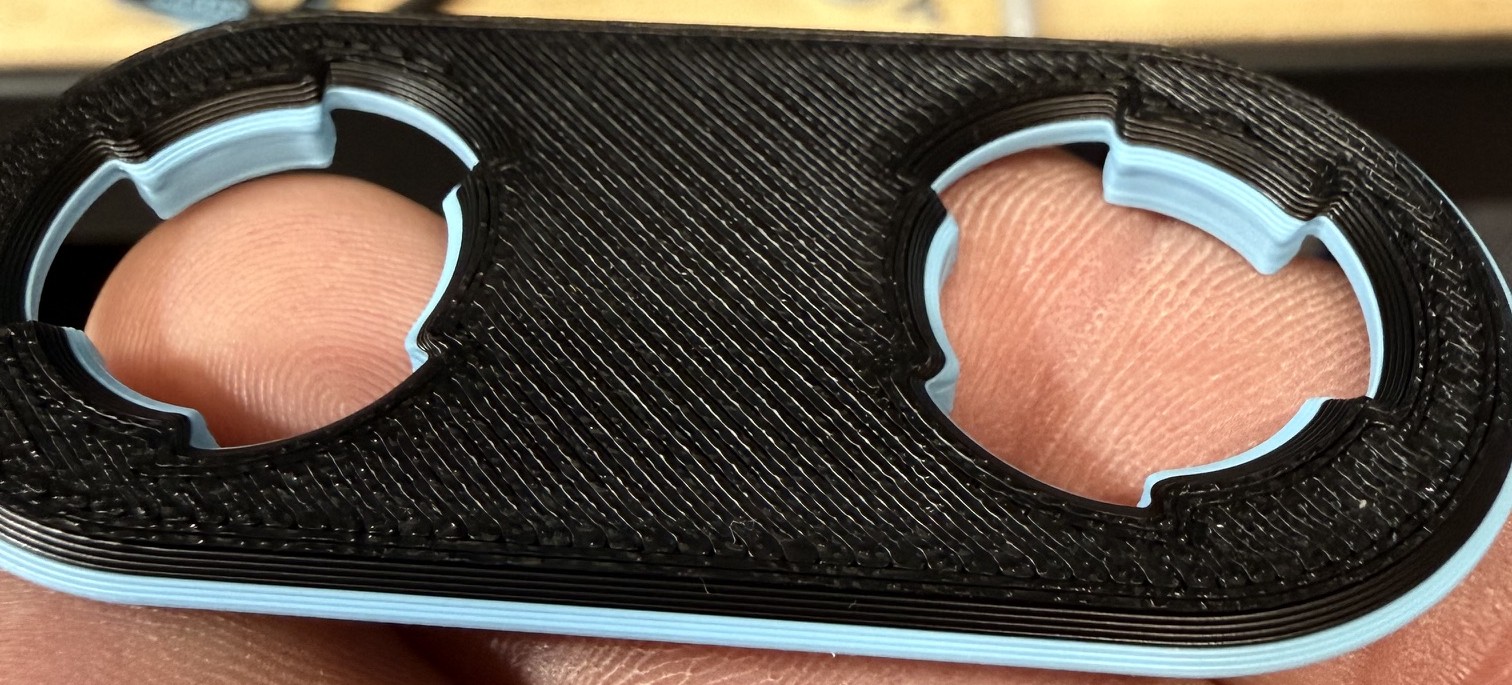
Even after doing all their calibrations, I’m back to adjusting the gcode to get a better first later on my H2C.

The z-offset is one of the big issues with the H2C default configuration which is causing first layers to be poor quality, especially with multi-color prints. However, through my testing, as i described, individual nozzles are also giving me slightly, but noticeable, different quality (under extrusion). So, there doesn’t seem to be a single solution to this problem, but I also miss the consistency I have with my P1S. I bought Bambu because I wanted it to be plug and play, and get away from days and weeks of testing settings and “dialing-in” a printer. Hopefully Bambu will realize this issue and change the z-offset. I think if they just did the same z-offset for the H2C textured plate as for the P1S (-0.04mm), it would drastically improve the majority of users’ experiences. Then the other issues can be ironed out more efficiently.
I didn’t read your whole post but this is incorrect. By the gcode that you posted, it reads in plain english

  1. if you have a textured plate and a 0.2 nozzle then z-offset is -0.01 other wise for other diameters (including 0.4 obviously), it is -0.02
  2. If no textured plate and 0.2 nozzle offset is +0.01, other nozzles have no offset

There is just a typo on the commented « for textured PEI plate » in 2. which should be « non textured PEI plate » but it’s just a comment the code shows it is for non textured

Yes, I appologize, after re-looking at the original gcode, I noticed that as well. However, based on about 35+ tests and counting, the z-offset of only -0.02mm for the textured plate is incorrect and should be at least -0.04mm to get better results.

Hopefully they can get this looked at and fixed soon. I did download the newest Bambu Studio, and the default gcode has still not changed.

I have got strange break trough on my X2D with the bottom layer explained here:

You should have similar option on HXX models.

Basically changing the manual Z offset from the printer menu + normal and high temp bed calibration did something and now bottom layer is good and solid. I suspect it did reset/init something.

One more update on this, I did reset the Z offset back to 0 as I have too strong adhesion to the bed from PLA. Then played a lot with the calibration, and found If I do use the actual object like primitive cube from the slicer. And from there start to manually dial the rate and pa/K on steps I was able to get both better surface quality and to fix bottom and top under extrusion, + smooth edges. And matte filament also required drop in the speed.

So far I never saw such a smooth output from my X2D. With zero under extrusion top and bottom.

I take it beta firmware V01.02.50.00 hasn’t fixed this (or anything else).

Do you see any difference if you use different filament?

Great info!

I forgot about this thread until tripping across it again after spending the last 2 days fighting extrusion issues on my H2C, then seeing a BETA firmware pop on my H2D and info regarding a z-hop motor knocking problem I hadn’t really known about, and wondering if there was some connection to my H2C problems and why I hadn’t seen the 01.02.50.00 BETA for the H2C yet.

Not only is the Z-offset a hot mess, it probably needs to be different for each L/R nozzle difference.

This started as a 1st layer line gap issue AND trying to get a smooth top layer without ironing. I found the induction nozzles flow so much more than the left nozzle that they needed their own profile.

I gotta say, if Bambu can’t fix this, it’s going to be my jump point for a warranty claim with BestBuy to get a full refund and just get the H3C after release and be done with the H2C. My P2S lays down perfect 1st layers with none of this nonsense. The H2D does OK, but that’s so much an engineering printer for me and less about 1st layer color changes and getting more attractive surface finishes.

Ultimately, I (mostly) resolved this through gcode as I couldn’t bear to create unique nozzle profiles, nor ask my wife to endure that insanity. That said, pushing the 1st layer flow ratio up enough to close the gaps, and tweaking the z-offset still isn’t producing the same quality my P2S does without tweaking. To get it close enough, I still have to tolerate ridges on the ends of the lines. No amount of tuning flow rations, line width, speed, or PA seems to help. These printers and the software is supposed to be nearly plug and play. (Yea, probably take some heat for that statement).

Same for the L/R nozzle height disparity, I modified the gcode to set it different for each type nozzle.

Use as an example, and at your own risk…Feedback welcome.

Filament used for tuning (because I needed to get some stuff printed with it) was Sunlu Matte PLA, seems a particular bugger to tune for. I started by getting this right on a Biqu Glacier, then, knowing the textured PEI would be trouble, moved to that. The 1st layer micro gaps on the glacier were a bit unexpected but i was able to tune them out eventually with some compromises. However, it still can’t lay down as nice 1st layers as my P2S or my H2D. I’d also add the center of the heat plate is .2mm lower in the middle than the outside edges and the printer was received with one screw sitting proud the plate and needed re-tramming before use. With ABL, shouldn’t matter once that’s been done.

Machine start G-code:

;===== for Textured PEI Plate , lower the nozzle as the nozzle was touching topmost of the texture when homing ==
{if curr_bed_type==“Textured PEI Plate”}
{if initial_no_support_extruder == 0}
G29.1 Z{-0.015} ; Raise Left (lifting) nozzle slightly to stop the over-extrusion/plowing
{endif}

{if initial_no_support_extruder == 1}
G29.1 Z{-0.035} ; Plunge Right (Vortek fixed) nozzle deeper to stop it from peeling/tearing
{endif}
{endif}

To avoid unique profiles per nozzle type (L/R) And because it seems the slicer cannot use different L/R nozzle speeds when they’re in the same print and it kept getting reset.

If I find significant differences needed for other filaments, I can add some checks using the filament ID.

Change Filament G-code

; ===== AUTOMATIC TOOLHEAD FLOW ADAPTATION =====
{if next_extruder == 0}
M221 S100
{endif}
{if next_extruder == 1}
M221 S95.1
{endif}
; ==============================================

; ===== AUTOMATIC TOOLHEAD SPEED ADAPTATION =====
{if next_extruder == 0}
M220 S100
{endif}
{if next_extruder == 1}
M220 S120
{endif}
; ===============================================

I’m curious whether the H3C has the same problem. It would be great if someone who owns one could post some tests on this right here. If it does, that’s really sad for all H2* owners.

I have this problem myself on my H2C, which I bought during the last salein june 2026. It’s worse on the Vortek nozzles than on the left nozzle.

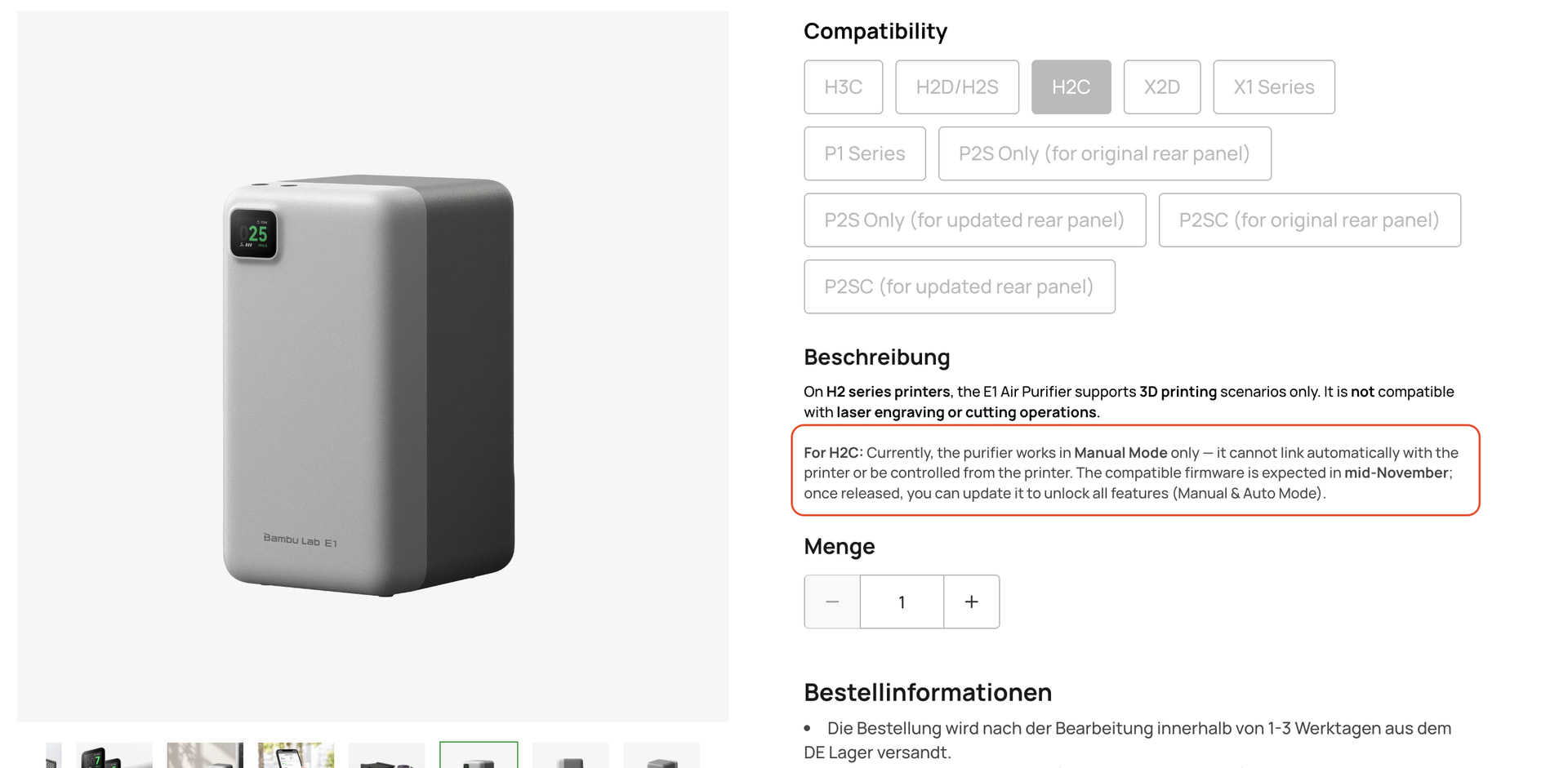
But I’m also curious whether anything changes here with the release of the new Bambu Studio. Apparently there’s also a new firmware coming for the H2C in November. At least that’s what’s mentioned here on the page for the new air purifier:

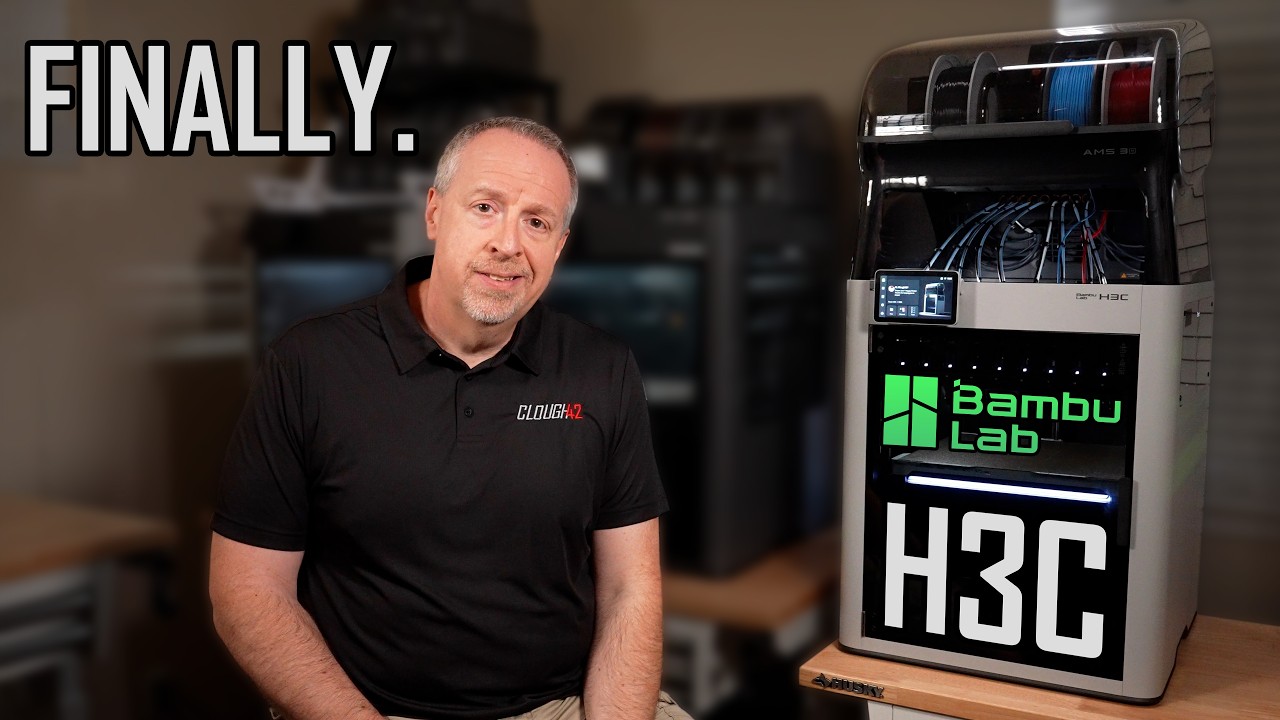
Recently saw the H3C review from clough42. And he mentioned some layer not sticking and under extrusion here and there. From other side his calculator and panels was looking very clear. Maybe they will focus more onto this while working over multi nozzle size for all “older” printers.


This looks like the same gaps to me. I’m still curios to see still and high quality images from test prints.

FYI

Maybe this offset issues he encountered are similar to what rjt4455 said above.