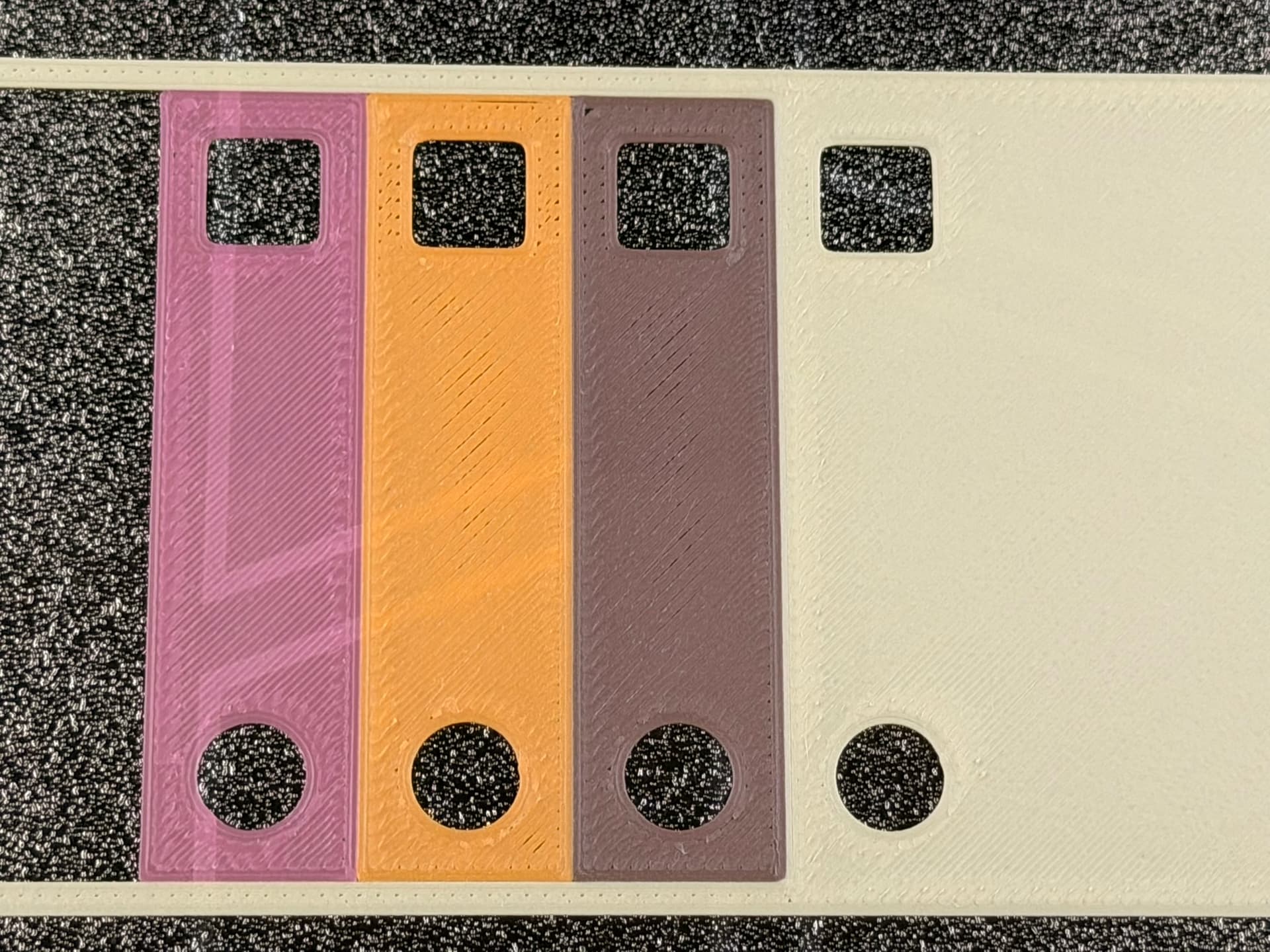
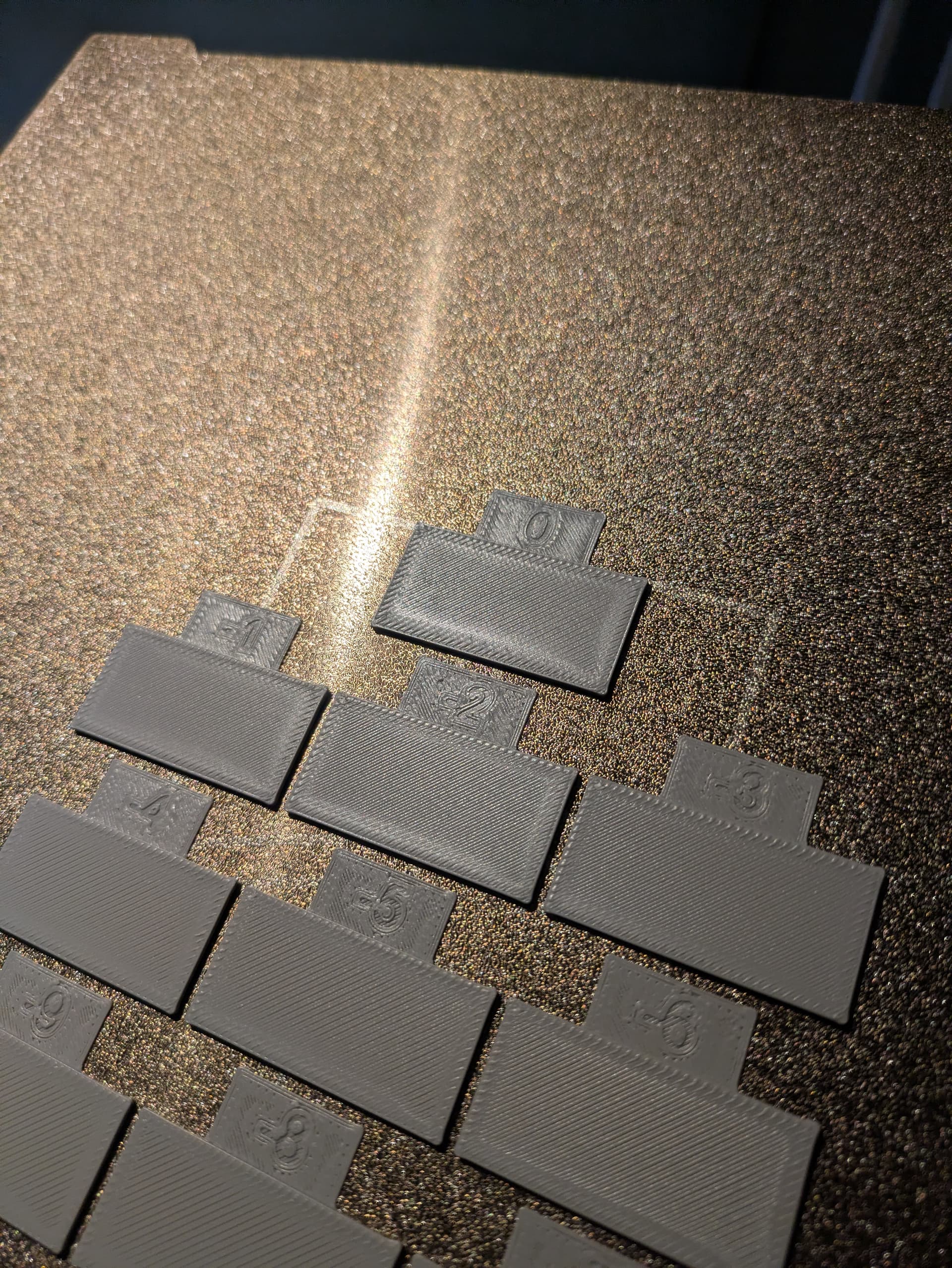
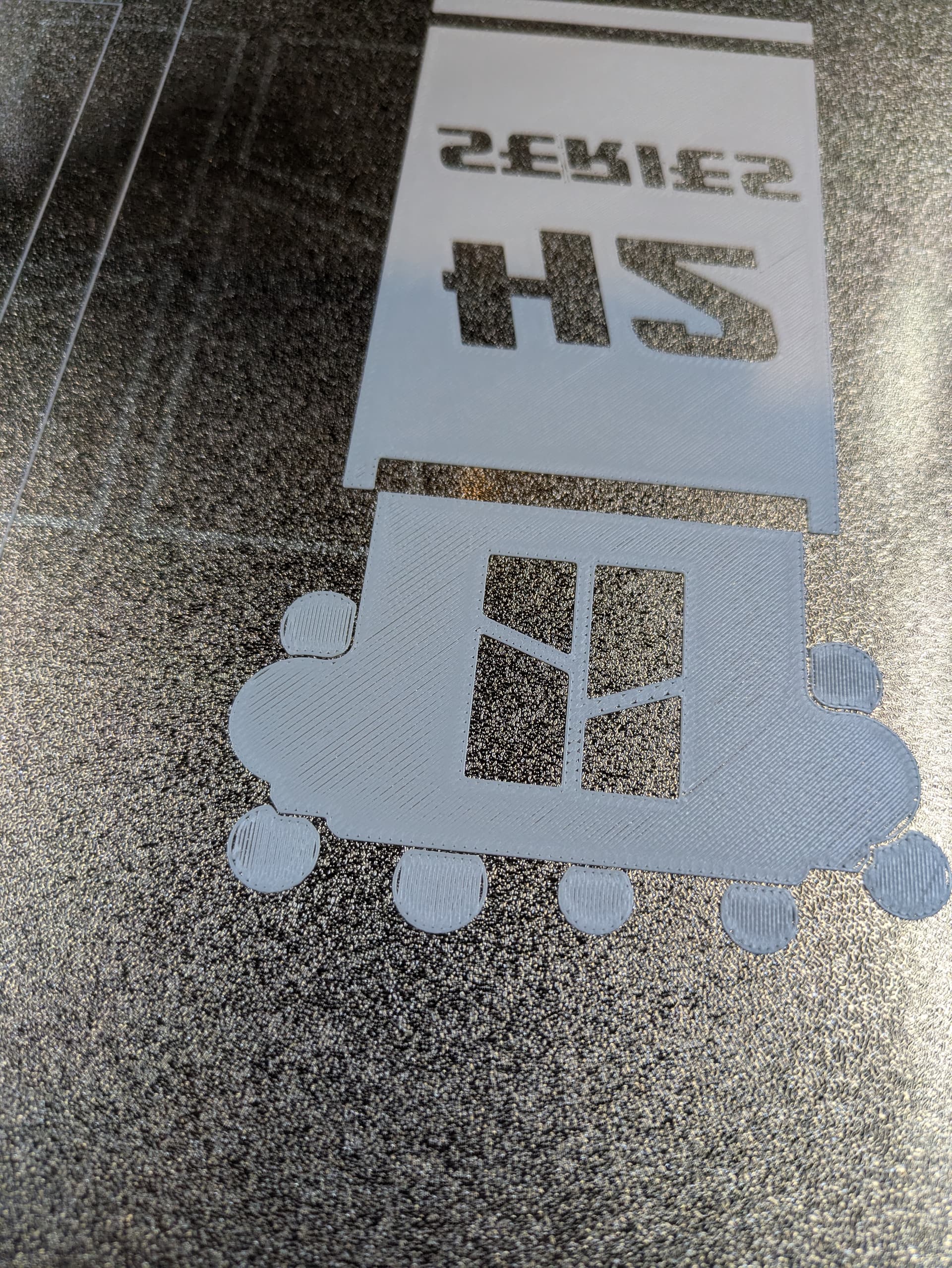
That looks exactly the same issue than I’m having. Please keep this thread updated with the feedback you get back from Bambulab.
And indeed I found 2% also not enough. I needed around 3.5% to make it look good.
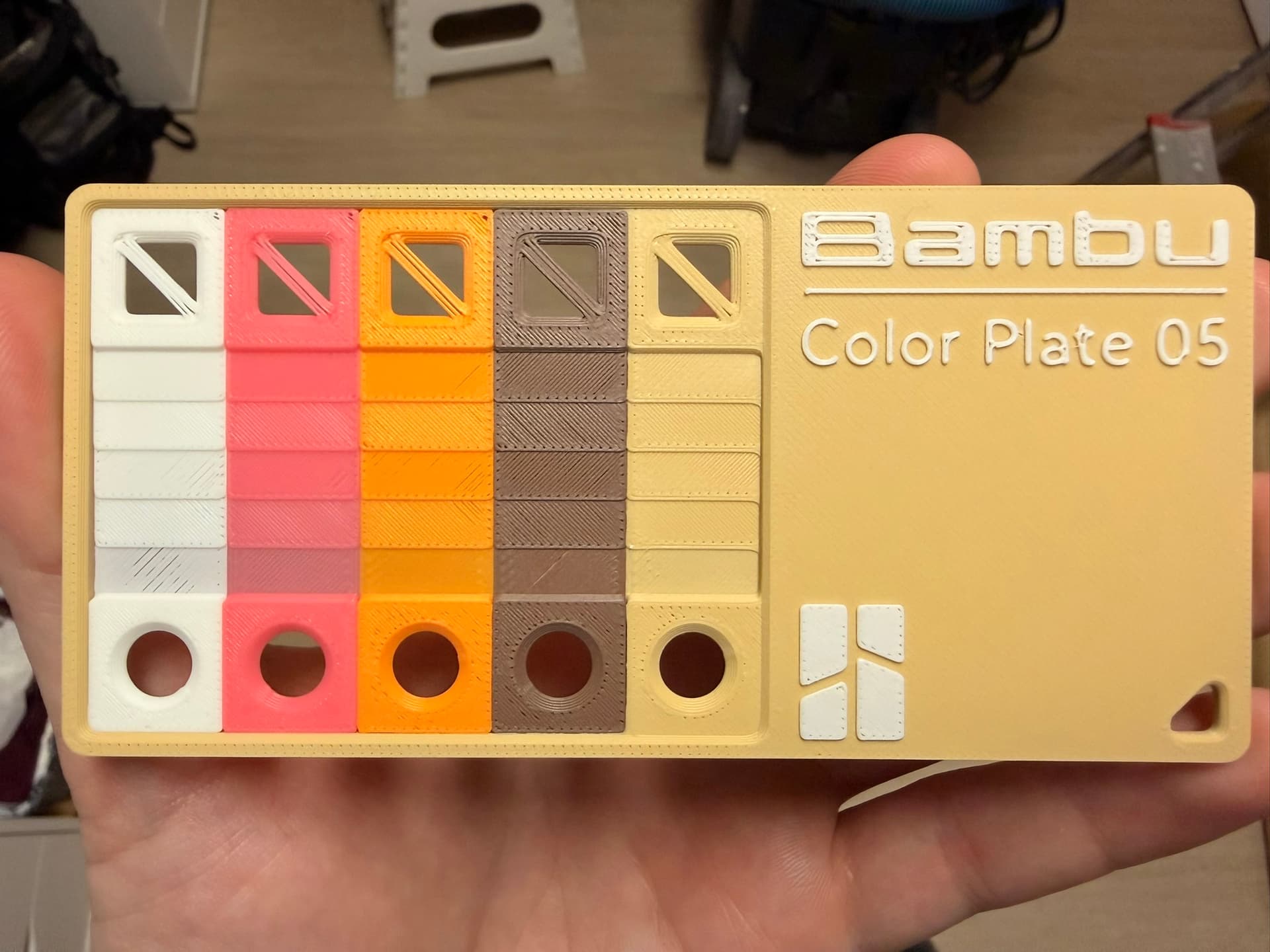
Do you have the link to that color plate? I will print one to compare. There the issue is very visible.
The color plate 5 is one of the presliced files that you can access directly on the printer itself, I would assume that the files that come on the printer directly should be coming out flawlessly and if its not that would be an indication of a bigger issue somewhere.
So here is my test print. All Bambu filaments and it’s a file on the printer. On some colors it’s more difficult to spot, but it looks like I’m having exactly the same issue as you.
It really sounds like a firmware issue or bad batch.
And on this forum, someone is reporting a similar or the same issue as well on his H2C: https://gathering.tweakers.net/forum/list_message/84871968#84871968
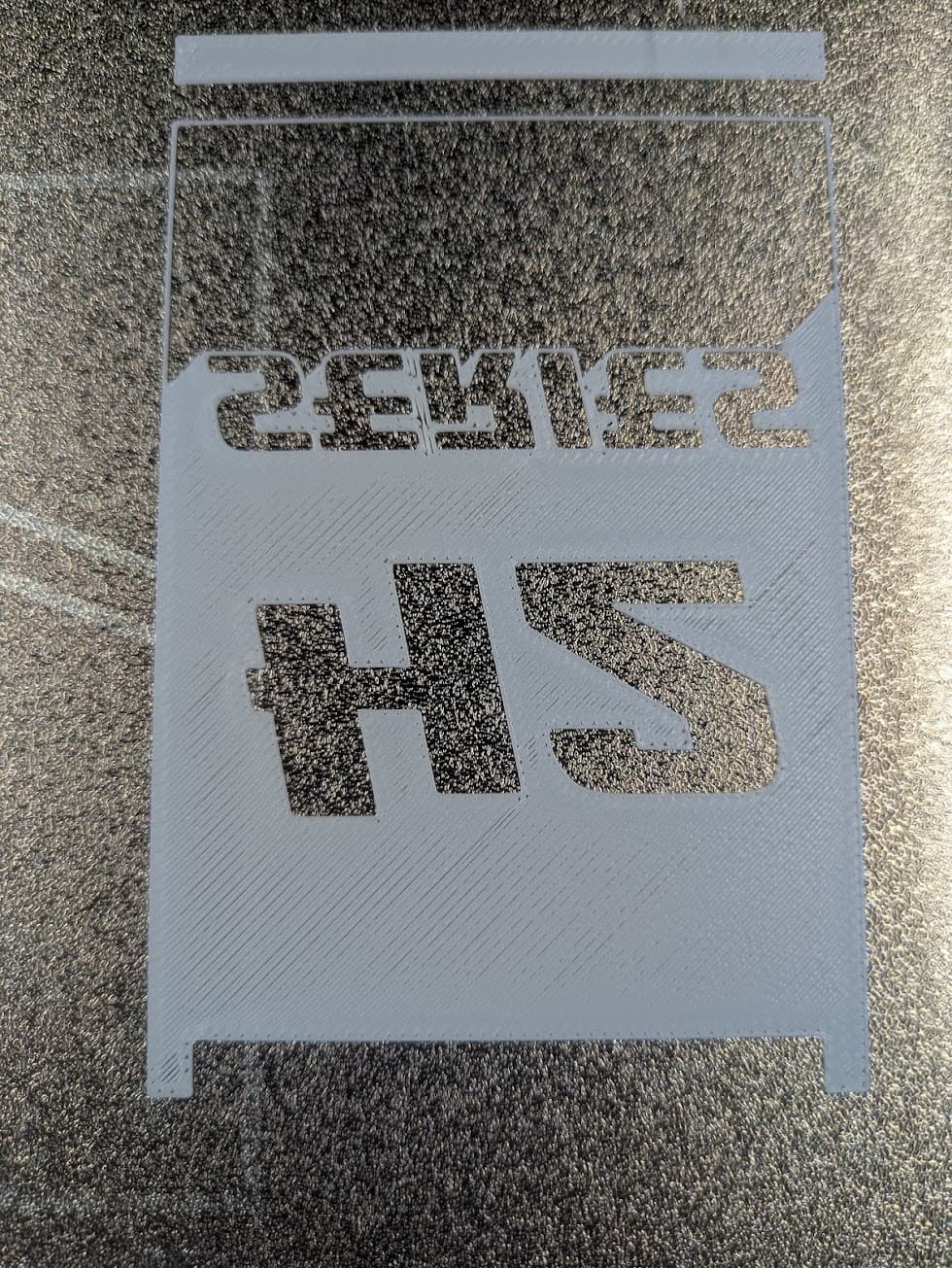
Apologies in advance, are we referring to the small gaps on some prints, but not others? The main beige seems good, but there are some striations on some of the prints and the holes in the lettering. This is the issue, yes?
I would say my issue is just overall subpar print quality on first and top layers. Be it sometimes underextrusion or indeed those holes.
And its weird cause i’ve had a couple prints that did come out fine, but then others seem to be misbehaving. Like one time I had to retry a print 4 times before it finally gave a first layer that wasnt having weird wavey patterns. And between every attempt i redid the bed levelling cause for that one that was what i was expecting.
Some prints do come out fine like bambu support had me do a first layer test print over the whole bed and that one came out great, but then other times the first layers show massive underextrusion issues.
Yes, you can see some lines between the top infill and gaps near the perimeters. These are all Bambu PLA filaments. The prints on the printer or my own sliced prints show the same behaviour. I can fix it by raising all the filament profiles flowrate by about 3%, but my X1C was perfect with Bambu filaments en default flow rates. So I think that either the firmware is bugged or the hardware. But since it’s so consistent, I rather think it’s a firmware issue.
Same here with h2c, shipped Jan 26.
Can write a complete post about it but everything is already said in previous posts
Thanks for the confirmation.
I am having all the exact same issues with my H2C
I hope everybody with this issue makes a ticket in the Handy app so they are aware of the problem. Since so many people got the same problem, it’s probably a firmware issue.
Last response I got from support was that they find the extrusion to look within expected parameters and that they just recommend increasing the flow rate, increasing hotend temp and slowing down the printer. But Im not really satisfied with that response cause like you said, bambu lab printers should just work flawlessly out of the box, especially for a printer as pricy as the H2C. I did try increasing the flow rate to 1.035 and the temp up by 10c but the first layer still doesnt look that great… So currently just waiting to hear back from them again.
I created a ticket but I am still going back and forth with support. They respond to me initially telling me to increase first layer flow rate, but I am also having this issue with top surface as well. Also, as others had previously mentioned, since I am using bambulab filament, I don’t think I should need to change the filament flow rate settings since it should work as is. The strangest thing to me is how inconsistent the quality of my initial and top surfaces are. In some prints they will look pretty good, but then others I will have very noticeable gaps using the exact same filament.
Additionally, I can use the exact same filament with my A1 and I get flawless prints without and gaps or holes in either the bottom or top surfaces. I’m not sure if this is some hardware defect or if it could be due to the printer firmware or software in the slicer.
Didn’t they ditch the Lidar method on the H2 Series? Seems like maybe a bad move to me.
Yeah only the X1C had the lidar
Same for my Bambu PLA Matte, some colors, not all need a flow ratio of 1.04 even 1.05 !
Just ran flow calibration of PLA matte and got 1.029 so we will see how a new benchy prints. Currently in progress
Update, increasing the flow rate helped, better yes. Worth going and doing a flow calibration on all filaments, jury out on that one..,
I still haven’t heard back from support since last time, but I did try a completely different material to check if those default profiles were also incorrect.
So instead of my usual PLA here I tried bambu lab PETG HF with the default profile and as you can see, the first layer here also looks really bad.
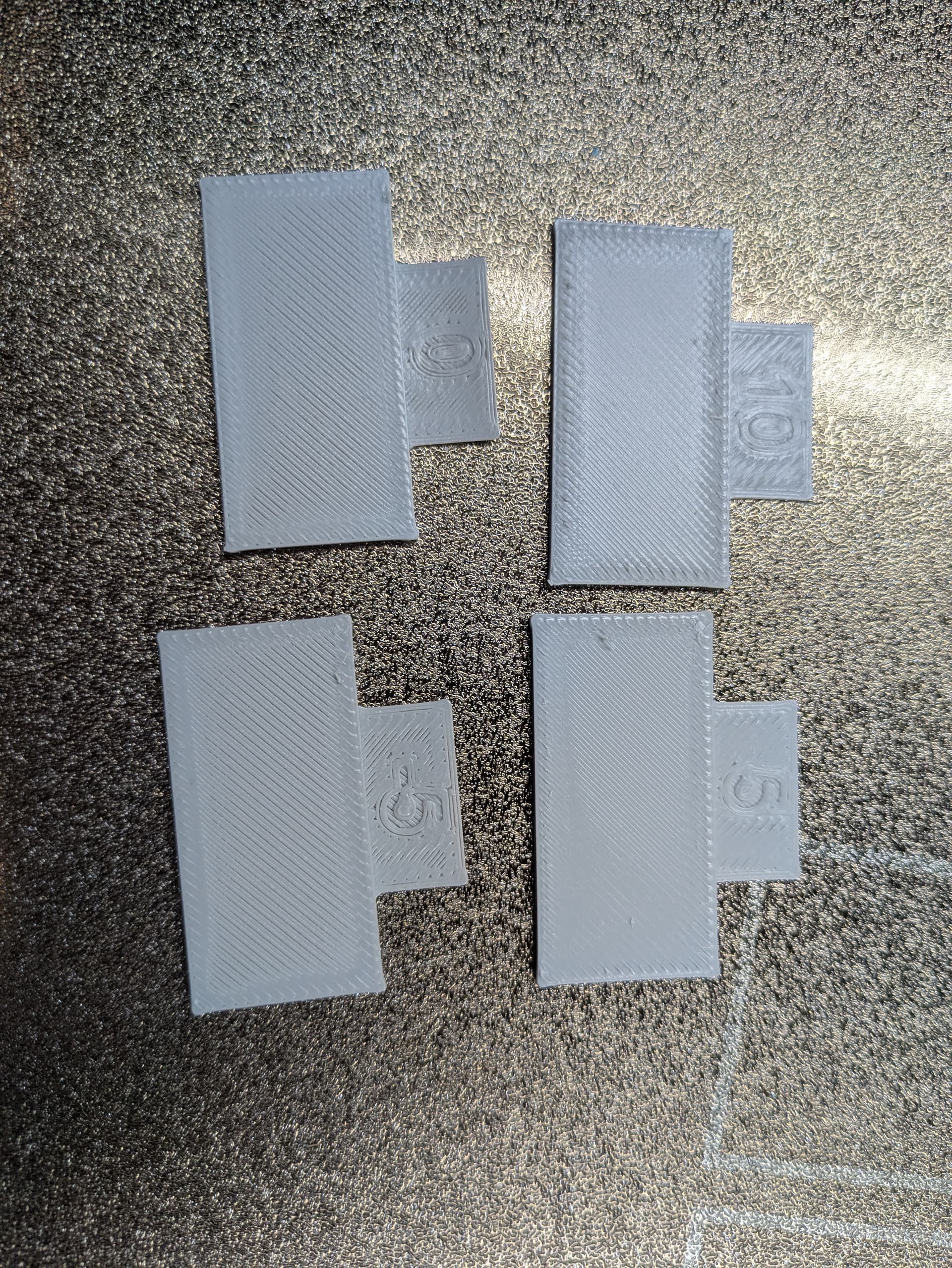
So i ran a flow rate calibration for the PETG HF.
These 4 options from the course calibration came out the best:
Then I did the fine calibration:
None of them really looked that good and none felt smooth all the way over, especially around the edges. But I ended up with a flow rate of 1.0083 instead of the defaults profile of 0.97.
So then i tried that print again but still the first layer is looking horrible.
Of the first round, what did you pick? From the images 5, but that’s only half the test. Curious