For those waiting for the beta firmware:
Updates are rolled out gradually (1) to reduce the load on their download servers, and (2) so that any errors can be caught before everyone is broken all at once
I have noticed that my right nozzle purges in the proper spot but my left nozzle sits slightly over to the left of the purge chute causing a clump
Is there any way to get beta firmware on printer when on LAN mode? Connecting to cloud isn’t really an option for me.
Because it is YOUR choice to join beta programs for each product you bought.
That’s correct. I’ve already made that decision with my other printers. What I’m saying is that if I become a beta tester, it should apply to all printers, and if I don’t want to be a beta tester, then that also applies to all printers.
Well, what you say is irrelevant, cause it is a risk to use beta firmware, and bambu will never make you a beta for everything because you “opted” for beta on a buggy P1x series. So, live with it, it takes 5 sec to enter.
I think you don’t understand what I’m saying. I’ve been in the private beta program from the beginning, first with my P1P and then with my X1C, and I’ll also be joining with my H2D Laser Combo. We’re all adults and we know the risks. I asked the Bambu team why it’s not possible to activate it every time I’m already in the beta program.
if i had a print farm, i’d only want one of the many to be in the beta firmware enrollment!
If I had a print farm, I wouldn’t be in the beta program at all. Maybe with my private printer tied to my private account. It doesn’t matter anyway; it was just a thought. Then I’ll just have to sign up for the beta program every time.
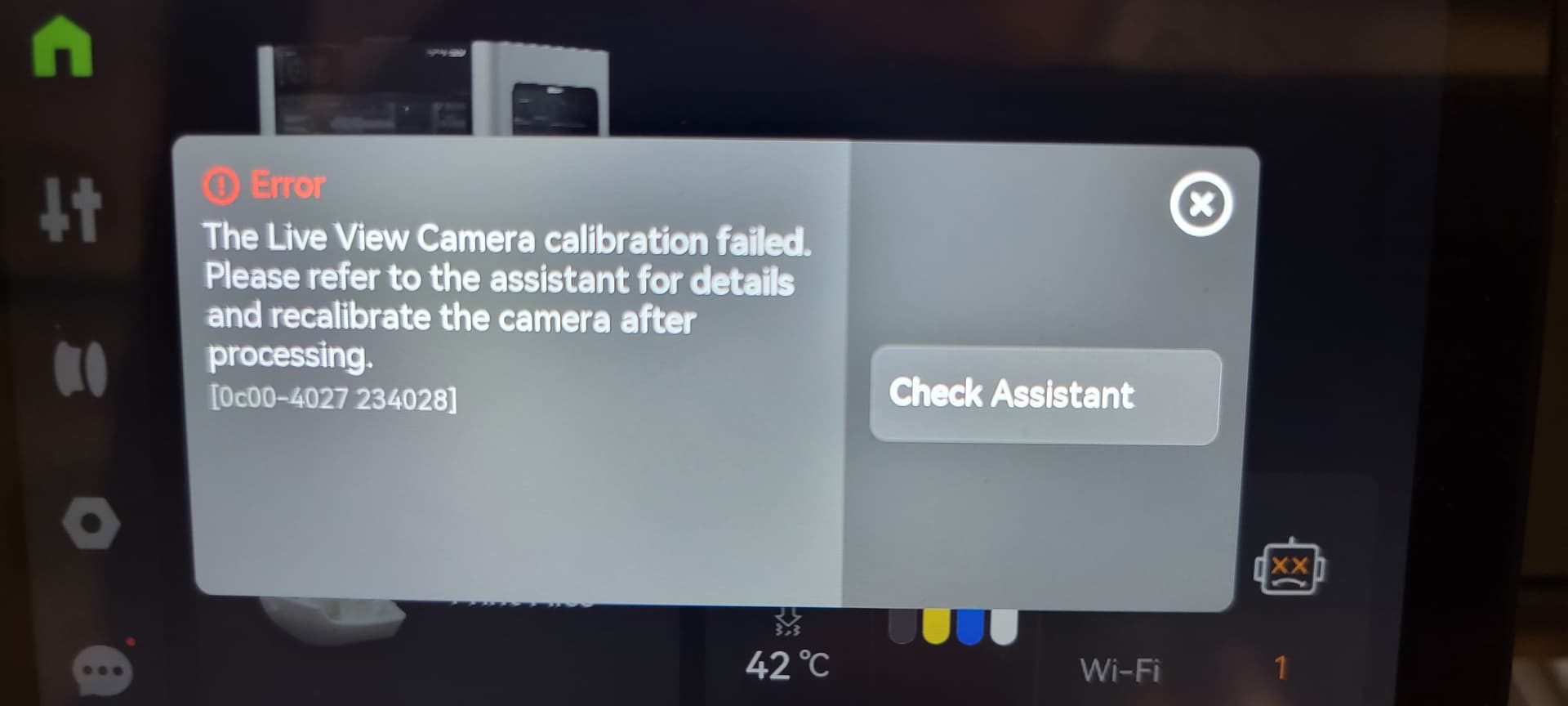
With the new beta firmware installed, my H2D runs and passes all of the calibration tests except for except for "Llive view camera calibration. It has failed four times in a row. On one of them I even power cycled the H2D beforehand, but same result. Anyone else here ever encountered the same problem?
Did you remove the plate? Liveview calibration uses the targets on the magnetic bed.
Otherwise, check this
Yup, no build plate on it. I can see the four silkscreened fiducial markers, if that’s the correct name for them.
Well, looking through the camera, it does look kinda hazy:
If cleaning it doesn’t help either, then I’ll submit a ticket.
What are the consequences with printing during whatever interval this test can’t be passed? Is it just impaired spaghetti detection? Aside from maybe that, does it even matter at all?
I do understand very well, but this is not something they just offer to skilled users, but to all users, and I can assure you there will be lots of users who would complain, if they by a own mistake installed a bad beta firmware for a model they not intended to.
So, it is more like you would like a feature suited for your usage, not all, they will never do that. Do you now understand?
Isn’t the live view camera, the birds eye camera for the plotter/cutter and the laser? Is that the version of H2D you have, or just the normal one?
Just the normal one. Which means there’s only one that I can see through (which is why I posted a picture of that above). Anyhow, I cleaned that one, and the nozzle cam ont he printhead, and also whatever the sensor is hanging off to the right side of the printhead. Still fails the calibration though. I tried more than a dozen times and failed all of them. So, I opened a ticket with Bambu (my first ever), and so nothing to do but wait… unless somebody here already knows the answer and is willing to post it.
if i had a print farm im not sure i could justify the cost of an h2d over 5 x a1’s.
The calibration marks on the heater plate are for the birds eye camera, it points straight down for when you are placing materials to be lasered or cut, you don’t have that camera so it can’t calibrate it, hence the failure. I mean, you can’t even see the bottom left calibration mark on your image above. 
I think there’s definitely something screwy going on if it’s looking for that camera. At least you’ve pointed it out to support so they can fix it for final release when I’ll install it. 
Quick update: All users who signed up for the Beta should now have access to the current version.
Thank you for testing, and we look forward to any bugs identified, so we can quickly solve them.