New to 3D printing. I have a Bambu Lab A1 and PLA+ filament, and need to print this eye model at about 8cm tall. I have tried printing it twice, stood up on its edge so that I can get all the iris detail in, but it has failed both times. I have no idea what support or print settings to use for this specific model, I always just use the defaults, so I was hoping to get some advice? I also just bought a 2mm hot end so am thinking of using that to get more detail.
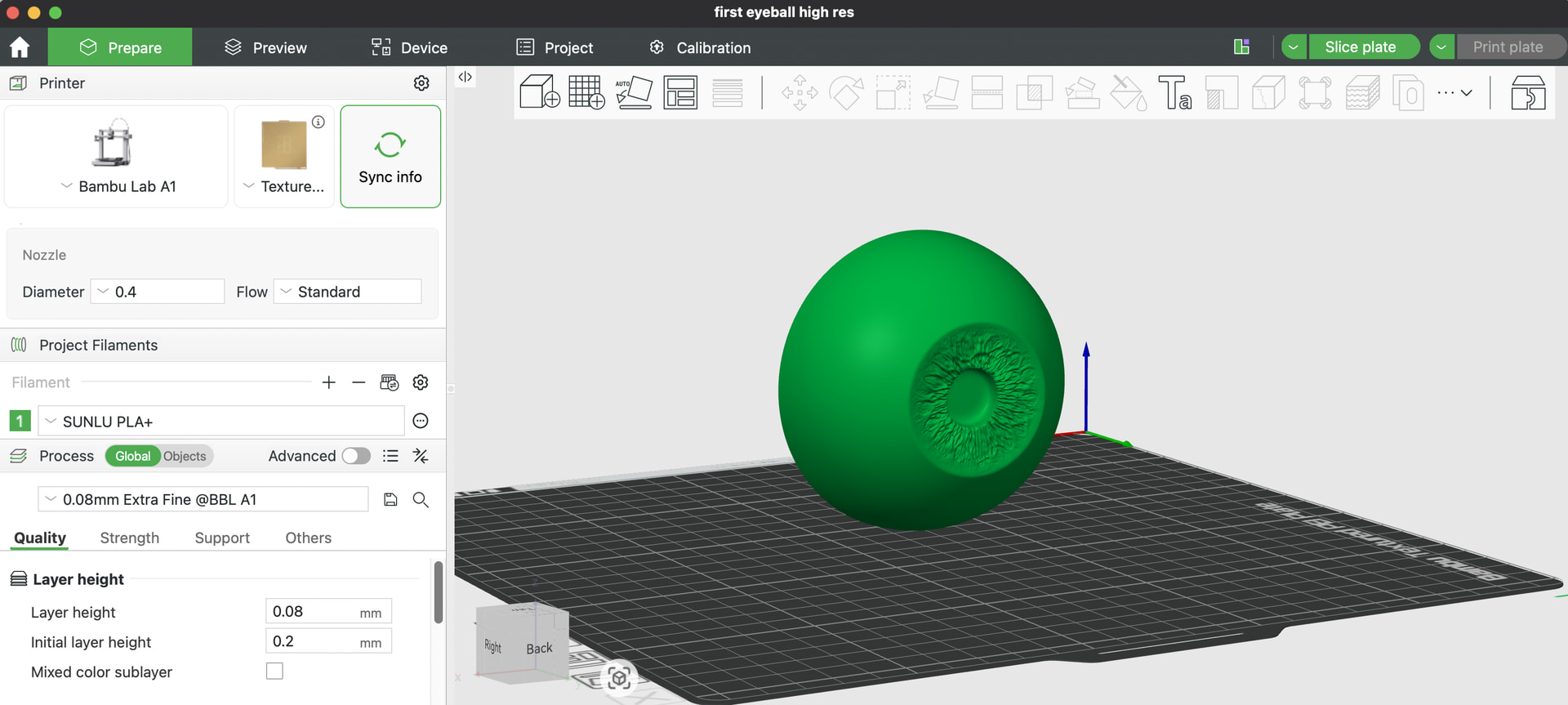
What does the backside of the model look like?
I can’t see the back, but I assume that the back side is not that important.
Just lay it on its back. Iris upwards, and have a look at the variable layer height to get the iris as detailed as possible.
If the rear is hollow, automatic support should give you enough support to get this properly printed. If the face touching the buil plate is very narrow, a brim might give it more stability.
Is it hollow at the rear? I would lay it down on its back as it might be much easier to print than standing on an edge. You can use the function at the toolbar above and click on the rear surface to lay it down.

If it’s hollow at the rear go to the left side under “Support” and enable support (if not already). Default settings might be sufficient already. When sliced you should see a support structure underneath the model which should support the iris area.
@JonRaymond this probably belongs in the Bambu Studio section, not the H2 section.