@djeZo888 Sorry missed this one is this model PETG-CF printed or PAHT-CF printed , and have you sorted it already . I do not have issues with PAHT-CF and ePA-CF - but can make a bigger test print as my CF prints are quite small .
How do you print PAHT-CF ? Especially with models that size. As soon as I get over 2/3 area of the print bed I cannot avoid lifting. I had such a strong lift that because my adhesion is so good, it actually pulled the engineering plate off the magnet.
I read in the wiki that you need to use non linear, low % infill due to the tensile forces, but even at 5% gyroid I can’t get it to not lift / shrink … Like when I just add a primitive to the plate - 200x200x5 … default profile, 5% gyroid infill - I am unable to print that piece without seeing it lifting …
You can see here my post I made previously - it even pulled the writing off the engineering plate so any tips would be appreciated (although slighly OT for this thread)
Hi there ,
great adhesion, lifting is the warping
warping happens from two main things shrinkage and releasing the internal material pressure while cooling both related.
to avoid warping here are main hints
- No Aux, No chamber fans
- increase the bed temperature to the maximum you can PAHT-CF by default is a 100 you can push it 110C
- before start the print , start the bed and warm up for at least 15 to 40 Minutes the chamber good indicator is 40C-45C or more inside the chamber , some times i am waiting until 48C Long time
- main factor reduce the print speed , print speed bellow 100mm/S , my test profile is 140mm/S for these materials , and for most final prints my profile is 70mmS for wall and 100mm/S for internal infill , but some times i ues everything at 70mm/S
– After the print finishes do not open the door , do not use chamber fan - really slow cool down or just wait until the chamber temp and bed temp gets close to room temperature - Never ever open the chamber while printing
If the warp is happening while you print , either the chamber has not been warmed enough , or the print speed is too fast
Some times may be the part fan maximum fan speeds or the layer times needs adjusting , but that is only if the above does not help. With the default fan speed for PAHT-CF i did not have an issues but the layer times looks a bit strange comparison to other similar materials.
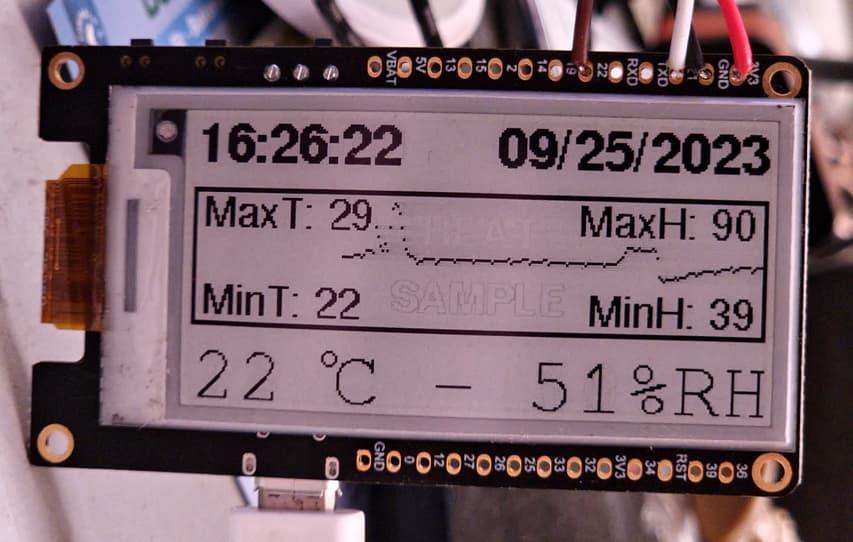
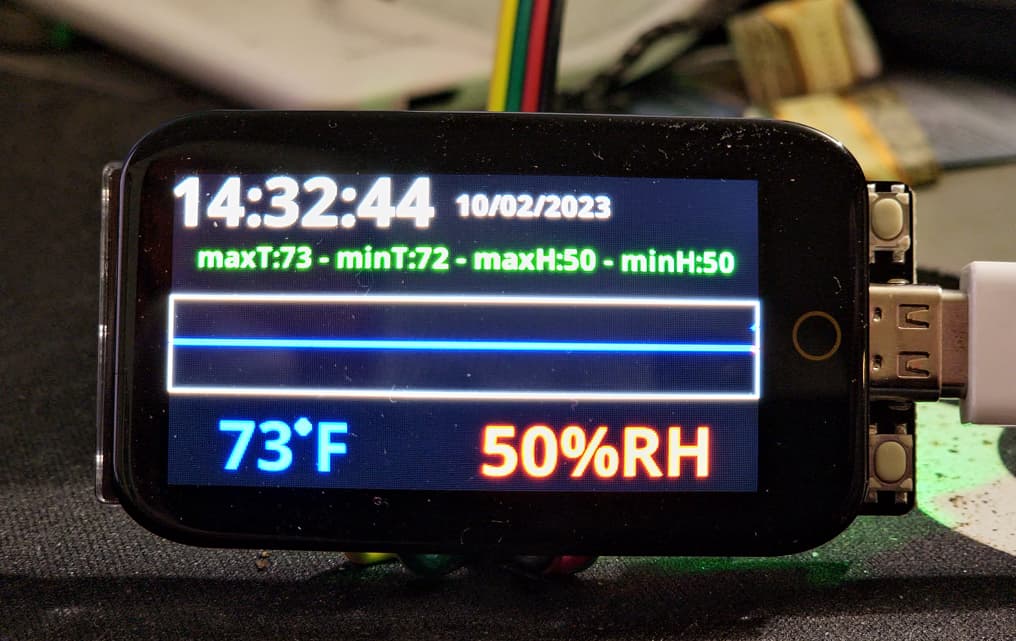
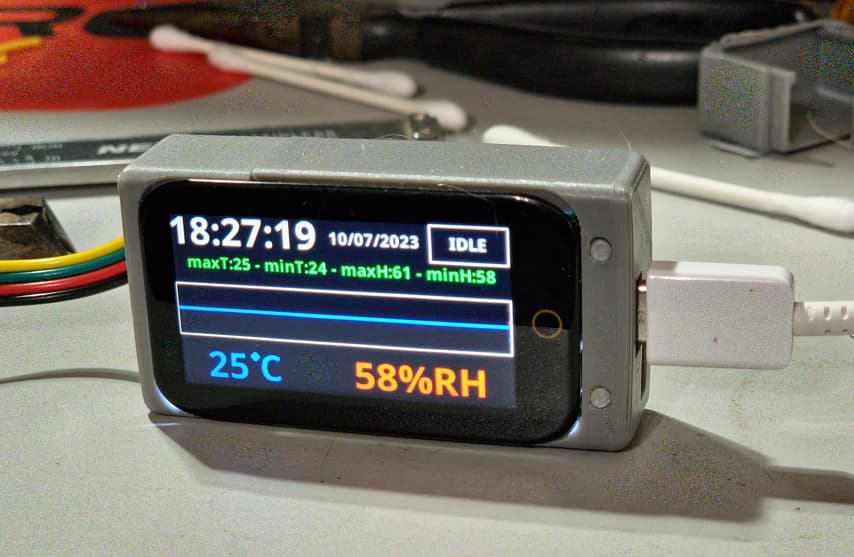
Decided I didn’t particularly like the e-Paper display, switched to color OLED.
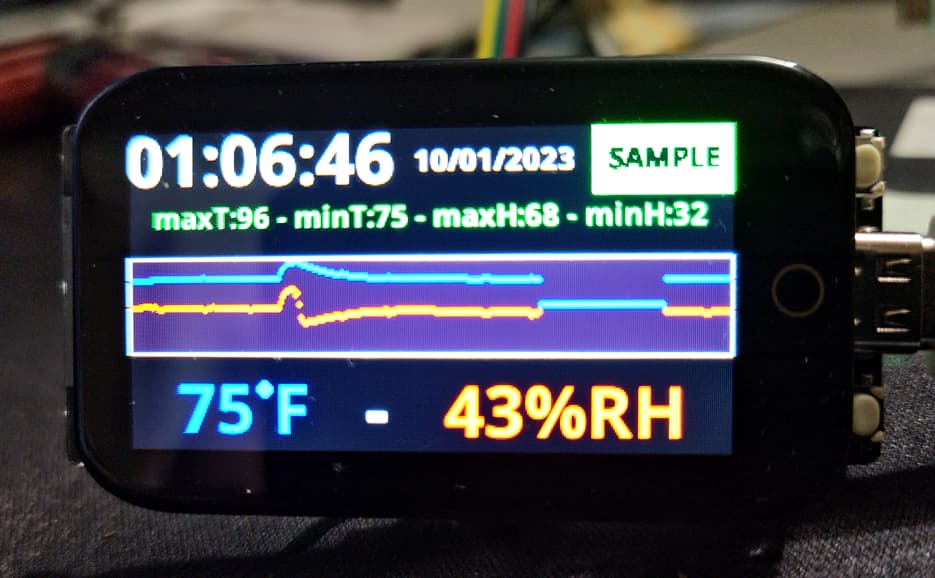
There’s a bug in my graphing code, it leaves a gap where it should wrap. Figure that out tomorrow.
This little display is actually a touch screen. Not sure how I’ll make use of it. Maybe have some different pages with a taller graph, or perhaps an Absolute Humidity calculation instead of Relative… I have options. 
Upper right corner box flashed green when the data is being sampled for the graph, and it flashes yellow when the humidity sensor’s heater is turned on. So most of the time that corner is empty.
Thanks @vladimir.minkov for the detailed info. I think I pre-heated the chamber to 40 but yea - will try to push it a bit … I now run out of PAHT-CF but have some beta filemanet to try (Polimide PA612-CF) but I am sure that needs some good treatment too.
Fixed my bug with the graphing of data on the color display.
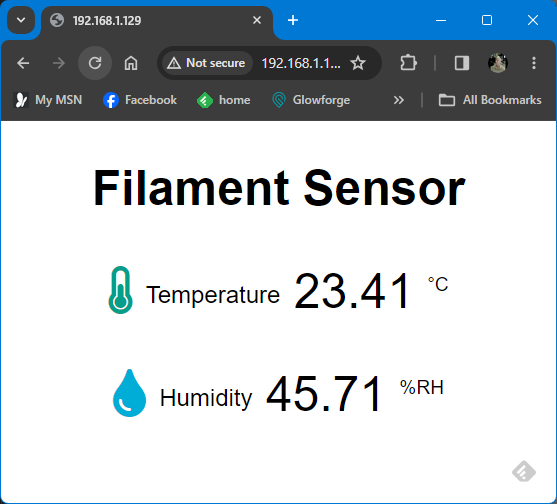
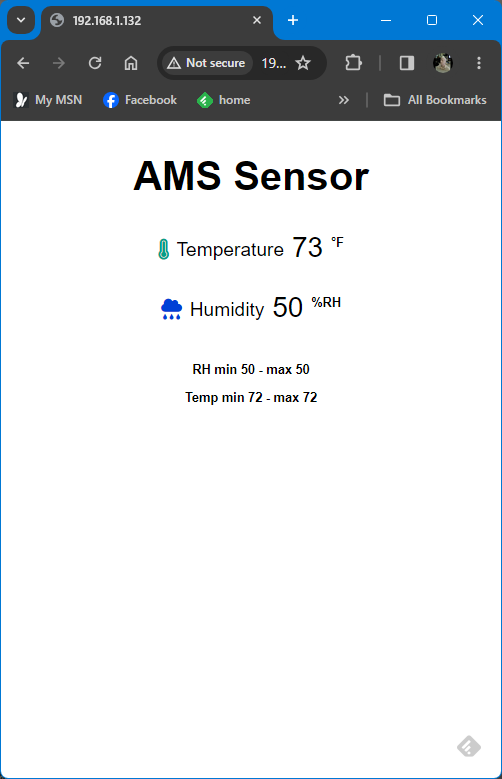
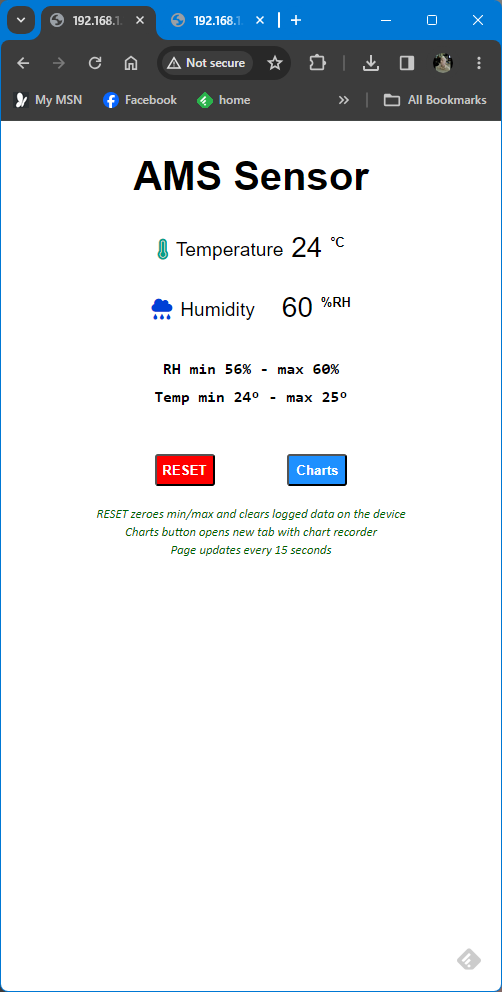
Added a webserver component. Two pages, one displays real time data with mins/maxs. The other will graph the temp and humidity data. Chart starts recording when the page is opened, and it will accumulate data for as long as it is allowed to run (compressing the existing data on the horizontal axis as necessary).
My project is almost done! Next major step is designing and printing an enclosure for it.
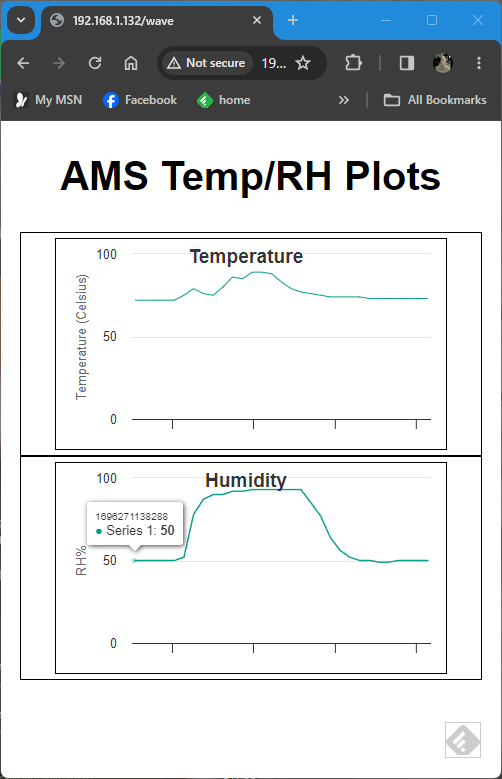
I realize I probably could have just bought something that does all this. But it was something to keep me distracted during the day, so I did it anyway. Pretty pleased with my results, given I had only the barest idea of how to do any of this when I started last week.
The standalone functionality with the built-in color display is unchanged from a few days ago. All my recent effort has been on the webserver functionality for the remote interface.
The web interface opens to the real-time front page, which updates every 15 seconds.
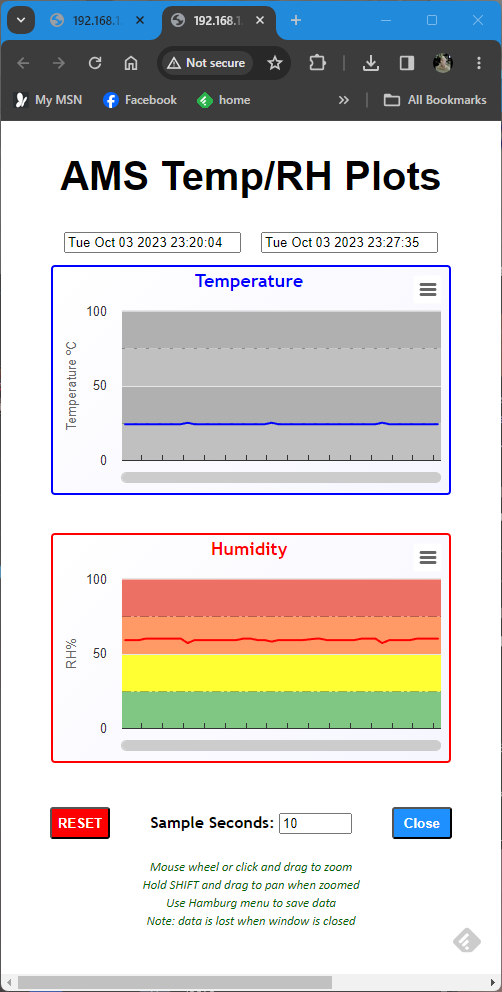
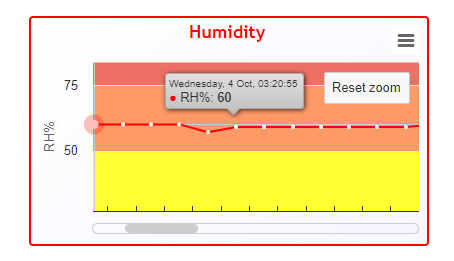
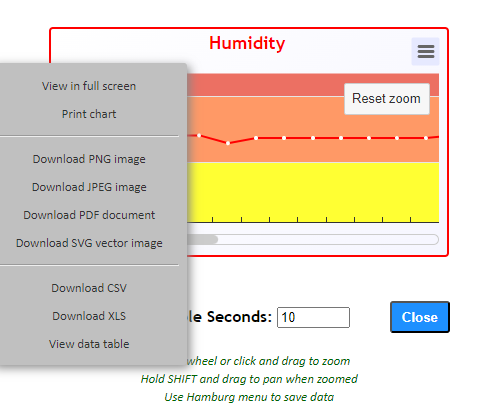
Clicking the “Charts” button opens a new tab/window with the chart recorder page. The starting time and current time are displayed at the top. Followed by a separate graph for temp and humidity. Both graphs are “zoomable”. They’ll display 320 samples, but each is just one pixel. So you can either drag a zoom box out on the graph or use the mouse wheel to zoom in, and then shift-drag to pan inside the zoomed window. Each data point on the graph pops up a tooltip box with the point’s time and value when you hover the mouse over the plot line. And there’s a popup menu to save the plots in various formats. And you can set the sample rate with the text input box in the bottom center.
The chart recorder functionality is handled in the browser. The ESP32 processor keeps track of the same data for display on the built-in OLED, but I lacked the motivation to implement code to be able to transfer all the data. Easier to just do all the work in Java on the computer displaying the data…
Coding is now complete. Time to make an enclosure and install it on my AMS. Then, I will make 4 more so I have one for each of my Sunlu2 filament dryers. But for those, I’ll just use a cheap ESP32 with no built-in display and they’ll be web-only.

Hey @RocketSled
I enjoyed following your project. Nice work! My second hobby is small electronics i.e. arduino raspberry pi type stuff.
I also pull data for temp and humidity for my AMSs. But i use a weather station to do the data work for me.
Amazon.com : ws2000 weather station
These little modules that the weather station uses fits right inbetween the rolls of filament in the AMS
Then i can pull up the data with software from the weather station to see trends and stuff. It looks this
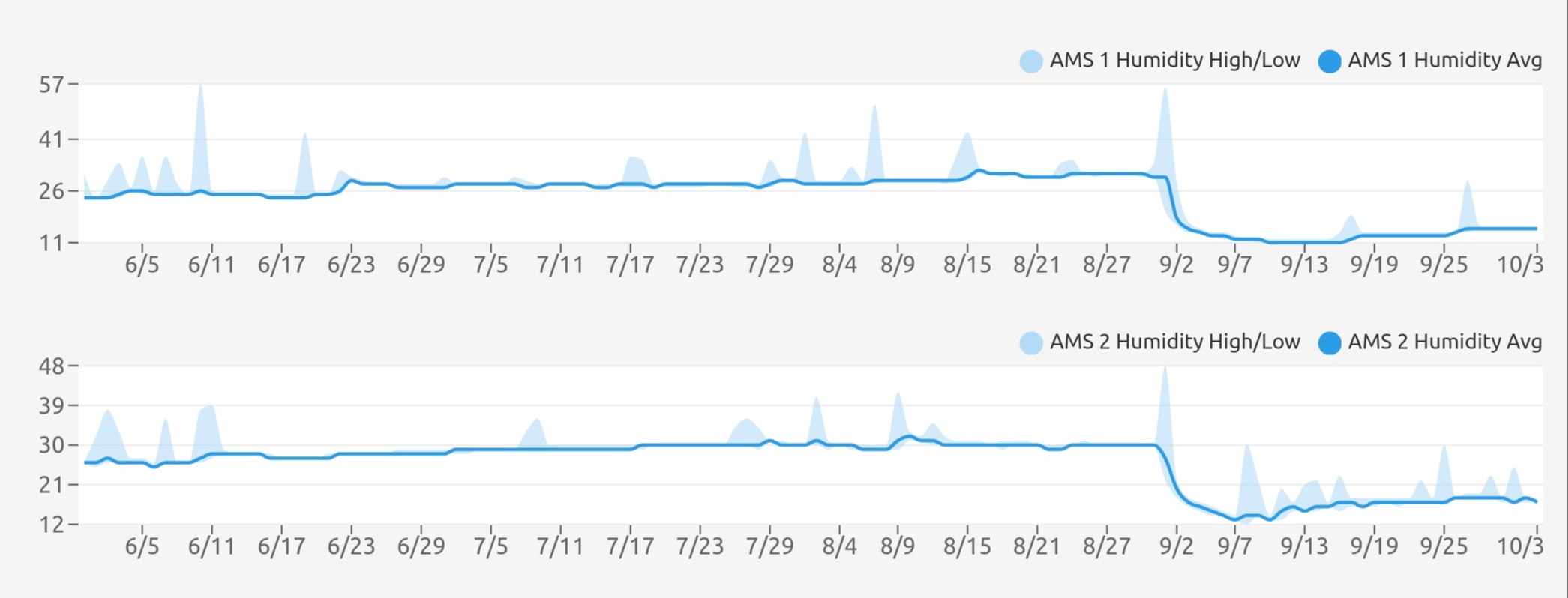
You can see in the trend a drop in humidity. That was a changing of all desiccant in both AMSs. All the lightblue spikes are me opening up the AMS to change a roll of filament.
Just wanted to share another way to gather data with the tools that you have at hand.
Yeah, I know I could have bought something off the shelf. But I like to find projects I can chip away at between my many work-related conference calls and stuff. And having rolled my own, I can customize things however I want. Other than some general ideas about how I wanted it to look and work, I had to figure everything out. I love the internet. If you have a rough concept and good searching skills, you can piece together almost anything leveraging similar things other people have already done. Great way to learn about new things without having to invest heavily in an up-front education.
I’m using a freeware package for the graphing features in my web GUI, so I didn’t have to actually write any code for that. But it has an incredibly wide range of features I’m still exploring. I could definitely make things look fancier. I probably will keep tweaking things until I get bored and move on to something else.
Thanks for appreciating my efforts.
I’ll hard wire it instead of using the USB connector. But the plan is to mount this to the front of the AMS (I’ll make a hole to pass the sensor through to the inside and grab power that way, too). Need to tweak the case design a bit - it’s a download not my own design.
Did a quick test, though, slipped the sensor inside the AMS. Couldn’t close the lid tight so I didn’t want to let it sit that way long. But ambient RH was 60% and I was reading 30% in the AMS after only about 10-15 seconds (so it was actually lower). Since the temperature was the same inside and out, the AMS is actually better than 50% less humid. I was surprised it was that low. But it could be lower.
My next project - Peltier plate based active dehumidification from inside the AMS… and I’ll already have a fancy ESP32 based controller to run it.
I could imagine that this would be the perfect upgrade for you 

Kind of an expensive solution.
I’ve been thinking of something I can make with a Peltier Plate. Circulate air across the cold side to condense-out some humidity, bleed a little air from the hot side back across the front to ensure it doesn’t freeze up, let the condensate drip out the bottom through a drain hole.
The most important thing with PAHT-CF is drying. Dry, dry and dry again. I have also had to dry the last two days: Sunlu S4, 70°C, 24h. I have a test card that I print and see if the last drying was worth it. After the filament is dry, so that I no longer achieve a significant print improvement, I calibrate the filament manually and save the value together with the filament. I then no longer carry out an automatic calibration before printing (there are too many deviations that can mess up the result). I then print with the standard settings on the X1C with a 0.4 mm nozzle and get the best results.
Warping:
I print PAHT-CF exclusively on glass (because it does not yield to material warping), and I use a covering spray of 3D-lac as an adhesion promoter. The heating plate temperature should be as high as possible. The default setting is 100°C, 120°C would be the maximum that is possible on the X1C.
Have fun printing!