Hi everyone,
This is my very first 3D printer, so I am quite inexperienced and still trying to learn the ropes.
I am using a Bambu Lab X2D Combo and trying to print PLA as my main object, while using Creality Soleyin Basic PETG from the external spool holder as the Support Interface (Support/object interface) filament to get clean support removals. In Bambu Studio, I am currently selecting the “Generic PETG” profile for this filament.
When printing pure PLA or pure PETG on their own, the prints are flawless. However, when I combine them and use PETG only for the support interface, I encounter two major issues:
- Blobbing/Adhesion: When the nozzle starts printing the PETG interface layer, the filament tends to blob up around the nozzle or fails to adhere properly to the underlying PLA support structure.
- Oozing/Stringing during tool change: Once the printer finishes the PETG interface layer and travels to the back of the machine for the filament/nozzle change cycle, the PETG oozes and strings like chewing gum across the main PLA part. This leaked material sticks between the PLA layers. On the next layer, the nozzle hits these hard PETG blobs, ruining both the surface quality and the layer adhesion.
Since I am a beginner, could you please guide me on the best settings or custom profiles in Bambu Studio to prevent this blobbing and oozing?
Thank you in advance for your patience and help!
How are you drying your filament, how are you keeping it dry, and how are you determining it’s dryness level?
I dry my filament inside the AMS. I don’t measure the humidity level directly—I did suspect moisture at one point—but when I print a Benchy using PETG, I don’t encounter any issues at all.
A benchy is probably not a great reference to compare against a support interface application; one is a continuous print at relatively high speeds and flow rates, whereas support interfacing isn’t continuous and is supposed to be slower than general printing.
You can get away with a lot more in a benchy, in other words.
I actually had the very same results with PETG for support in the AUX until spend 1 week for tests and calibrations. And got much better results out of the box with Bambu PETG profile. Also achieved much better results when used different brand then the first one. Started with Poly-something basic PETG which was nightmare, and after spend lots of time the roll ended ( thank God  ). Then I put the next one which happen to be Azurefilm and it was like night and day better.
But if you like beginner friendly experience maybe not bad to try the bambu special support materials.
Benchy just an example I printed different things and I have not any fail with PETG but when I try to use it as support. İt does not work.
I agree; I think using Bambu PETG might make things easier for me. However, since the PETG I’m currently using isn’t a bad brand, I haven’t yet been able to figure out whether the issue stems from me, the PETG, or the printer.
Ok, but do you print the same Benchy and other stuff with the AUX nozzle? As if you have track switch it maybe go to the main nozzle?
Maybe show some pictures?
Since I suspected the auxiliary nozzle, I performed prints using both PLA and PETG with it—printing a “Benchy” and several other parts—but I did not encounter any issues. I also experienced no problems when printing with the main nozzle. The issues I mentioned only arise when I use PETG as a support material.
Now this is very strange to be honest as you see no issues at all for objects with PETG on AUX.
What slicer do you use?
Bambu Studio. If you have any suggestion for test and find problem I can try it.
When I played with it this is what I have got:
What filaments do you use?
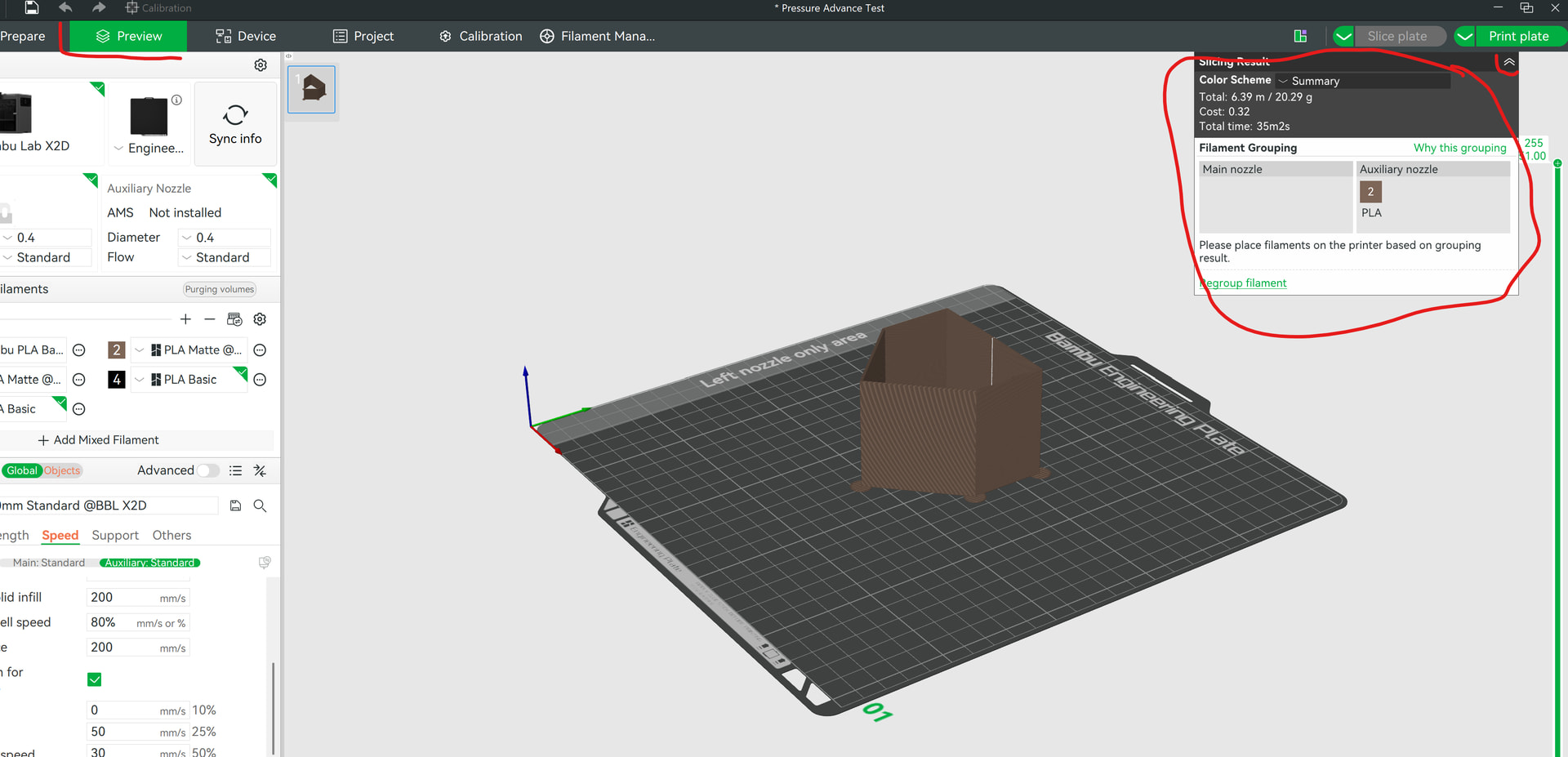
Could you please show me what do you get if you load a good looking benchy for printing but not print it, but just show a screenshot from the summary screen, in bambu studio. Like this: