Well, it fixed my problem, so that was the end of my investigation 
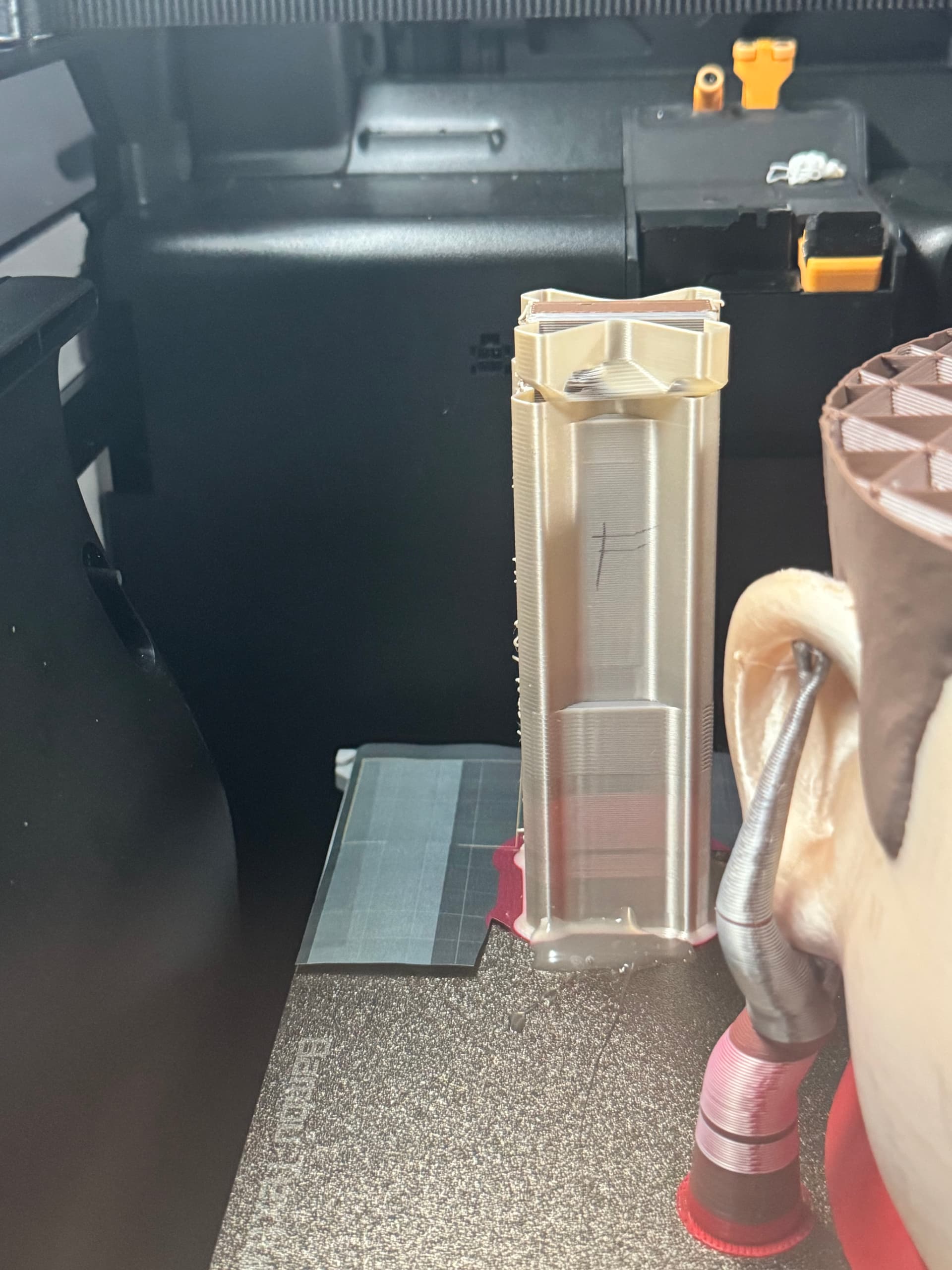
Starting to feel like I’m back in the Creality days. 1,000 hours on the machine, 6 inches up, and bam—blob knocks the print over.
I managed to save it with some surgery: cleaned the failure with an X-Acto, realigned the tower, and hot-glued the base and perimeter. It seems to be holding, but I didn’t buy an H2D just to have to hack my prints back together. Extremely frustrating.
did you unclick the reduce infill retraction?
From what it seems, what if the problem is because that first bit of filament is going to be cool coming out. How about having that first few mm of filament get purged out the back so the prime tower is going to get more consistent filament hitting it? Yeah it’s going to cause a little more waste yet in comparison to wasted filament from failed prints or wasted printers from a filament tragedy happening. It’s worth it to have a functional printer.
I’m trying to print a file that has 3 colors.
It has failed 3 times, not sure if it’s in the same layer.
Every single time it knocks the prime tower down!
Tried and deactivate the reduce infill retraction with no success…!
In my case and from my understanding, it seems that the nozzle stays on the prime tower and probably lower than it should be, and when it moves takes the prime tower with it…
Anyone has figured it out what’s the problem?
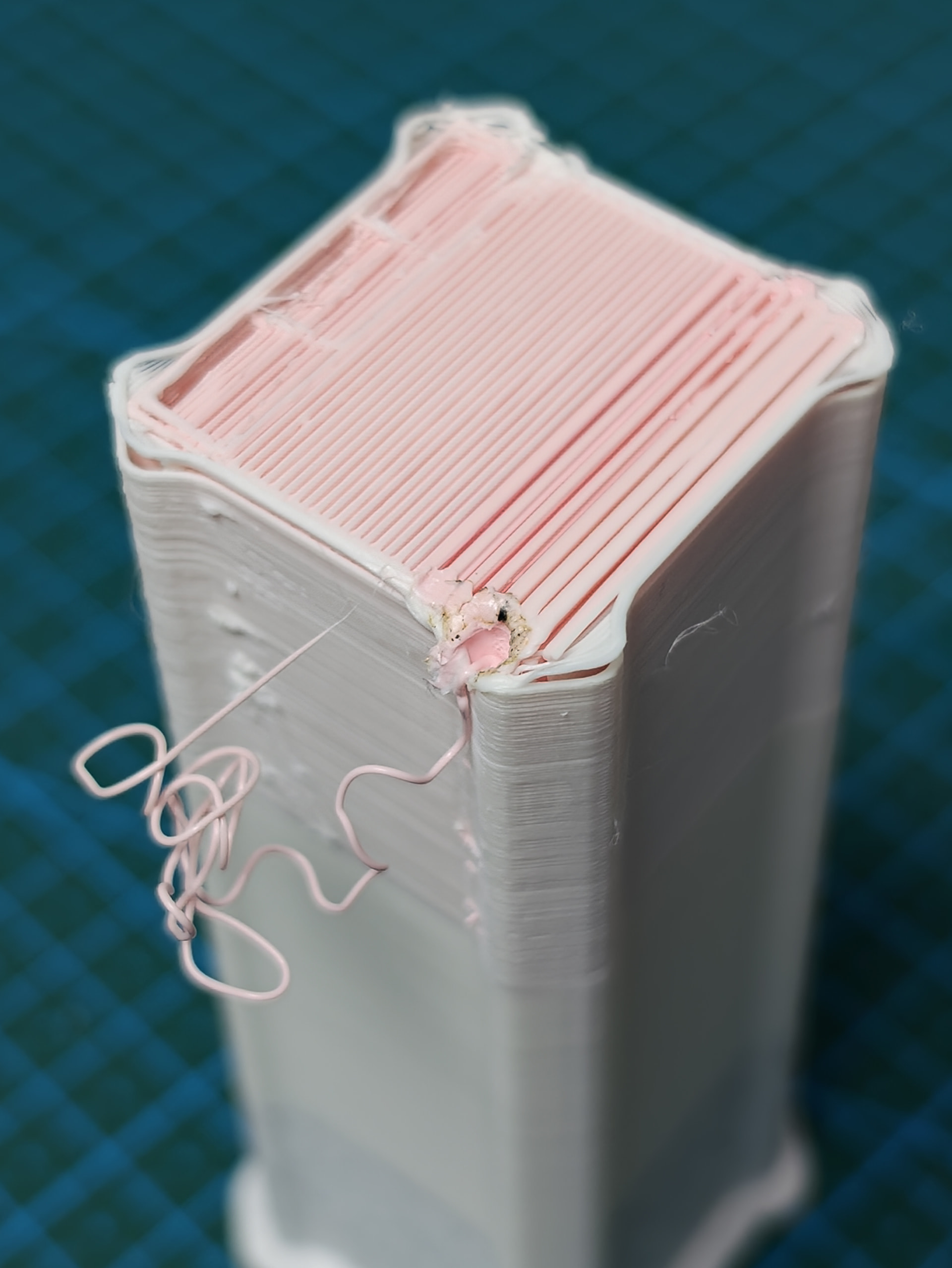
It could be your flow blocker bent down too much
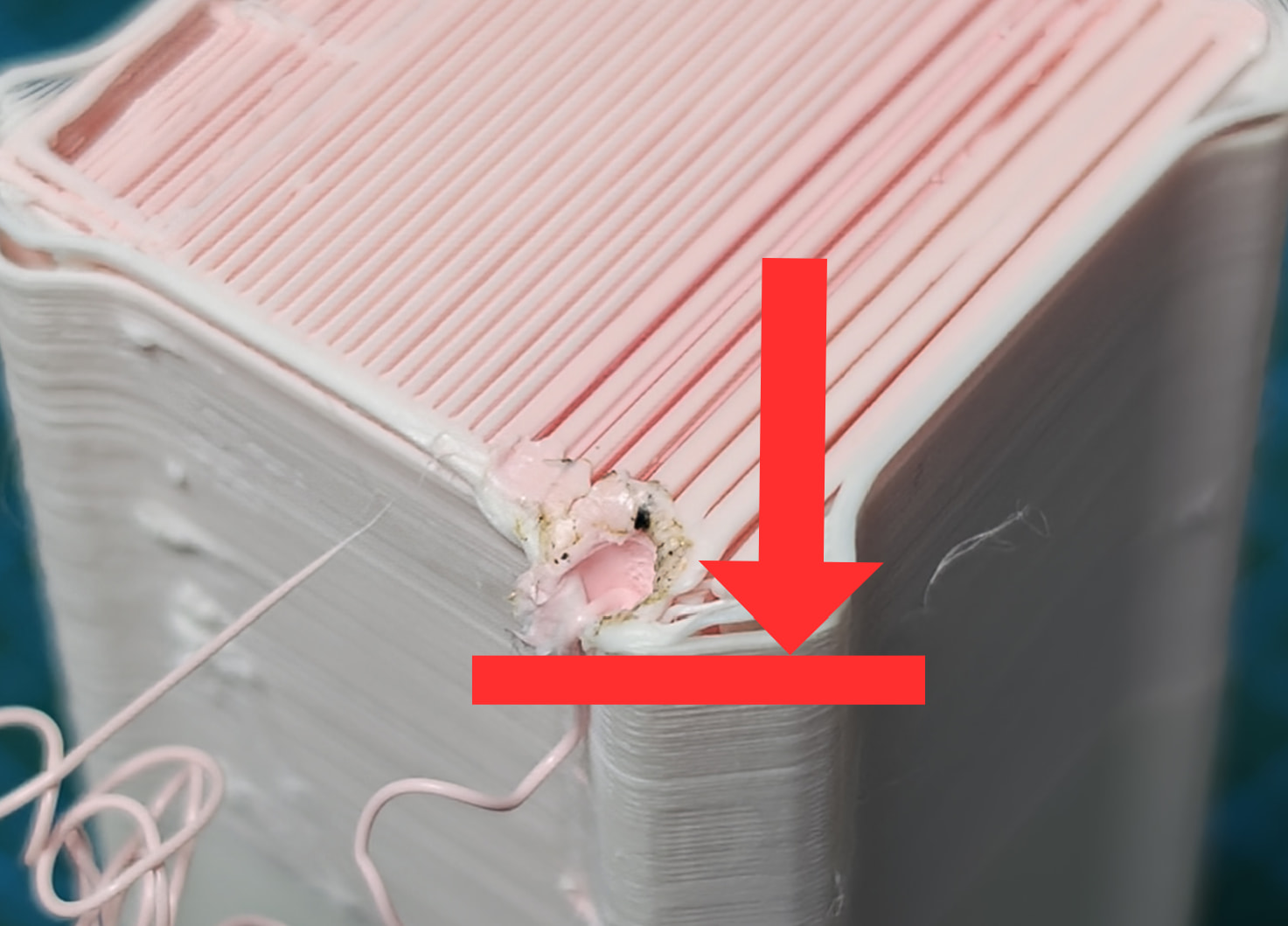
As far as I can tell, this does not appear to be caused by the tower itself nor settings. The more notable issue is that the nozzle didn’t just lightly touch the tower, it crashed and melted into it quite significantly. Or, to be more precise in a CoreXY setup, it suggests an issue with the print bed position rather than the tower itself. That points much more toward a mechanical or positioning problem than something caused by the tower.
I’d recommend ruling out any mechanical issues first before looking for other causes. Check that all screws are properly tightened, the belts are correctly tensioned, and the nozzle is securely mounted. It may also be worth investigating whether the printer is occasionally losing its position during a print.
Nope, it’s literally touching the nozzle…
I’ll check tomorrow.
Although the printer has less than 1000 hours, and recently done the scheduled maintenance and calibration…!
Have a look at the video recording.
Not the time-lapse but the full video.
If you have s USB-stick inserted, it usually does by default.
If not, I would advise to start adding one before your next print, so you can do more detailed analysis.
Moving the prime tower more towards the camera, would also help.
The big dent in the top surface is probably caused by the tilt of the tower. That raises the area where you see the dent, pushing the tower into the nozzle.
I find it astonishing that Bambu still hasn’t managed to solve the prime tower issue.
Personally, before every print, I disable the “skip points” setting and also set “reduce retraction” to disabled.
It’s just ridiculous to me when the tower falls over during a long print—all because Bambu still hasn’t gotten their slicer, Bambu Studio, under control. Alternatively, you could use Orca; it works perfectly there…
Not to defend Bambu, but it’s important to acknowledge that this is a complex issue with many variables involved.
Unfortunately, many users reporting this problem are not using the most suitable build plate for large prints. In addition, a significant number of printers have been heavily modified, and those modifications often do more harm than good. This is especially apparent when users upload photos of their setups.
Could there be an issue with the slicer? Absolutely, that’s one possible factor. However, there are also plenty of cases where the real problem sits in front of the printer, and sometimes we have to be honest about that. Even in this thread, I can see several examples of users using inappropriate build plates and questionable modifications.
All of these factors introduce additional variables, making it much harder to identify the actual root cause. When you then add poorly optimized 3MF files, printer-unfriendly 3D models, or unsuitable print settings into the mix, the issue becomes even more complex.
What I also notice is that very few people reporting these issues seem willing to critically evaluate their own setup and decisions. If the goal is genuine troubleshooting, the first step should be eliminating variables: use the recommended build plate, remove unnecessary modifications, and test under known-good conditions.
It crashes at height only because it’s over extrusion built up during the process. otherwise it should had crashed early dont’t you agree ?
Not sure if that question was directed at me, but I’ll chime in anyway.
Over-extrusion buildup won’t make an object taller, only potentially wider, because the excess material gets squeezed out to the sides. It can’t really increase the height, since the limiting factor is the printer’s Z-axis positioning. The nozzle height is determined by the motor movement, so any extra filament is generally displaced sideways rather than upward.
That’s why I see it a bit differently. From my understanding, over-extrusion would mainly affect the width of the part rather than its height, so I wouldn’t quite agree with that explanation.
No I was replying for whom had the issue recently. You didn’t smashed your head on the issue yourself didn’t you. I did and I wasted 30 h printing time before realising it. I also opened a topic on the forum but in the end I had to guess the issue myself. Never ever had issues like that. It was a 5% over extrusion on a single type of filament (asa CF)
I printed it on an other H2D that I have, and it was 100% successful on the first attempt!
What’s strange is that the first H2D has been completely trouble-free, even with prints done just recently! I also checked the bed and belt tension for any slop or play, but everything seems solid.
The good thing is that Bambu just dropped a new firmware update, so I’ll take the opportunity to run a full calibration as well.
My tower failed 25h into a 30h print. Noticed a blob on the tower, guessing nozzle caught it and tower went over. Printer stopped saying there is summat wrong(thank god).
Edited my print to cut off the height I had already completed, printed the rest as 2nd piece and glued it together. Seam can be seen close up, so all ok as it is not a sale item, just a decoration for xmas.