Ich habe 15Kg DevilDesign hier und auf Prusa war es Super und jetzt Bambulab X1 genau so.
Die Generic Petg Einstellung funktioniert sehr gut Temp auf 250 Grad und ab geht die Post
Aah, sehr gut! 
Ich werde das Filament heute ausprobieren und Flow ratio und PE einstellen. Ich bin gespannt wie viel Volumetric Flow Speed ich ihm zumuten kann.
Ich hatte Emerald Green PETG bestellt in der Hoffnung dass die Farbe zu Makita Geräten passt, aber leider ist sie nicht besonders ähnlich.
You won’t have much luck with sunlu petg if you leave it in the car. I tried once, it melted on day 1. For car interior and functional parts I use extrudr PETG, never had a single issue with that. Don’t buy matte extrudr XPETG thou, looks nice but prints bad - not just with me.
Thank you for this hin Will try it anyway and hopefully report by summer
@3dball do you know if all prusament rolls fit in the AMS? on reddit i see a discussion about old rolls should fit in the AMS but the rolls from newer production is too wide or sometimes warped?
Sorry, but I don’t have the AMS (yet?).
I never had a warped spool from Prusa, they all look the same.
Let me know if I can help you with any measurements.
addendum about eSun Europe 21/01:
funny side note the cheaper bulk order, 10kg from eSun aprox 18€/kg(with 20% vat), was delivered 2d later with amazon services.
amazon price for eSun is 25€/kg.
I tried the DevilDesign PETG and I had very good results.
I ended up with a flow of 0,99 and pressure advance of 0,032. Maximum possible volumetric flow is a whopping 24mm³/s at 255ºC. This stuff can be printed fast!
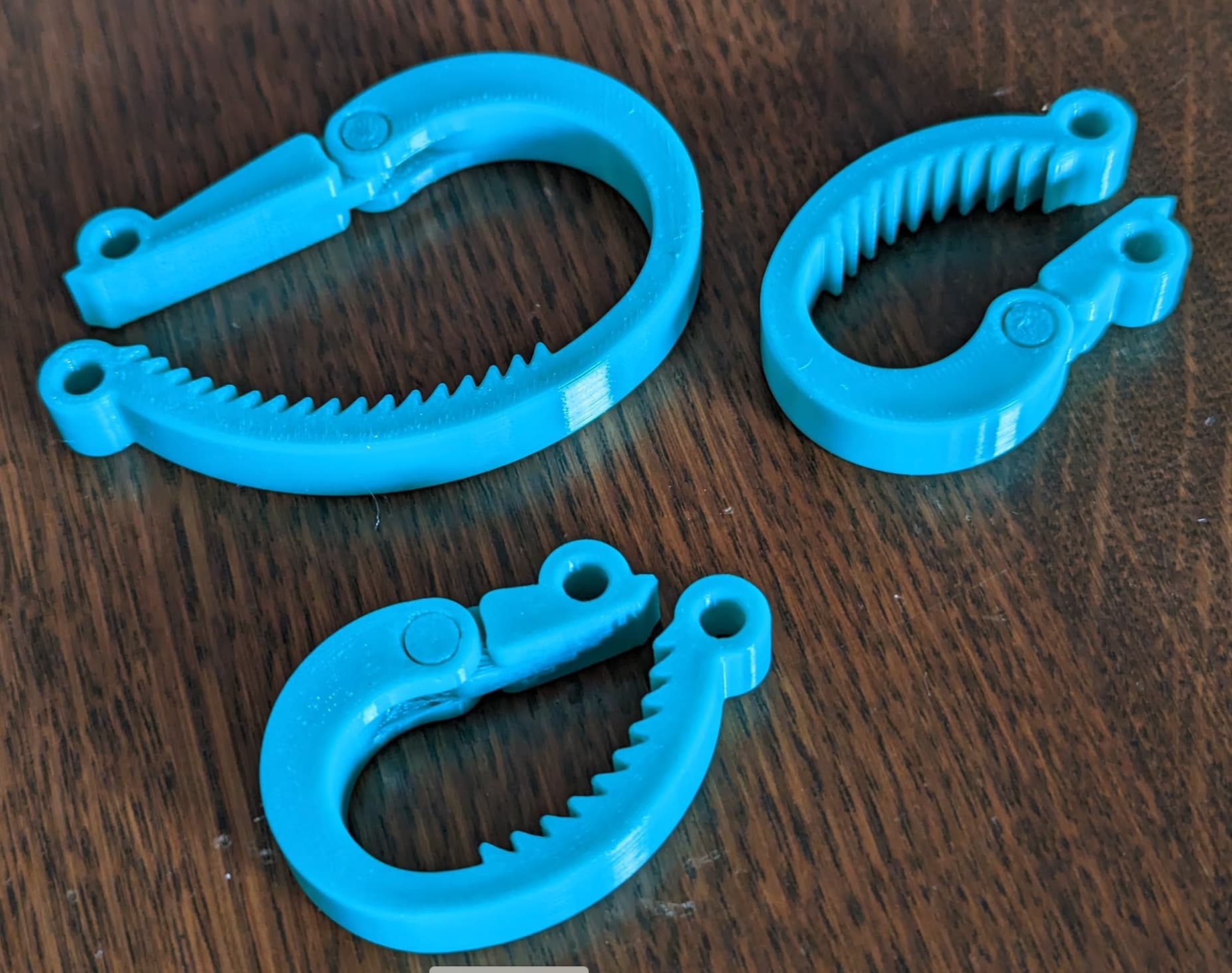
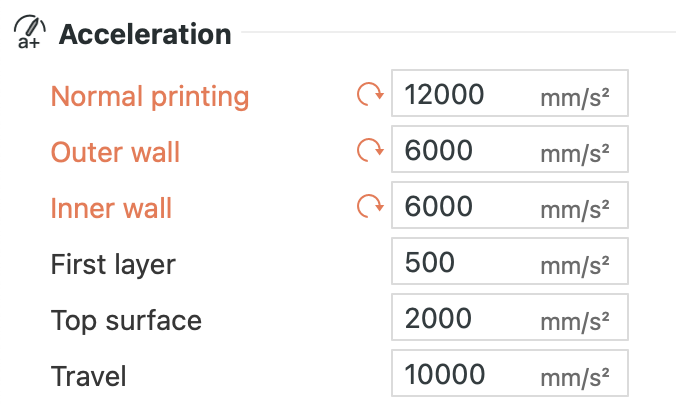
Cranking up the acceleration by 20% reduced the print time even more without any decrease in quality.
Could you point to some resource on learning how to calibrate the flow and pressure advance? I find that most information is quite dispersed (mostly in forums) and not well organized. Challenging for a beginner to learn the ropes and go beyond preset selection.
I’m using this branch of Bambu Studio:
It has the calibration prints for Flow and Pressure Advance built in and there is a Wiki about the calibration:
I simply followed these instructions.
If you decide to go the “manual” route, remember to disable the automatic flow adjustment before each print.
If you are in a hurry, use this test to determine the maximum volumetric flow:
https://www.printables.com/model/318350-bambu-slicer-max-flow-test-tower-for-x1c
DevilDesign spools don’t fit the AMS, right?
@MartinNYHC I got a full 1KG roll spool and a half empty 1KG spool from DevilDesign in the AMS right now.
Both loaded fine for me.
Sounds good. Thanks.
I prefer to use extrudr filament. They are based in Austria and the spools are neatly spooled and very high quality. PLA prints flawless. Also the spools do fit in the ams, at least the 0,75 to 1,1kg spools. >2kg don’t fit
What is the max flow rate that you can achieve with extrudr filament without going woo? It is one of my major grip with filaments in combination with speedy machines. There are sure other reqs important, but utilization of the machine is one of my top ones.
You may need to order to find out because I don’t know 
I definitly said goodby to Geeetech filament, their low cost PLA does artifact on prints, cant go over 15mm ³/s and even one (the Silver one) clogged my nozzle each time I tried it. So I wanted to try their HS-PLA but they are really unproffesisonal, in 2023 it is unaccceptable to receive such spool… here is what the last spool (HS-PLA from Geeetech) I received look like :

I had to unroll/reroll part of it beacause it was strangling/knots and also was not rolling into the AMS due to the filament that was larger than the spool as seen in the picture.
I just switched to eSun PLA+ and wow, what a change ! it print fast, it print well (but a bit more pricey)
EDIT:
-
Before I got the Bambulab I was not really concerned by filament, my setup was able to print nearly anything even Spaghetti pasta ( ok I did not try that
), I use a CR10S Pro with 0.6mm nozzle/0.3mm layer height with CHT Nozzle, and 80mm/s as main speed, this setup can not clog and can print nearly any filament pretty well. -
But to fully take advantage of the Bambulab you have to be careful on the filament you choose, it have to be able to be printed fast, and this imply a higher flow rate with high fluidity, and a fast curing time (If you dont want to have to slow your print on low time layers).
Be careful: Generic PLA multiply nearly by two the print time if you dont modify the default volumetric speed in filament setting
@DzzD thanks for the hint. Just checked the settings and indeed, the genrice one shows 12 mm3/s and e.g. Polyterra profile shows 22 mm3/s - slcing time 1h/10 min versus 53 mins. Quiet a difference. Never thought about it.
Here another tricks :
Uncheck this in filament setting :

It have two major issuew :
- It slow down the print
- it can cause z banding on certain layer
If using good filament, you will rarely/never requiere it unless you have very very short time layers in yours parts.
And before thinking of re-activate it, try printing your part at the left of the plate near the big fan.