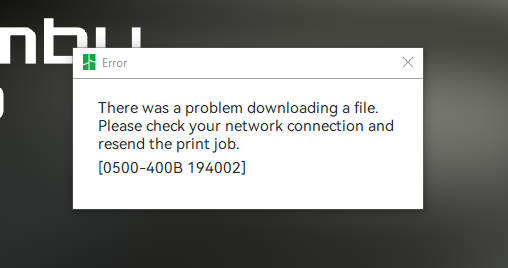
I have X1C and P1S printers total of 20. All my printers decided to just not want to download the files. The X1C would download the file BUT it takes 10-20 mins to download the file. The P1S on the other hand is not accepting ANY of the files and stays 0% download forever
They all were working last night. Just decided to take a sh11t
What I have already done:
Restarted printers
Restarted wifi
Logged Out/In of printers
Reconnected to wifi
Formatted Micro SD card
Logged out of Slicer
Restarted computer
NO firmware updates since about a month ago
I just got fiber internet installed into my residence about 3 weeks ago. Printers are connected to wifi extender not direct to the router because its too far. I doubt it will be the router, the router is new as well. I have had this set up for about 4 years now so just because I am getting much faster speeds that would be the issue.
The printer are connected to 2.5g not 5g
Interent is Sonic Fiber
Sonic Provided the modem
New router I bought RS90 router
Wifi extender is not new, using AC1200 Model: RE315 TP LINK
I certainly understand the frustration, network issues suck to deal with. But I can almost guarantee that this isn’t a printer problem, your 20 printers didn’t develop this issue overnight. It’s not a bug, and it’s not likely to be a Bambu Studio problem either.
You told us you’ve run this setup for four years without issue.
Did you update Bambu Studio between yesterday and today? Did you do firmware updates on all your printers yesterday and today?
Then what’s changed?
New doesn’t mean configured correctly, and doesn’t even mean good. Your new fiber internet also probably came with a new modem, which isn’t just faster, it’s got altogether different configurations and behavior.
Just for fun, try swapping your old router back in and connect it to the new cable modem.
There’s some really clever folks here who know a lot about networking, if you post details of what specific equipment you’re using that would help them try to help you.
I totally agree with what CarbonForge mentioned. Did you also get a new router when switching to fiber?
The most important thing is this: your Wi‑Fi needs to be split into two separate networks, one running on 2.4 GHz and one on 5 GHz: Each one needs its own SSID, and they absolutely shouldn’t share the same name. The printers still rely on 2.4 GHz, and mixing the network name is the number one reason they keep dropping the connection. So make sure both networks are separate and clearly named.
Also take a quick look at your Wi‑Fi extender to make sure it actually sees both SSIDs and passes them along correctly.
Your internet provider might also throttle or block certain types of traffic. A VPN is a great way to test this - if the printer connects through the VPN, then you know your provider is interfering with the connection. More bandwidth doesn’t automatically mean all services are treated equally.
And don’t forget to update the firmware.
In almost all cases - honestly, like 99% - these issues disappear once you give the networks different SSIDs, try a VPN, and update the router and extender firmware. It’s extremely rare for the problem to continue after that.
Only in very unusual situations would you need to adjust the DNS settings (basically the internet’s phone book), but that’s almost never necessary. The steps above solve the problem nearly every time.
For example: This is what it should look like: Unique SSIDs for 2.4 GHz and 5 GHz
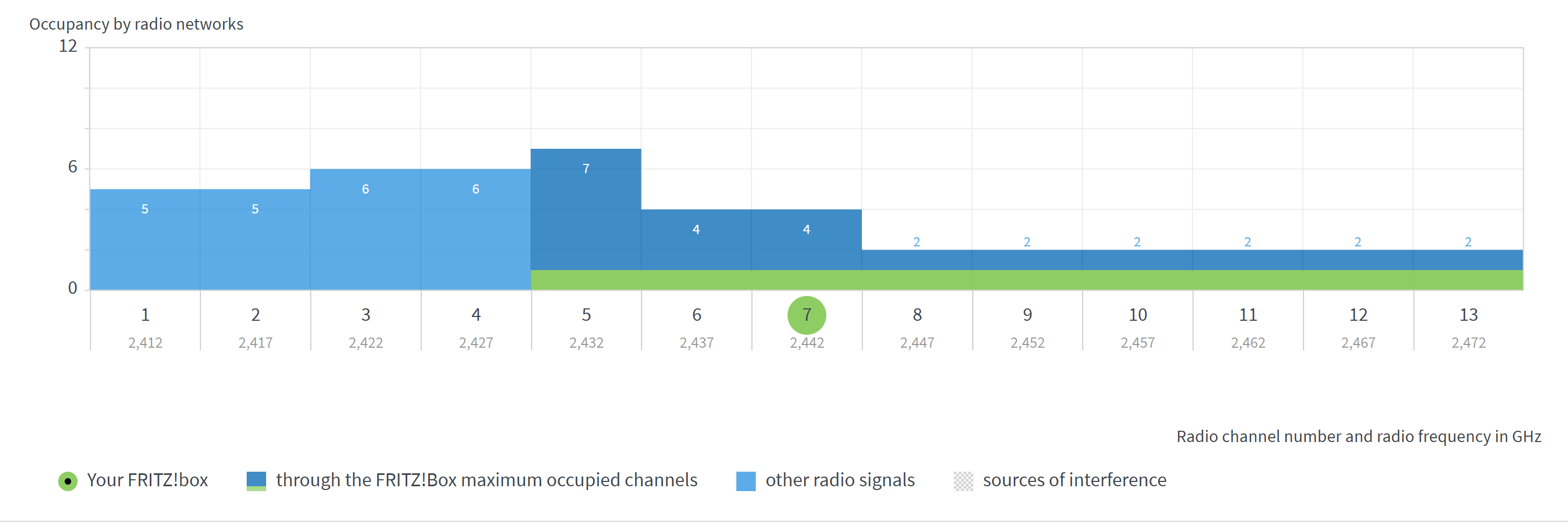
…and just in case it still doesn’t work, switch the channel - there are several channels in the 2.4 GHz network, so use one with fewer connections and less interference. It’s possible that a neighbor could overload or even interfere with a channel.
I did think about this will try. I am updating my wifi extender. Will look into the extender if it does the same thing because all my printers are connected to the extender direct not the main router
I had to relog into the TP link wifi extender and name the SSID 2.4 and 5g because I think the default settings will just use both bands. Should of done this since I got the new router but, instead I just did WPS set up
Once I made 2 seperate SSID NAME x2.4 and Name x5 I reconnected the printers to the 2.4g network on the wifi extneder and files are being sent smoothly back to normal.