I have a P1S Bambu and had hooked up a second AMS that had been working perfectly fine for months, even got it up to 16 colors. Recently I haven’t been able to get it to print even 5 colors. It’s a work printer and I believe it may have been unhooked for maintenance and after that it stopped working. I’ve unhooked every cable and switched them around in any way I could. I tried messing with the settings on the Bambu Studio and testing colors but the printer always skipped any and all colors from the second AMS. I’m wondering if the AMS Hub itself it not working anymore, has anyone else had this problem? Any tips will help ! Thank you!
Can you describe how it is failing? Is it powered, error messages, red lights, is it pulling in filament part way or not,…?
Sinve somebody may have done maintenance, it may be helpful to identify who has first spotted a problem, what it was and what they did to resolve it.
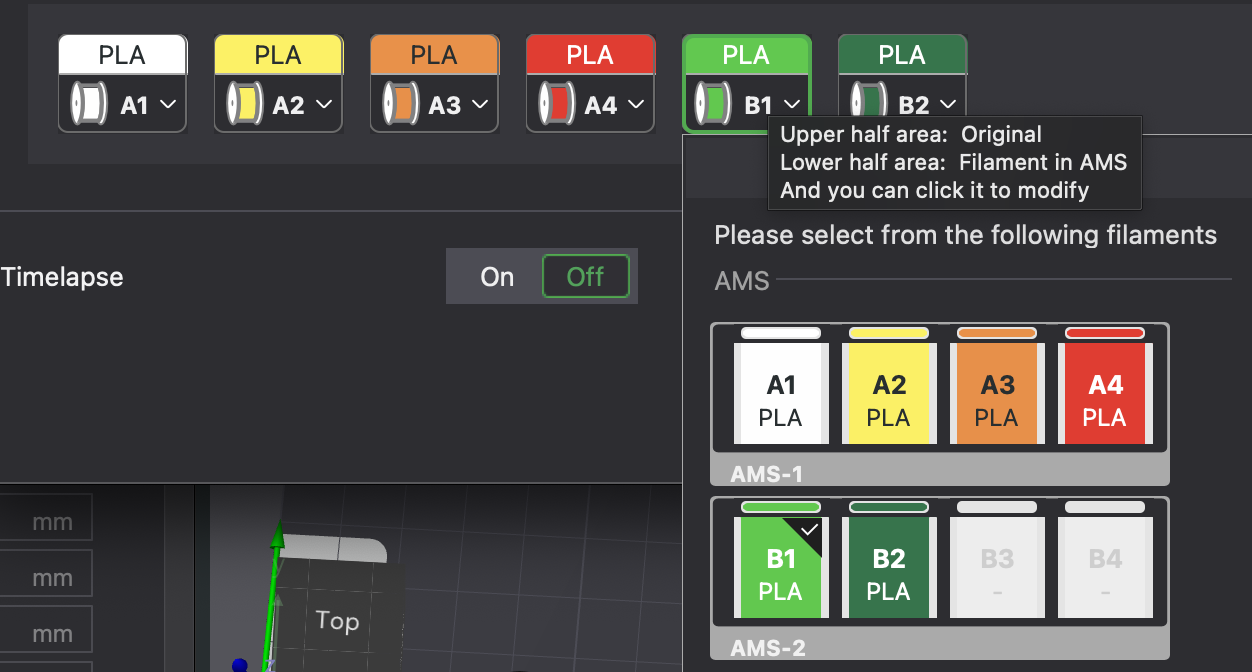
It seems to be recognizing the other 2 filaments (B1 B2) and the lights turn on. It’s able to print an object only using B1 (we tested it to make sure it worked and it can take filament from it) but if i make it 5+ colors, it prints everything else but the colors from the 2nd ams, like it just skips the colors and leaves gaps where the color should be in the prints. No error messages or lights or anything like that
What firmware is the printer and both AMS’ on? Are you sure you’re not getting any errors?
That is weird. And unfortunately not something I have seen myself to date. So hopefully, others will chime in.
In the meantime, can it print only from B2? And does it pull in B3 and B4 when spools are (re-)inserted? Does it read B3 and B4 itself or can you at least specify the material in B3 and B4 using the printer menu? If yes, it may the RFID antennas playing up.
This should help to narrow down issues.
Finally, just to rule things out, SD card problems are known to cause the weirdest issues*. If you can boot everything and use another SD card, you have covered these common troubleshooting steps.
- I am afraid that I habe absolutely no idea how common SD card issues actually relate to the numerous problems associated with them.
You may also want to open a ticket. It is a slow process, but better open one now rather than later due to the long response times.
 &
& 
I swapped SD cards and left a print running but i will have an update next week if it worked. I havent tried B3 & 4 but B1 & 2 are pulling.
Thank you for your help ! :>
1 Like
They are all on the latest version of firmware. No errors, it would show
" filament loading…" when it was supposed to be printing from the second AMS but then it would cut the print short and say finished
1 Like
How are you getting 16 colors.
An AMS only holds 4 spools and with 2 you will have 8 colors if both AMS units have spools in every slot.
The print is going to reflect what was in the AMS('s) when you sliced the model.
I have two original AMS units, a single AMS 2 Pro and an AMS HT so I can only ever see thirteen colors/types of filament spread among the various devices.