Hello everyone, I urgently need your help. I’ve been a hobby 3D printer for 5 years, but now I’m suddenly facing a big problem. I was mountain biking with my father and wanted to print out the recorded route with map2model.com. Unfortunately, the 30-hour print is now breaking off for the second time at roughly the same point. I’m at a loss, because every time I’ve found the printer suspended in midair. Not just slightly above the model, but almost at the top of the Z axis. Suddenly, the print head moved all the way to the right to the filament cutter and tried to continue moving, and you could hear the humming noise of the motor because it couldn’t move any further. I briefly turned the power off and on again, but now I couldn’t even see the temperature of the nozzle or the print bed. I couldn’t continue printing either, because when I pressed the play button, nothing happened. When I removed the SD card and restarted the printer, it suddenly worked again. What could be the reason for this? I don’t understand. I’ve never had any problems with my A1 before.
Please help me quickly, as it’s supposed to be a gift.
If you have any additional questions, please write them in the comments.
Best regards and many thanks
PS: Please don’t be surprised by the attached pictures; I destroyed the second model in a fit of rage when removing it from the printing plate.
Printer model used : A1
Type of filament used: PLA
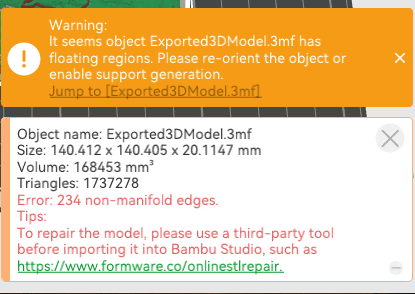
Photos that clearly show the problem:
I saw the same message when I sliced it for the A1. Do you get the same when you slice it? I’m wondering if the file the site generated for you has an issue? Did you try to reach out to their support and sharing this info?
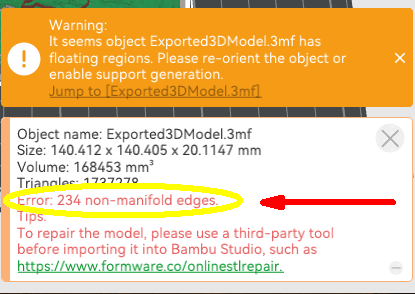
Your second photo shows the error you’re getting. “Non-manifold” means the model is not closed–Has open areas or holes. You can do as the error message says and turn on supports but the model appears to be unfinished.
I’m not sure how you got as far as you did with that gapping hole in the side.
The error in the message remains. Perhaps there was a gap there that released when you pulled on it. Or a pocket on the bottom. There’s a hole somewhere.
Yeah, but that’s not the problem. The problem is, that my printer stopped working mid print and was “printing” 10cm above the print and after a while he rammed in to the side.
With the Windows version of the slicer there normally is an option to “Repair” the model. It can take some time to run and isn’t always successful but it’s worth trying.
I believe the warning will go away if you enable Supports in the Prepare stage. I don’t know if that will fix everything but it seems like a logical start.


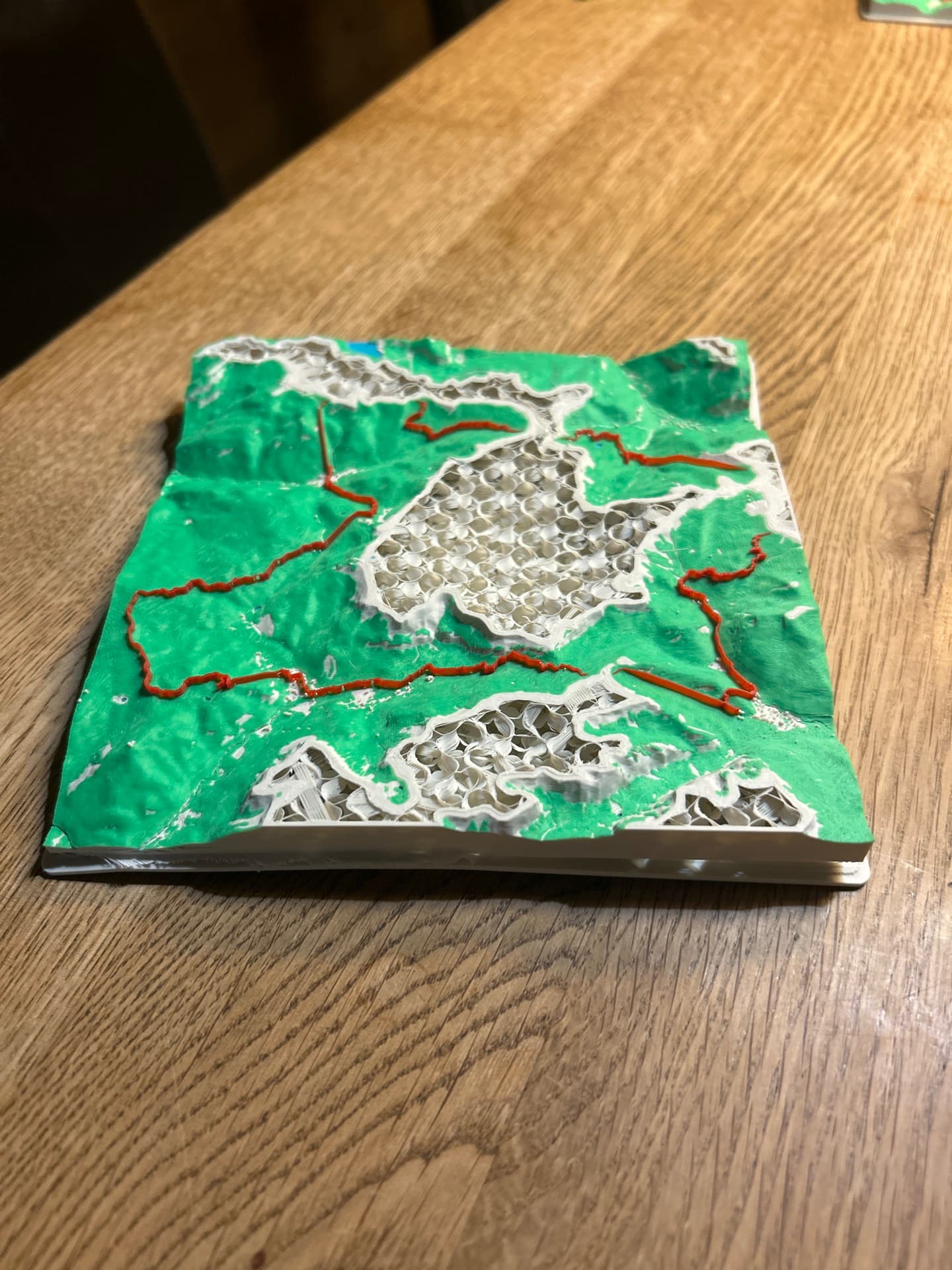


 No, as mentioned in the text, I destroyed it accidentally when I ripped it of the plate. The print was perfectly fine
