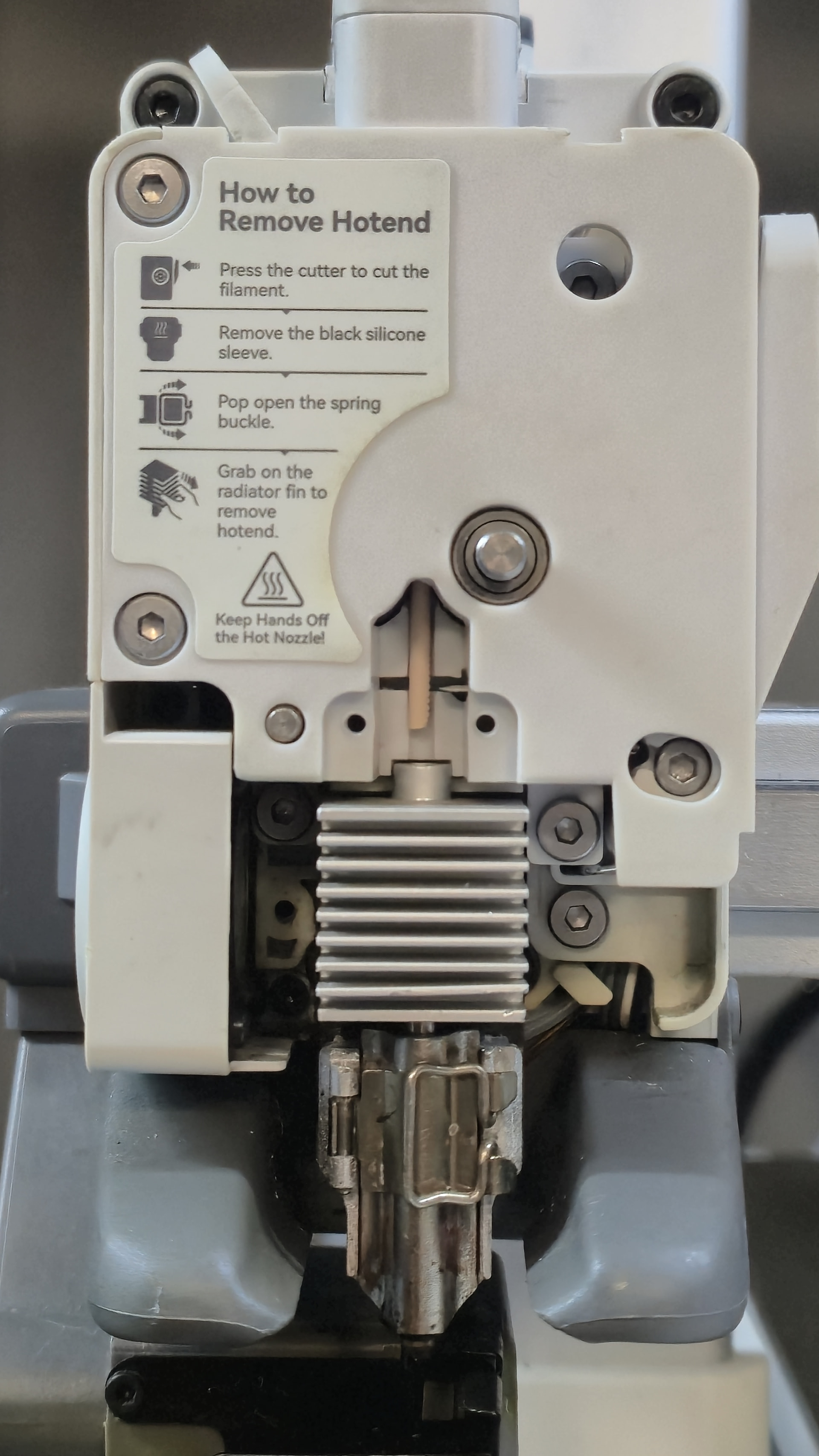
My Setup: 6× A1 with AMS Lite (stock mount on top, original PTFE tubes, latest firmware). The problem shows up on all 6 printers, random slots, 6 different filament brands (PLA, printed at 210–230 °C), and has been going on for over 12 months.
Symptom: The first load at print start works fine. During color changes, the printer often throws “Failed to extrude the filament. This might be caused by clogged extruder or stuck filament”. The only fix was to push the filament by hand at the AMS inlet while pressing “Problem solved”, and then the print continues normally.
What I already ruled out:
- Full extruder and AMS disassembly, cleaning and calibration
- Cutter blade: replaced it, and the cut is straight and clean with no burrs
- Hotend fans: working and clean
- Filament tangle detection: turning it off reduced the errors on some machines, but the failure still happened with it disabled
My first assumption: Since a manual push at the AMS inlet always solved it, I first thought the new filament simply wasn’t reaching the extruder gear to be grabbed. I even looked for a way to make the AMS push a few extra millimeters after the sensor. That turned out to be wrong.
The discovery: I removed the pressure block of the extruder and watched a failing change. The new filament does pass through the extruder gears and reaches the leftover cut piece inside the hotend. But the gears can’t push that stub. You can see them spinning and slipping. The cut tip of the new filament also shows gear marks. So this isn’t an AMS feed-length problem or a clog. The resistance from the remaining stub is higher than the extruder’s grip.
Why it happens: Watching the stock sequence at 215 °C:
- Cut
- Partial purge of the cut filament
- AMS pushes the new filament
- Extruder starts pushing
- Only then does the nozzle heat up to the flush temperature (240 °C)
In the stock change filament G-code (A1 20251031), the only M109 (heat and wait) to flush temperature comes after T[next_extruder]. Before that there’s just M104 S[old_filament_temp], so the load happens at print temperature.
Why the G-code can’t simply fix the order: Cut, unload and load all happen inside the single T[next_extruder] command, handled by the firmware. The G-code can only act before or after that whole block. There’s no way to cut first and then heat before the AMS pushes.
Workaround (custom printer profile): Before the head moves to the cut position (G1 X267), I added a block that:
- Retracts 2 mm
- Moves to the purge/wipe area
- Heats and waits at 235 °C
- Turns on the part fan and wipes the nozzle to remove the ooze
- Goes back to the cut position and continues with the stock sequence
{if next_extruder < 255}
G1 E-2 F1800
M400
G1 Y128 F9000
G1 X-38.2 F18000
M109 S235
M106 P1 S178
M400 S3
G1 X-48.2 F3000
G1 X-38.2 F18000
G1 X-48.2 F3000
G1 X-38.2 F18000
G1 X-48.2 F3000
M400
M106 P1 S0
{endif}

G1 X267 F18000
Insert it right after the M104 S[old_filament_temp] block, replacing the original G1 X267 F18000 line. Leave everything else stock.
Behavior with the workaround: The cut and the AMS load now happen with the nozzle stable at 235 °C, instead of printing temperature ~215 °C. After the new filament is loaded, the firmware raises the temperature to 240 °C for the flush as usual. Waiting at the purge area keeps the ooze off the bed, and the wipe cleans the nozzle before the cut.
Notes:
- 235 °C is hard-coded for PLA. Adjust or remove it for higher-temp materials, or it may cool the nozzle instead of heating it.
- Use the
[ ]syntax and no inline comments on these lines. A{ }version with a comment gave me a parsing error in Bambu Studio. - Save it as a user printer profile, so updates don’t overwrite it.
- Trade-off: a few extra seconds per color change.
- Testing is still in progress on my farm. I’ll update with failure counts.
Request to Bambu Lab: Please add an option to heat the nozzle to flush temperature after the cut and before the AMS load, inside the firmware’s toolchange sequence. That would solve this without the extra wait and wipe.
Please test it and come back with your results. Did the problem stop?