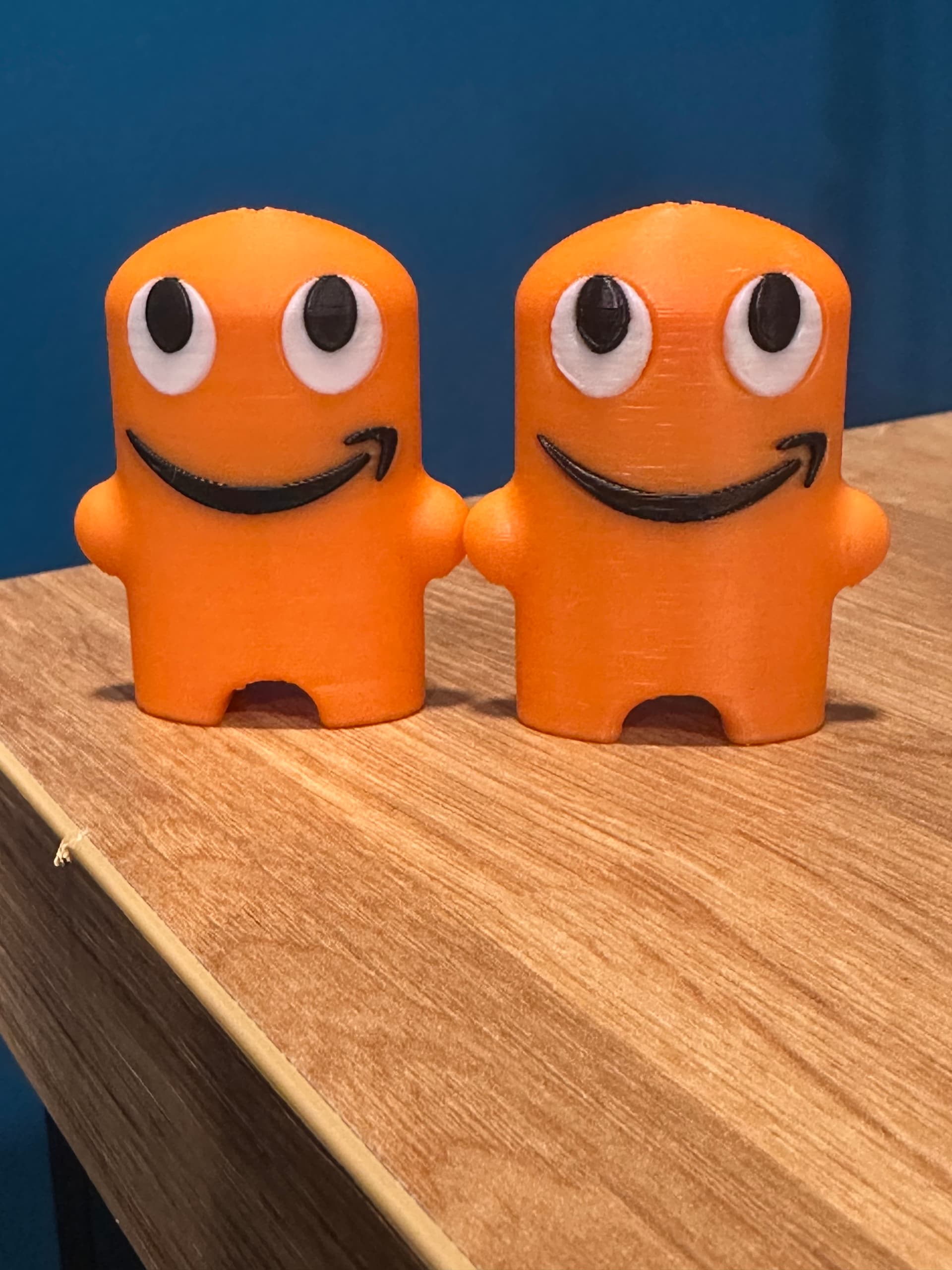
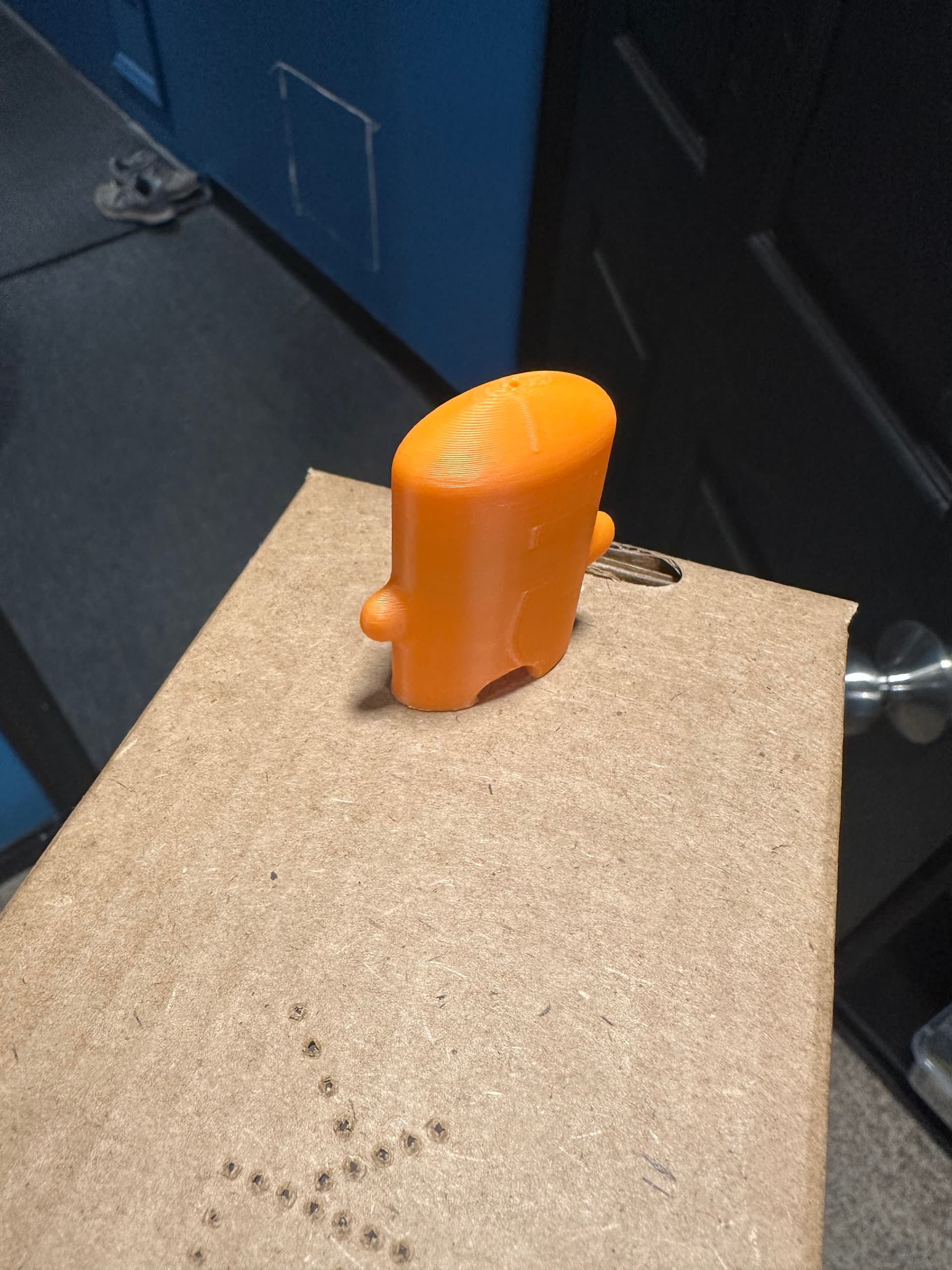
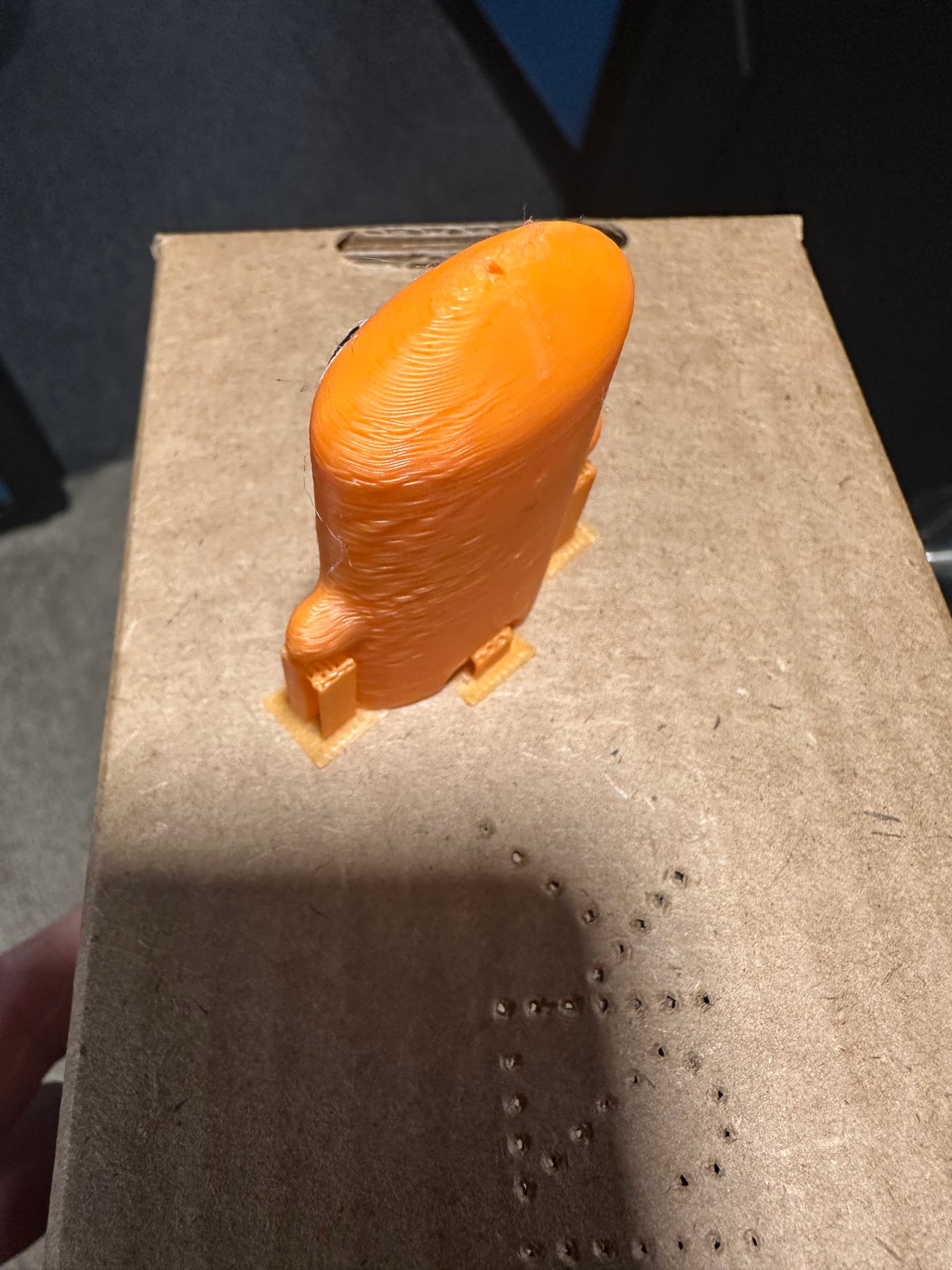
I have a few P-series printers and decided to get 4 A1 Combo printers. I have been printing these small multi color prints on the A1 printers for about a month with no real issues. I decided to switch the orientation of the prints to face forwards now because I wanted the seam in the back. Originally the A1 would arrange them facing to the side. After I switched the orientation I noticed the quality tanked on the prints. Here are the before and after pictures. The white around the eyes is not smooth and the print lines are wavy now.
I didnt change any settings on the printers and I even replaced a nozzle on one but it is still doing it. I even set the orientation to the side again and it still prints like this. Im not sure what it could be. Also the P series print with the same PLA and have had no issues.
I print about 30 on each build plate. I tested just printing one on each build plate with one solid color and there are not quality issues, it prints it perfect.
Strange, when it happens at four printers… If it was just one I would say: maybe you should check the screws. But if the problem is at four printers…
You say, the P1 is printing it fine with the same filament: You take it from the A1 to the P1? Or it is the same brand inserted in more printers?
Somebody will tell you to dry the filament…
Yeah same “batch” of filament in all the printers (P1S and A1s). I tried drying the filament and had the same results in the A1. I tried adjusting the rotation as well. Also a really strange thing happened. I adjusted the tension on the z axis belt on three of the printers and did a full calibration and tried printing about 4 of them on the printers and they printed perfect. Then I pre intend them again without changing anything and they printed bad again. I’m stomped at this point. I have no idea.
If you give up on the actual problem, you can reorient these back to their “working” position and simply paint the seam on, rather than rely on plate position and “back”
If it follows all 4 printers, the issue is in the slicer IMO, double triple check for any wierd changes. Nozzle aperture. Flow rate. Pressure advance [check decimals]
Thanks for the tips, I appreciate that. I was able to just open a new project in the Bambu Studio and had all the settings set back to factory. I also did a full re-calibration on the A1s. It has since gone away. Maybe I was playing around with too many of the settings.