Hi
I am using the Bambu A1 printer and have printed for over a year now.
I have got used to the bottom layers having a demarcation line but on a print that I have retried three times where the printer moves from vertical parts to printing a top horizontal section, I am finding the print warps at the sides. I am using tree supports for this by the way:
The top area has spread wider. It starts spreading out from where the printer starts the horizontal top rail. I print this piece on my printer standing up, the longest length on the print bed.
The demarcation layer on the bottom that tends to be about 5mms up. The part has a wall thickness of 5mm.
If anyone can help me define what I am doing wrong here, that would be great.
I am using tree supports and an outer an inner rim. My Bambu software is the release just before the latest 2.6.
I could post pictures but I don’t know how to.
Kind Regards
Ian
Hi
If there is a way to upload pictures, could anyone tell me so I can display the problem for you to see.
Kind Regards
Ian
You should be able to post pictures now. Before you were still classified as a new user. Welcome to the forum.
Hi
Thank you for the help.
Here are the pictures:
The first three show the warping at the top and the stringyness that has occured where the tree supports were.
On the last picture is the 5mm layer that always shows up. Usually where the base layer that I make of 5mm starts vertical sections.
I hope that helps.
Kind Regards
Ian
To me it looks like the bottom corner is lifting off the plate, and the rest of the print goes skew/nuts as it deals with that reality of it shifting out from under it.
Sharp 90degree squares on the build plate tend to put lots of curling stress on parts. So if possible a small 45degree or similar cut on the edges and corners would relieve some stress, as would adding glue or brims.
Hi
I wonder if its time to change the print bed.
I don’t usually have that lifting off the bed but if that is causing the rest of the print to play up??
I do have a new one sitting ready.
I just had wondered if it was to do with settings at all.
When I download the latest upgrades I usually just install them and run the print.
Is there configuration that is needed?
Kind Regards
Ian
I don’t think the plate needs to be replaced. I think you need to add adhesion or change design of the models bottom that contacts the bed. A clean plate always is helpful but I think even a clean plate will want help with that shape. Adding adhesion can be done with glue, experimenting with plate temperatures, a brim or mouse ears that act like tape to hold it down, etc.
Hi
What I did anyway, was swapped the plate to a new one I had. Just to guarantee I had top adhesion.
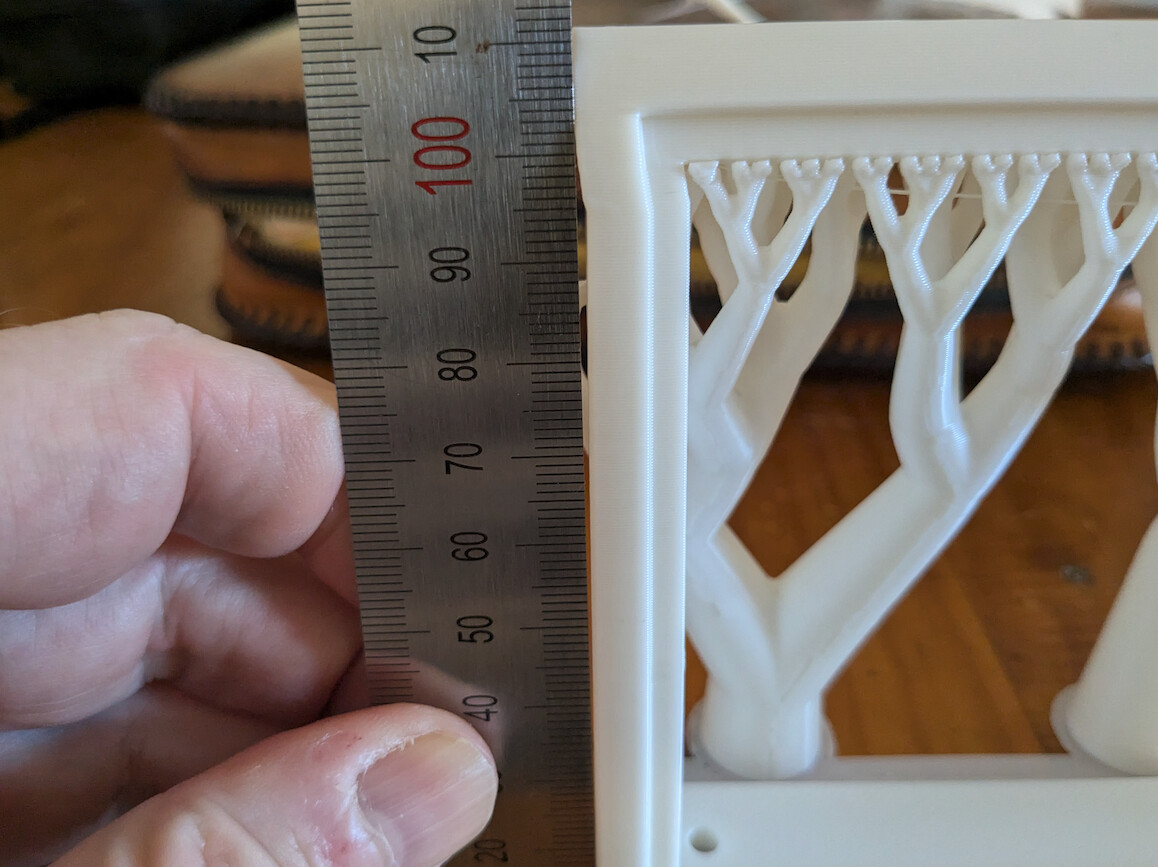
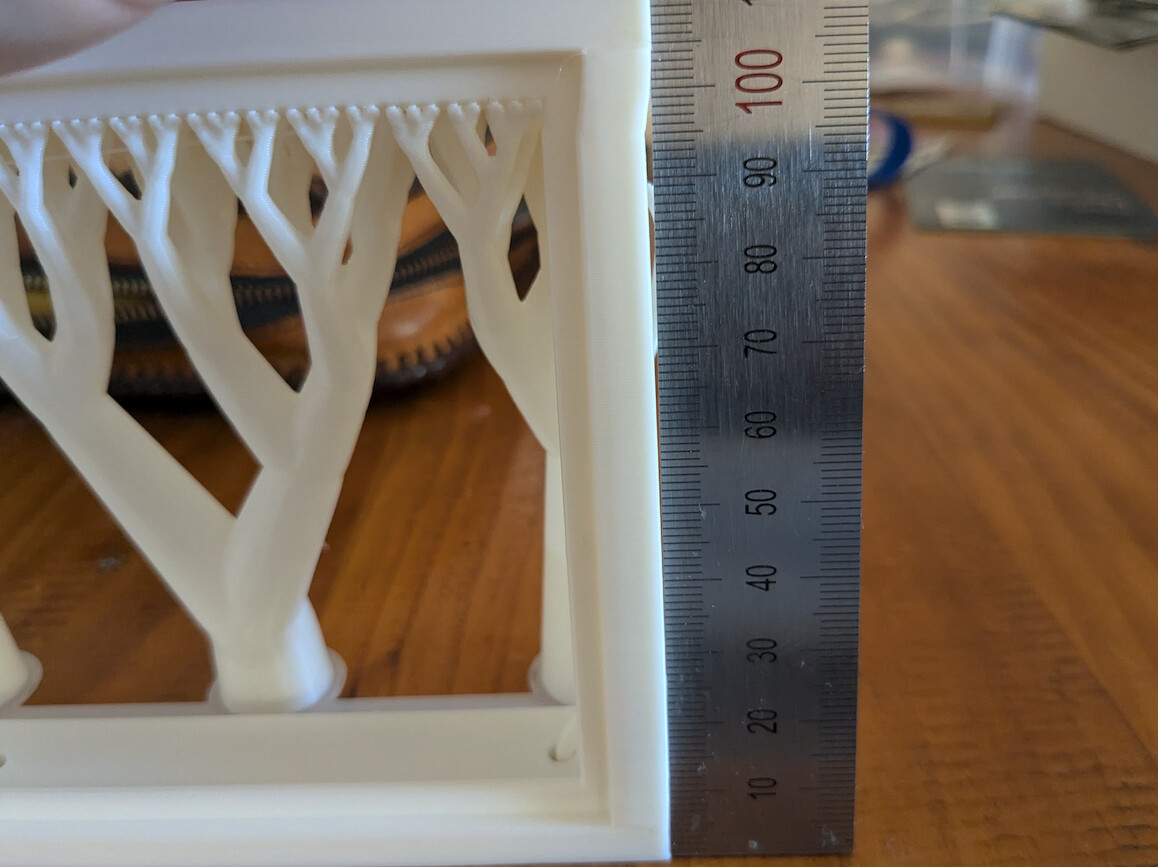
I still had the same problem, but I can see using a ruler that the side verticals have leaned in instead of printing vertically straight. You can see the gap of the ruler that is sitting flush on the table and hits top and bottom of the print sides:
You can see that the print base was solidly fixed to the printbed.
So I can only assume the problem is getting the sides to print straight.
With the tree supports I can only assume I can do those vertical.
Would it possible to add tree supports on the sides to make them print straight?
Kind Regards
Ian