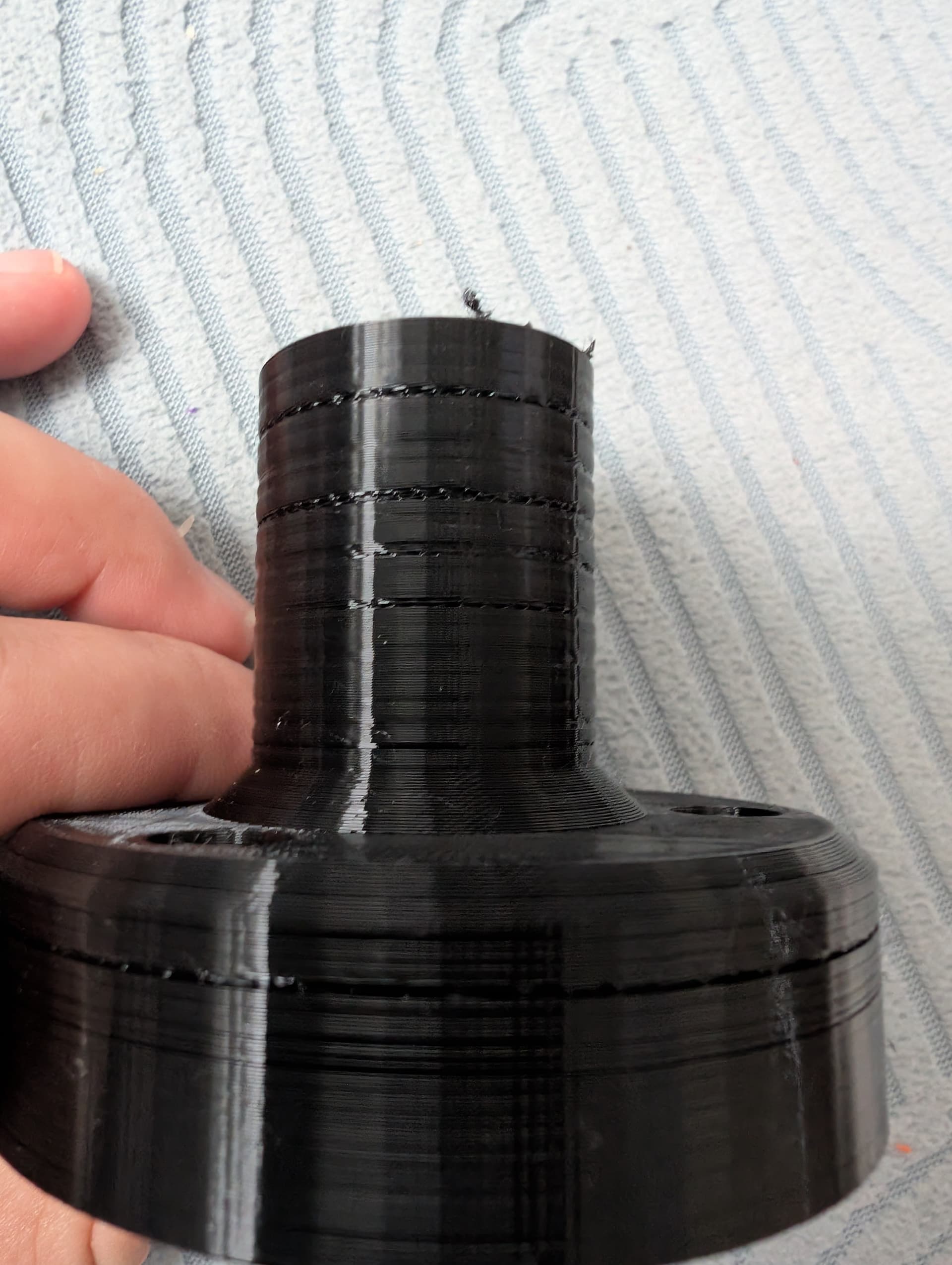
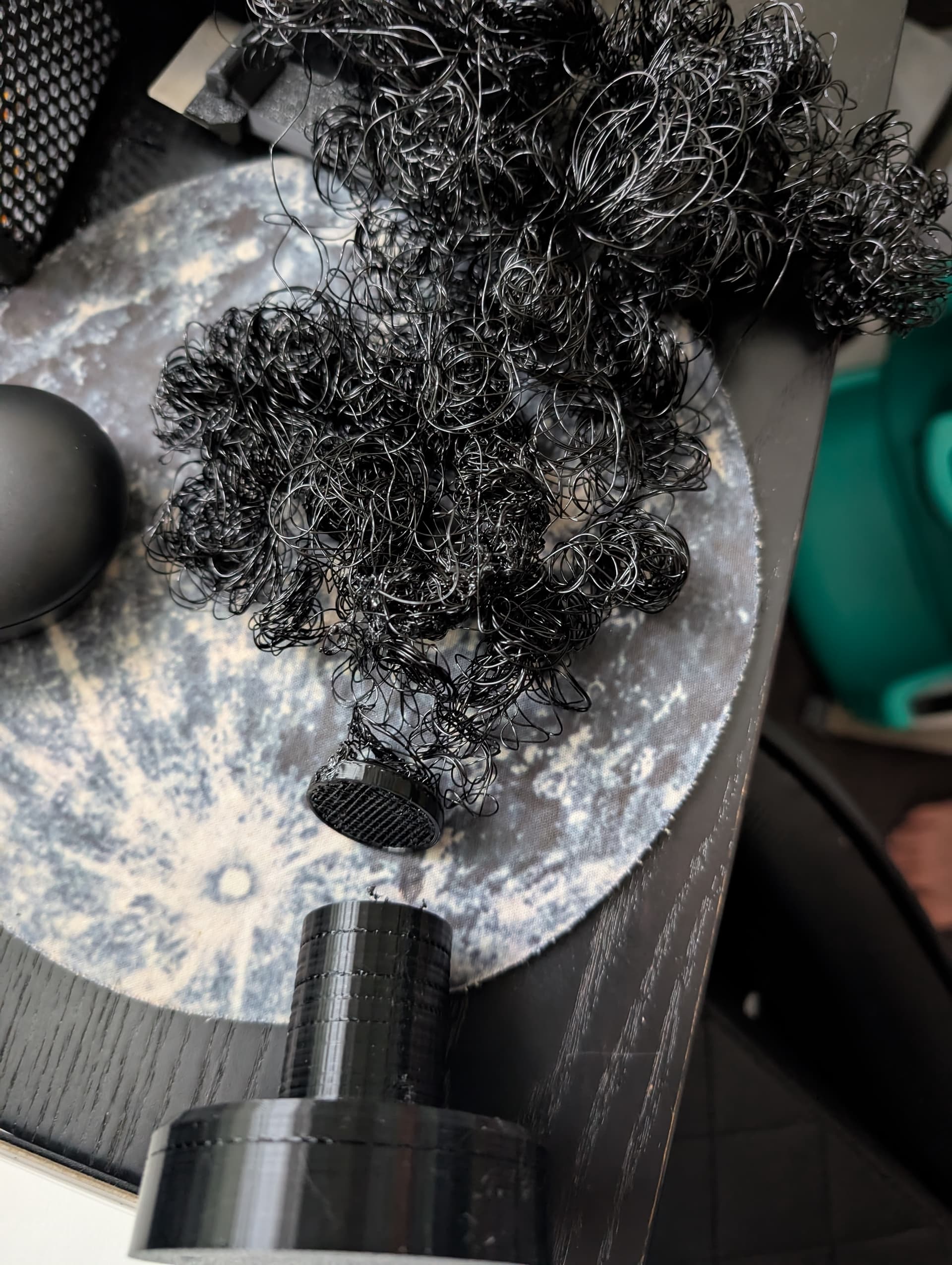
Hi,
Which grade of TPU ? 95A ?
Did you use an AMS Lite ? Not recommended !
it is very important to have the filament path with as little friction as possible and for the filament spool to turn with as little friction as possible.
Generic setting is good enough to succeed.
I would suggest to lower print speed to 50% on slow, and increase the part fan speed to around 90% or 100%. Also make sure to have really good bed adhesion, my trick is to wash the build plate with warm soapy water and dry it out with a kitchen towel. You get best clean and grip after this process, better than using isopropyl alcohol you wash build plate, and maybe also add some glue on build plate.
Maybe also increase temp of nozzle for better extrusion and do flow extrusion calibration before print and bed leveling.
Here are a couple of links for further info on how to start using and use TPU filament:
Hope this helps, really hope so, as TPU is great filament and expands creative possibilities greatly with flexible prints that can absorb forces or even flex as a hinge.
I print lots of TPU and usually let my A1 mini handle it, previously with my A1.
I have no problems with it.
It looks more like the spool is snagging and the filament isn’t flowing easily. TPU needs a smooth path all the way.
I use the external spool holder without issues. I note you said you have a top mounted one, it is possible this introduces an issue, but it would depend on which one you have and how well it works.
I suspect it could be a poorly wound filament though, take a good look at it before printing and see if it could get stuck down either side against the edge of the spool itself.
I have not had any need to slow down the print speed for TPU.
If the TPU 95A is HF, I use the Bambu Lab TPU 95A HF profile, even if not from BL. My overture spools work perfectly with it. For all others, I use the Generic TPU 95A profile.
Unfortunately, it’s not high flow from my knowledge.
I’m leaning towards the spool snagging as this was quite a long print which I guess increases the chances of it happening and my smaller prints, e.g benchys have all turned out perfect. very impressed.
Visually spool looked fine, but i find it hard to tell if anything is wrong.
Is there a downside to reducing the speed for TPU besides longer wait times?
On a positive note. Having a look at the failed design in real life made me make several design changes and print it in segments.
Printed the base again last night (but thinner) and turned out perfect.
Not printing the chaft again today but printing it horizontally rather than vertically to increase strength.
I shall report back tonight.
It doesn’t matter; it is just about choosing the correct profile.
No, but if it is snagging, which it may be, this will not change that.
Keep an eye on the spools as the print progresses, especially when the filament is at either edge, as this is where it can snag by falling between the spooled filament and the spool itself.
If the issue persists, you may find that unspooling and respooling will fix the problem. The only downside is that it is a pain. You can find many printable models on MW to help; some are manually wound, some use a drill, and some use motors.
Check out the links I gave you they are full of tips and tricks to better print with TPU, including stuff like what everyone here is telling you, to lower friction of spool. But there is also much more about things like what print speed, what slicer settings, what filament settings to use, and etc.
The links even explain each type of TPU in detail and tell you best ways to print each one.
So hope these links find you well and that you may learn something new or even solve your problem.