A2L not even in the ballpark of measurement

I am trying to love this A2L, but on finer pieces, the measurement, versus actual print are just miles out and I don’t know how to fix it.

I am using the same PLA (eSun PLA)

I use sketchup, my models are functional not for fun.

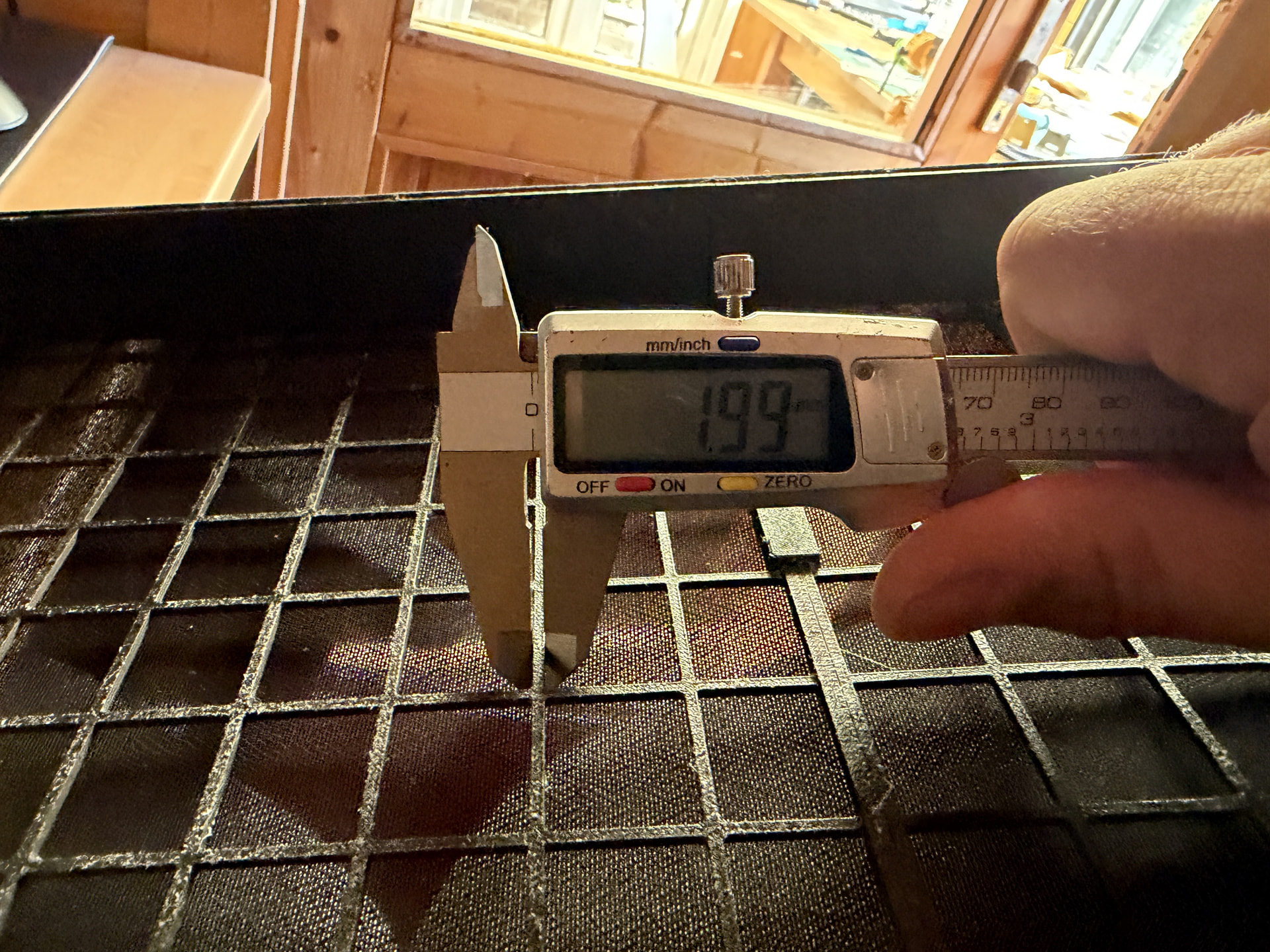
One I am working on now is a speaker cover, with 2mm wide mesh bars. On my A1, they print at circa 1.95mm. Good.

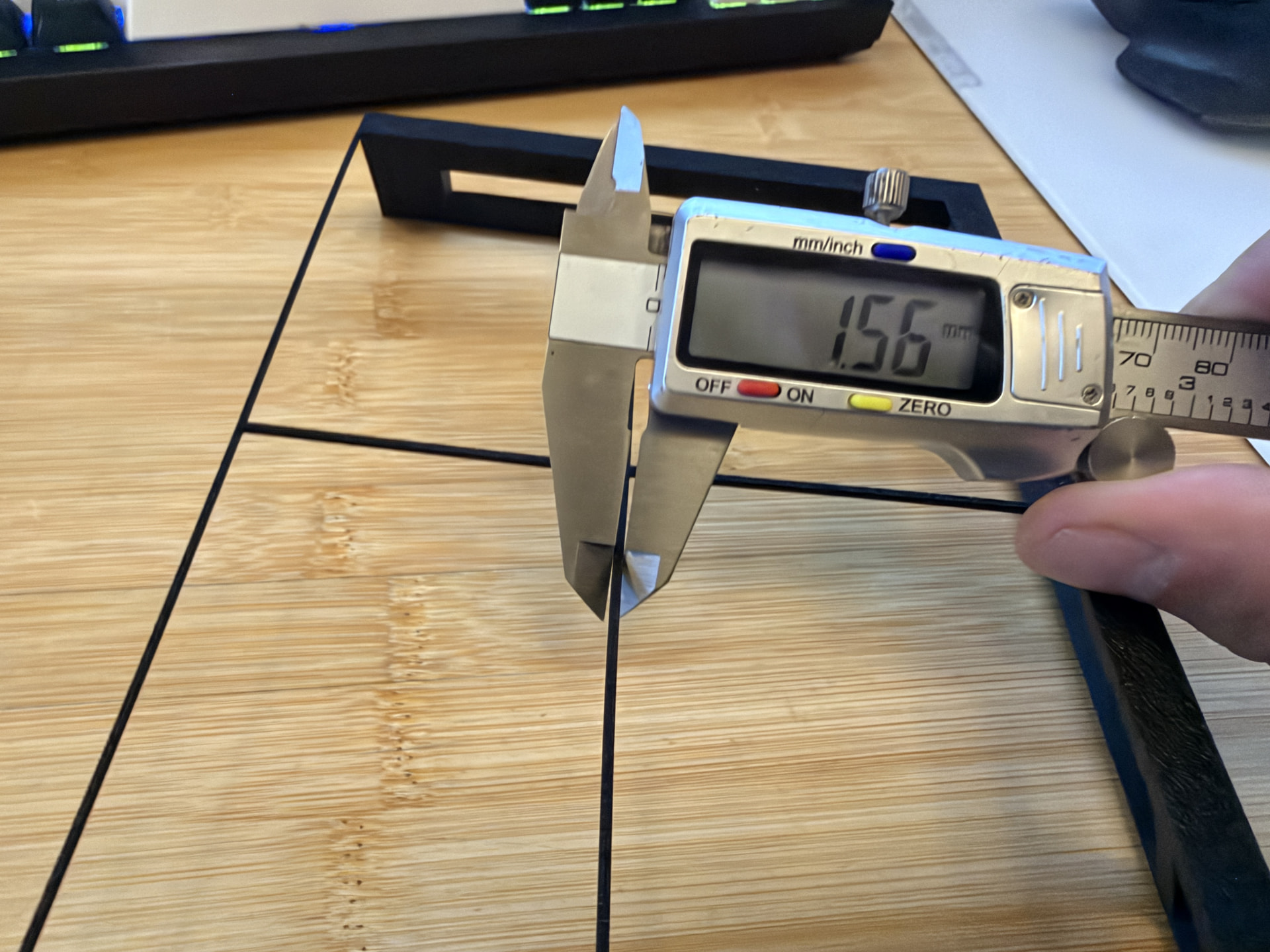
On A2L, they are printing at 1.4mm. Not even close.

Is there anything I can change to fix this issue?

A1:
A2L
Can you provide the .3mf file you are using? I might mention that Setchup parts have been know to have dimensional issues.

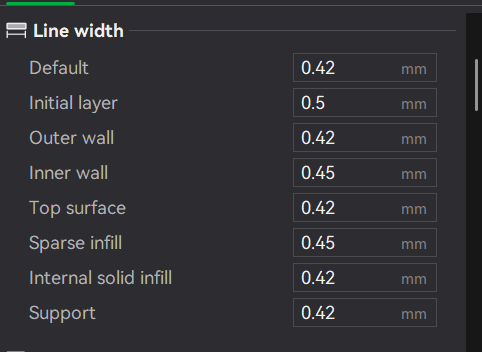
Have you tried changing the line width ? default is 0.42

Also with checking is that the correct nozzle size is selected on both the printer and in Studio.

First up, before you make any changes to the slicer or your printer, you need to start with reliable and accurate measurements. From your pictures, you’re using your calipers very incorrectly.

  1. You need to understand that printed parts almost always will have some squish or undercut on the immediate first layers, before a measurement can be take any squish needs to be removed.

  2. When measuring any process, you need to take a number of measurements across a good set of samples, not single measurements.

  3. The beveled (sharp) parts of the caliper jaw are not to be used for this measurement. They concentrate too much pressure on a small area and cut into the material. Caliper jaws also flex, so if you’re measuring at the tips of the jaws you’re maximizing the deflection due to flex. If you want a better measurement, you should be using the flats of the caliper jaws, and skew the part so it’s not perpendicular to the opening, but instead the flats sit against a larger area of the part.

This is a good video covering proper caliper technique:

https://youtu.be/FxipSsudLJQ

That said, onto bigger systemic issues.

  1. Are these parts being compared printed at the same time? Same filament? Same print settings? Filament shrinkage is a major factor, if print settings are different the shrink will be very different, if the filament humidity is high the shrink will be different, too.

  2. Have you done flow calibration and pressure advance calibration for both printers, for the specific filament being used?

I count my A2L purchase as a total waste of money.

The cutting tool seems to cut everything, even creases.

A new build plate requires a mortgage, for something little more than a sheet of metal.

In reality, a bed-slinger of this size shouldn’t allow the height it does as it is moving so much material (with or without height) that the quality quickly suffers.

I gambled, the house won.

If you share the model I will try it on mine for ■■■■■ and giggles and I will report back.

I don’t use it much, I have 5 other printers, so no real loss. If I get another printer it will be a tool changer, a real one, not that weird variant Bambu Lab sells as it appears to have dug a design hole and lept of a cliff into it.

So, bearing in mind what’s already been said here, these aren’t even comparable models. First, check what’s displayed in the slicer (i.e. the digital ruler). After all, an export error could have occurred much earlier in the file.

We’ve had this problem many times before on this forum – SketchUp exports incorrectly when used with FDM. Why? Because it’s architectural software that isn’t designed to prepare models for FDM printing at all. As soon as it’s exported to FDM, the tolerances are off – sometimes the whole model gets messed up.

It may be good for architecture, but it’s absolutely terrible for FDM.

I don’t mean to be negative, but why did you decide to use architectural software instead of translational CAD? The workflow is the same - you wouldn’t even have to learn anything new.


We ran into this problem just last week on the forum, when someone wanted to print their architect-designed house and the program’s export function completely failed in that context. It may be great software, but it’s just not suited for 3D printing.


Otherwise: Post a photo of the digital measuring tape in the slicer, or just the 3MF file. :+1:

General rule, when you want to examine such things, it’s always, always important to remove as many variables as possible. I get the off-hand expediency, but with so many differences between the two examples provided, it’s just impossible to arrive at any useful conclusions.

Use the same (.stl) model, same orientation. Make sure every slicer settings are the same across both print jobs.

Some of the stated things above are factors (shrinkage, flow, pressure advance) but for PLA these will not cause 0.43mm of differences.