I hope this isn’t a duplicate request, but I couldn’t find an existing feature request for this specific functionality. If it already exists, please direct me to it.
I use an A1 without AMS, and while I don’t frequently change colors, I occasionally need to print text in a different color on the first or last layer. Currently, I achieve this by manually adding the M400 U1 pause command to the G-code. This process is time-consuming as it requires exporting, editing, and then manually sending the G-code to the printer. Any subsequent edits to the print necessitate repeating the entire process.
Could you consider adding a feature that allows users to insert a pause at a specific layer, similar to the existing option for pausing at a specific layer height?
It does not exist and has been a request on the orcaslicer github for 18 months. I don’t think it’s this easy to implement or it will be available already.
@philch: It will go to the purge tower to “purge the new filament”. I wait for it to go to the purge tower and then pause the print to perform a manual change since I do not have an AMS for my P1S.
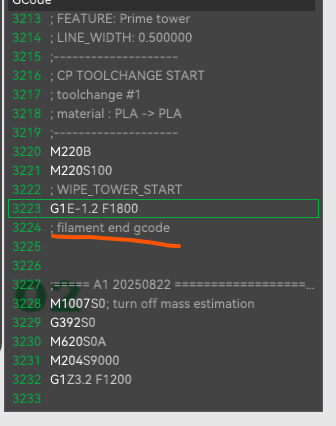
As there is already the structure for the AMS commanding the printer to swap filaments. Couldn`t it be a solution to toggle on a “Enable manual filament swap” mode? Which would add the M400 U1 command just after the “filament end code” line automatically?