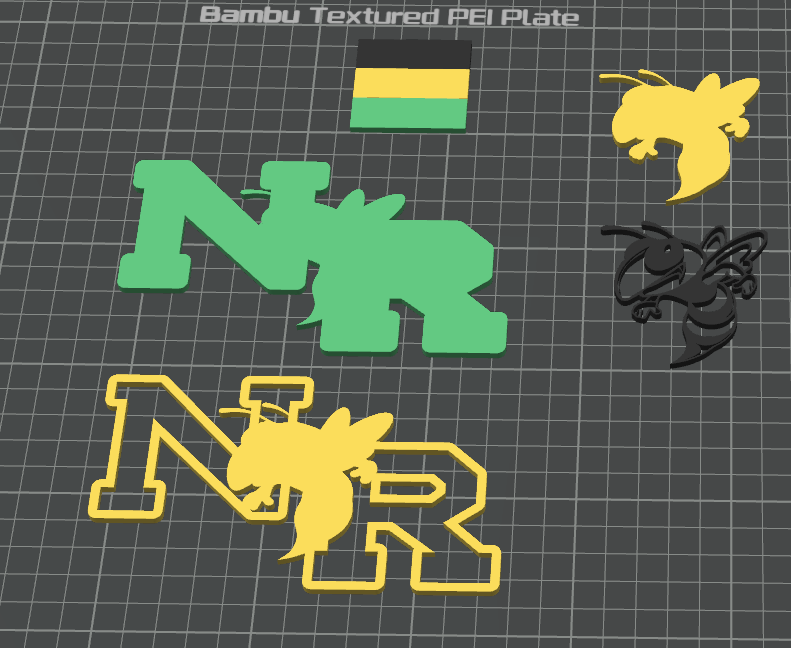
Hello. I could really use advice on options for assembling these vectors. I’ve been using freecad, but I suspect I can do this easier in studio if I can just find the workflow.
I believe that merging and assembling the base (L1) and L2 is the right first operation to get a 2-layer assembly.
Where I am struggling is to merge a yellow bee (solid) with a black bee (outline) to produce a black bee with yellow inlay. After that I want o add in white for hands and teeth, but one step at a time.
Appreciate any suggestions.
try3.3mf (224.5 KB)
Hi Todd,
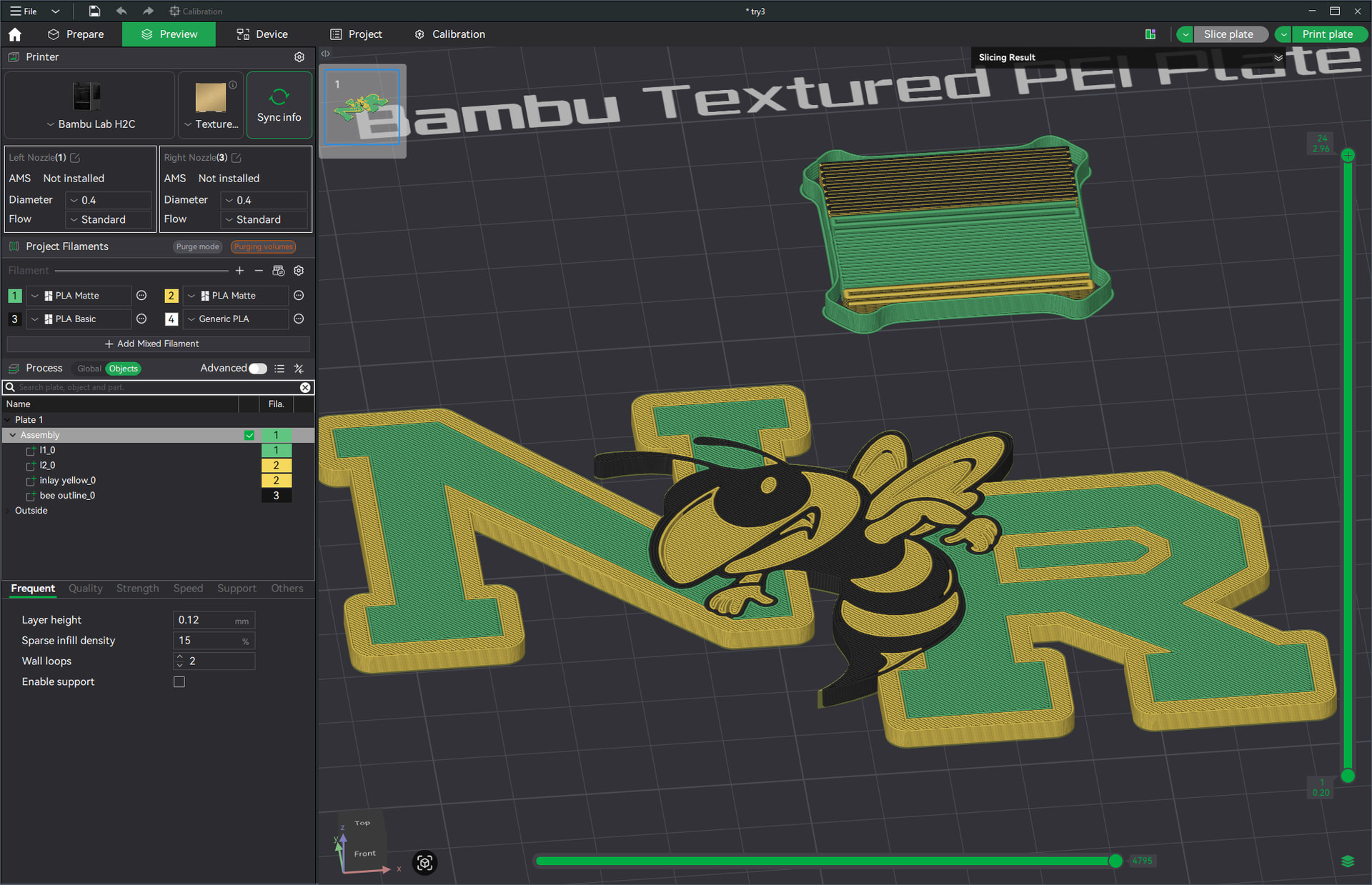
What is your desired overall final result? Are some parts raised? Or all flat like my screenshot below?
Here I just dragged all objects on top of each other, selected them all and used the r-click → Align/Distribute to align “left-right center” and “front-back center” (which happens to work nicely in this case). Then r-click and “Merge” them all to one object. I had to drag the black “bee outline_0” part to be at the bottom, otherwise it gets lost in the yellow object above it. The order of the parts in the object list does matter.
try3_merged.bs28.3mf (224.4 KB)
This was really simple because the alignment of the separate parts was easy in this case. With more complex shapes, it may boil down to positioning them manually (using the “move” tool and entering numbers in there to be exactly accurate). In Studio this typically leaves a lot to be desired, IMHO, due to lack of precision in the view (with those thick white outlines of selected objects), no proper sectional views, awkward camera controls, etc (in other words, a lot easier to do in CAD).
I don’t know of any other workflow besides just positioning object parts into their desired final resting places. And then possibly re-doing that if some element(s) change. Having the vectors (SVG?) combined/positioned before import may be a better approach, though I’m sure that will come with its own caveats.
HTH,
-Max
Thank you! I will try this after work.
I’m trying to use design techniques that make my life easier. I’m pleased that you noticed how easily centered these are, because I designed them exactly for that!
I had no idea that the layer order was significant. Duh.
in this project I’m experimenting. Last year I made these ornaments with a laser cutter and stacked them with double sided sheet tape. This year I want print them, which gives me more options than layering cutouts. As you mentioned, I could do “inlays”, which is actually what I was trying to test here.
Thanks again.
I made great progress last night using your approach. I was not aware that layers could be arranged like that. Of course, I hadn’t used assemblies yet, which explains that.
Thanks again.