AMS motor overload on new H2S

We have received 2 of the H2S printers 2 days ago and I have been printing quite a bit on them. There seems to be a recurring issue with the AMS motor being overloaded when printing with Bambu’s PLA Matte (white) in the front section of the print bed (towards the door). Some prints I have had 7 or so disruptions where it would say the AMS motor is overloaded and I had to press “Finished, Continue”, which it would then do just fine.

The problem appears to be that the PTFE tube going from the back of the machine to the print head is slightly too short. You can actually see that when the print head reaches the front few centimeters of the print bed, there is almost a kink in the PTFE tube at the coupling in the back of the machine.

This seems to be a common and repeatable problem: https://www.reddit.com/r/BambuLab/comments/1kolwf8/ams_2_pro_ams_motor_overloaded/
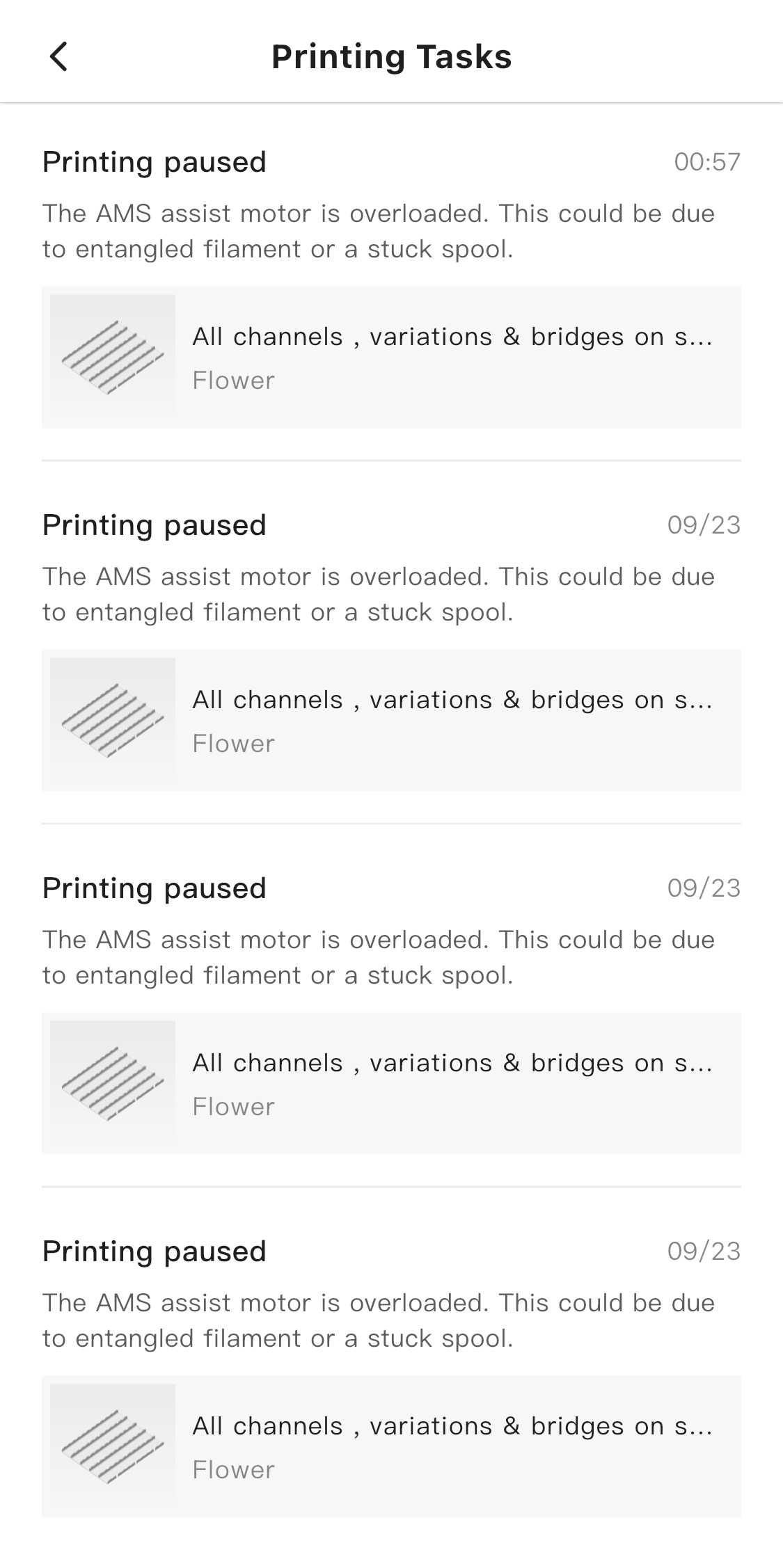
I think Bambu should update the firmware of the printer/AMS to raise the threshold slightly when printing PLA matte AND they should send everyone a longer piece of PTFE tube going to the print head.

This is clearly a design flaw and it appears they never tested the machine with all their own filaments and printing on the whole print bed.

I changed for a longer PTFE tube, because the bend into the print head was too tight.

Yes, I have some normal PTFE tube and some Capricorn XS tube ordered and will change it.

It’s fine to do these mods, but I am surprised that Bambu Labs didn’t figure out this design flaw by themselves. You would think they would at least test all their filaments and have it print some test object, which would surely cover the whole print bed.

let me guess, happens most at the front left of the bed? I cant print a full bed without this happening constantly, Bambu said to add a longer tube, I pointed out that said tube already rubs on the printer roof and is showing signs of wear, a longer tube will be worse. I tried it anyway and it was still pulling on the yellow part of the buffer causing jams even with lots of extra tube, the angle is just too tight and the buffer always gets pulled

There is a major flaw in the buffer design, its getting pulled forward and jams, you can hear it click when printing the front left of the bed when it gets stuck then snaps free.

Yes, absolutely. I agree its a design fault. This 100% should not be happening and the fact that it happens means they didn’t test properly or more likely they discovered the flaw, but it was too late and they found out that 95% of people will never print in that area, so its best to ignore it.

Did you see the “solution” in the reddit post with adding a little clip just after the buffer so it would not actually pull on it? I will create and print a better version for it. It seems to have “solved” that issue.

Link to the clip? I have not seen this fix, sounds proper

Personally for TPU/TPE I’ve found the HF nozzles to eradicate this issue. I suspect they’ve decreased the threshold of resistance in the latest firmware as I was getting overload errors constantly until I swapped to HF.

1 Like

I found this from Reddit and opening of this item mentioned. I have been dealing this for the last 7-8 days and saw few mentions of potential fix. I’m curious if others have tried the clip and if it has worked. Also opening a ticket with Bambu as would like their official response on how to resolve.

You can find info about it here: https://www.reddit.com/r/BambuLab/comments/1kolwf8/ams_2_pro_ams_motor_overloaded/

Same here, I have been having the issue from the first print on. I am getting some Capricorn XS PTFE tube tomorrow and see if makes a difference together with making the tube slightly longer. If that’s not enough, then I will also try the clip as mentioned on reddit.

If that is true, then that might be part of problem.

Bambu has been making bad buffers since forever but they… Generally work.

You can put some grease on the buffer

Those issues (PTFE being too short and very close to the top enclosure) are a common failure among most manufacturers. They are easy to resolve if you don’t need a full enclosure, but they become a big problem if you are working with technical materials like PET or PPA. PTFE routing must not have sharp bends so that the materials don’t break and can pass through with the minimum possible friction and there is no enough space between extruder and top enclosure.
Using a riser for the top glass and longer PTFE tubes is a must

I have more than one H2D bought at launch, all were fine with the TPU I always print.

Suddenly all three printers started getting this error multiple times a day. I assumed I had changed a setting or it was a bad batch of the filament, or I’d done something stupid.

After a lot of messing around have come to the conclusion something has changed in the firmware, as I’ve ruled out everything else that I can think of.

The only 100% fix for me was swapping to HF nozzles to melt filament fast and avoid triggering the motor overload error.

That might make sense, I’m only using HF or 0.6, so I never had any issues

1 Like

The buffer is not the problem. The PTFE Tube is too short. I now changed it from the 58cm original to one that is 65cm long. So far so good, seems to print fine even at the very front corners.

1 Like

I have a 0.6 HF nozzle in mine and still had that issue. Changing the PTFE tube fixed it for me.

So to sum up my experience:

  1. Changed the PTFE tube from the back buffer to the print head. Original was 58cm, I changed for one that is 65cm long
  2. I shortened the PTFE tube from the AMS to the back of the machine to 50cm
  3. Tried using Capricon XS PTFE tube - what a load of sh*t that stuff is. They claim its super low resistence, but then they make the inner diameter literally 1.75mm. In the end the resistence is way higher than with other PTFE tube that just has a larger inner diameter. I don’t know what they were smoking over there, so just stay away from it!

I ended up using this PTFE tube from Amazon: Für Bambulab PTFE-Schlauch 2,5 mm x 4 mm, grauer PTFE-Schlauch 1,5 m für Bambu Lab A1/A1 mini/P1P/P1S/X1C, für Creality K1/K1 Max/Ender 3 V3 3D-Druckerextruder, für 1,75 mm 3D-Druckerfilament : Amazon.de: Gewerbe, Industrie & Wissenschaft Its quite a bit stiffer than the original PTFE, which I think also helps.

i purchased some ptfe tube off aliexpress.

its 3mm internal diameter (4mm outside).

works a treat.

1 Like

I got a reply from Bambu Support:

Please allow me to explain, the main reason for this issue is that in some of our early production batches, the PTFE tube was slightly shorter, which may cause abnormal noise or a pulling sensation when the toolhead is positioned at the front left, resulting in a clicking sound from the slider. This usually does not affect normal use. We have since optimized and controlled the tube length to reduce the occurrence of such cases.

If need, we can provide you with a set of longer material tubes free of charge for replacement. (Please note that the package we send will include two tubes: a white one of 580mm and a gray one of 610mm. You only need to trim the longer tube by about 20mm before use. The color difference does not affect feeding performance.) Since you submitted two identical tickets, we can directly send you two packs of tubes under this ticket, and you may cancel the other one.

So since the PTFE tube I replaced was exactly 58cm long, it must mean that I did NOT have an early model, but their replacement is still not long enough.

I also think they should have done the right thing and sent replacement tubes with the machine, since they obviously knew about this flaw.