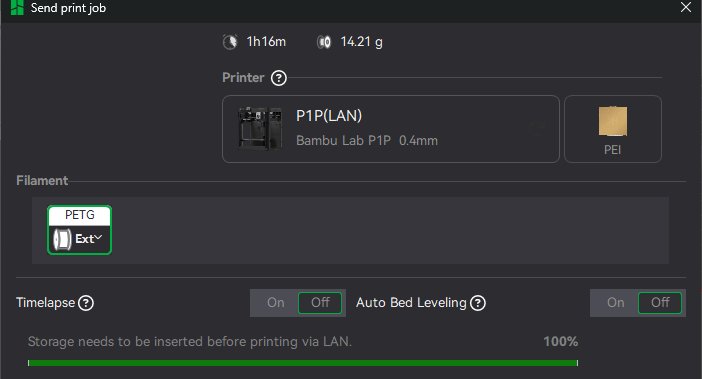
I have read similar topics listed here, but they not helped me. A few weeks ago Bambu Studio repeatedly refuse to recognize the SD card (Sandisk Ultra 64GB) from my P1P printer. Also in Device tab appeared the ”Storage abnormal” icon. In the printer’s menu the card is ok, I can navigate through the files uploaded also, so I don`t understand, the Studio why can’t see it. First I tried to reinsert the card for two-three-four times and sometimes it helped, but many times not. I verified the SD cards in Windows 11, and is ok, I reformatted it as Fat32 in my PC- no changes, and reformatted it by the printer also but no luck. I tried with another Similar SD cards, I think Sandisk Ultra is a decent kind, and tried two of them and other brands also, but the same problem reappear frequently and it is very frustrant. Sometimes the card is recognized after reinserting it a few times, but when try to upload the print, appears the dialog window to reconnect to printer… I read the many other user have similar problem and there is no universal solution. Someone is working at the Bambu staff to resolve this problem evidently coming from the software?
Well, first of all, welcome back to the forum. It says you haven’t posted for 2 years or something like that. And about the second picture, I’m guessing that after all of your problems with the SD card, either
You didn’t put an SD card back in
It just isn’t recognizing the card like from the first post
And the card that came with the printer still works? I’ve heard of the SD cards having problems sometimes after some use, but not with 3rd party SD cards.
Well, I write here only if I don’t find answer to my problems, it is something very normal, I think. I tried the old card now with two small projects, following your suggestion, and until now is ok. The Sandisk cards I use in professional multimedia equipments also, without any problems, so I’m sure that is not some quality problem, maybe a compatibility with P1P card reader? I will see in the next days if the old card works, this can be the explanation.
The intermittent failure mode makes this sound like a card slot issue. The card may not be making proper contact.
You didn’t mention it but have you tried another card yet? Any known-good card should be the first diagnostic step.
After that, use a can of compressed air to clean out the empty slot in case there is loose dust or debris inside. If you have a lighted magnifying loupe, inspect the slot carefully for any contamination or bent contacts.
If that does not resolve it, you are likely down to a hardware repair. That means either replacing the board or, if you are confident in your soldering ability, removing the board and desoldering and replacing the SD card slot. It is not a difficult job for someone with solid soldering skills.
Or simply ask Bambu to send you a new board. If you ask nicely, they may accommodate you even if it’s outside of warranty.
Here is a link to replacement SD card slots. The raw component if you want to go the self-repair route.
I printed four projects since I reinserted the old SD-card and the problem not appeared, so it seems, there is a compatibility problem with some SD cards. What’s strange is that there are problems even with SD cards from well-known brands that work perfectly fine with other serious applications.