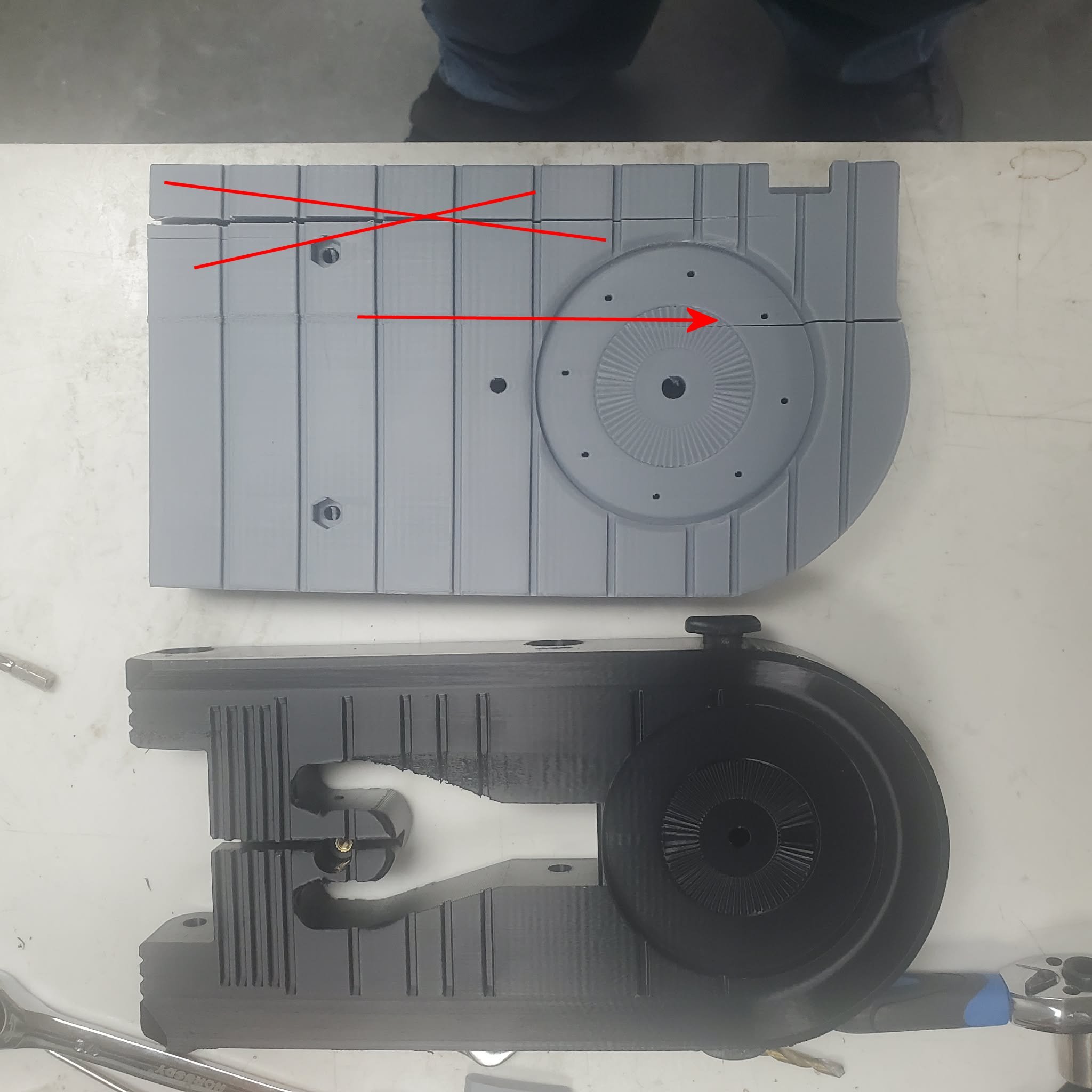
i have several x1cs, print asa daily very few problems. I have a 2 large pieces 245x31x136mm
i have 2 this size but are slightly different. 1 of them, the black one, prints fine on x1c, the gray one gets a crack in it after printing on the X1c, not every time. disregard the red X crack. i threw it on the floor to see if the other crack would break more and it didnt.
the crack after printing is the red arrow. i have had this several times.
I have been printing with a .4mm nozzle. layer height is .24
260 noz temp
10 wall loops, 15% gyroid
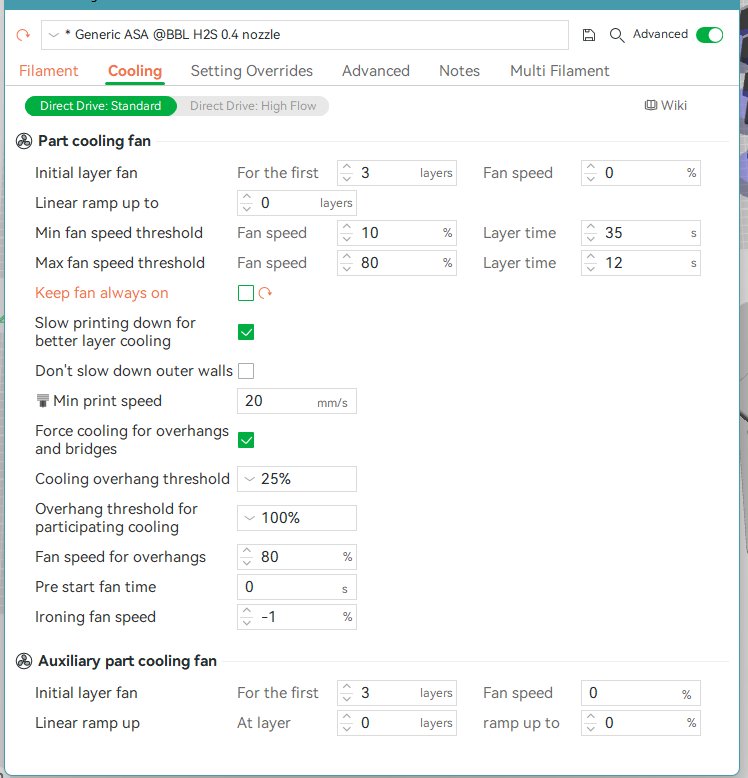
I don’t understand the fan settings, would you change this?
this is for the H2S I unchecked the “Keep fan always on”
this is a 20 hour print
i have quality issuse with the H2S on a lot of other prints, prints not printing smooth on lower layers.
but my main question is fans settings on ASA
Thanks!