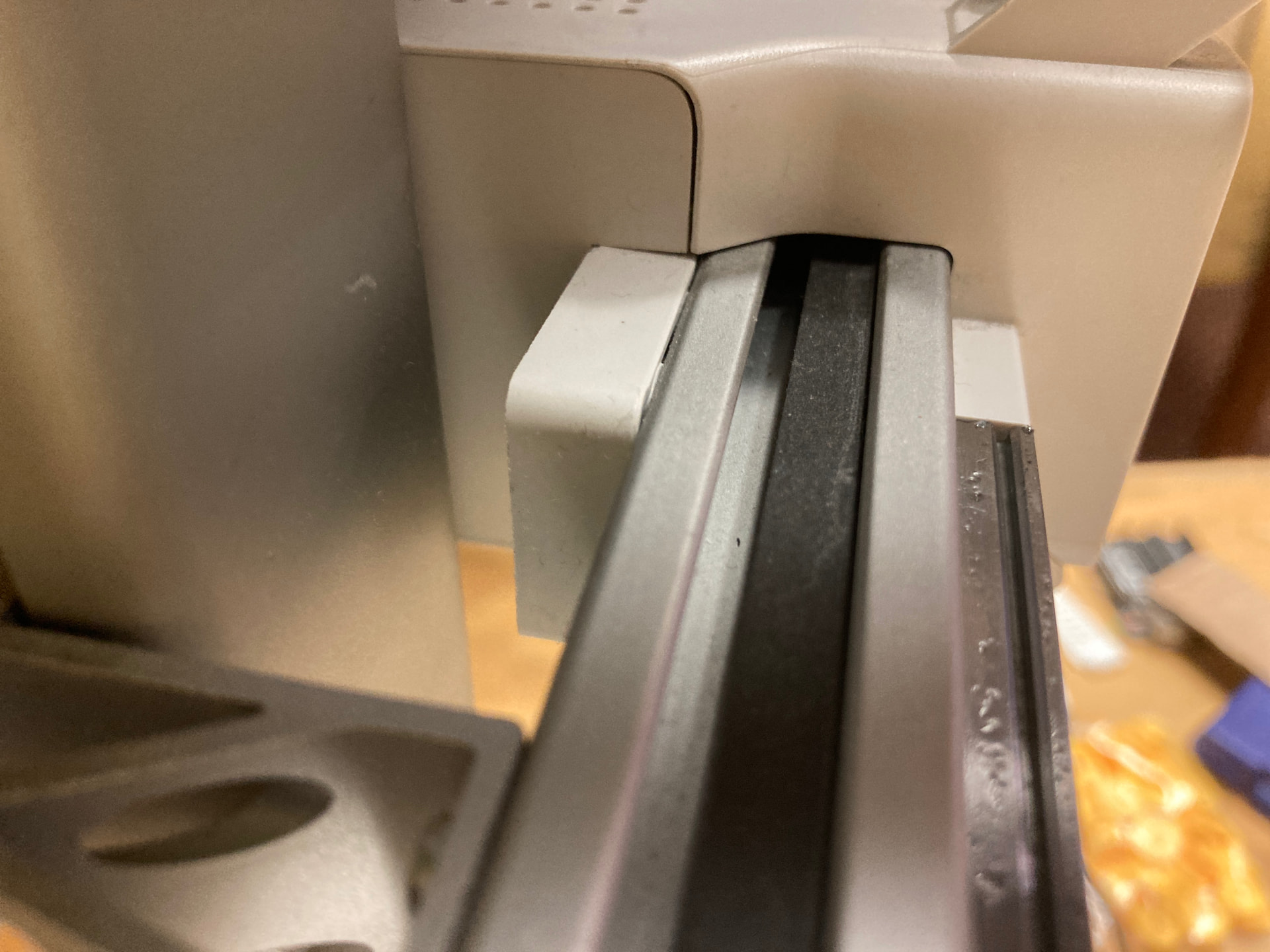
My Bambu Lab A1 has an X belt issue. The belt drifts forward when the print head is on one side of the X axis, and when it’s on the other side the belt drifts back. I have tried multiple times re-tensioning the belt and have done a lot of research into what the issue might be. I still haven’t figured out a solution and would love any input. If I readjust the belt, it just goes back to the way it was later on. It makes a quiet screeching noise when the belt rubs against the aluminum housing while it’s printing and I’m sure this will eventually lead to belt damage. I have not previously messed with the belt at all, so this is a very out of the blue issue that I notice recently as I was listening to it printing. I have only put 700 hours on the printer so far so it’s not just really old. Any assistance is appreciated! Thank you!!
-Leaf
maybe something is bent inside
The angle of the belt roller axle is what is important here: it has to be exactly perpendicular to the belt.
I think you can adjust this. If so, move one side of the axle to loosen the side of the belt that you want to move the belt towards. A bit of trial-and-error will hopefully sort this. You don’t need to make much adjustment.
Belts tend to “climb” up to the highest point of a pulley, the opposite of ropes/cables. So you tighten the side of the pulley that the belt is drifting away from, counter-intuitively.
Okay… I think I need understand what you’re saying.
I have the same problem have you found a fix?
Try using this guide but instead of replacing the belt try to move it back in position when taken out and reassemble the belts. X- belt Replacement Guide for A1 | Bambu Lab Wiki
This is what I was initially thinking… I fixed it a little bit ago and I ended up using a very thin material to shim the motor so that it would roll straight again.
I did that once and it moved right back. I ended up shimming the motor assembly with a thin material to readjust the angle that the roller was at.
Yes… use a thin material (paper, SUPER thin washer, etc.) to slightly tilt the motor after taking out two of the screws. It acts as a shim that tilts the roller into a position that’s straighter than it’s inital angle. I also haven’t used my A1 as much recently becasue I purchased the H2D so I haven’t tested longevity of this solution yet.
could I see a photo of the x axis gantry from the front snd the sides of the tool heads?
Hi, I have the same, i believe slowly slowly this will destroy the belt, i had a issue where Accidental Fall of Steel Bearing Balls on the X-axis and i followed the instructions in the site , the problem was that after i put back the bearings , the i wasnt sure how to aligned the belt to the middle ( that was the reason i remove the purge wiper in the first place, causing the bearings to fall) , as you can see below, teh instructions are not clear, if you install the 2 screw on teh left you actually installing the left block, also i am not use how to align the locating pin, can someone advise on this? What i did was:
-
i put the left block with the 2 screw and tight them,
-
I put the back screw without tightening it
-
then i pressed the middle screw of the block and the i tight the back screw to the pin,