My Bambu Lab P1P keeps giving me this warning:
“Part cooling fan speed is too slow or stopped. It may be stuck or the connector may not be plugged in properly.”
The printer still prints normally, but the warning keeps appearing.
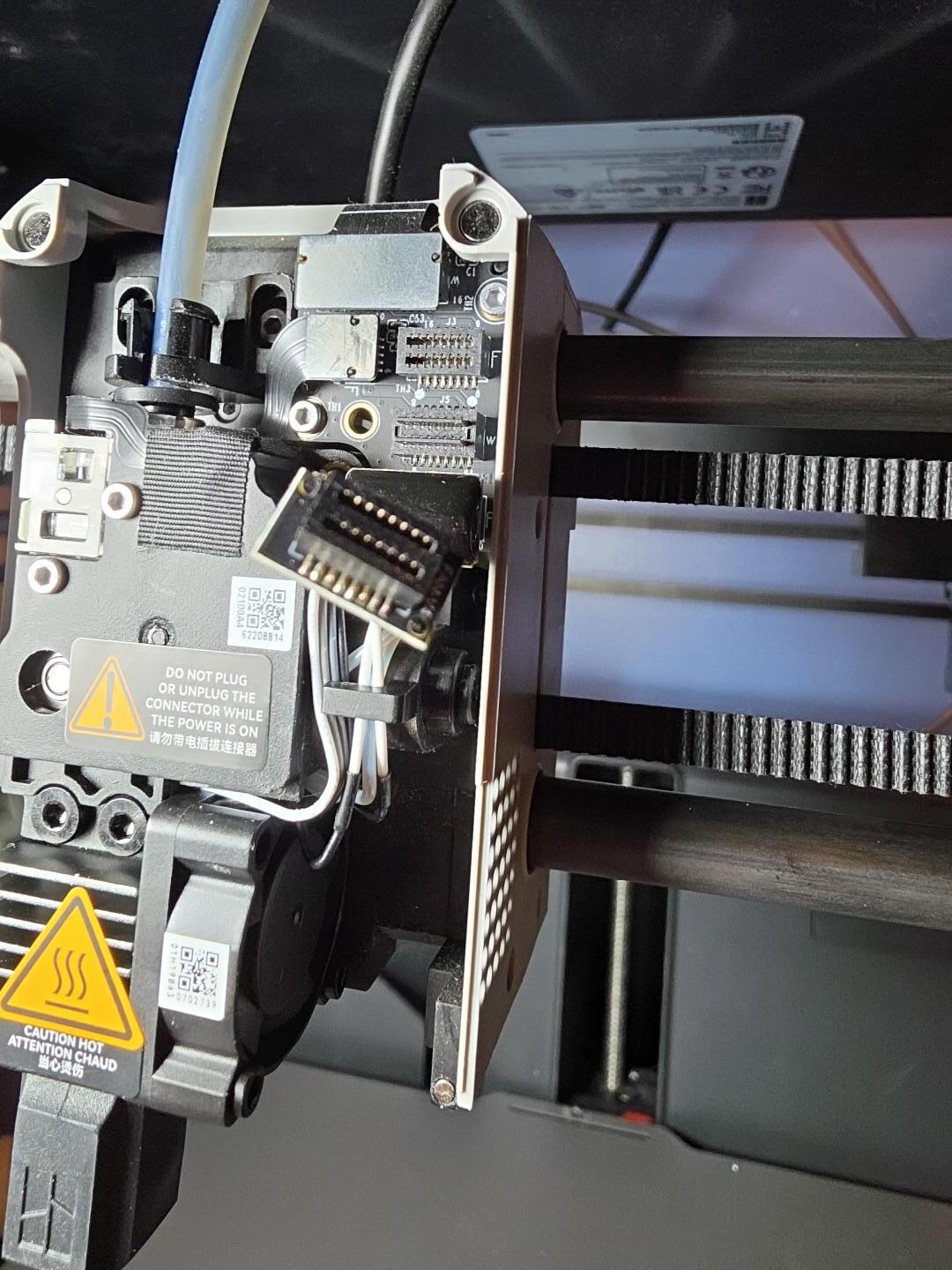
While troubleshooting, the front toolhead cover came off. I found the fan connector, but I cannot get the connector plugged back in because the space is extremely narrow and it does not seem to fit.
I have photos showing the fan, connector, and toolhead.
Can anyone tell me whether I am trying to plug this into the correct place and how I can reconnect it safely? Also, could the loose toolhead cover or connection be what is causing the fan warning?
Thank you for any help.
This is the wiki article for the extruder board replacement, don’t do that part but there is information about the cable locations.
They all fit, it’s tricky. Go slow, don’t force anything, be patient.