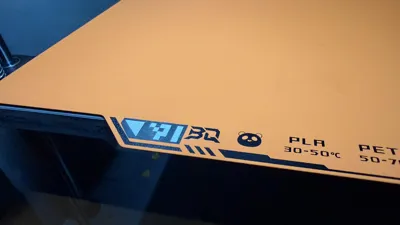
Bambu Lab P3C – Build Plate Recognition Issues with X1C Build Plates

Hi everyone,

I have just received my new Bambu Lab P3C and noticed an issue with automatic build plate recognition.

As far as I understand, existing X1 Carbon build plates should also be compatible with the P3C.

However, I tested a brand-new, original Bambu Lab Cool Plate SuperTack that had never been used before. Despite selecting the correct build plate in Bambu Studio, the P3C fails to recognize it.

So far, my experience is as follows:

  • Bambu Lab Cool Plate SuperTack (original, brand-new): Not recognized

  • EIBOS KRIOS: Not recognized

  • BIQU CryoGrip: Not recognized

  • Bambu Lab Engineering Plate (original): Appears to work correctly

Has anyone else experienced similar issues with their P3C?

Does the P3C use a different build plate recognition system or require different QR codes compared to the X1C?

Could this be a firmware issue rather than a hardware limitation?

I own several build plates for my X1 Carbon and would really like to continue using them with my new P3C without having to disable automatic build plate recognition.

I am also opening a support ticket with Bambu Lab regarding this issue.

It would be interesting to hear which existing build plates other P3C owners have successfully tested.

Thanks in advance for sharing your experiences!

The X2D also does not recognize the Bambu Lab Cool Plate SuperTack. Nonetheless it still works after one clicks the button to ignore when the error message pops up.

You can either put an updated QR code on your plates, or disable plate checking in your printer’s settings.

Thank you for your suggestions. I am aware of the workarounds and know how to bypass this issue. However, that is not really the point of my post.

If a feature provided by Bambu Lab does not work as expected, especially with a brand-new, original Bambu Lab build plate, I have a few questions for Bambu Lab Support. I would prefer to have a properly functioning feature rather than simply disable it.

Regarding the updated QR code stickers, could you please tell me where I can get them? Are there any specifically designed for the P3C?

Thank you!

Maybe you could show us where you saw that the X1C plates are compatible with the P3C?

The Bambu Store shows these two models use different plates. They may physically fit, but the sensing is evidently not compatible.

The QR stickers can be purchased online from various third parties, or you can also print your own. This is the P2S version, I don’t know if the P3C will use different codes or not.

Thank you for the clarification and the MakerWorld link.

I was under the impression that the existing X1C build plates were also compatible with the P3C. Apparently, there is a difference between physical compatibility and automatic build plate recognition.

Interestingly, my original Engineering Plate from the X1C appears to be recognized correctly by the P3C.

I will try the updated ArUco codes from your link and report back whether they work with the P3C.

I have also contacted Bambu Lab Support to clarify the compatibility of existing build plates and their identification codes.

It would be great if Bambu Lab officially provided updated stickers for existing build plates, rather than requiring customers to purchase new ones simply because the identification codes have changed.

Thanks again for your help!

Just a quick update: I printed a new ArUco sticker using the P2S template from the MakerWorld link and tested it on my original Bambu Lab Cool Plate SuperTack.

Unfortunately, the P3C still does not recognize the build plate.

It seems that the P3C may use different identification codes. Hopefully, Bambu Lab Support can clarify this.

I will keep you updated as soon as I receive a response from Bambu Lab.

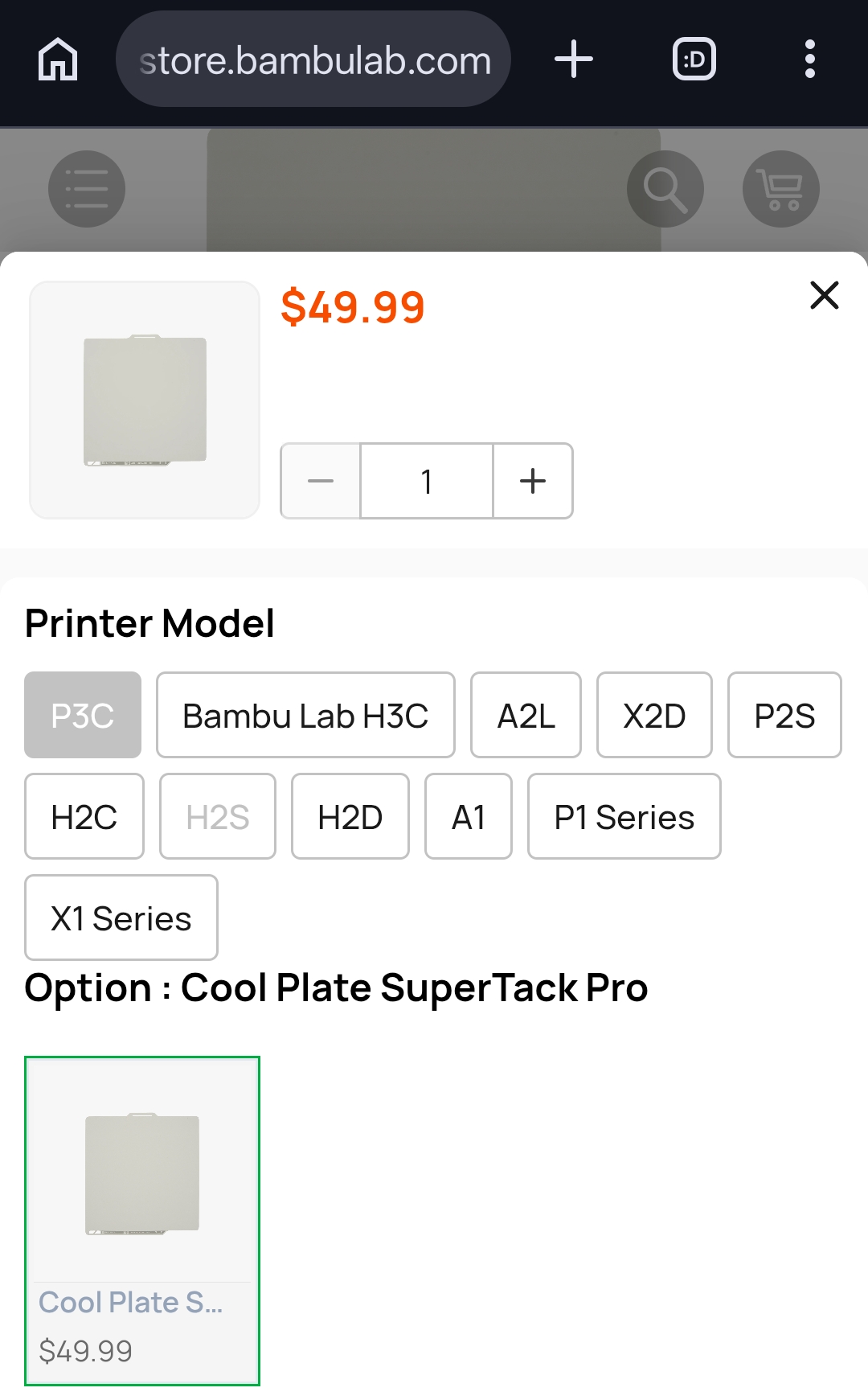
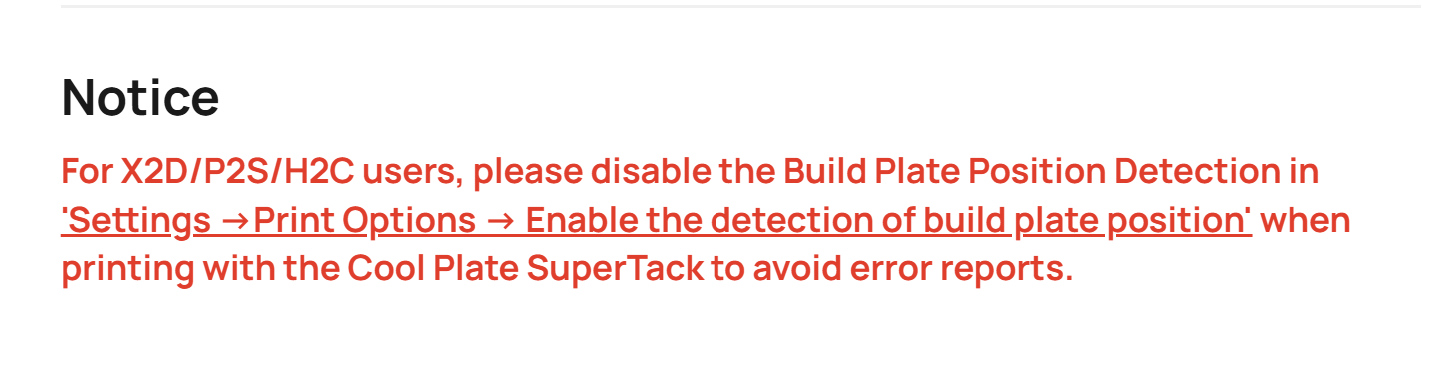
There are certain build plates that aren’t recognised, even if they’re made by Bambu. Some plates actually mention this in their description. On the Bambu Store website:

  • Bambu Dual-Texture PEI Plate
  • Bambu 3D Effect Plate
  • Bambu Cool Plate SuperTack Series

Even though the text mentions the P2S, you get the same warning for the P3C on the shop page too.

For X2D and P2S users, please disable the Build Plate Position Detection in ‘Settings ->Print Options → Enable the detection of build plate position’ when printing with the Dual-Texture PEI Plate to avoid error reports.

Supposedly the new firmware update for the X2D should have fixed that, so I think it recognizes them now.

I updated my X2D and it still fails to recognized the SuperTack build plate. It recognizes the other plates, just not the SuperTack. I wonder if the printing on the SuperTack is not bright enough to read.

This is an extract from the P3C FAQ wiki:

Can the P3C printer use other 256x256 mm build plates (Bambu Textured PEI Plate, Bambu Cool Plate SuperTack, and Engineering Plate)?

  • Bambu Textured PEI PlateThe Bambu Textured PEI Plate has undergone multiple versions of optimization and iteration. Although the dimensions of the build plates for different models are the same, there are differences in their surface materials and visual identification marks. The Bambu Lab P3C original build plate is custom-made to provide optimal printing quality and perfect visual identification compatibility. The compatibility details for each model are as follows:

    • P2S / X2D Bambu Textured PEI Plate (Second-generation Bambu Textured PEI Plate):

      • Compatibility: Usable, but in rare cases, the build plate type detection may be misjudged.

      • Notes: The P3C software supports the visual markers of this type of build plate, but due to variations in chamber lighting brightness, it may trigger false visual reporting. If this occurs, you can manually disable “Build Plate Type Detection” in the print options.

    • X1C / P1 Series / A1 Bambu Textured PEI Plate (First-generation Bambu Textured PEI Plate):

      • Compatibility: Usable, but build plate type detection is not supported.

      • Reason: Due to significant differences in lighting conditions and camera characteristics, the P3C cannot correctly recognize the markers on this series of build plates. Therefore, you must manually disable ‘Build Plate Type Detection’ in the print options.

  • Bambu Cool Plate SuperTack

Other 256 × 256 mm Cool Plate SuperTack plates (X1C / P1 Series / A1 / P2S / X2D) can be used. Because of larger differences in lighting and camera characteristics, the P3C cannot correctly recognize their markers, so “Build Plate Type Detection” must be turned off manually in the print options. A Cool Plate SuperTack designed specifically for the P3C is available and recommended.

  • Engineering Plate

    • P2S / X2D Engineering Plate (2nd-generation Engineering Plate)
      • Compatibility: Usable.
    • X1C / P1 Series / A1 Engineering Plate (1st-generation Engineering Plate)
      • Compatibility: Usable, but build plate type detection is not supported.
      • Reason: Due to significant differences in lighting conditions and camera characteristics, the P3C cannot correctly recognize the markers on this series of build plates. Therefore, you must manually disable ‘Build Plate Type Detection’ in the print options.

Update: Official response from Bambu Lab Support regarding P3C build plate recognition

Hi everyone,

As promised, I would like to share the official response I received from Bambu Lab Customer Support regarding build plate compatibility and automatic recognition on the P3C.

Here is their original response:

Dear Customer,

Thank you for your feedback.

Regarding your questions about the build plate compatibility and automatic recognition system on the P3C, please find the details below:

1. First-generation Bambu Textured PEI Plate (for X1C):

Compatibility: Usable, but build plate type detection is not supported.

Due to significant differences in lighting conditions and camera characteristics, the P3C cannot correctly recognize the markers on this series of first-generation build plates.

Therefore, you must manually disable “Build Plate Type Detection” in the print options.

2. Bambu Cool Plate SuperTack (256 x 256 mm):

Compatibility: Other standard 256 x 256 mm Cool Plate SuperTack plates (from X1C / P1 Series / A1 / P2S / X2D) can be used.

However, because of larger differences in lighting and camera characteristics, the P3C cannot correctly recognize their markers, so “Build Plate Type Detection” must be turned off manually in the print options.

Therefore, a Cool Plate SuperTack designed specifically for the P3C is available, and we highly recommend purchasing this dedicated version for automatic recognition support.

3. Regarding Third-Party Build Plates:

Unfortunately, there is no workaround for non-original third-party build plates. To use them, you must disable “Build Plate Type Detection” in the settings.

Thank you very much for your understanding and cooperation!

Best regards,

Bambu Lab Customer Support

My thoughts on this response:

While I appreciate the clarification from Bambu Lab, I find this response somewhat disappointing.

The existing build plates are physically compatible with the P3C, but customers are advised either to disable a built-in feature or purchase new build plates.

I would have expected Bambu Lab to offer updated identification stickers for existing build plates, especially for customers who already own several original Bambu Lab plates.

I also tested a self-printed ArUco sticker designed for the P2S, but unfortunately, the P3C still did not recognize my SuperTack plate.

Interestingly, my original X1C Engineering Plate works with automatic recognition enabled.

In my opinion, replacing perfectly functional build plates simply because their identification markers cannot be recognized is neither economical nor environmentally friendly.

I would still like Bambu Lab to clarify the following:

  • Would updated P3C identification stickers solve this problem?
  • Could Bambu Lab provide official replacement stickers or printable templates?
  • Is it possible to improve compatibility through a future firmware update?

I hope Bambu Lab will consider a better solution rather than simply recommending that customers disable automatic build plate recognition or purchase new plates.

What do you think?

Die Originalantwort des Supports habe ich vollständig übernommen. Darunter habe ich deine bisherigen Erfahrungen und die weiterhin offenen Fragen ergänzt. Besonders wichtig finde ich den Hinweis auf die funktionierende Engineering Plate, da diese in der Support-Antwort überhaupt nicht berücksichtigt wurde.
I had that issue on a BIQU glacier with my H2C. While I had used an engineering plate ArUco sticker, it did not recognize it until I first stuck a black square and stuck a white ArUco sticker on top (cut with my H2C cutting module). You may want to test the reverse as well, black code on white background

I actually used iron on transfer sheet so it will permanently stay on

FWIW, the new codes seem to also need the triangle and may be also the vertical bar (as below) to work. The code itself also needs to be about 10mm tall