Hi everyone,
I need some help with a problem I recently started having with Bambu PETG Basic.
I have printed many of these keychains successfully before. The model, printer and nozzle are the same, and the prints were previously coming out very clean.
Recently, however, the small raised letters started printing badly.
As you can see in the photos:
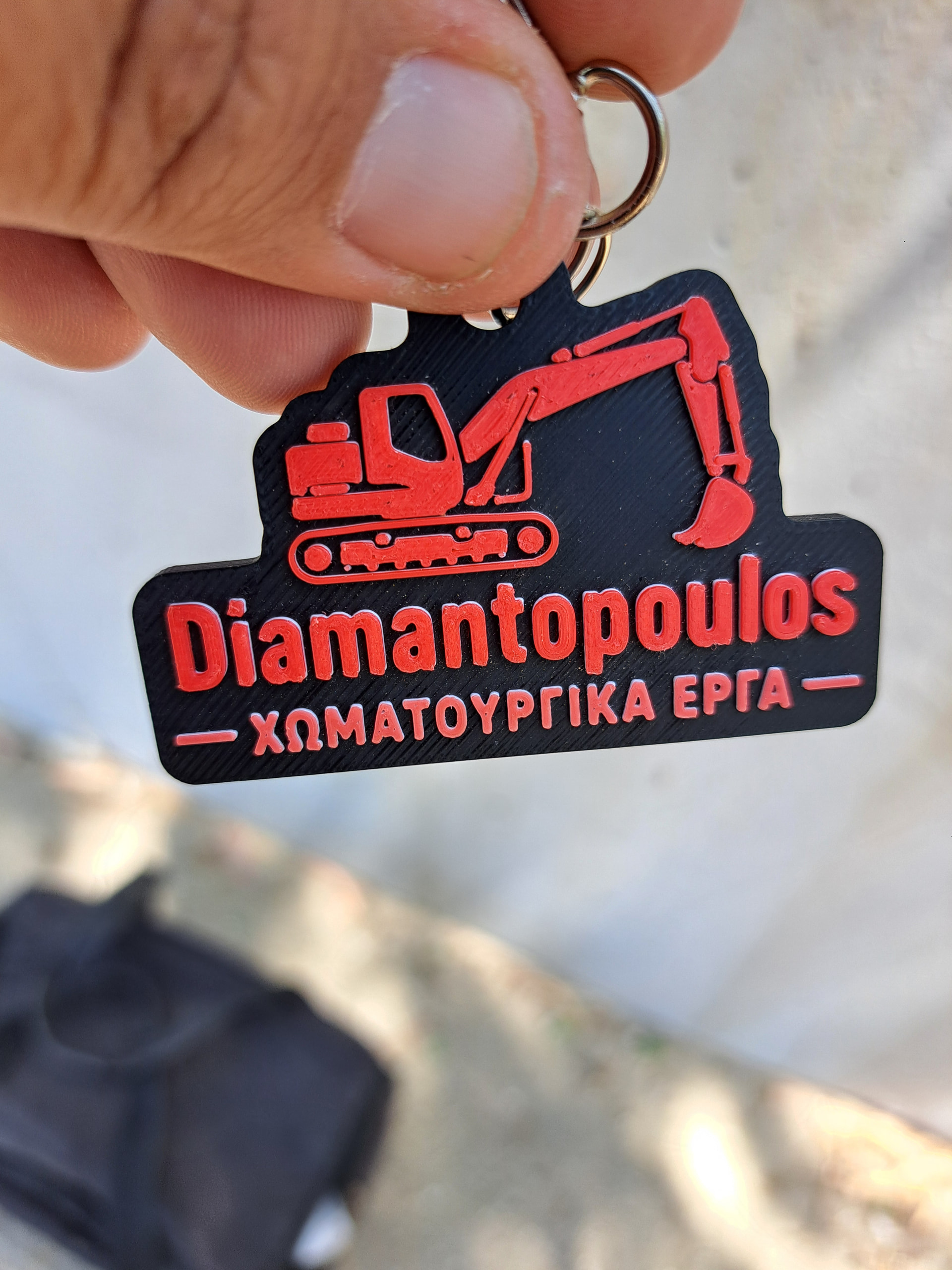
Photo 1 – Previous successful print:
The large white and red areas are clean and the small details were much better.
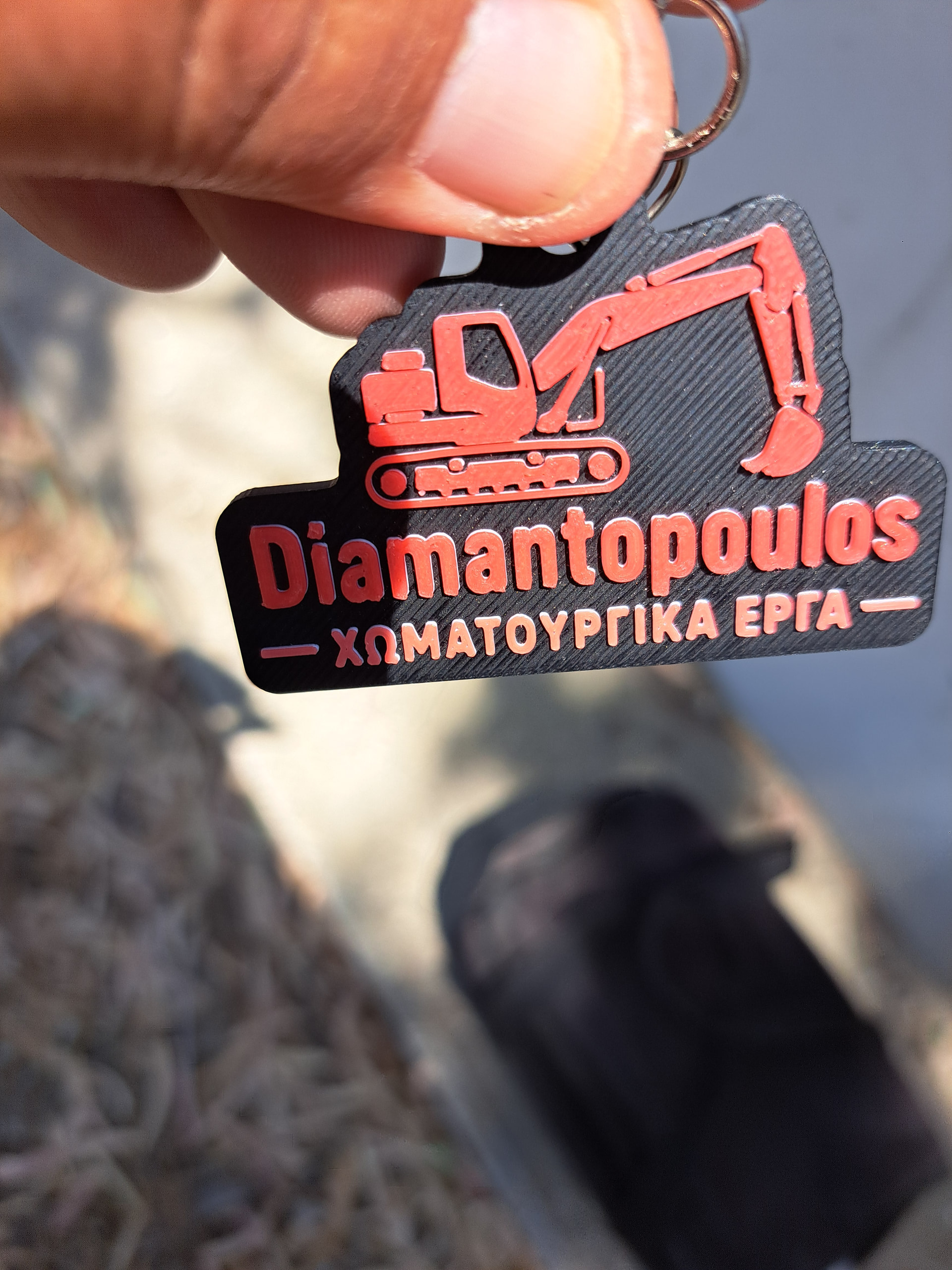
Photo 2 – Recent print:
The large surfaces still look very good, but the small raised letters have become rough and poorly defined.
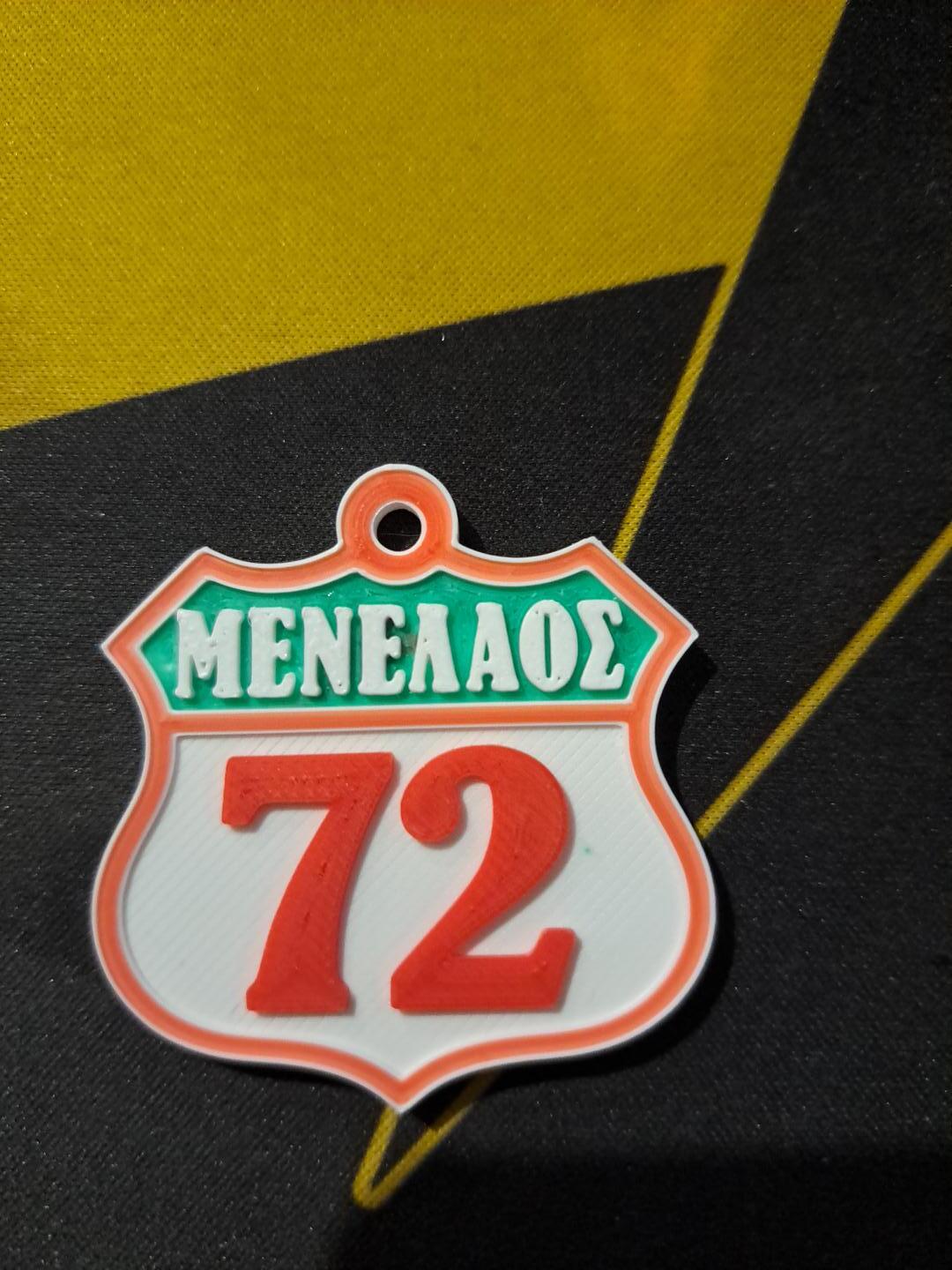
Photo 3 – Close-up:
The main problem is especially visible on the small text “ΜΕΝΕΛΑΟΣ”.
Printer & print settings
- Bambu Lab X2D
- 0.4 mm nozzle
- Textured PEI plate
- Layer height: 0.08 mm
- Initial layer: 0.20 mm
White filament – Bambu PETG Basic / PETG FORGE
- Nozzle: 240°C
- Bed: 70°C
- Flow Ratio: 0.948
- Flow Dynamics K: 0.050
- Max volumetric speed: 15 mm³/s
I calibrated both Flow Rate and Flow Dynamics for this filament.
Red filament – eSUN PETG
The red part is printed with eSUN PETG.
My previous successful settings for this filament were approximately:
- Nozzle: 240°C
- Bed: 80°C
- Flow Ratio: 0.8294
- Flow Dynamics K: 0.036
The red filament has worked very well for me in these keychains.
What I have already tried
I have tried slowing down the print and also changed some of the settings to match an older profile that previously produced very good keychains.
The large top surfaces are still very good. The problem seems to be specifically with the small raised letters/details.
This is why I am wondering if the problem could be related to:
- Nozzle temperature
- Filament moisture
- Flow
- Flow Dynamics
- Small perimeter speed
- A recent Bambu Studio/firmware change
- Something else I am missing
Could someone experienced with Bambu PETG Basic and small 0.4 mm nozzle details take a look at the photos and suggest what I should test first?
I especially want to know what nozzle temperature you are using for Bambu PETG Basic when printing very small raised text.
I have already printed many of these keychains successfully, so I would really like to understand what changed before continuing to print full keychains for every test.
Thank you!