
Are you looking for this setting?

“Support is composed of two parts: base and interface. Interface layers are the layers touching the object. The rest of the support body is the base. Both parts can use different filaments than the object. Default means no filament is specified and the filament printed at the current layer is used, so filament switching time is minimized. Usually, we select specialized support materials such as support W as the support surface material.”
no,no,as you can see with tree slim,there are top interface layers generated(dark green),and not in all places,

I once encountered something similar… the support interface was not generated at all, meaning that the layer was completely missing and the next actual layer of the model was then printed into air…
it wasn’t my model, but one downloaded from MW, and if I remember correctly, there were several comments in the discussion below the model saying that the support wasn’t working properly for them (but no one really explained why). In addition, in some places, the support wasn’t generated at all, even though it should have been there. The result was "bridges” about 15cm long/1,5cm wide without any support at all. Then suddenly, on another piece of the same model, the support started working as it should again.
I solved it by a) painting the support manually and b) changing the type of support so it started to work somehow and I could get it where it was needed. I struggled with it for about the whole day, trying to figure out what was wrong, and then I gave up – just use the “fix”/solution described above - I needed to print the model and “forget” about it.
To be honest, I recently looked for that model and couldn’t find it (I don’t know why), and we’re talking about an older version of Bambu Studio (but I don’t know which version it was).
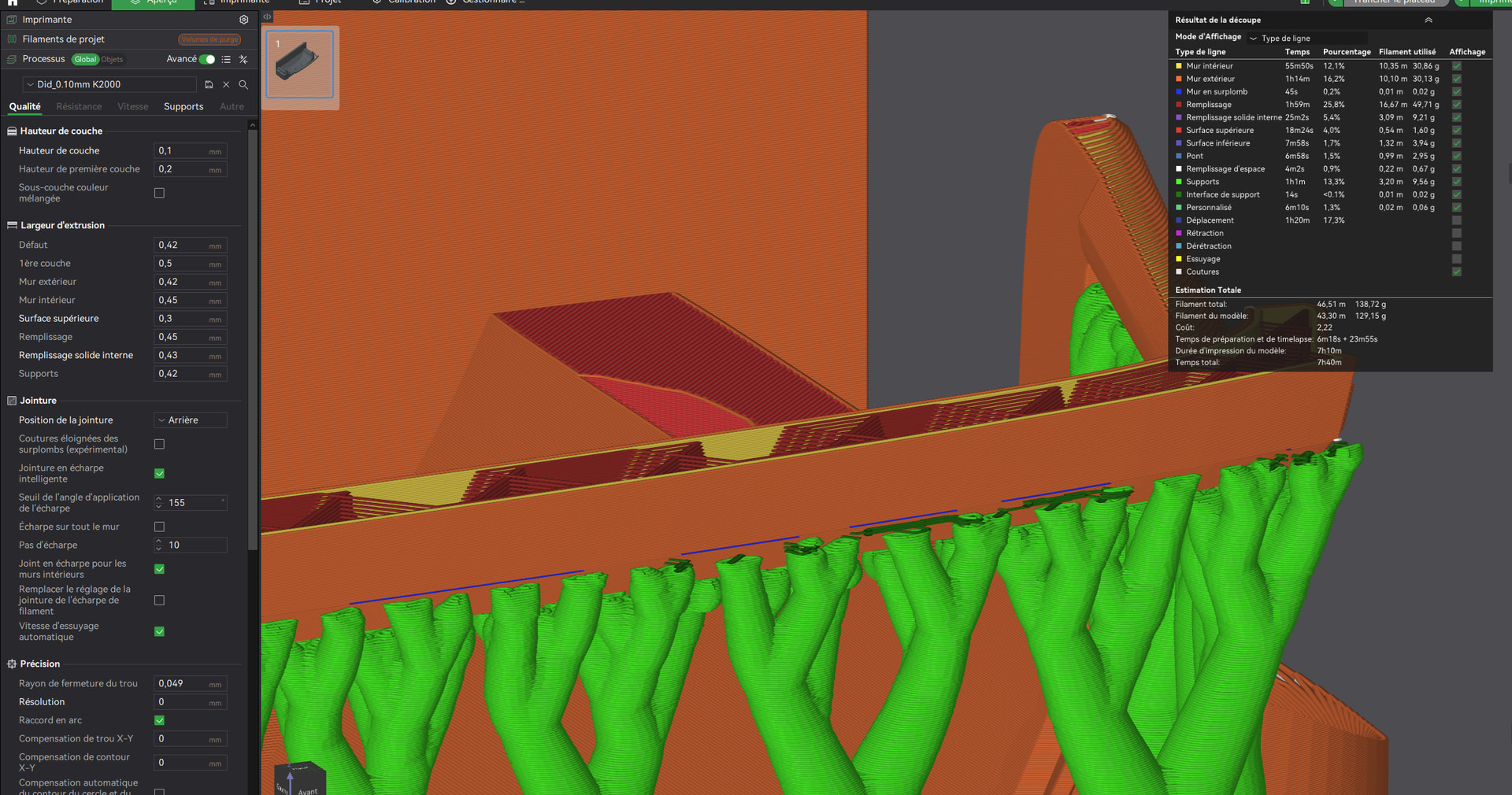
It would be really helpful if you could post the 3MF file in the comments - something the original poster unfortunately didn’t do. That would make troubleshooting much faster. Of course, there’s no guarantee of success, but without enough information, it’s very hard to reproduce such an error. Simply saying ‘I have the same problem’ doesn’t describe the issue and slows down the process of getting help.
That’s why no one has responded for the 8 months. The problem isn’t a lack of people willing to help, but a lack of information needed to understand the issue.