Works great now with the few test I have done. Thanks for changing the buttons, much easier to read now.
Glad to hear it finally works !
Small update because this is the thread where people helped me find the original Windows problems.
FullSpectrum Studio v0.4.13 is now an official cross-platform release.
@mltriebe, thank you again for testing those first Windows versions. The Windows app is now built and tested on an actual Windows runner before release instead of being a package I only checked locally. Both the installer and portable ZIP completed successfully.
I fixed Windows startup/module packaging problems, made the window scroll properly so controls are not cut off, and added Preview Plan. This lets you inspect the selected physical and mixed slots, estimated quality, anchors and warnings without writing a new 3MF.
I also found a real 32-slot Bambu palette bug. Eight-digit colors such as #00000000 could be dropped, shifting every later color and breaking a valid slot 32 reference. That is fixed now.
One clarification: Windows uses the same conversion and validation engine as macOS, but it still does not have the complete orbitable macOS analysis viewer. FullSpectrum also remains a standalone community tool; it has not been added directly to Bambu Studio.
Download v0.4.13 here:
Please keep sending the actual error or last progress message when something fails. That is much more useful than the old none error and helps me find the real problem.
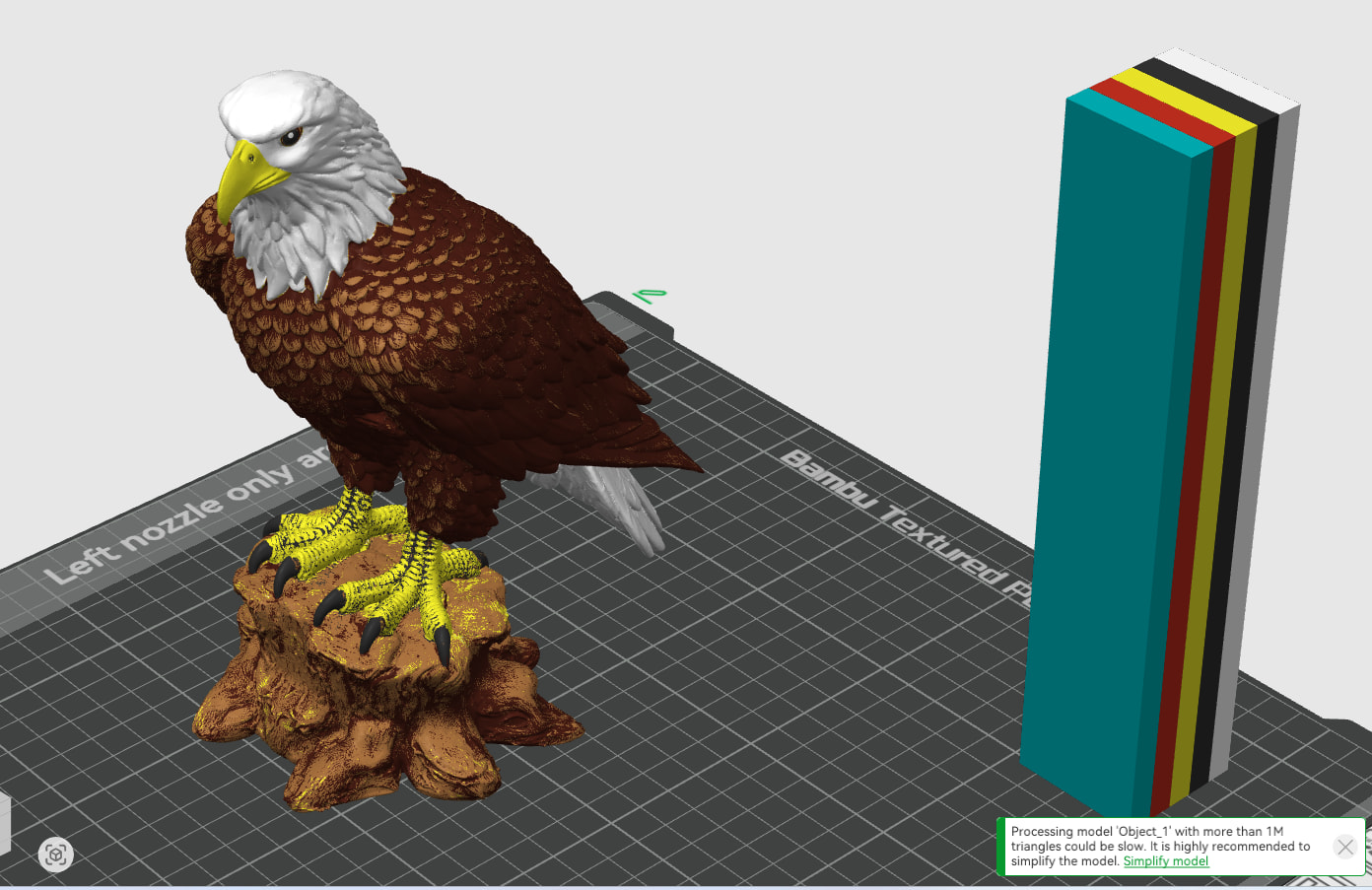
Another interesting issue. When I use this file as is it changes the eye color to blue. Not a big deal I just paint them black again. Then I change the printer to H2C and try again hoping it would keep the eyes black I get this error.

@mltriebe Thank you, this was a real bug. I reproduced the blue eyes.
The auto planner was giving too much importance to the large body colors and not enough to a small black detail. I changed that. It now checks the worst visible color error too, so a small black or white detail cannot be traded away just because it covers fewer faces. The eyes stay black and the quality score cannot look high when one small color is badly wrong.
Update: I checked the finished project again and found two more mistakes in my v0.4.14 output. It was writing H2C-specific filament preset IDs into your A1 project, which is why Bambu showed HT-A on the filament rows. Auto also allowed this five-color source to grow to six physical filaments. Both are fixed in v0.4.15. The same file now opens as an A1 project with five physical filaments and one mixed slot. The mixed slot combines two of those five filaments; it is not a sixth spool.
I also tested your second sequence: convert it, paint the eyes black, switch to H2C, and convert again. The new file opens correctly here in the current Bambu Studio and the H2C two-nozzle data validates. I could not reproduce the “vector too long / no geometry” popup on the current Bambu Studio build, so I don’t want to claim that part is definitely fixed. I added a regression for that project path anyway.
I found and fixed a few more things while checking it: unused colors no longer create extra mix slots, object filament assignments are included in planning, and copied error reports no longer include local paths, model names, inventory data, or raw logs.
v0.4.15 is here:
Can you try the same file again with this version? If Bambu still shows the two errors, please send the exact Bambu Studio version number and I will compare that build.
Both issues still exist for me. This is the file that gives me the errors. The original file I still get blue eyes. Studio versions 2.7.1.62, 2.8.0.50, and 2.8.1.55.
BL_HHP_3MF.3mf (4.4 MB)
Thank you. You were right - the file exposed a second H2C bug.
I tested the attachment and reproduced both Bambu messages: vector, followed by The file does not contain any geometry data. Newer H2C project files store some filament settings as three values per filament. The previous FullSpectrum version did not resize those arrays when it made the six-slot output, so Bambu rejected the project.
I fixed it and released v0.4.16:
I converted the file you attached with the packaged v0.4.16 app and opened it in Bambu Studio 2.7.1.62. The corrected output also slices successfully. It has five physical filaments plus one mixed slot, the geometry is intact, and the eye detail is not blue.
The blue-eye fix is included too, but please convert the original file again with v0.4.16. An output made by the previous version already contains the old palette, so opening that old output in the new app will not repair it.
Thanks for sending the file and the Studio versions. That made the missing H2C layout clear.
I still get blue eyes but the other issue is gone.
Thanks
BL_HHP_3MF_FullSpectrum_OFFICIAL_BAMBU_DERIVED_v0.4.16.3mf (4.5 MB)
I figured it out. I had to select all-bambu and not inventory. Does inventory not get the colors from filament manager? I do have black PLA there.
I stand corrected, black pla is not in my filament manager, that’s why I get blue eyes.
Thanks for confirming it. Yes: My Inventory reads the compatible active PLA colors in Bambu Studio’s Filament Manager, so if black is not listed there the blue was the closest available choice.
I released v0.5.0 to make that much clearer: filament changes now update an automatic live forecast with a predicted 3D preview, estimated accuracy, worst color match, and a missing-filament suggestion before conversion.
The H2C vector/geometry fix from v0.4.16 is included too.
I like the new layout. Makes it easier to see what’s going on with the colors without slicing it.
One more bug. In my filament manager it shows I have 960 grams of black PLA filament but when I slice HeiHei I still get blue eyes. I have inventory selected but only when I select All Bambu do the eyes stay black. I would put a picture of my test print but I forgot to click Mixed Color Sublayer and it didn’t turn out good.
Thanks, you found a real bug. FullSpectrum was sometimes reading an older Bambu Studio Beta inventory instead of the current Filament Manager, so your black spool did not reach My Inventory. I fixed it in v0.5.1.
It now reads the newest inventory, lets you choose or pin individual colors, shows remaining grams, and reuses the preview so planning is much faster.
Please reopen the original HeiHei file with v0.5.1, keep black enabled under Filament Colors, and enable Mixed Color Sublayer before slicing: