Behind the Scenes of Our Sandtable Creations
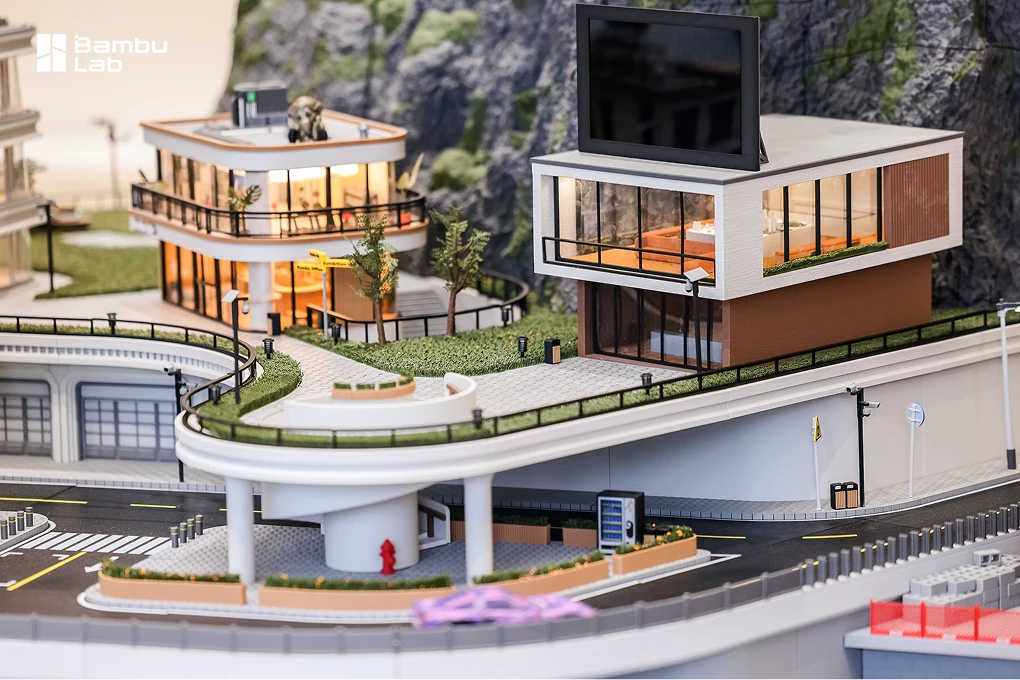
Through our Sandtable Exhibition projects, we explore the creative possibilities of 3D printing by building detailed miniature worlds. Combining design, engineering, and craftsmanship, these installations showcase what can be achieved with 3D printing.
In our #BehindThePrint series, we share the challenges, creative solutions, and practical lessons behind these creations.
When Perfect Grass Looks Too Perfect
In our previous #BehindThePrint, we explored how changing the geometry and printing orientation of delicate grass blades helped us create dense, fine textures using FDM 3D printing.
But getting the blades to print successfully was only part of the challenge.
Real grass doesn’t grow in perfectly straight rows. Individual blades bend in different directions, vary in height, and overlap to create an irregular, organic texture.
Our 3D-printed grass, however, sometimes looked a little too perfect.
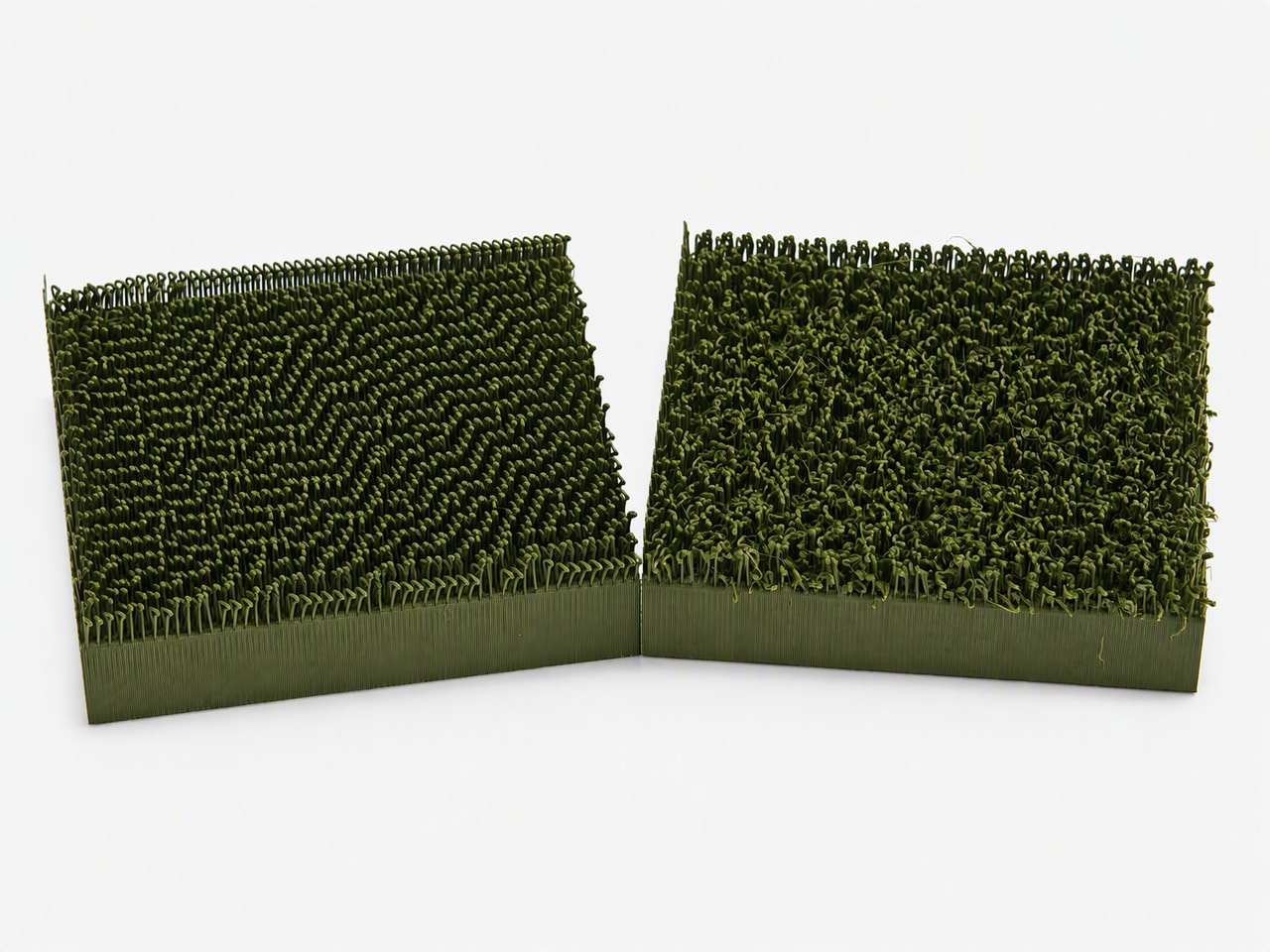
Some test prints produced neatly aligned blades with a consistent appearance. Others developed a more uneven texture, with strands bending and overlapping in ways that looked surprisingly natural.

Similar grass structures can develop noticeably different textures during printing.
At first glance, those irregularities might seem like print-quality problems. After all, deformation is usually something we try to prevent.
But for this particular application, a little imperfection was exactly what we wanted.
The question was: What caused these differences, and could we use them to our advantage?
The Invisible Influence of Cooling
When creating delicate structures with FDM printing, the way freshly extruded filament cools can be just as important as the geometry itself.
This becomes particularly noticeable with overhangs.
Unlike a solid wall, an overhanging feature extends outward without continuous support beneath it. While the filament is still warm, it can bend or deform before becoming rigid enough to maintain its shape.
Cooling helps control this behavior.
With sufficient cooling, the overhanging grass blades are more likely to retain their intended shape. But when cooling is less intense, they may remain flexible for longer, allowing their positions and shapes to vary.
For most functional parts, these variations would be undesirable. For miniature grass, however, they can introduce something valuable: visual randomness.
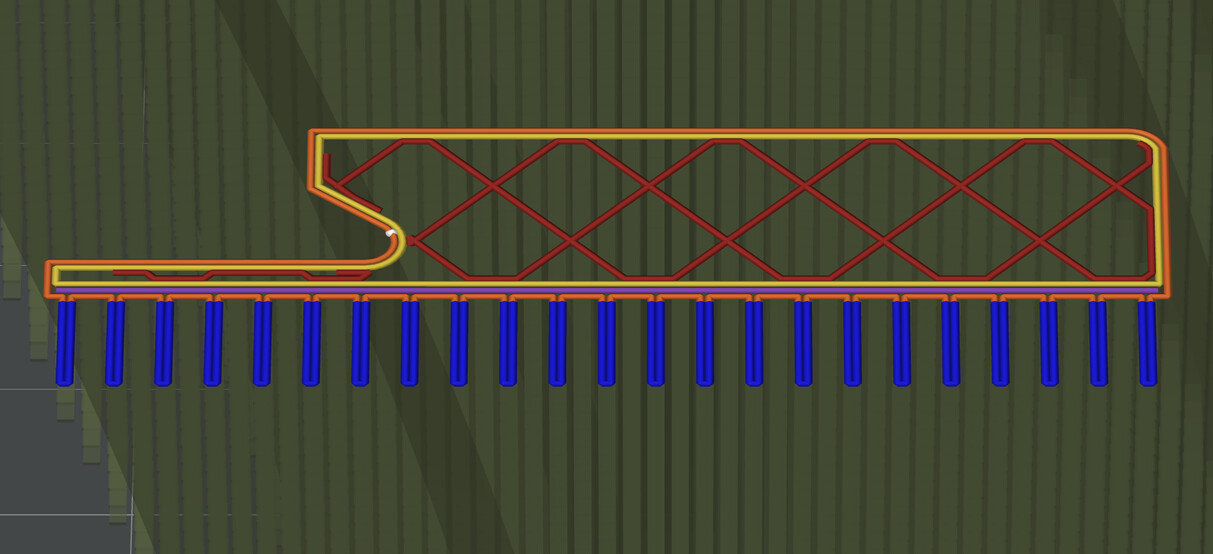
The grass blades extend outward as delicate overhangs, making their final shape sensitive to cooling conditions.
This doesn’t mean that less cooling always produces a better result. Too much deformation can damage the intended structure or make printing less reliable.
The interesting part is finding a balance between maintaining printability and allowing just enough variation to create a more natural appearance.
Why the Same Design Can Look Different
During our experiments, we noticed something unexpected.
The irregular grass texture didn’t appear evenly across every module. Instead, it was more noticeable in certain areas of the model.
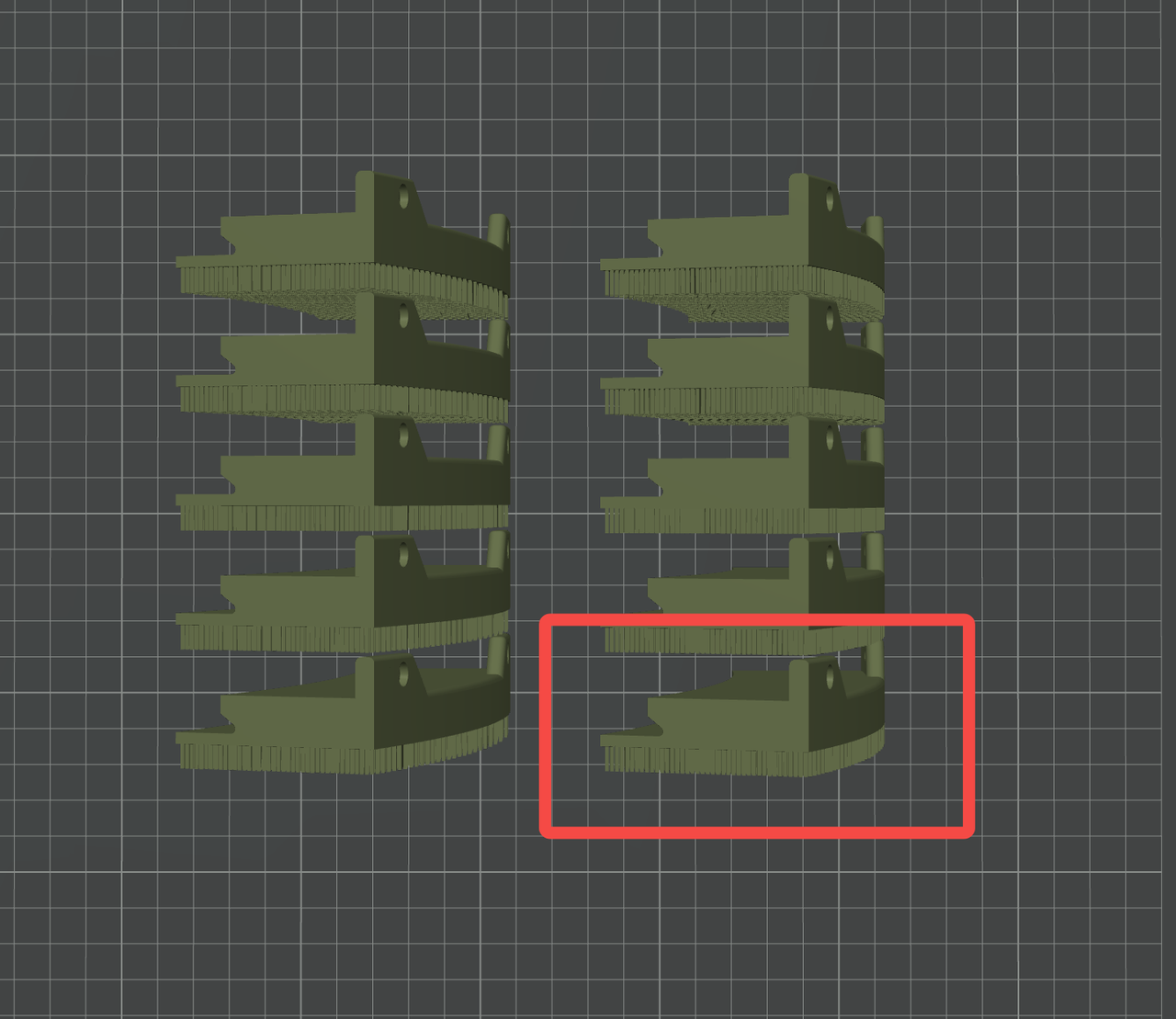
Differences in grass texture appeared more prominently in one area of the printed model.
To understand why, we looked at how cooling air reached the printed parts.
Different printers use different cooling arrangements. Fan placement, airflow direction, and the surrounding printing environment can all influence how effectively individual features cool.
In our tests with a P2S printer, we observed differences across the printed grass that appeared consistent with the position of the auxiliary cooling fan. The auxiliary cooling fan is located on the right side of the printer. Its airflow is concentrated near the center of the build chamber. This suggests that cooling is weaker in the lower-right area of the chamber. So the overhanging structures deform more before they fully set, leading to an irregular grass-like texture.
Earlier tests on an A1 printer had produced a more regular texture.
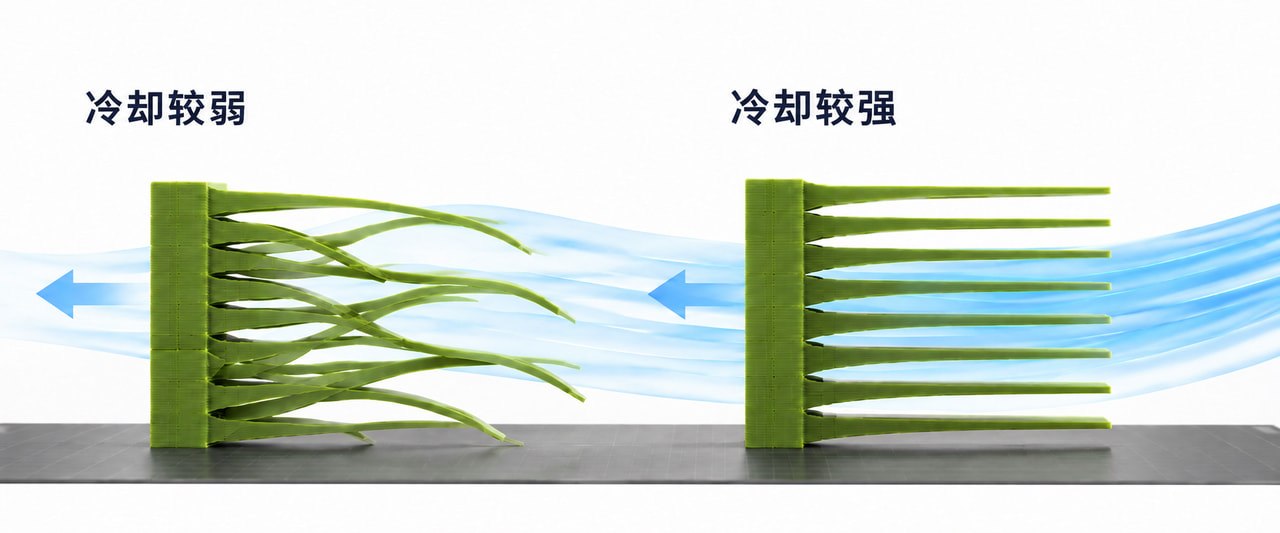
Cooling conditions can vary depending on the printer’s airflow arrangement and the position of the model.
An important realization followed: even when the 3D model remains unchanged, the printing environment can influence the final appearance.
Turning Imperfection into a Design Choice
Once we recognized the relationship between cooling and the grass texture, we explored how adjusting the cooling conditions could influence the result.
Rather than changing the entire design again, we experimented with reducing auxiliary cooling while maintaining the cooling needed for the main printed structure.
We wanted to encourage some variation in the individual blades without losing the overall stability of the grass.
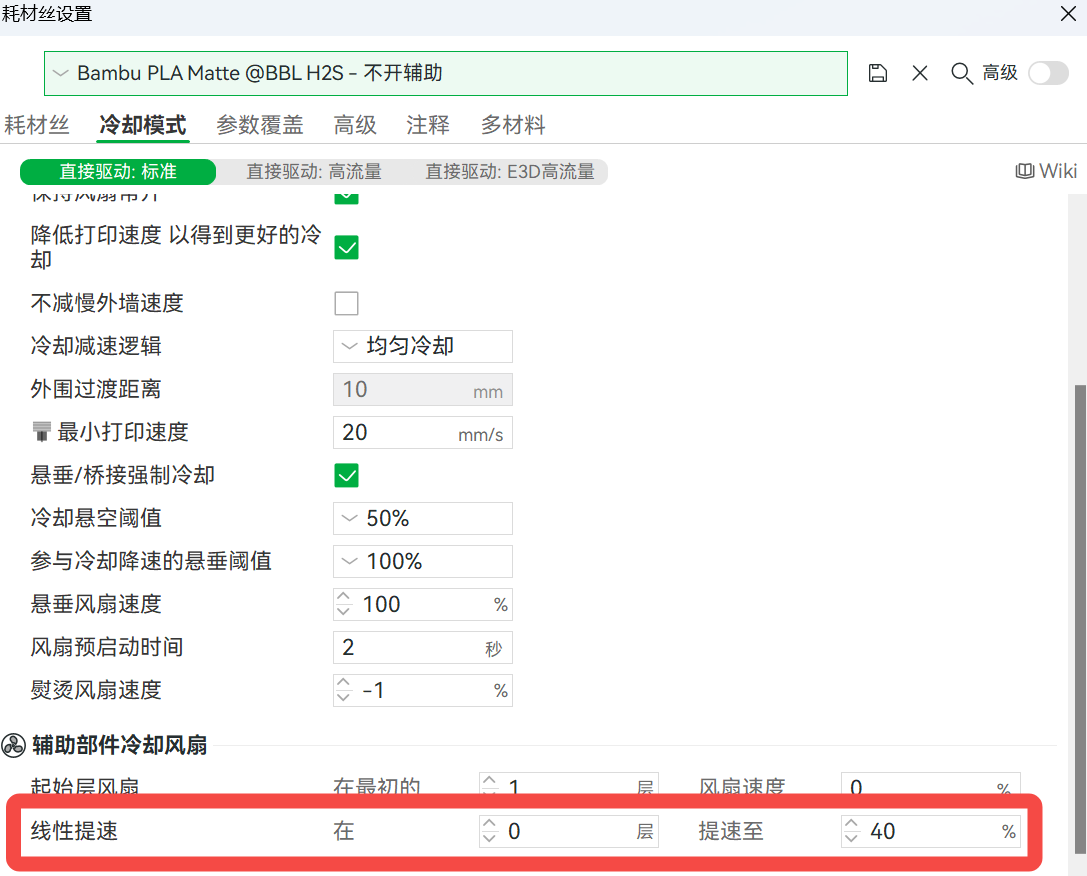
Adjusting cooling conditions offers another way to influence the appearance of delicate printed features.
This is where the process becomes especially interesting from a design perspective.
A setting normally associated with print quality can also influence the visual character of a model.
However, the ideal cooling balance is not universal. Different printers, materials, model geometries, and airflow arrangements may require different approaches.
Rather than copying a particular fan setting, it’s more useful to understand what cooling does to the printed feature and observe how the result changes.
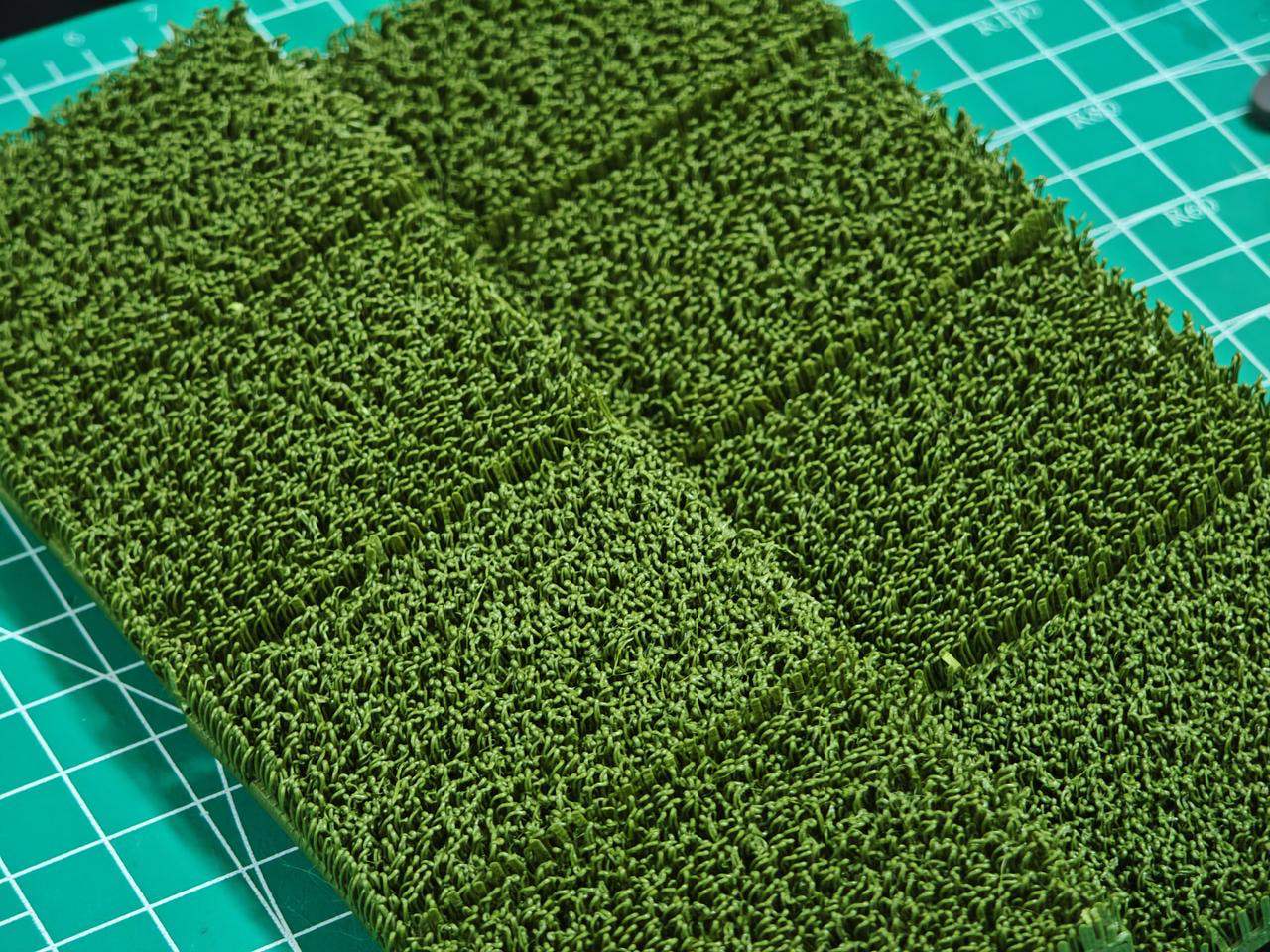
Slight variations in blade direction and shape contribute to a more organic-looking surface.
What Can We Learn From This?
When designing for 3D printing, we often focus on making our models as accurate and consistent as possible.
But accuracy and realism aren’t always the same thing.
For organic textures such as grass, perfectly repeated shapes can sometimes look less convincing than slightly irregular ones.
Our experiments highlight a broader consideration: printing parameters don’t only determine whether a model can be printed successfully. They can also influence its appearance.
When working with delicate overhangs, brush-like structures, or other decorative textures, it’s worth considering how cooling affects the final shape.
Sometimes, the most interesting results appear when we stop treating every small variation as a flaw and start understanding what creates it.
A perfect print doesn’t always create the most realistic result. Sometimes, a little controlled imperfection makes all the difference.
More Stories Behind the Print
From geometry and print orientation to cooling and material behavior, even the smallest details can reveal unexpected creative possibilities.
That’s what makes exploring 3D printing so interesting: every design decision opens up new opportunities to experiment and learn.
Have you ever discovered that an unexpected printing effect actually improved the appearance of your model?
We’d love to hear about your experiences.
See you in the next #BehindThePrint!