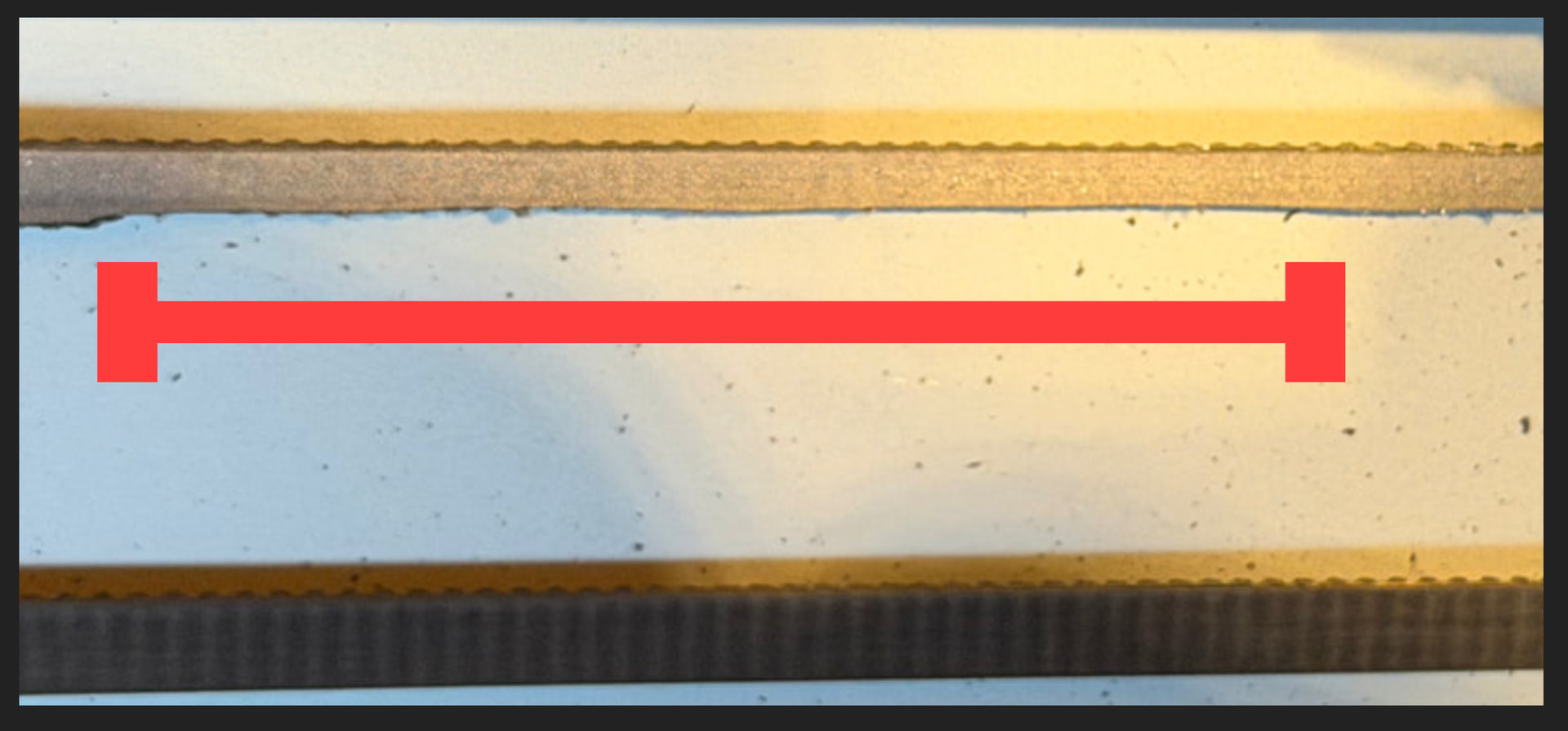
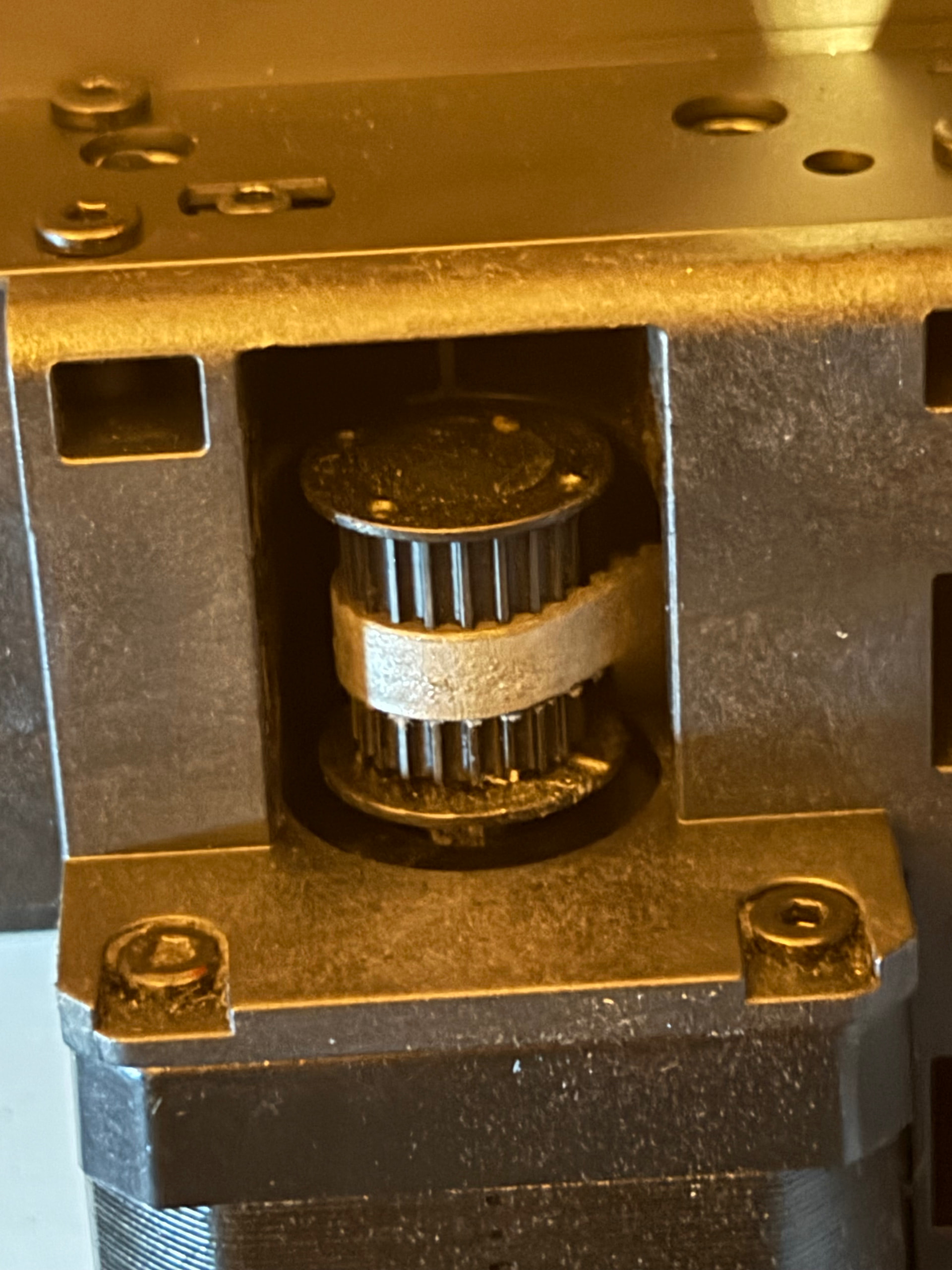
I have belt wear after printing under 10 spools of filament. It looks like the pulley isn’t fitted correctly to the stepper motor and is too high?

Well, a little wear and tear is normal, but this is a bit too much. Something you should look into:
It’s best to follow the instructions in the wiki, including photos and videos.
Here’s a video of it as well:

Edit: I just zoomed in on the photo, and it really does look as if the belt has been rubbed away.
Check out this wiki page, too - there’s a lot of information on the topic of belts… too much to link to each one individually:
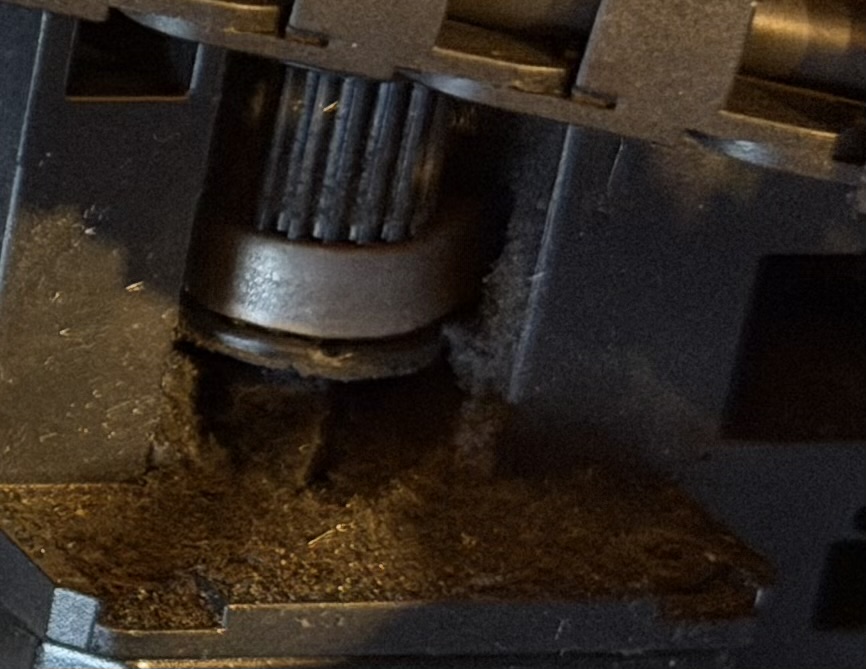
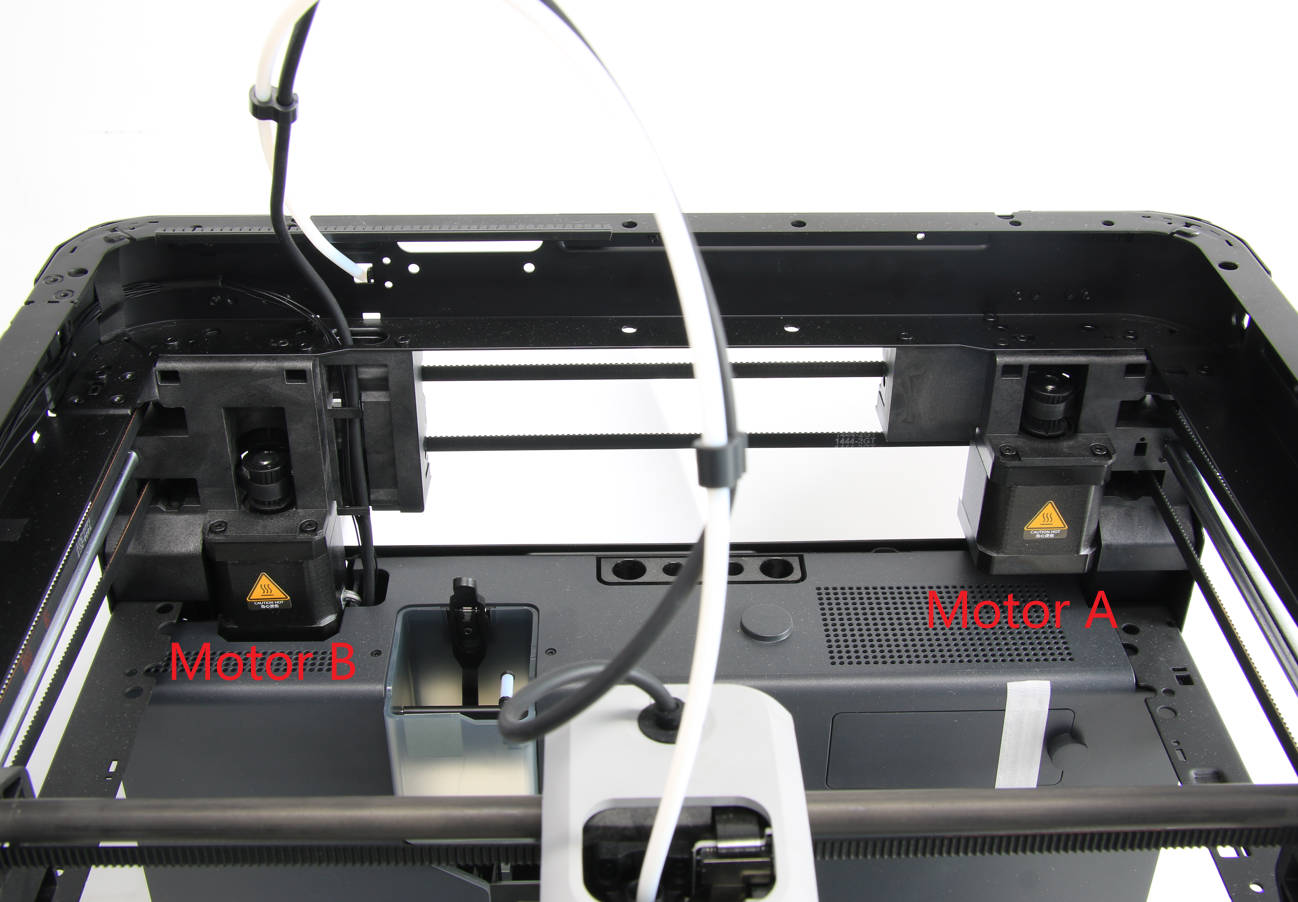
Thanks. Yes it has been worn away in that section. Here is another zoomed photo on the A stepper motor. You can see the belt sits at the very bottom of the pulley and rubs against it. You can also see all the debris from the belt.
In all the guides it does not appear that there is an adjustment for the belt height. So it looks like there is a manufacturing fault and the pulley hasn’t been pressed onto the stepper motor fully?
The photos in the guides show a different design of pulley so I can’t confirm this. Can anyone compare it to their printer?
I’ve raised a support ticket but only got a stock reply about noisy belts so need back and forth until a human reads it.
How many hours does this printer have? Is it still under warranty?
402 hours but it wasn’t used for a while initially so it is now out of warranty.
Ask support for a pack of tea, along with that XY belt, to put yourself in a peaceful mood for belt replacement  Plus whatever else they have in store for you for whatever the root cause was.
Agreed, patience/peaceful mood is required for belt replacement.
When you get it sorted, Bambu recommends using some of the supplied grease as a lubricant on the belt edges.
Also, might want to vacuum all those dust bits/crumbs out and wipe down the inside of the printer to keep all that out of your prints.
Easy fix. First I would buy and put on a new belt. Be ready because it a SOB to get a new belt on. But On the back of your machine there is two openings with a screw. Look up belt tensioning procedure. Once you complete it look at the pulley and belt if it’s not right in the middle while you move the extruder back and forth then there is a tab on the top and bottom of each one. For your case if you push the bottom one with like a flat head screw driver and then move the extruder around you can fin the sweet spot and then while holding the tab tighten the screws. It sound more complicated then it is. If you still can’t figure out it out send me a private message and we can face time or something and I will walk you thru it
I had the same thing on a new H2C. They replaced both my motors and the belt. Send this to support - they’ll surely replace them for you.
Patience is all you need after you get the parts 
Perhaps read ‘Zen and the art of motorcycle maintenance’