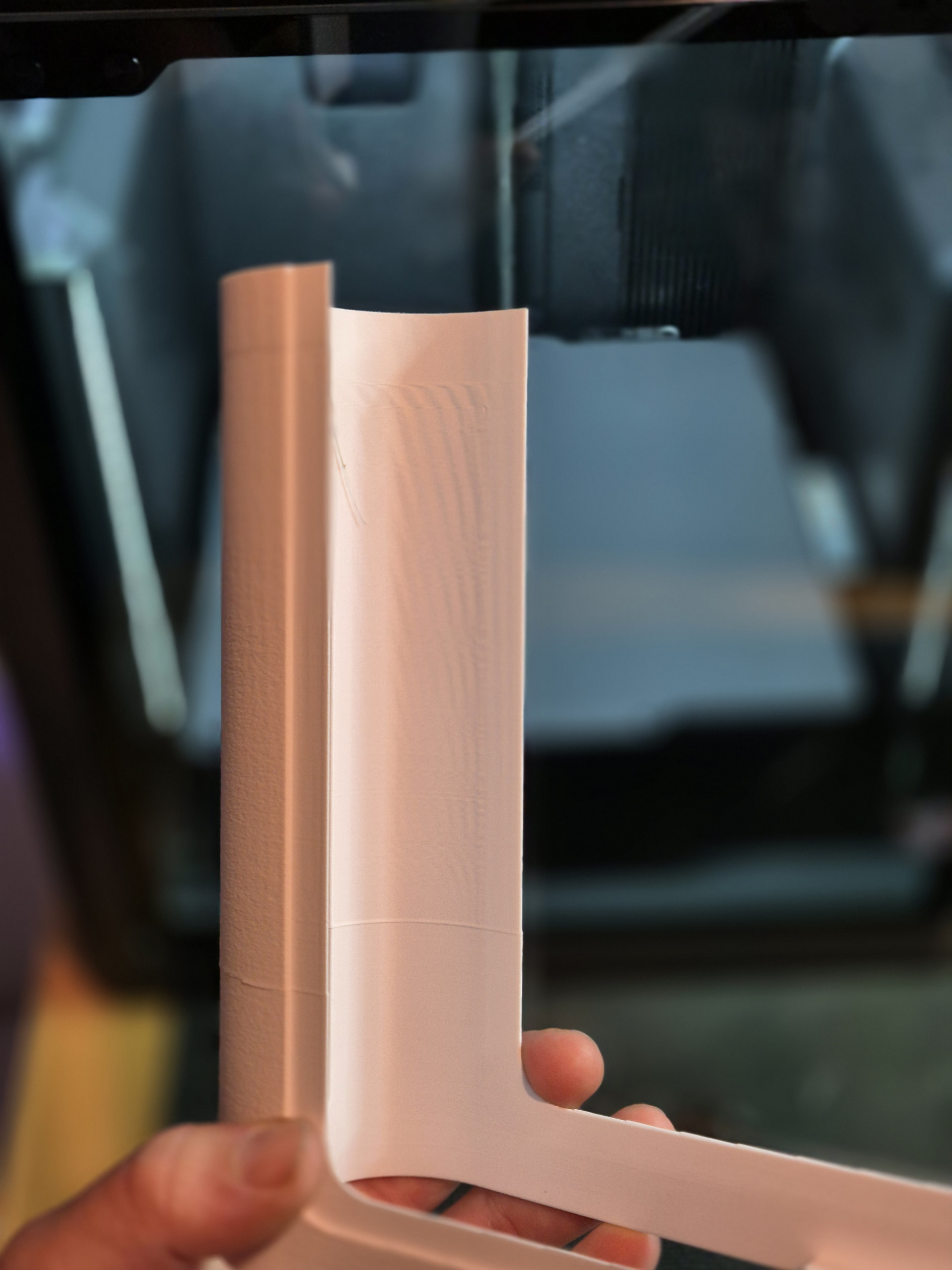
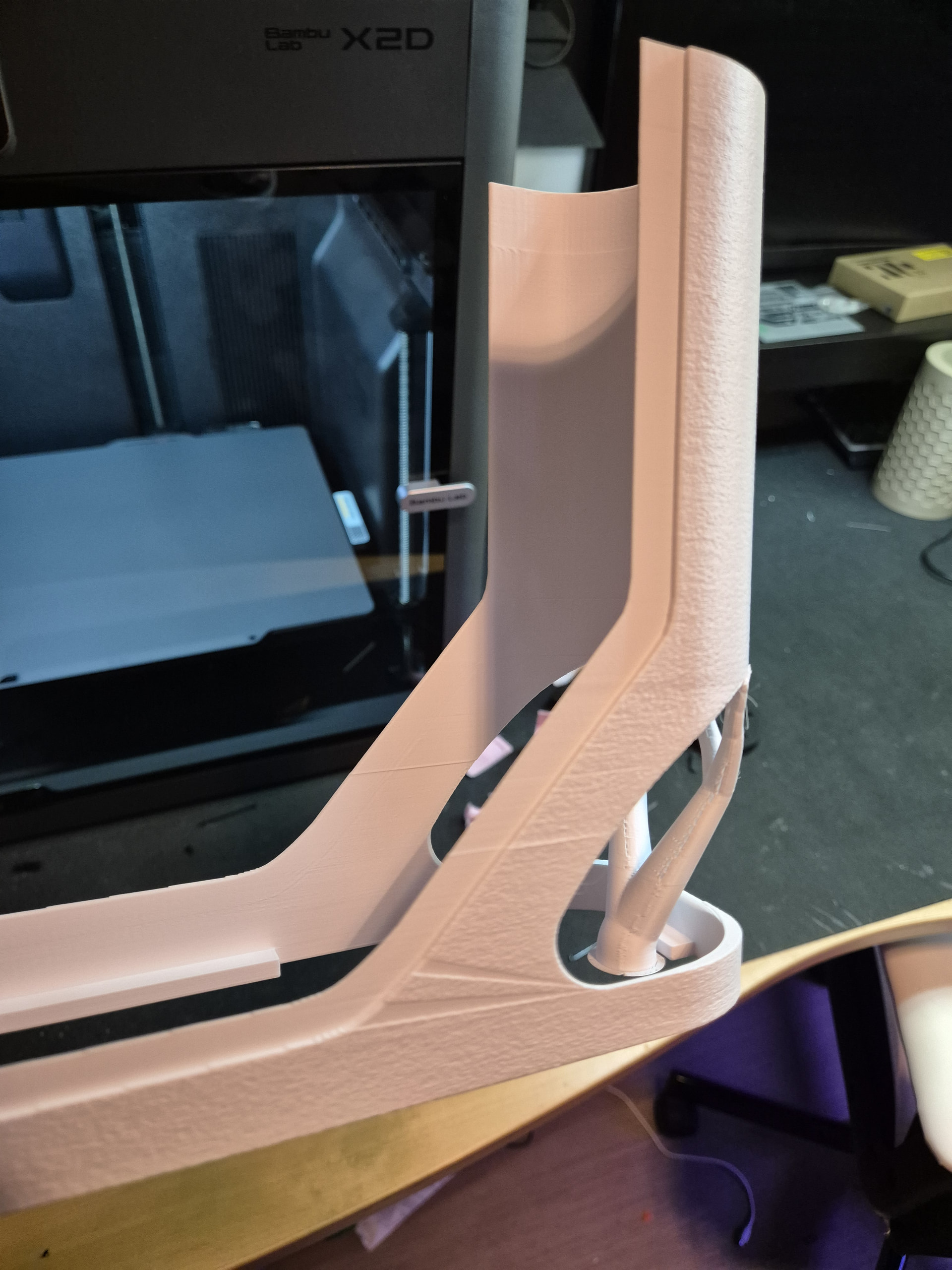
Hello i just got the new X2D from black friday sale, it only has a couple of hrs of print time, and I wanted to print this egg dispenser from makerworld Egg Dispenser 24 Eggs - NO AMS - Free 3D Print Model - MakerWorld
I haven’t changed any settings just printed it as is from the designer. But i got this smal layershift like line on the print and i’m wondering if you guys can help me troubleshoot what the cause of this may be?
I have done calibration of the X2D maybe 2-3 times since i got the printer, i hope it’s not the belt that needs tensioning cuz i dont know how to do it, i printed it with BL petg matte. I have had problems with the BL petg matte but i think i got it resolved, the filament needed to be bone dry, after drying it for about 48hrs it solved the problem. But then i saw this layer shift problem.
Also want to mention that the table the printer is on is a little bit unstable, it’s a bit wobbly, i am going to change the table to a stable one later and buy vibration feet dampeners for the X2D.
That can happen sometimes, although it shouldn’t. From your photo, I can see that it has only happened once, so I don’t think it’s a fundamental problem.
So, first off, the basic question: How often does this happen?
If this was the first time: Keep an eye on it, but don’t overthink it. If it happens more often: Investigate the cause.
You can also read more about this topic on the wiki. I’d start by reducing the print speed and seeing how it goes. As mentioned, there are more tips available on the wiki:
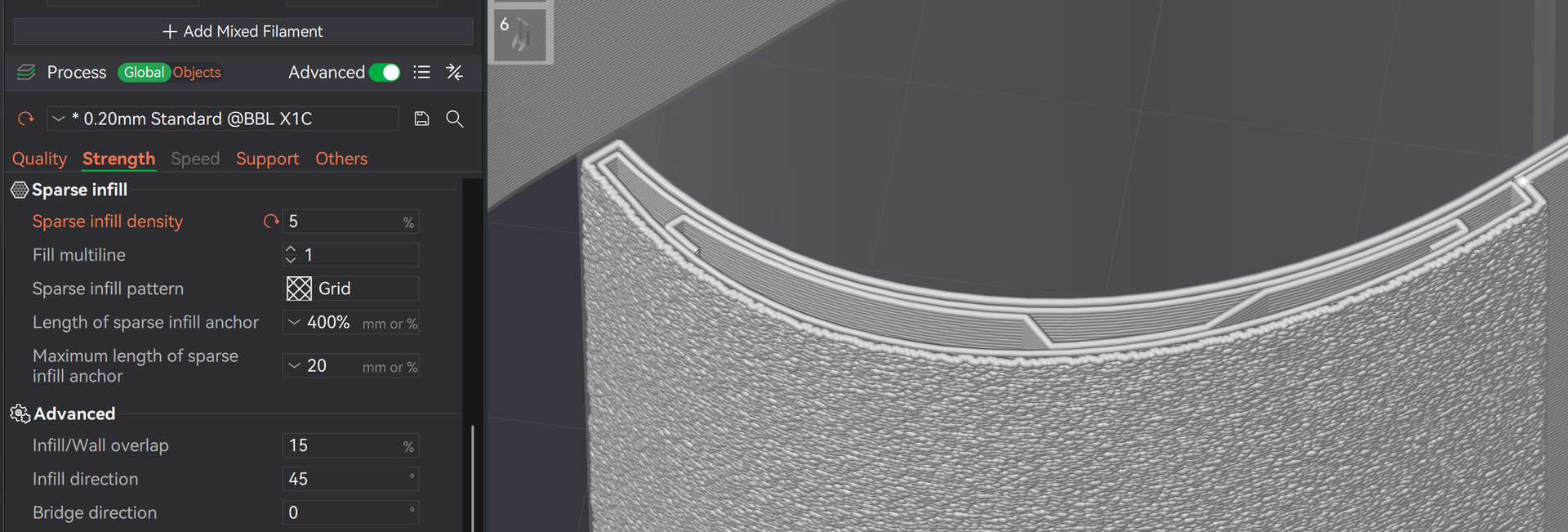
As for the model itself, this could also be the cause as you’ve used the designer’s default settings: “Grid” is the worst infill you can use because the nozzle constantly bangs against the infill. Use an infill that is better suited for this like gyroid; if necessary, set the wall thickness to 3 for such tall objects.
In your case, it was probably due to a print speed that was too high, combined with completely unsuitable infill settings, if you’ve used the designer’s default settings. I strongly recommend that you always check the settings.
In short, that was probably the mistake and by the way, the creator’s print profile is set up for PLA, not PETG:
Thanx for the quick reply! You’re probably right about the infill pattern, i almost always use gyroid as infill pattern but i thought that maybe everyone uses gyroid as the infill pattern cuz the grid is bad.