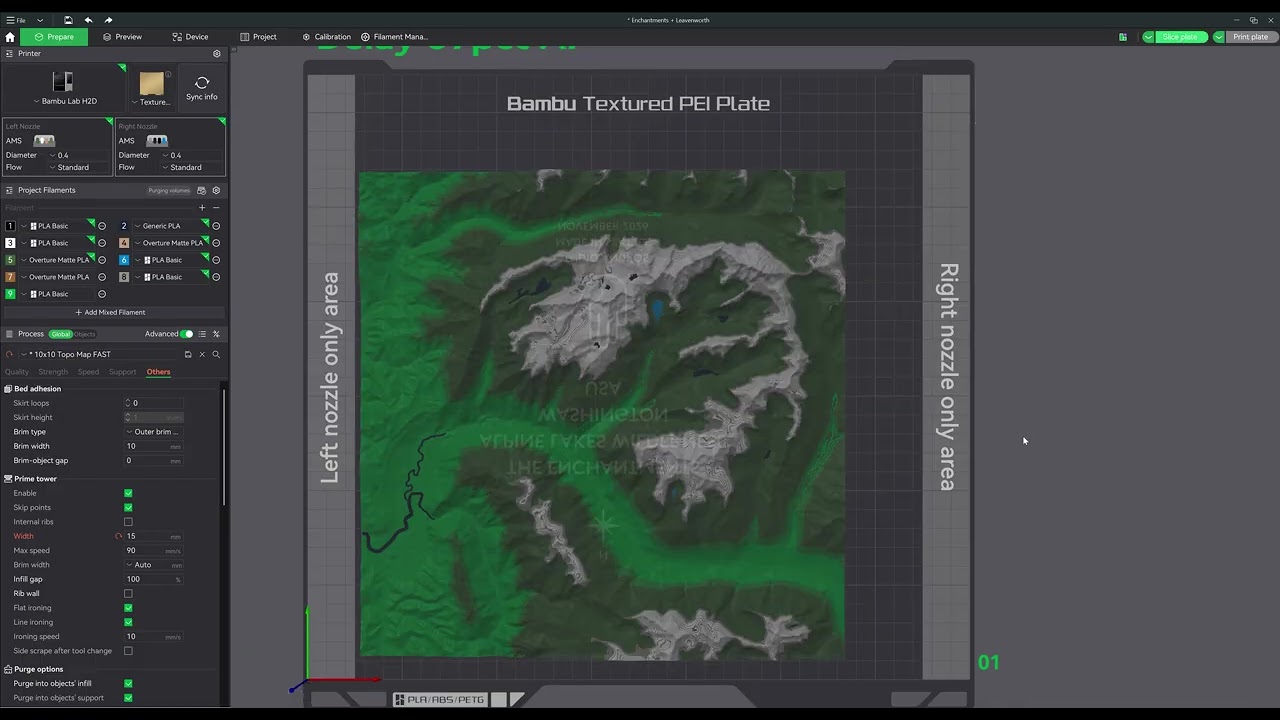
I print 254x254mm (10x10in) topographic maps which is the largest size I can print to include a brim and allow a prime tower within the random invisible zone that the slicer allows you to move the prime tower to. After the most recent updates to Bambu Studio (in the past couple weeks, not totally sure which update), I am experiencing two new issues.
Brim issue:
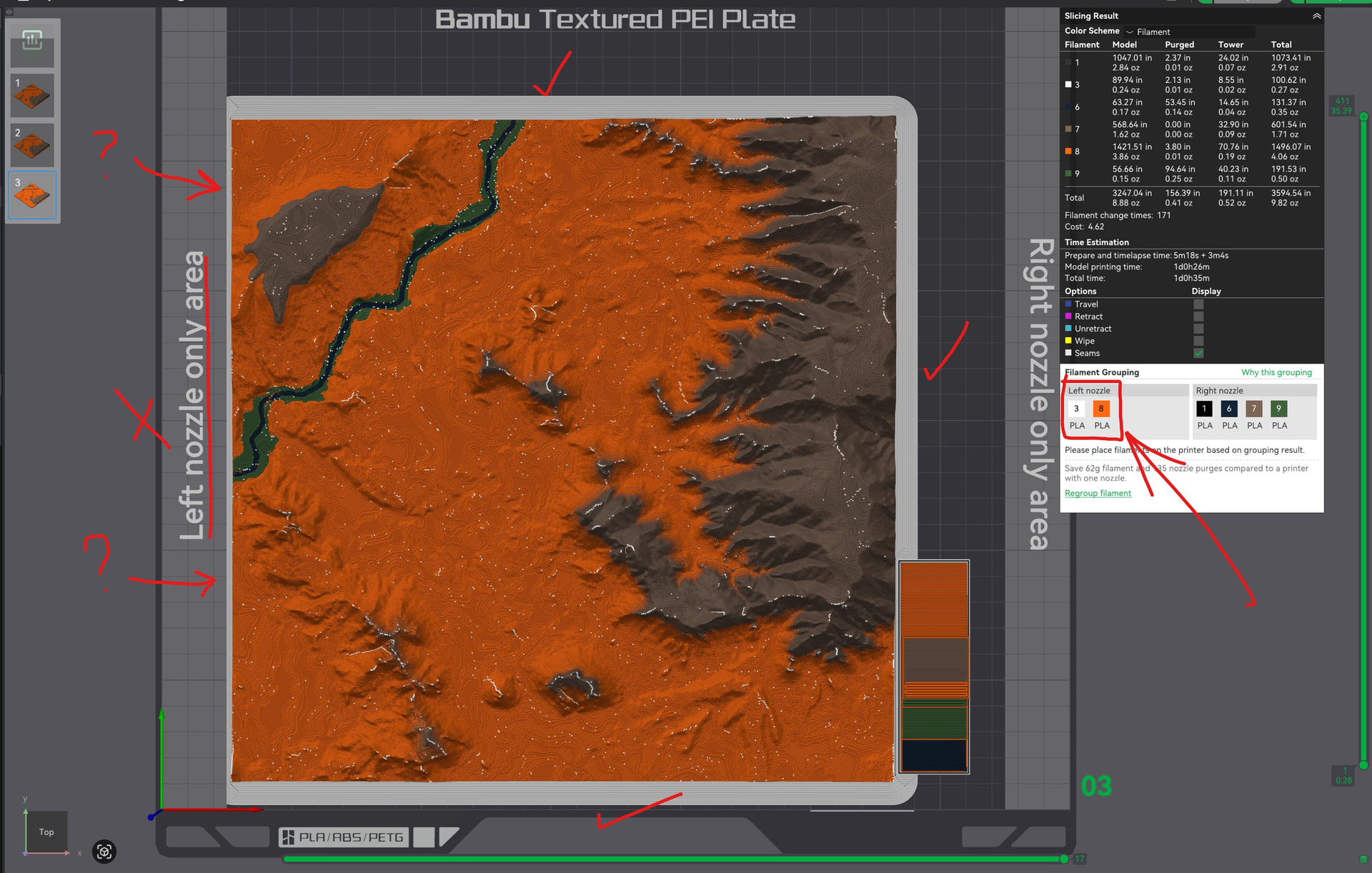
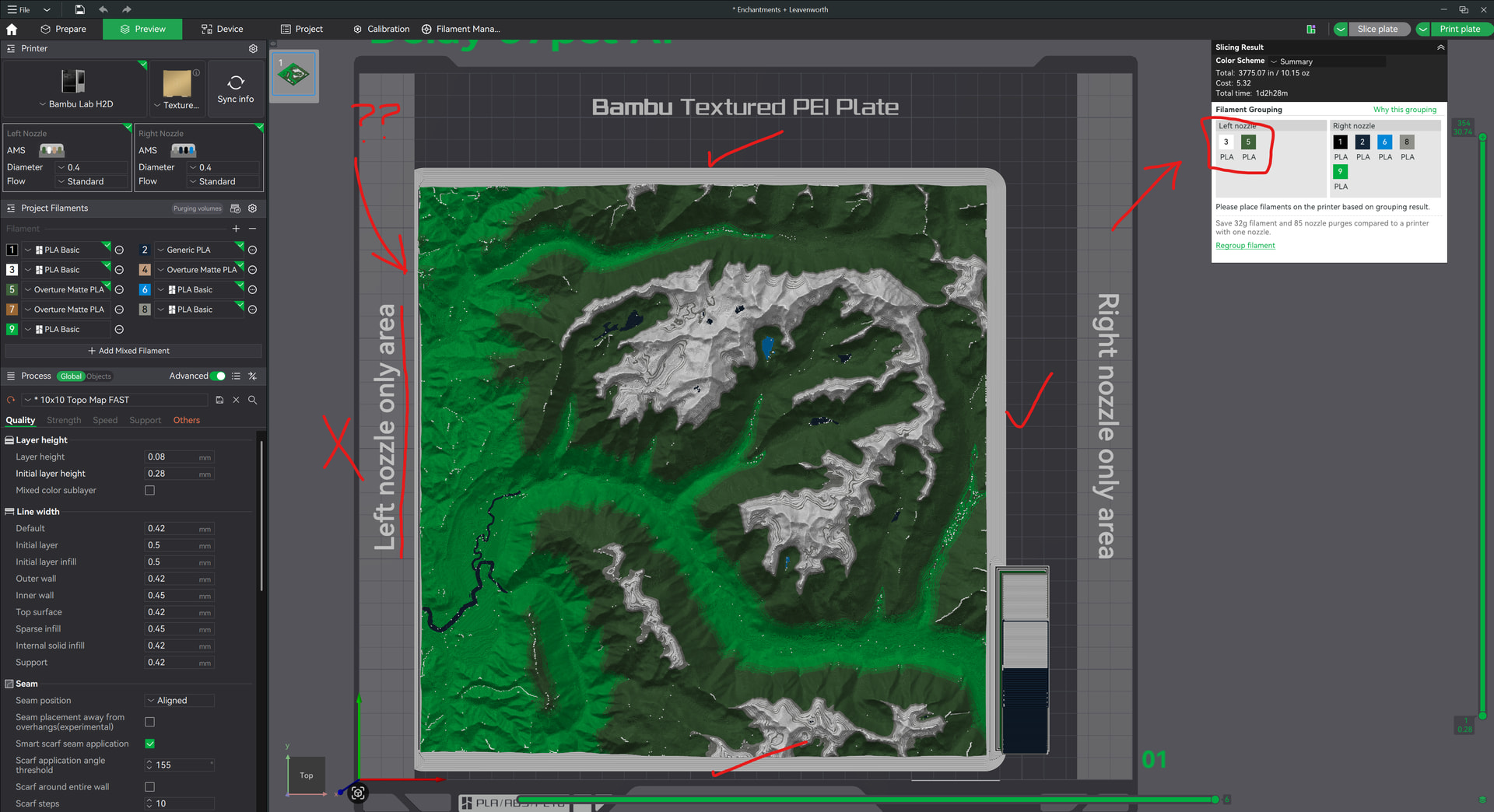
The brim will not print in the left nozzle area even though the brim is using filament from the left nozzle. I need the brim to help with adhesion otherwise the corners can curl up. See the first two screenshots showing the issue.
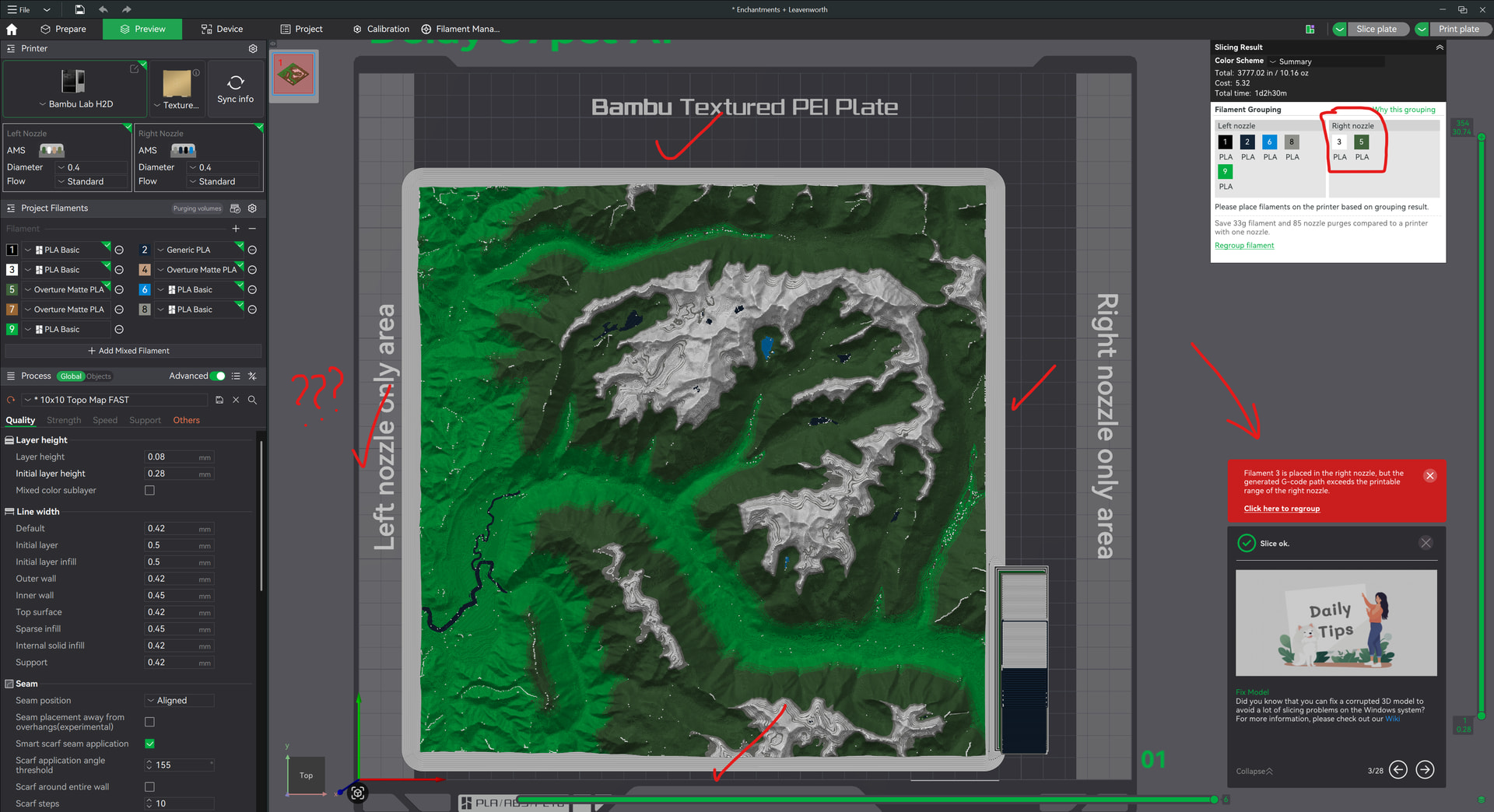
Even stranger, if I swap the filament assignment to the opposite of what the slicer recommends for filaments saving, it all of a sudden shows the brim rendering properly, while giving a warning that it can’t be printed because the filament used is in the wrong nozzle??? This error is correct but See 3rd screenshot.
Prime tower issue:
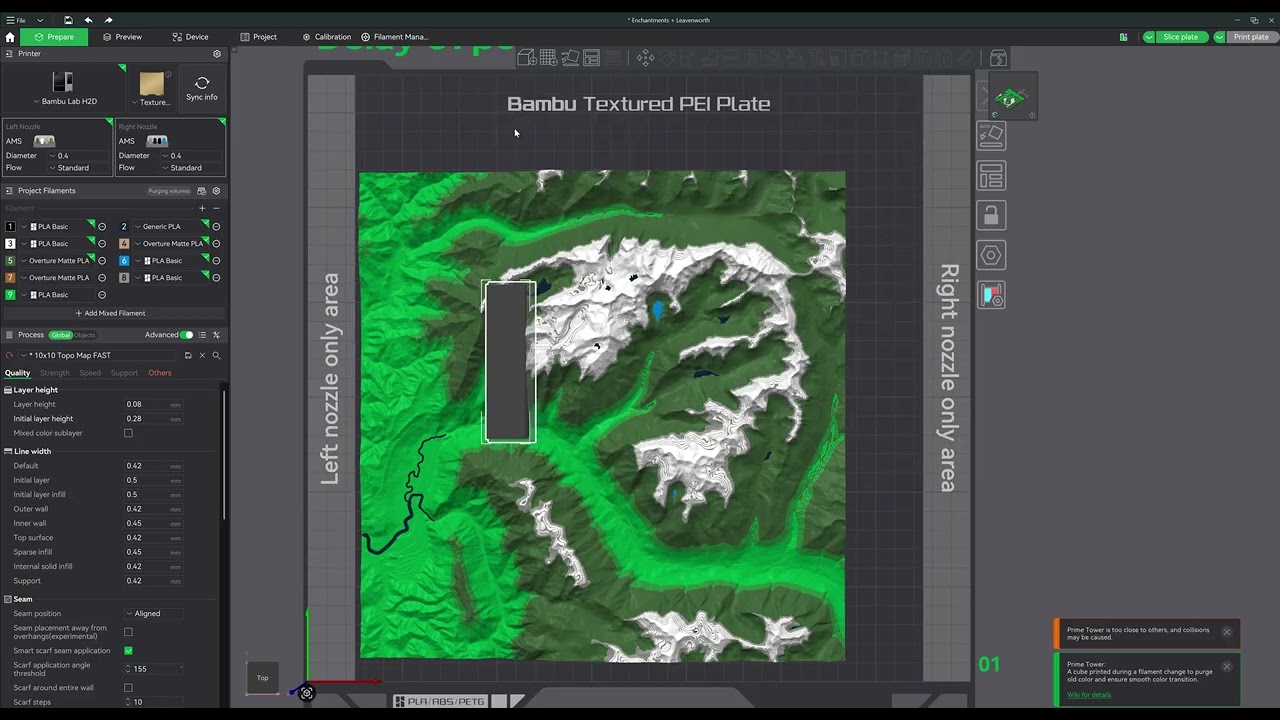
The other issue I’m experiencing is a limited invisible area where the prime tower is allowed to be located, even after slicing the model and moving the rendered prime tower. It appears to be an issue with the un-rendered prime tower limiting the location of the actual rendered prime tower. Before these updates, I was able to add the prime tower to the very corner with plenty of room but now, I have to limit the width to 20mm or less to fit it with very little clearance from the actual print. This can lead to excess filament bits getting stuck in the side of the actual print and can really mess up the finished look.See the two videos after the screenshots for reference.
This has to be a recent bug/coding issue from the most recent update, right? I never had either of these issues before this month. I haven’t found anyone else that has posted about these and there are seemingly no options to update to remedy either issue.
Help please?