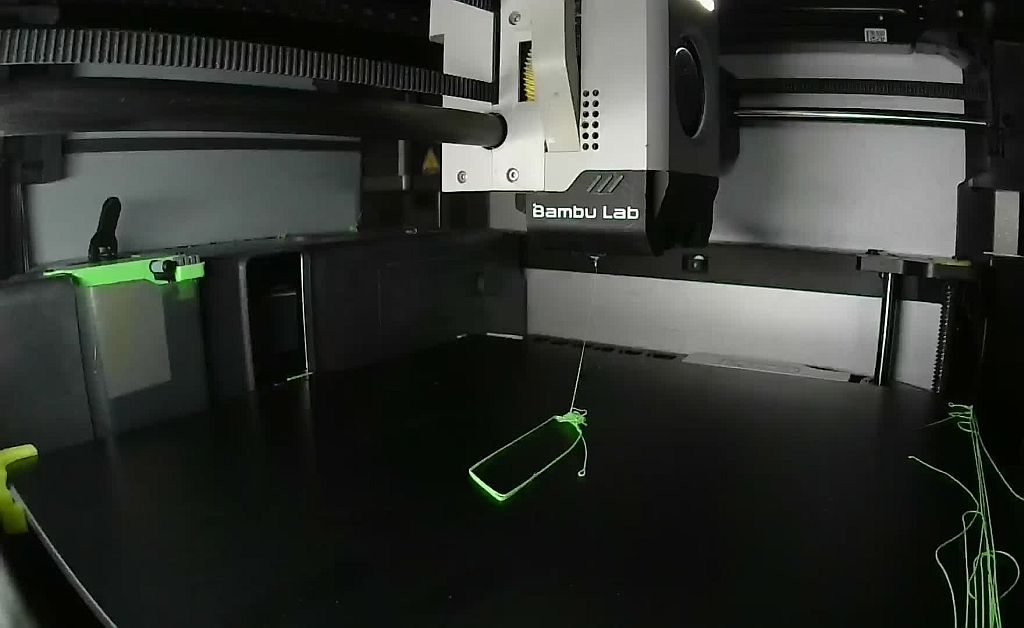
I tried an aftermarket smooth plate, without the recognition code.
I allowed the print to go on, and the hot end seems too high, droping the filament from above rather than applying any pressure
of course, no adhesion on the plate, and any print attempt fail
picture taken when I stopped it, the calibration lines on the right are all messy, like the first line of the object
Had the same issue a while ago. For me disabling the plate recognition at all in the printers options menu solved the problem. Perhaps this is the solution for you too, good luck!
@JonRaymond : yes, according to the X1c temp measurment
@achwahl : thanks for the suggestion, I’ll have a try, even if I’d rather keep the feature on, as I sometimes forget to change the build plate to match the one choosen at the slicing
shame on me : the plate is handled properly by the X1C (not recognized, though)
problem came from filament residue on the nozzle, I missed the warning about it, and resumed the print thinking the message was from the “plate not recognized”
I was printing remotely, I had no access to the console error messages, and just restarted the print
I’ll have a look at printing some QR code stickers from smoth PEI plate, so the printer can check for the plate type