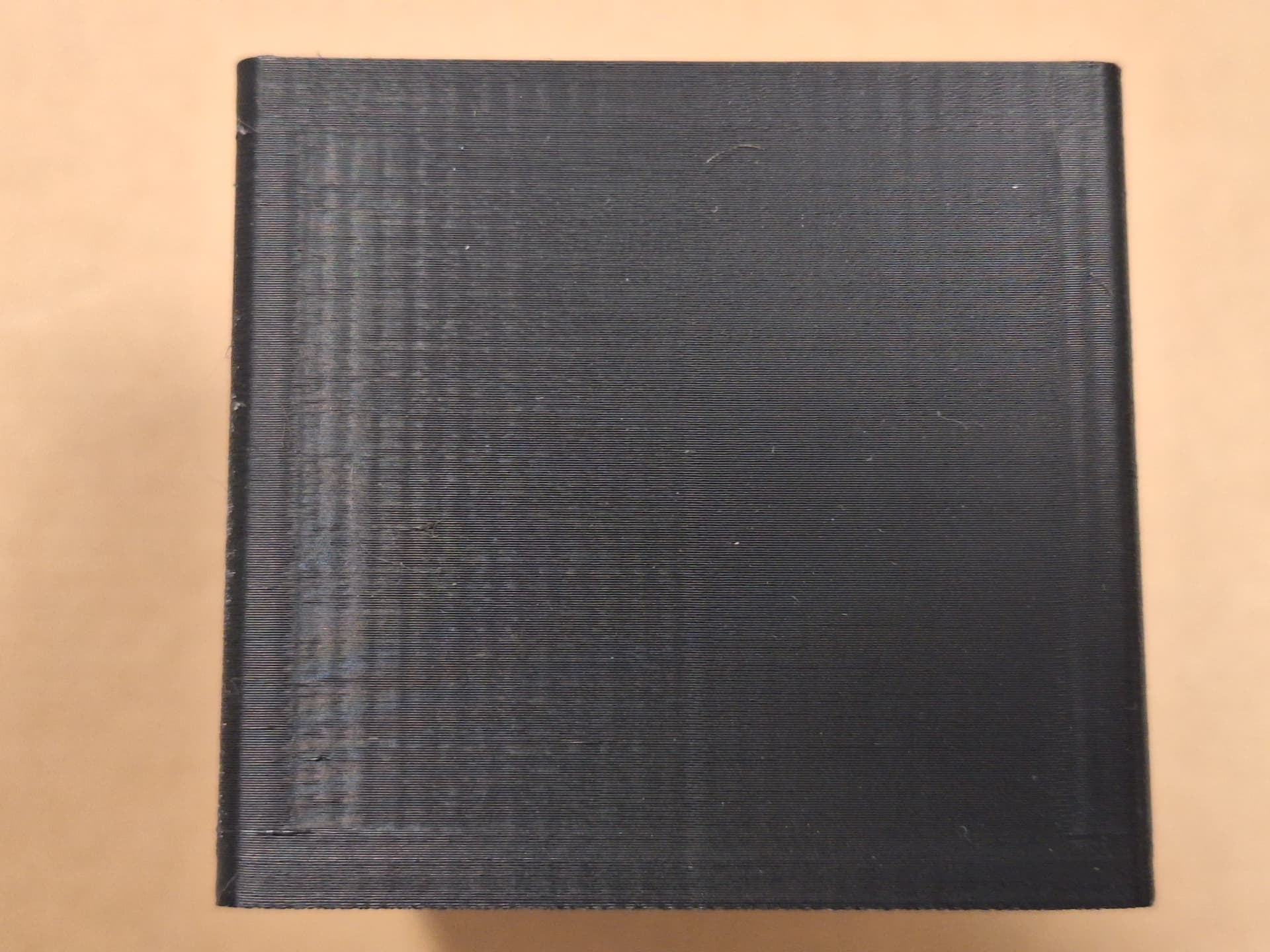
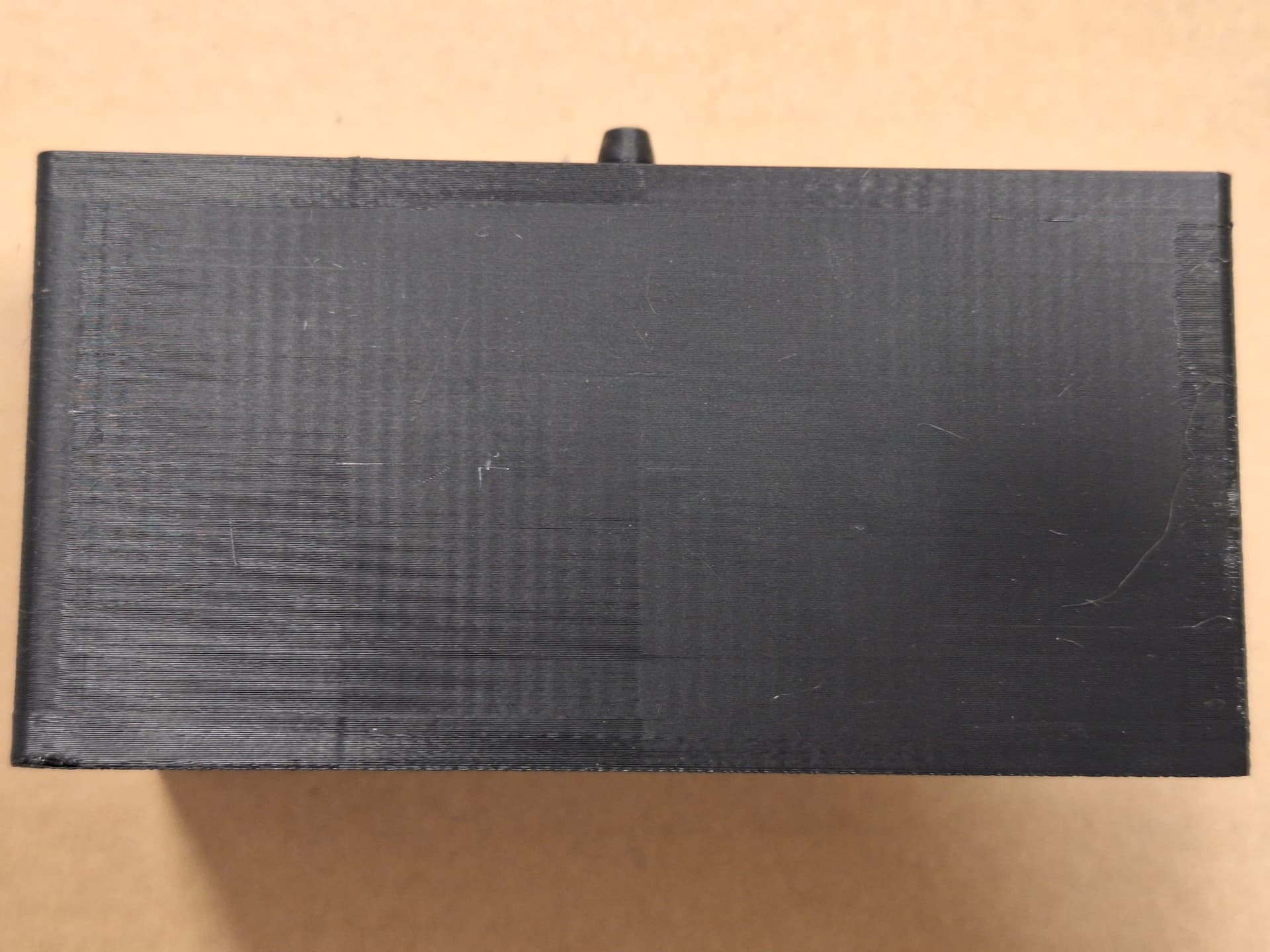
I am fairly new to 3D printing and I have this weird error on my print, but only in a single section. Context:
I am trying to print a container/airtank for a device that I am testing. The material is PETG and I have already experimented with different printer settings, and found the following to be working relatively well.
It is worth noting that I have had a successful attempts, that only needed some minor touch-ups with a soldering iron.
The problem:
In my last couple of print I encountered this error that I couldn’t find anywhere else. On one side of the print on the left is this uneven layer problem and when testing this, by puting it under water, bubbles start to form on that part.
I have tried cleaning the nozzle, and it did help a bit but the problem is still present.
Any help would be appreciated, and I apologize for the post for a bit being messy.
PETG is notorious for holding moisture. Even if it has been sealed and you’re putting on a fresh roll, it is recommended that you dry it first. I would personally try to dry it before looking elsewhere. Eliminate the obvious causes that can be easily resolved.
Yes. It’s a common mistake to assume new unopened filament is dry. It might be, but it could just as easily not be. The packaging is not hermetic. The desiccant they ship with comes in an opaque package so you can’t tell how “moist” it might be. But there is a point where the desiccant can’t absorb anything more. So depending on how long the filament sat on a warehouse shelf, and the temperature and humidity during storage, it might be very wet.
Especially PETG, which is very hydrophilic (not as bad as Nylon, though).
Asymmetries in the print happen because the printer isn’t extruding continuously, it starts and stops as the print head moves, so defects tend to accumulate in the same areas of the print. And there is also cooling. The printer’s aux fan blows from one side only. If you’re running it, it makes the left side conditions different from the right side.
I’ve experienced these issues before, especially with PETG! It’s a good habit to dry your filament regularly, even if it’s fresh out of the packaging. Dry it for at least 8 to 12 hours and use it immediately. I usually get about 24 to 48 hours of printing before needing to put it back in the dryer. I’ve invested in a drying box that allows me to dry and print from the same unit, which reduces switching and frees up the print bed (if you use the method of drying on the bed with a box cover). You can also research weight measurements online or in forums to weigh your filament and make personal notes about fresh kilo filaments you’re printing with for future reference, as specifications vary by manufacturer. If drying only partially solves the issue, you might want to look into bed leveling—there are plenty of resources online and in forums for guidance.
Also it has been a few days since you posted, dry, how did it turn out?
Sorry, I forgot to give an update…
The patern is still present. However the print turned out better, it is still leaking, but it was reduced to 1/10 of its former value so I can work with that. I ran an auto calibration before the print in the post, I will looking into bed leveling.
Thank you for the reply!
It’s great that your print turned out better and is workable for now! Auto calibration is fantastic for initial machine setups or when moving it from one place to another, whether for cleaning, clearing debris, dusting, or relocating to the garage for printing with strong-fume filaments. There’s plenty of reading material out there for us to explore, with some excellent resources available. Here’s some helpful information on bed leveling and tramming to get you started in the right direction before diving deeper into the endless search for answers. Good luck and happy printing!