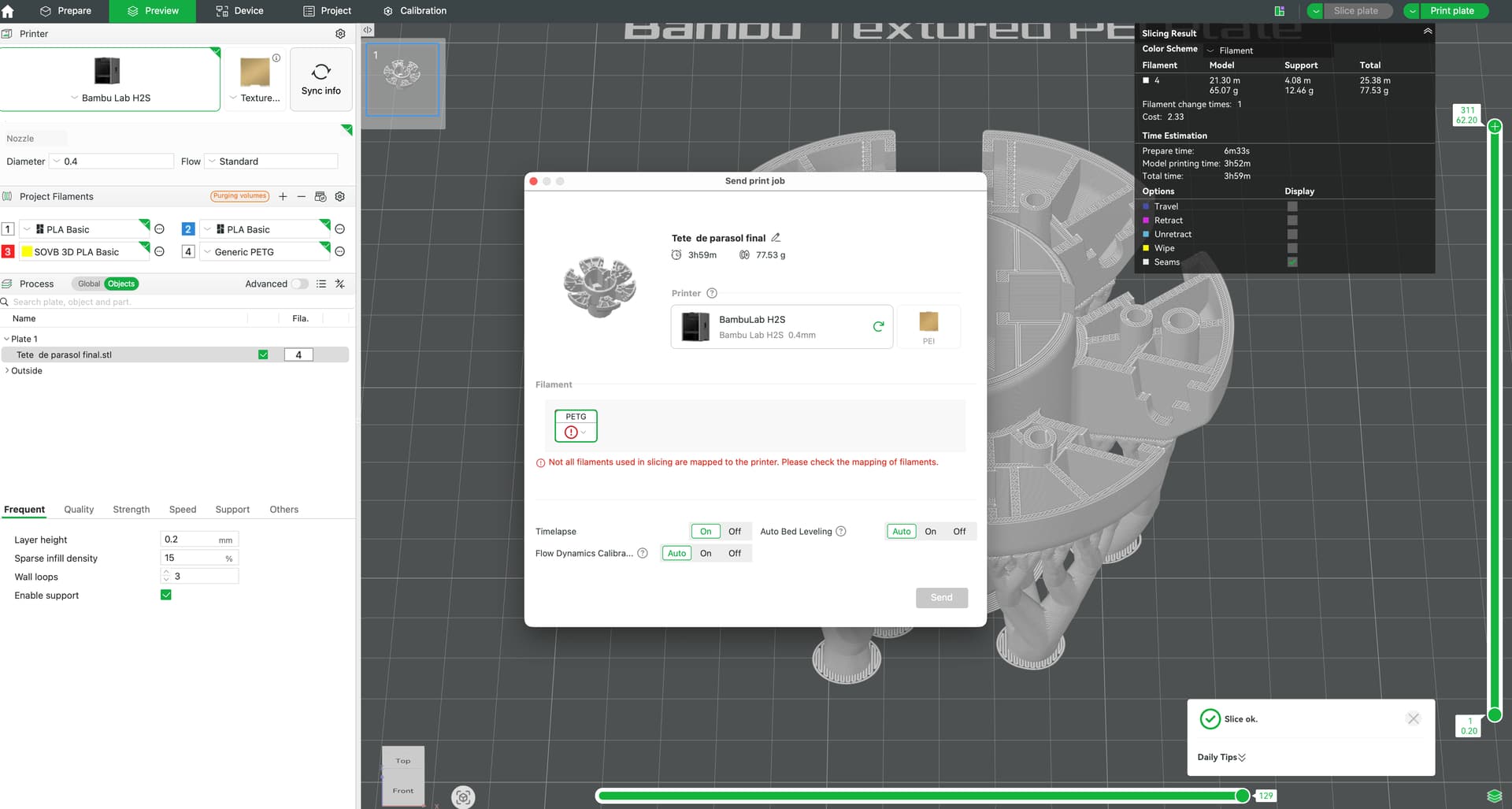
I don’t understand why Sync does not work. I have loaded a Generic PETG roll on the Ext support. It is loaded and configured (k value).
But when i affect the filament to the object, and after slicing this message appears wen trying to print.
Something is strange to me … what did i do wrong ??
Thankd for any help.
have you tried going to the device page and adding your filaments, or under ams on the left and synchronizing your filaments?
1 Like
It’s because it’s on the ext. If you were to click on that PETG you see with the red circle, it should show a drop down that will allow you to select the external spool. Once done, it will print.
1 Like
Thanks, this is what i tried but i did not see that the selection of the spool was displayed on my main display while bambu studio is on the second one.
Running with MacOS and 2 screens, if the app is on the second display, some popup windows appear on the main …. i just see this.
It is OK now.
Thanks for your answer.