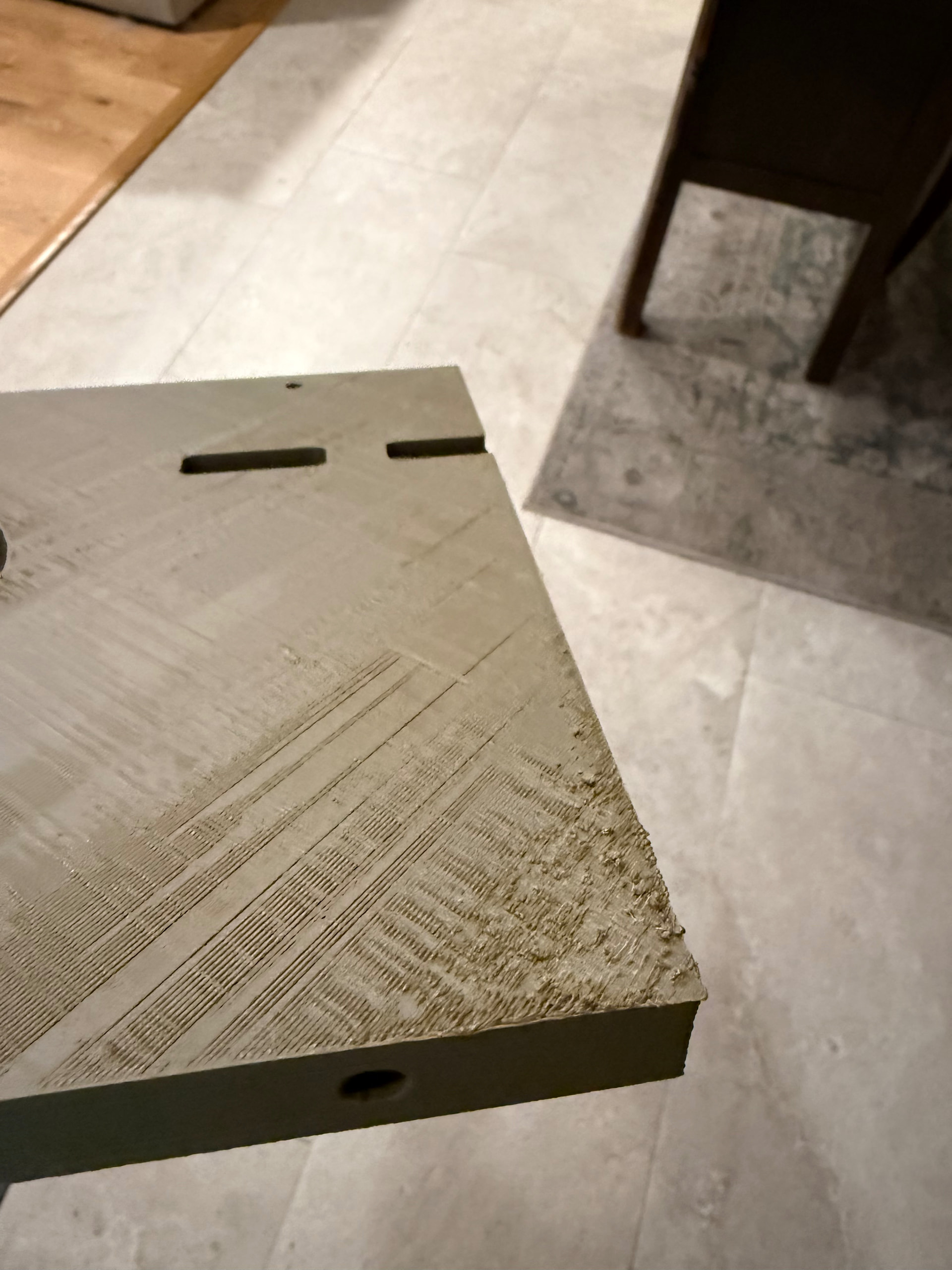
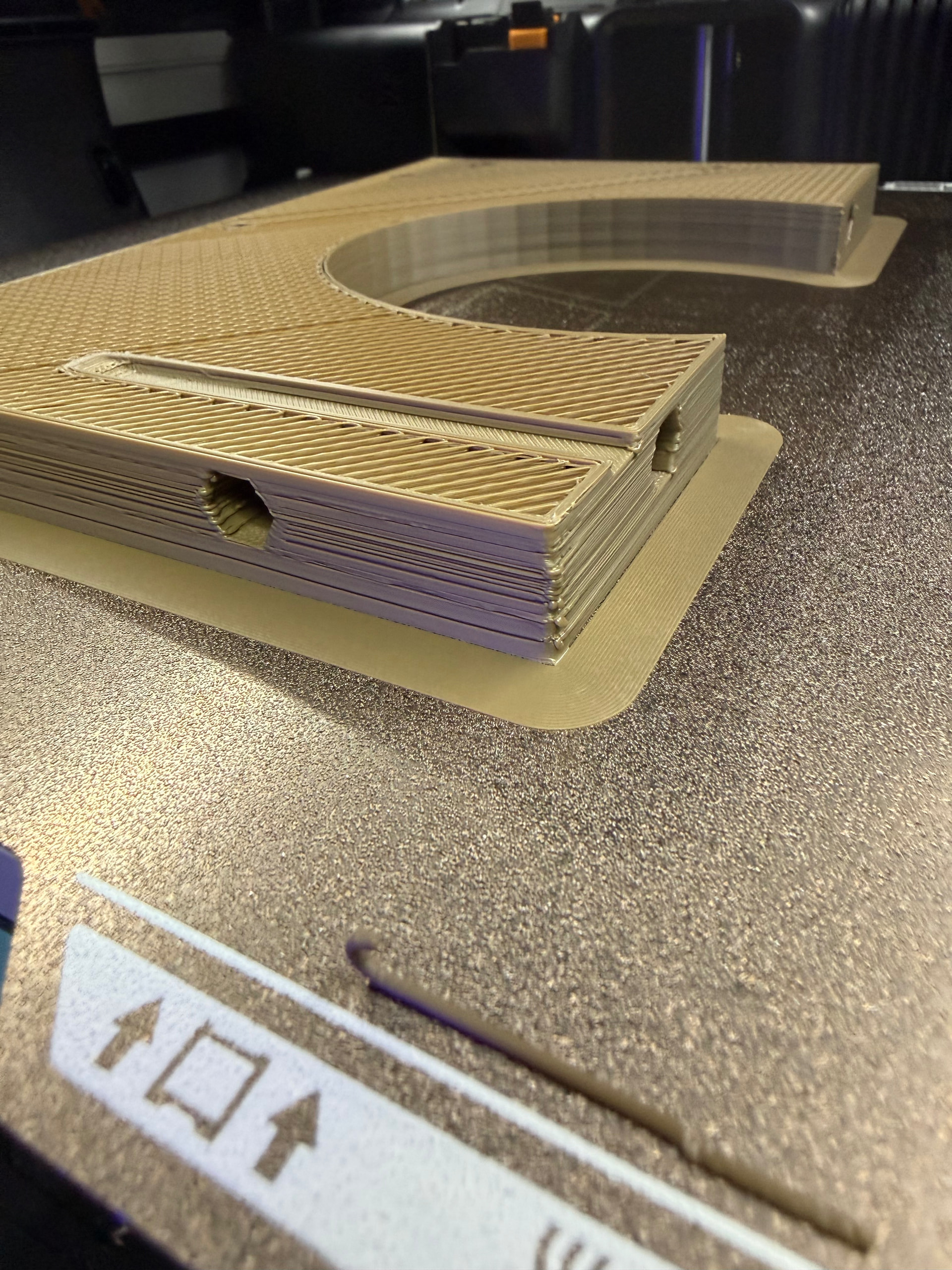
I have messed around with every setting on H2d with polymaker asa. i keep getting warping on large prints and the top surface is very rough.
Chamber 60, nozzle 260, bed 100. Tried adjusting those and also no parts fan and 10/15%.
Preheat for 30 mins didnt help.
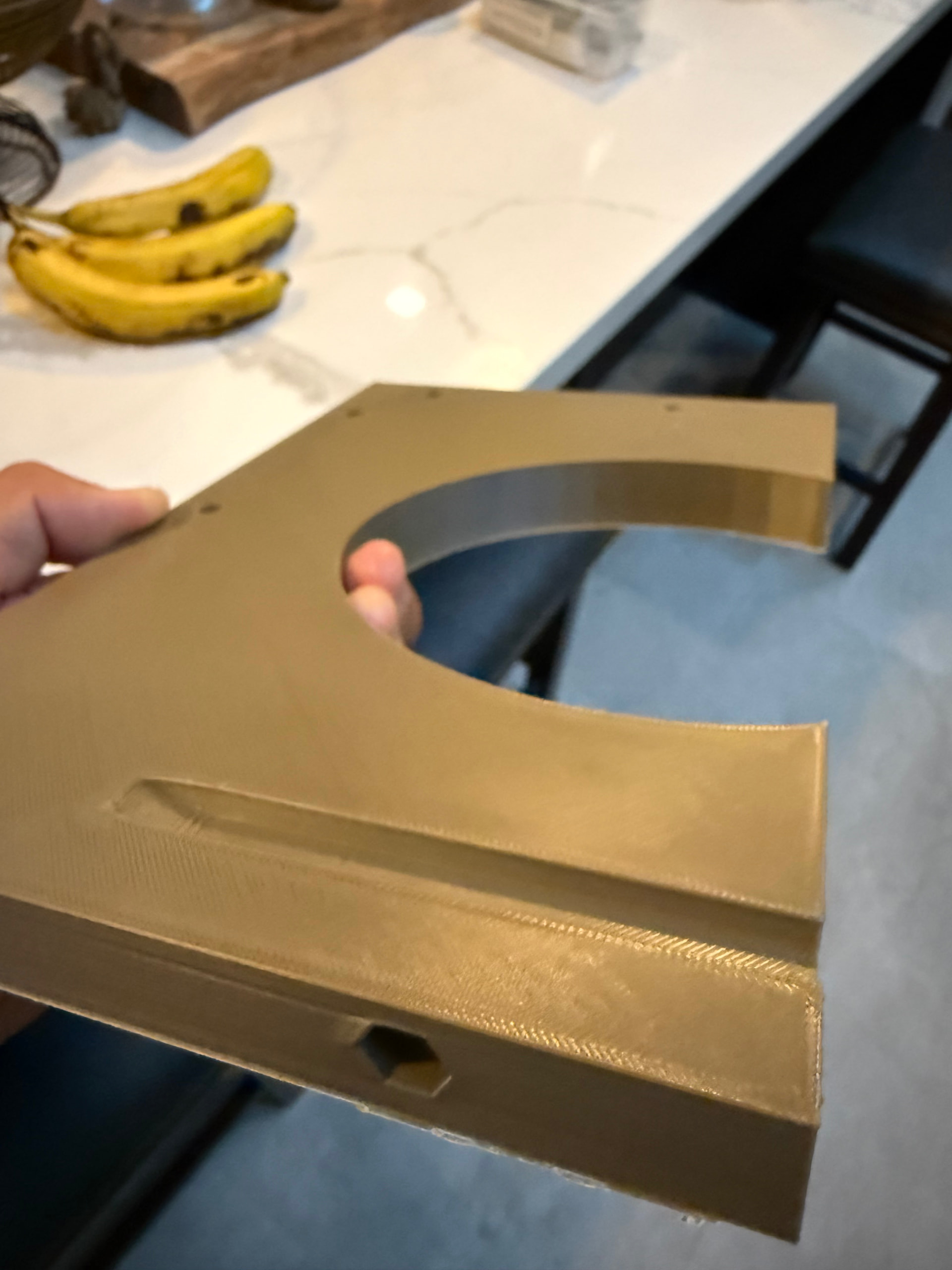
Then i thought for kicks, I’ll print it on my p1s. It prints flawlessly with stock polylite asa preset.
I think the chamber set at 60 is causing the exhaust fan to blow and warping the corners. So i tried to get this to print without active heating to act like p1s, but it keeps erroring saying the chamber is to hot when i set chamber to 0 (to turn off heater).
I tried to turn back chamber to 60 and turn off or reduce exhaust fam but theres no option to do it.
Here is the h2d print snd then the p1s print.