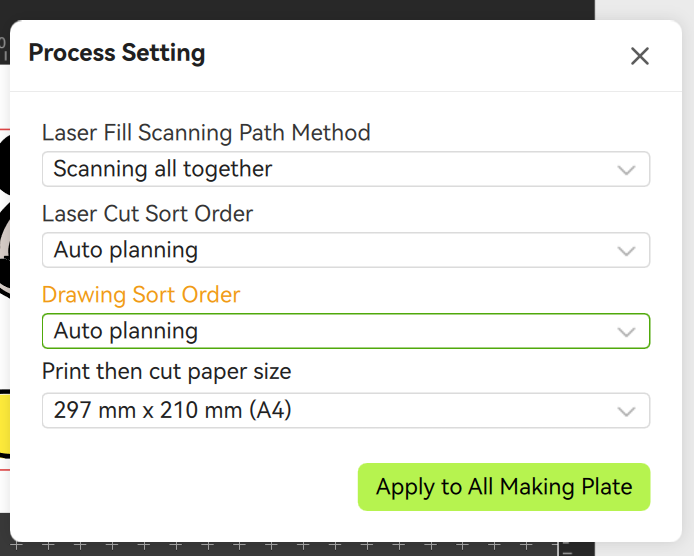
Alright, so we’re well aware that there are a lot of shortcomings with Bambu Suite. Having said that, does anyone know if there is a way to change the order of lines drawn? I have a line-only graphic with multiple colors. I’m trying to get the colors to draw in a certain order, but can’t find how. Changing layer order in the prep screen does nothing. It always just pics a random (though consistent) order.
Is this just one more terrible design choice? Obviously, the main or only design consideration for Bambu Suite seems to have been the laser where this doesn’t really matter as much.
There are 2 things you need to do to define your color order.
In the drawing tab, you need to set the color order in the bottom left window (you can simply drag and drop the color circles with your mouse in the order you want)
Wow, very much not straightforward. I had even changed the order of those little circles but when I previewed it made no difference. The key was that Process Setting window. Thanks a ton!