Hi, I’m having a hard time with multicolor prints. Is there a way to make each color line more consistent?
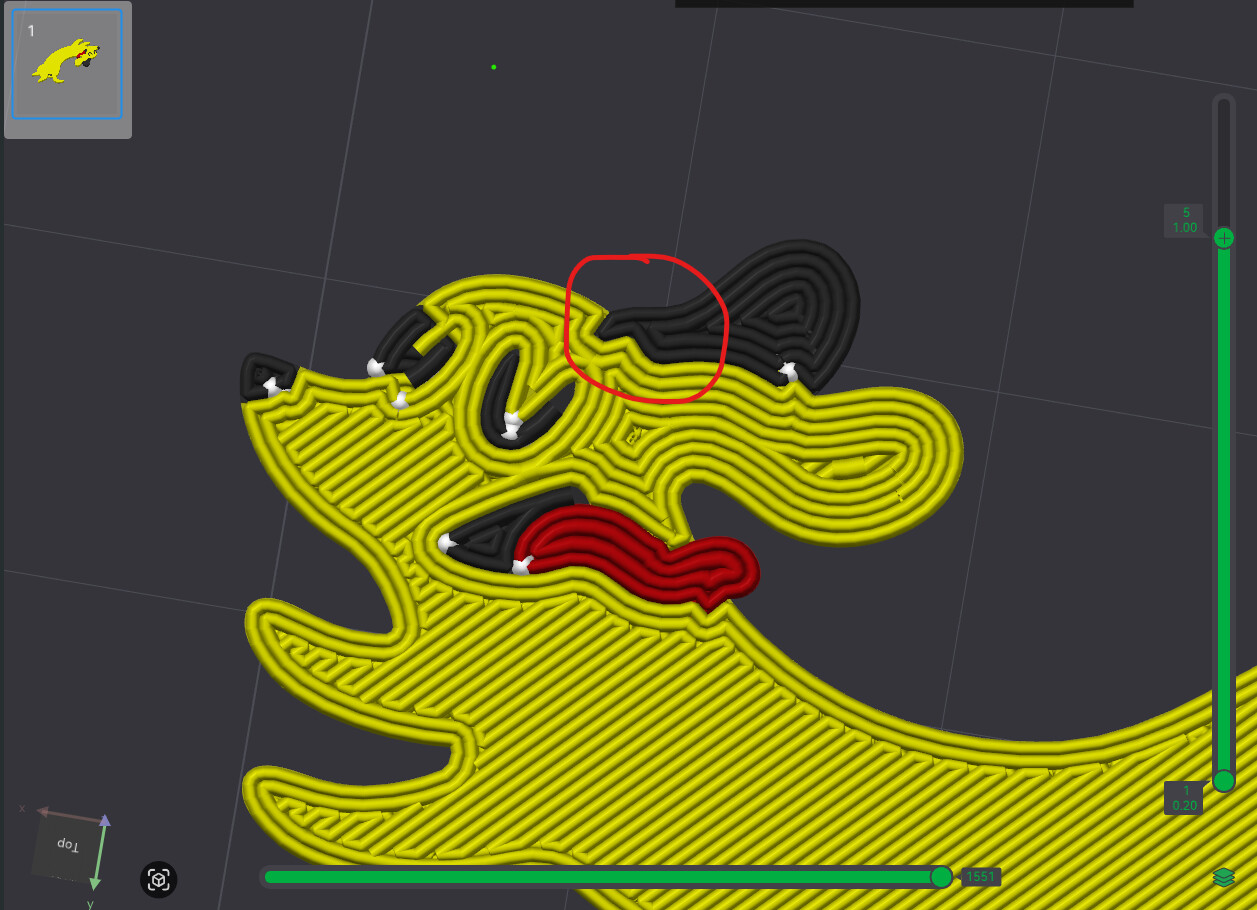
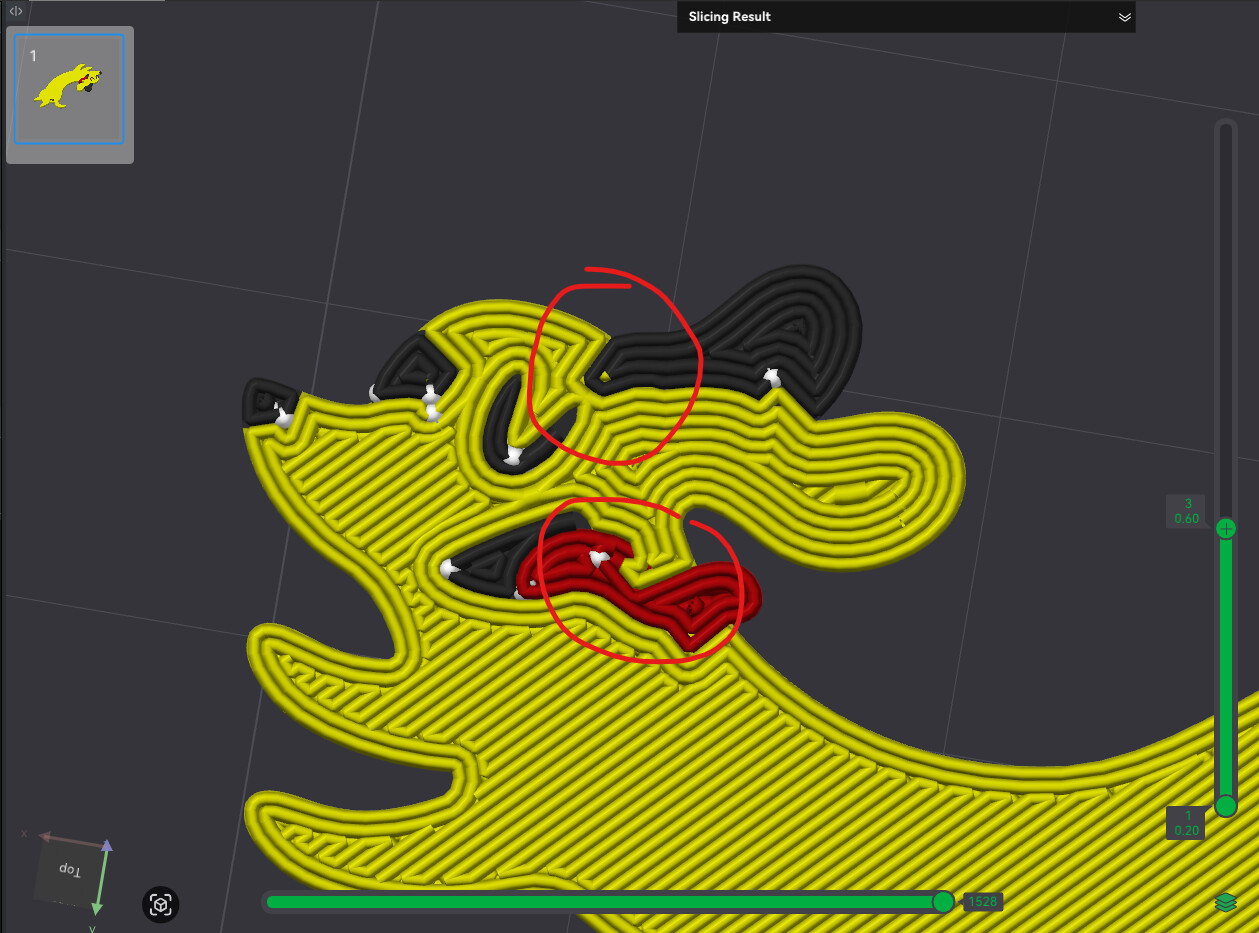
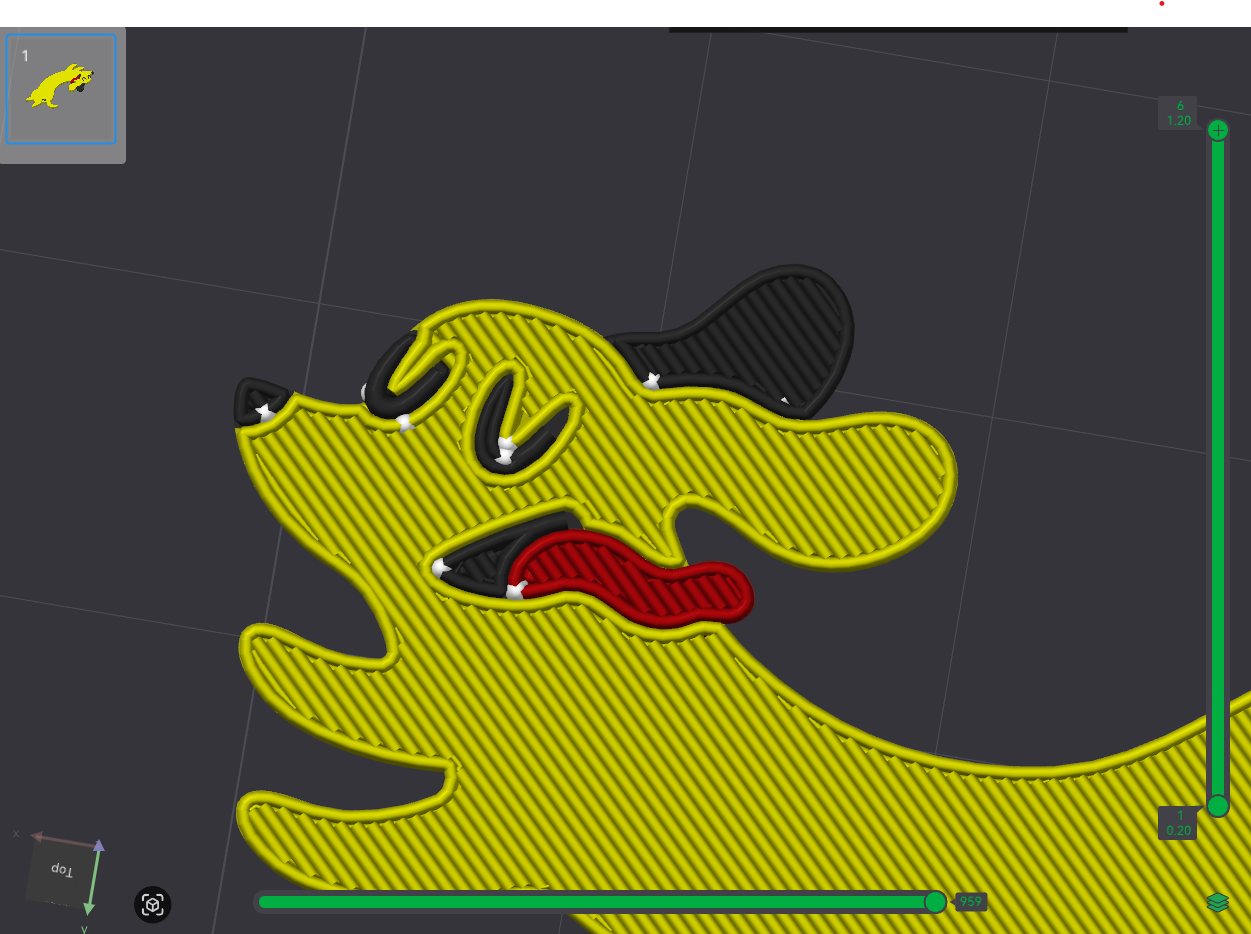
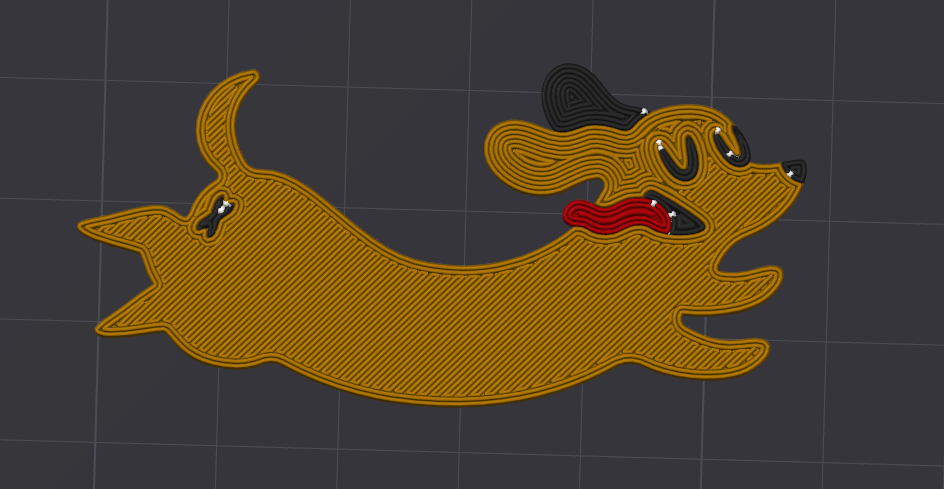
This is what my model should look like. It’s only great on the 1st and last layer — everything else is a mess.
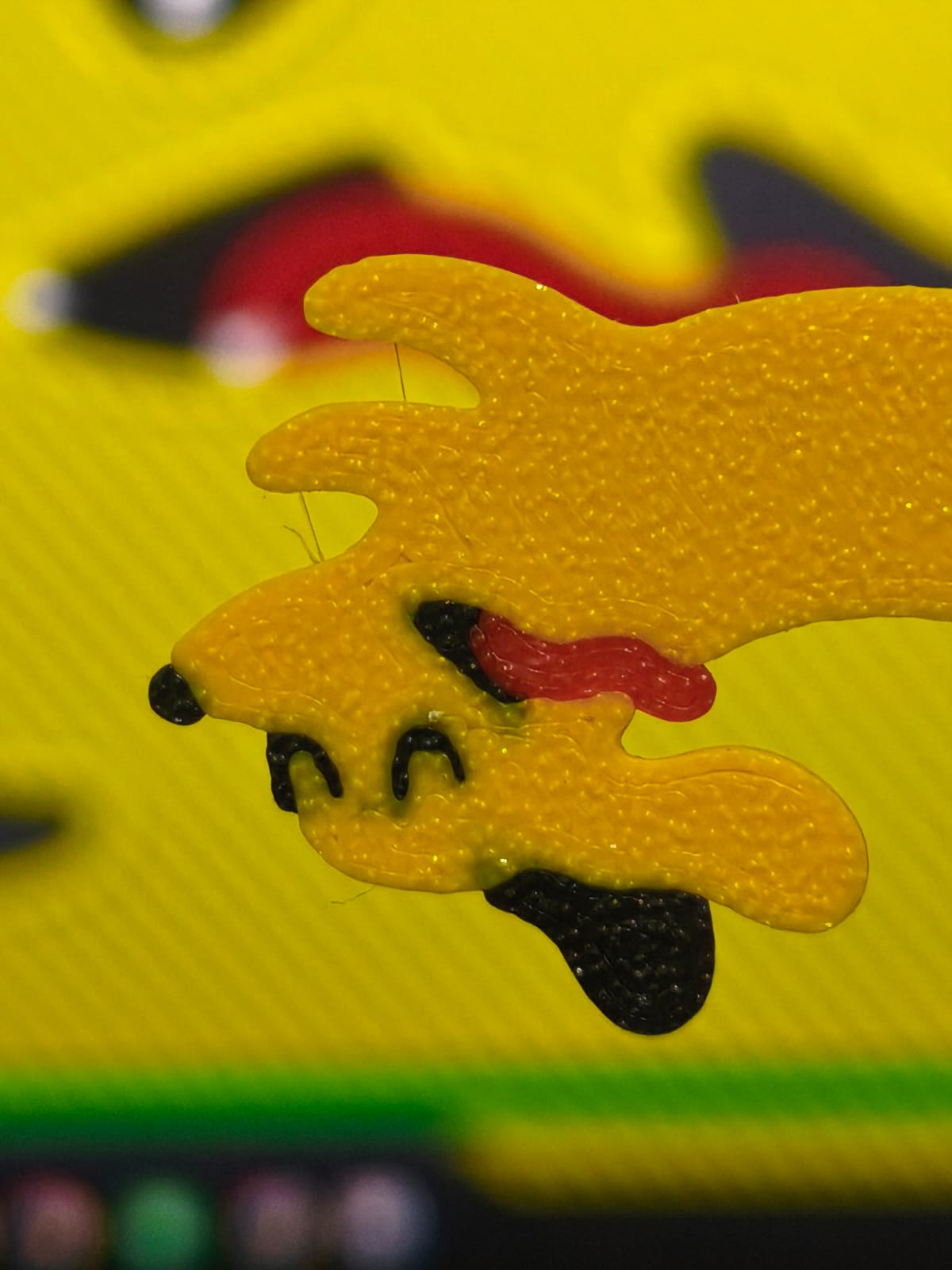
As you can see below, the inconsistent layer lines are causing color bleeding on my print.
Can you post the .3mf file?
Doggo-Doggo.3mf (161.8 KB)
Hi, here’s the .3mf file
These are issues that come from importing an OBJ.
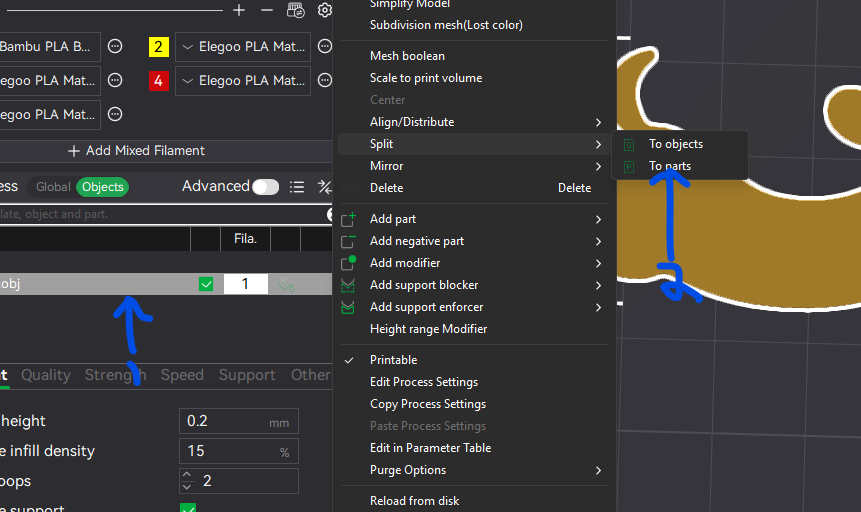
To fix this you need to select the model an “Split/To Parts”
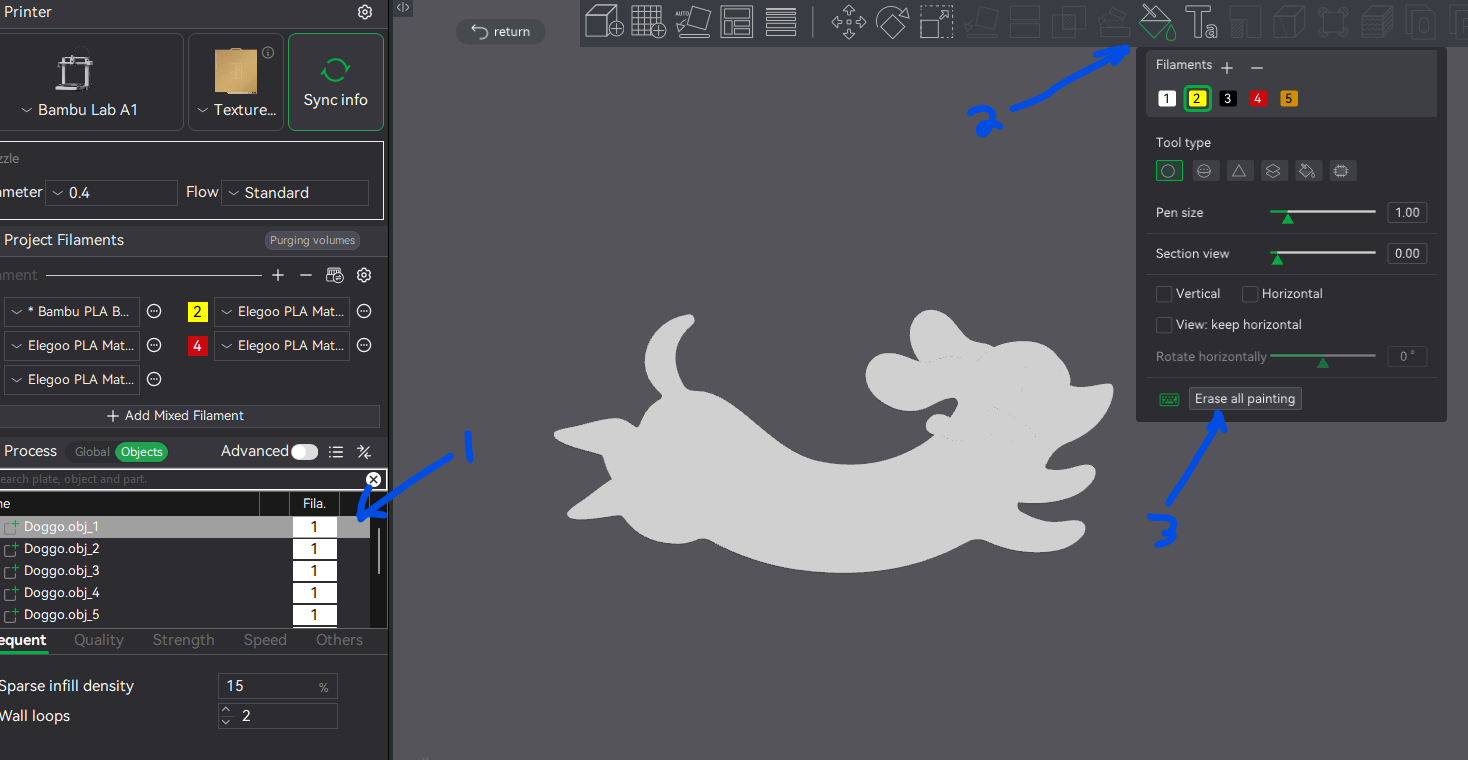
Then select the model and click on the “Color Painting” tab and then select the “Remove all painting”
Then simply select each part and set to the correct colour and then reslice.
Doggo-Doggo_Fixed.3mf (152.4 KB)
Ah! so OBJ is the culprit. its printing right now. but the preview is already way much better
Thank you, Jon. I really appreciate it!