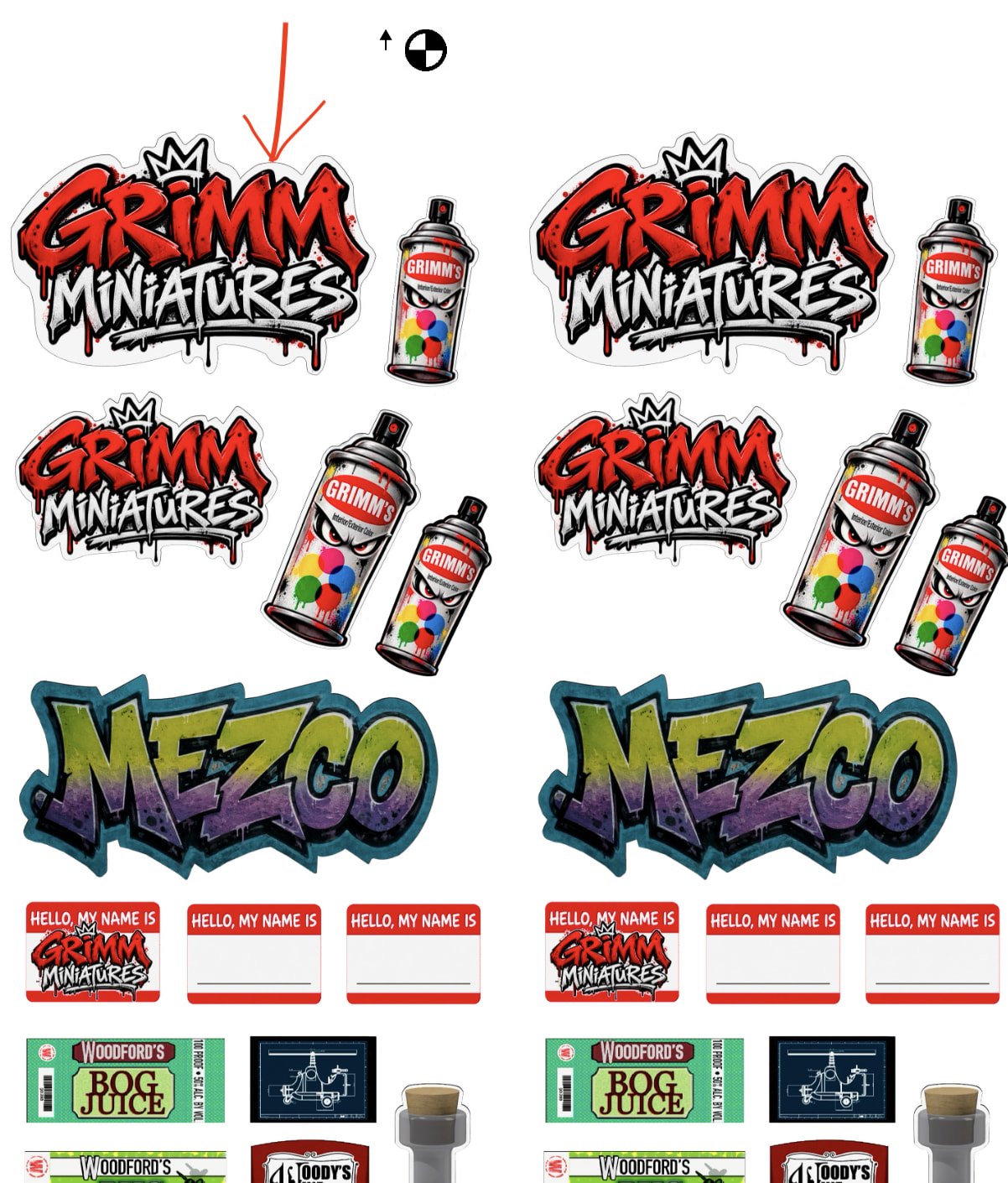
I already am betting no one will have the answer to this and it the post gets lost like most cutter issue posts. Why does Bambu Suite “Print then cut” now add an outline around the sticker sheet to print? This stinks because now when then the printer cuts go outside the outline the outline shows up in the sticker! This even happens when I offset the cut by -.3. And no this is not from having bleed on so please don’t suggest that. Bleed leaves a different kind of wiggly line.
This is a major bummer because I sell a packaged product that includes these stickers but I can’t include them like this. This was added in the last update and I can find no way to get rid of it. What is the reason for this?
Another bummer is having to recalibrate the cutter after cutting every sticker label sheet. It doesn’t do this when just cutting cardstock. It only does it with stickers.
I don’t think it’s an outline but simply that the background of your image is a pale shade of grey and not white as the main background of your sheet. Try to make it white using your preferred software and retry.
No answer here, just asking for clarification. Are you saying that when doing these same stickers they used to be one way, then after an update it started doing the out-lines?
My search engine of choice for the western internet (Qwant) can’t find your company under “grimm miniatures” because of confusion with “grim” as in brothers grim, and “grimdark”. Maybe something to SEO on in future.
Thanks so much for the helpful answer. I had stopped using the sticker with frame option set to none because I was getting slightly inaccurate cuts cutting outside the colored stickers leaving a sliver of white showing. So I began using “offset” cut to cut the stickers with -.3mm cut inside. But I will go back to using the sticker option if it removes the outline which sometimes shows up inside the cut sticker.
Thanks so much for letting me know that! I will have to see what I can do to make it show up in that search engine’s search results. I never heard of that search engine but I’m interested to try it.