Hello, first time poster here.
I recently purchased an X2D and it’s been awesome so far. My issue is with a somewhat complicated part I designed printing poorly in a specific area. I’m new to BambuStudio so I’m hoping someone here can shed light on slicer settings or whatnot that would fix the issue.
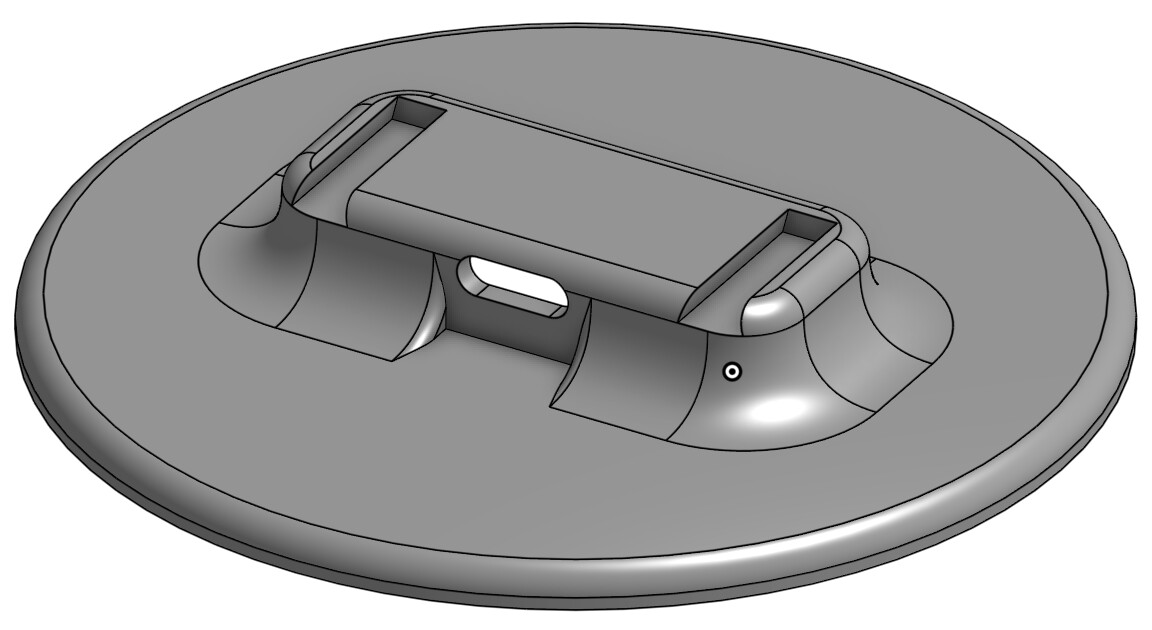
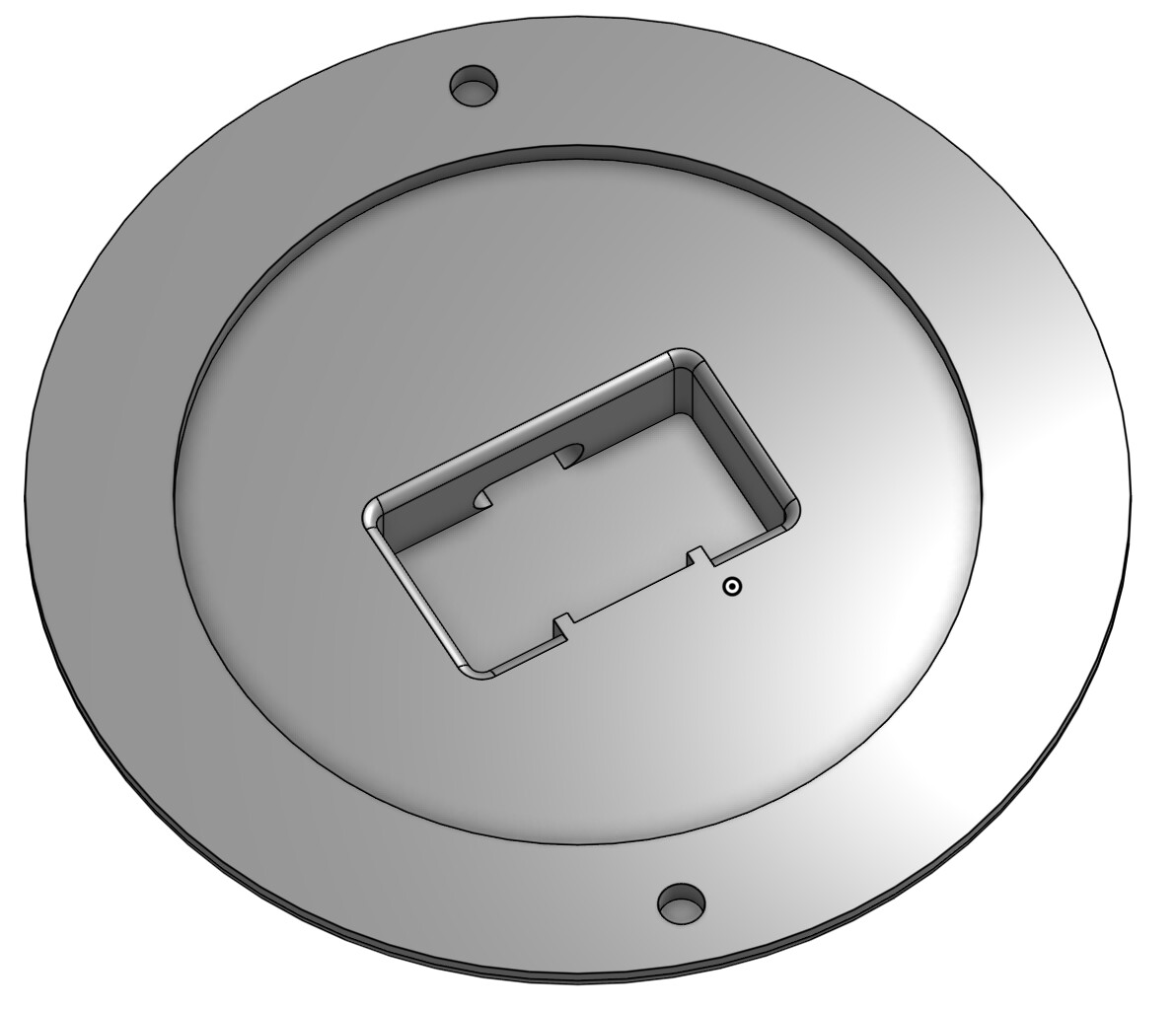
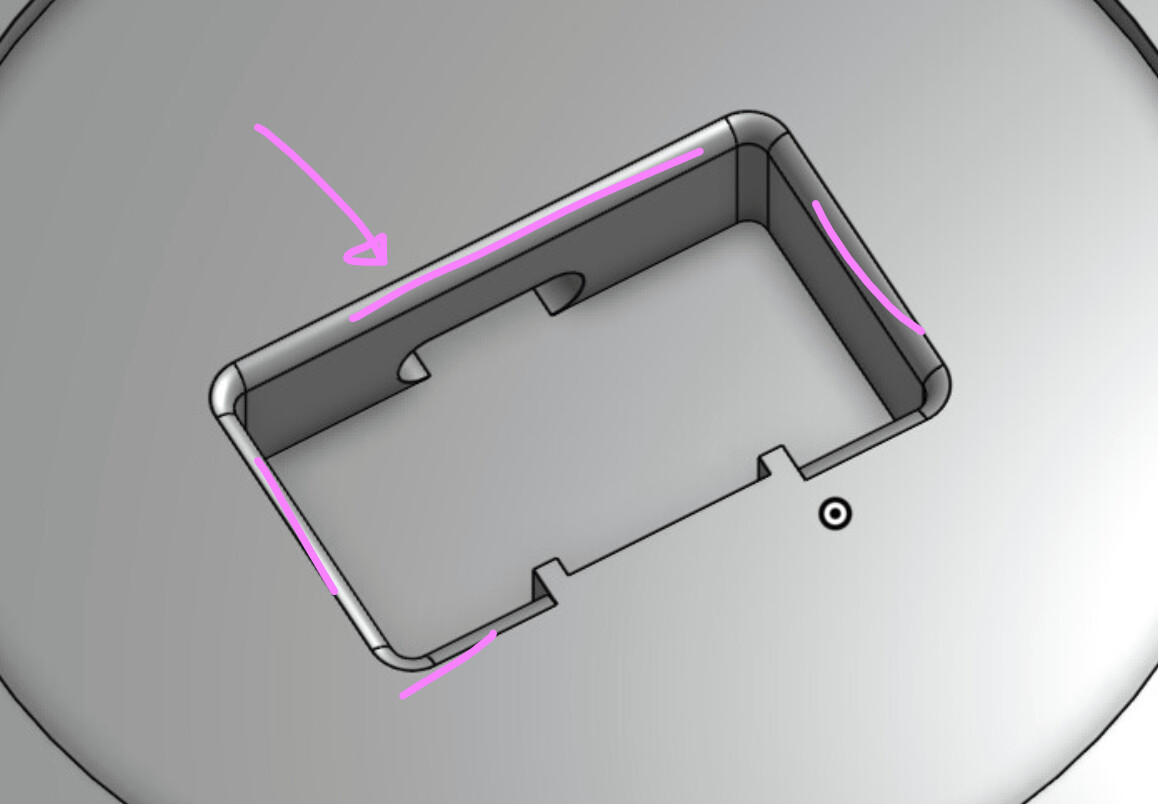
Here’s a couple pics of the part from Onshape. I aligned it face down on the print bed due to the complicated features on the backside.
Back:
Front (face):
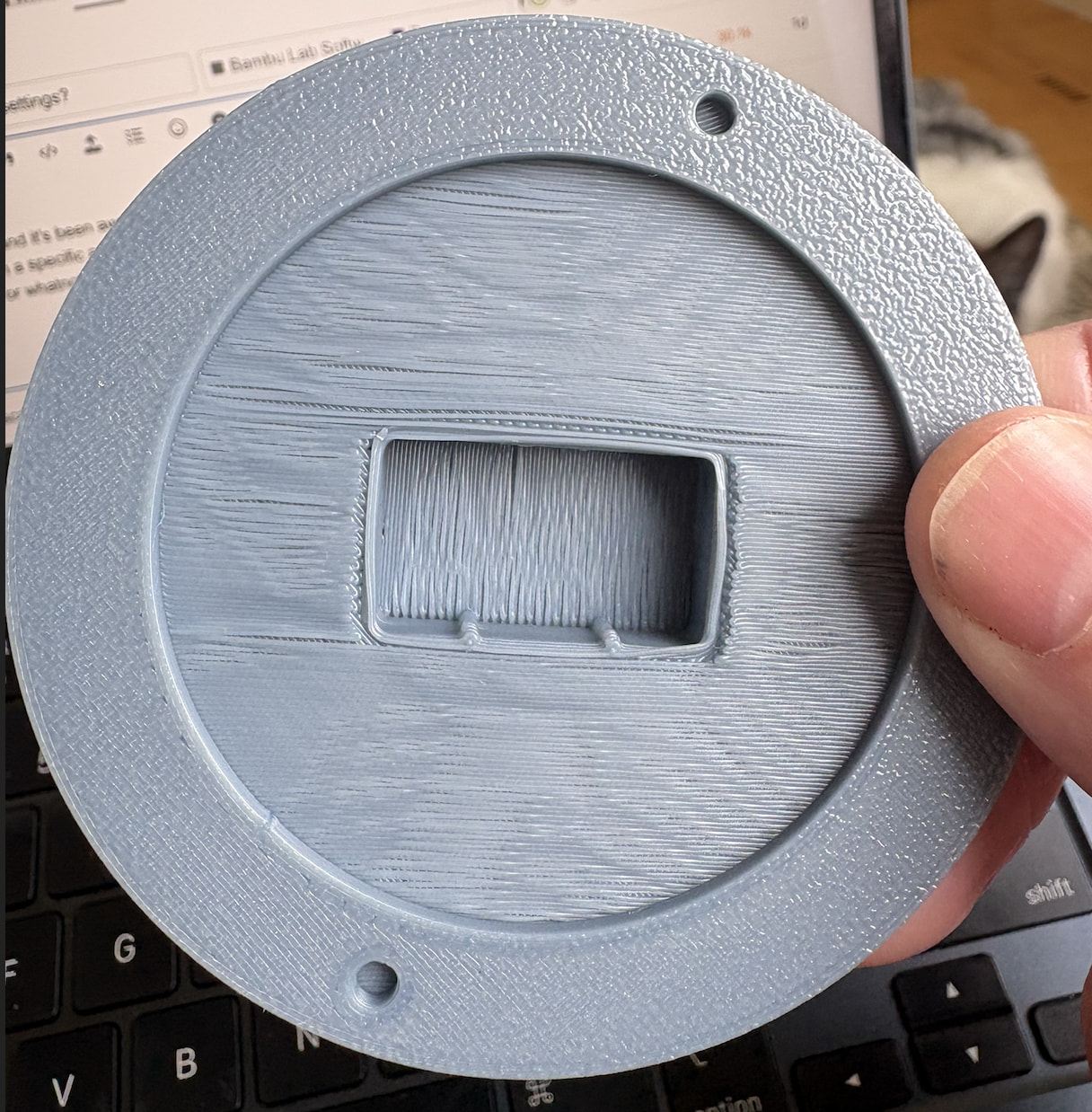
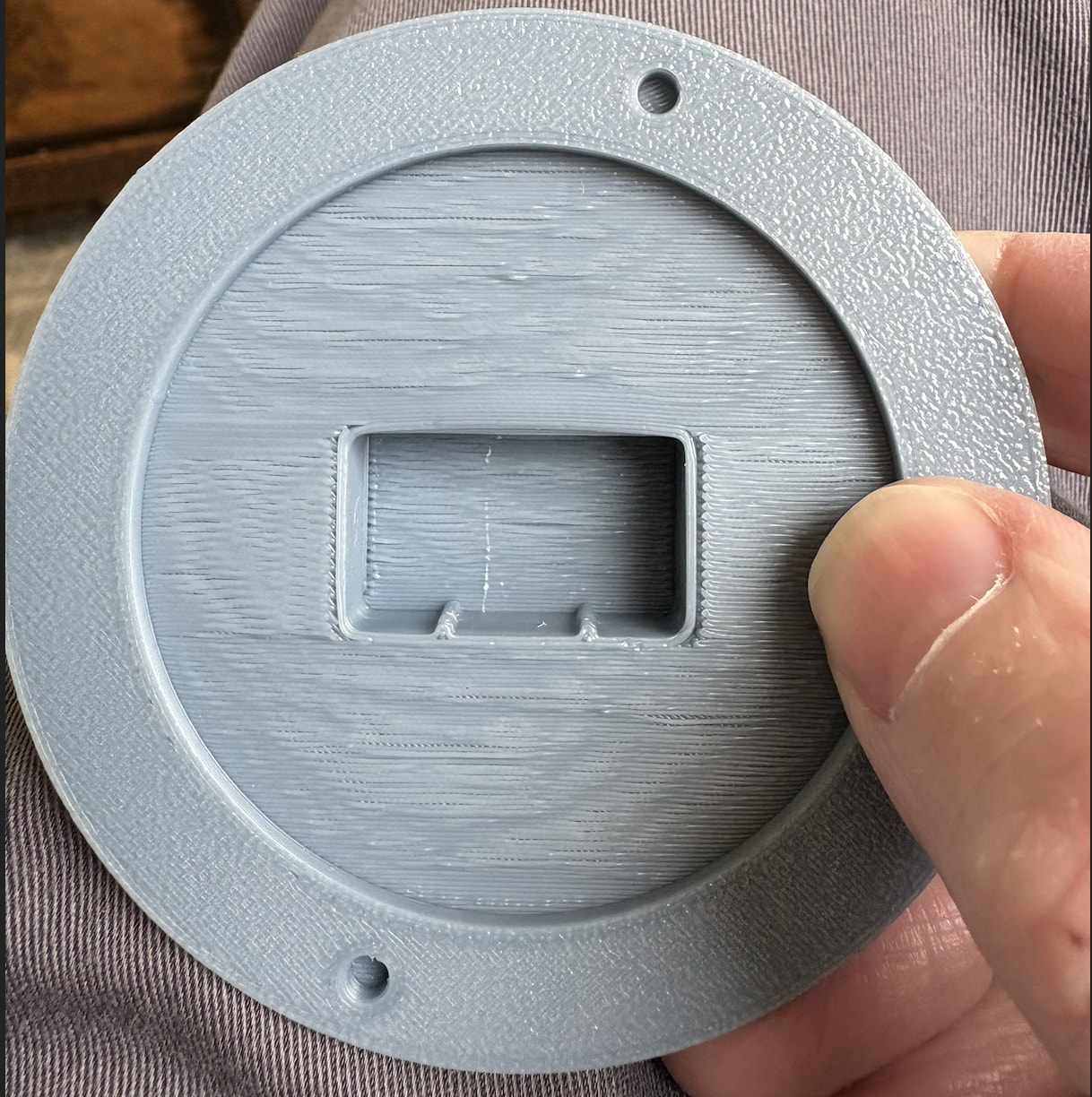
Here’s the print. You can see the issue has to do with the walls of the interior pocket printing poorly. I’ve tried both normal and tree supports with similar results. The dimensions of this are are critical as it is designed to provide an interference fit for a circuit board.
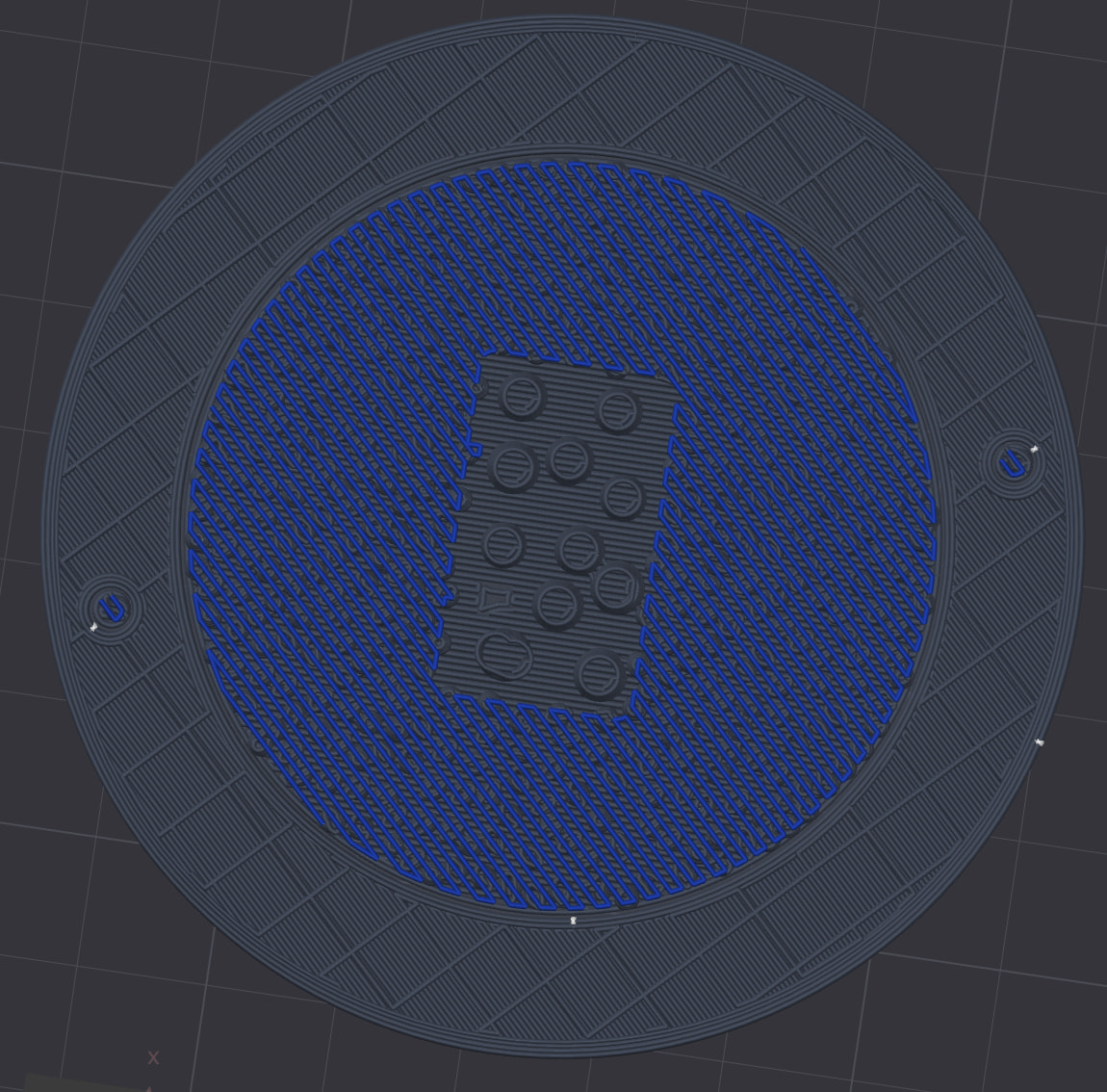
Here’s a screenshot of the layers for this particular area of the print. I’m using CoPE filament as a support interface as it doesn’t stick to PLA making support structures easier to remove. The large area of blue (CoPE) doesn’t extend very far up the print as that pocket is maybe 1-2mm deep, then it’s all PLA.
Hopefully someone can advise me on what to do. I can provide slicer settings, just let me know what you want to see.
First, a quick question:
The best kind of support is the kind you don’t end up needing. So here’s the key point - does the 3D model have to look exactly like this, or can it be adjusted to be more 3D‑printer‑friendly?
That will really help us figure out the best advice for you. First you optimize the 3D model, then you tweak the settings - but if you don’t want to do that, well… the very first step is already off the table.
Thank you! I’ll give this a go and report back.
Sorry, do you mean softening the fillet as in making it larger, like from 1mm to 2mm?
Changing the design is always an option, but sometimes you want what you want. I’ll give Bullocks suggestions a try before heading back to the drawing board.
Just wondering about your support settings. I frequently use PETG as a support surface for PLA (and vice versa) to good effect. However, with those, the slicer will offer the option to auto-adjust z-distance to 0mm and adapt the interface pattern. Is that also the case with your CoPE?
If not, I’d suggest giving PETG a go as a support interface or staying with CoPE but making sure that the top z-distance is indeed 0mm.
 &
& 
Re fillet: I mean maybe removing it and replacing with a chamfer of equal size, to obtain a printable angle, or reducing its size so that only 1 layer will have an angle that is bad
@Bullocks Your tips worked! I tweaked the support offsets and removed the fillet. The PCB mostly fits now, but I think the “mostly” is an issue in my design.
Thanks!
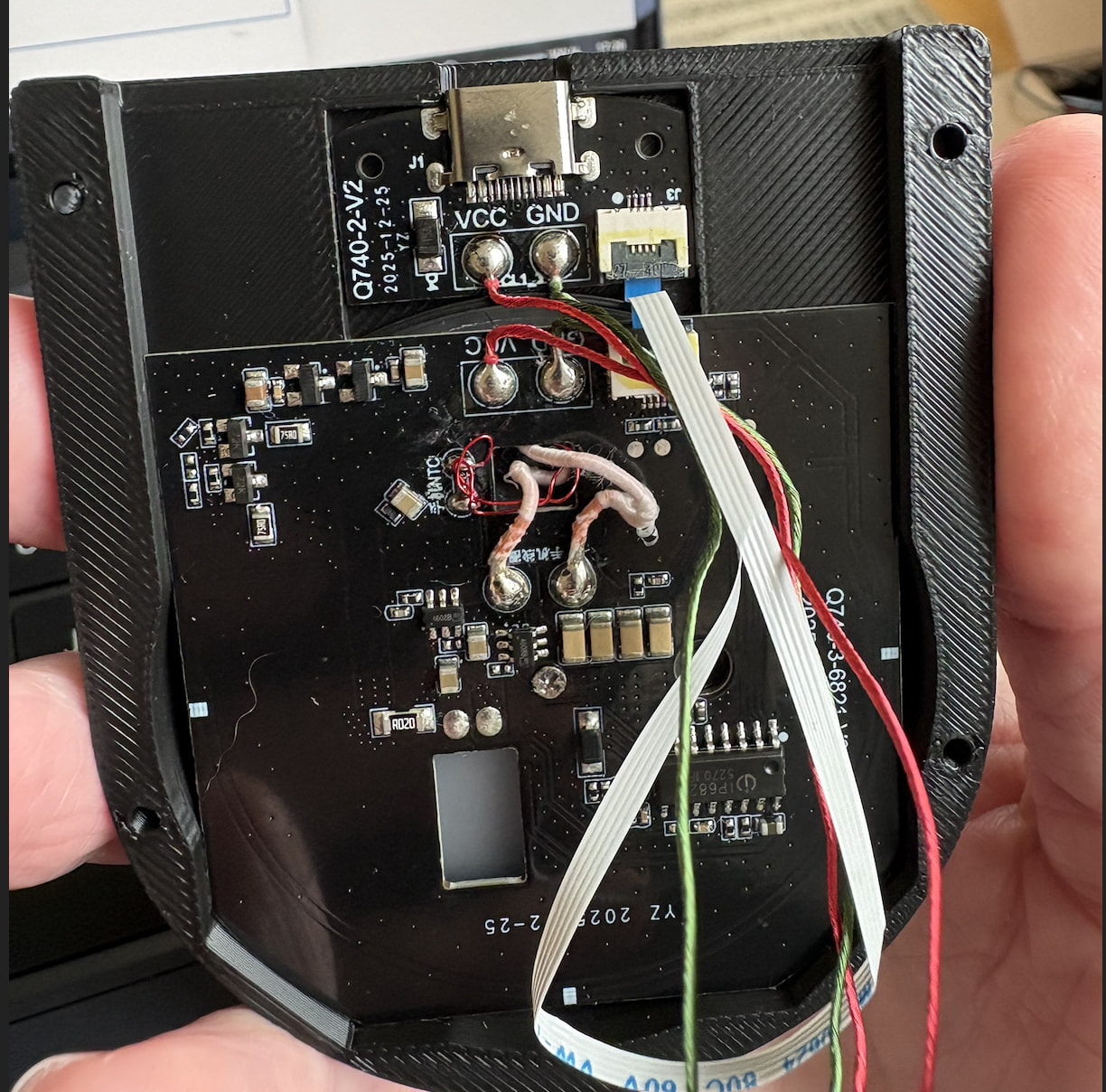
I very well may need to come up with a different solution to retain the PCB. My previous iteration had it held in place with tension, but I can’t just drop the board into the pocket for this new design. I need a little extra space for the USB-C port.
Connector ports seem easy until the user pulls on them