I don’t know whether I’m loading wrong but I have real trouble getting the filament to initially load - I often can’t manually push the filament in far enough so that it triggers the autoload. It feels like the filament is hitting something solid. After ALOT of fiddling it eventually goes in. Sometimes I give up and try a different port on the AMS.
I am holding in the load button. The filament doesn’t look bent in anyway.
Make sure your PTFE coupling tube is fully inserted in the fitting on the printer. Wiggle/twist it a bit as you’re pushing it in, see if it’ll go a little further.
Push the feeder forward. There is a little tab on it. When you push it forward feed the filament into the feeder.
If the AMS doesn’t grab it, use the slicer to assign whatever it is to that slot, or click the arrows to have the AMS refresh and find it.
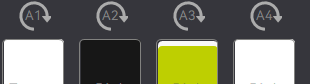
Hi, I have a Bambu Lab A1 with AMS Lite. Today I was printing, and one of my filaments got stuck. I followed the playbook, removed it, corrected it, and now my AMS seems to be stuck. It is not pulling any filament; the lights are on, by the way. Still, it is not pulling filament, and in the Bambu screens, the options to load and unload are disabled. I have checked all cables, and they all seem to be connected. What should I do?