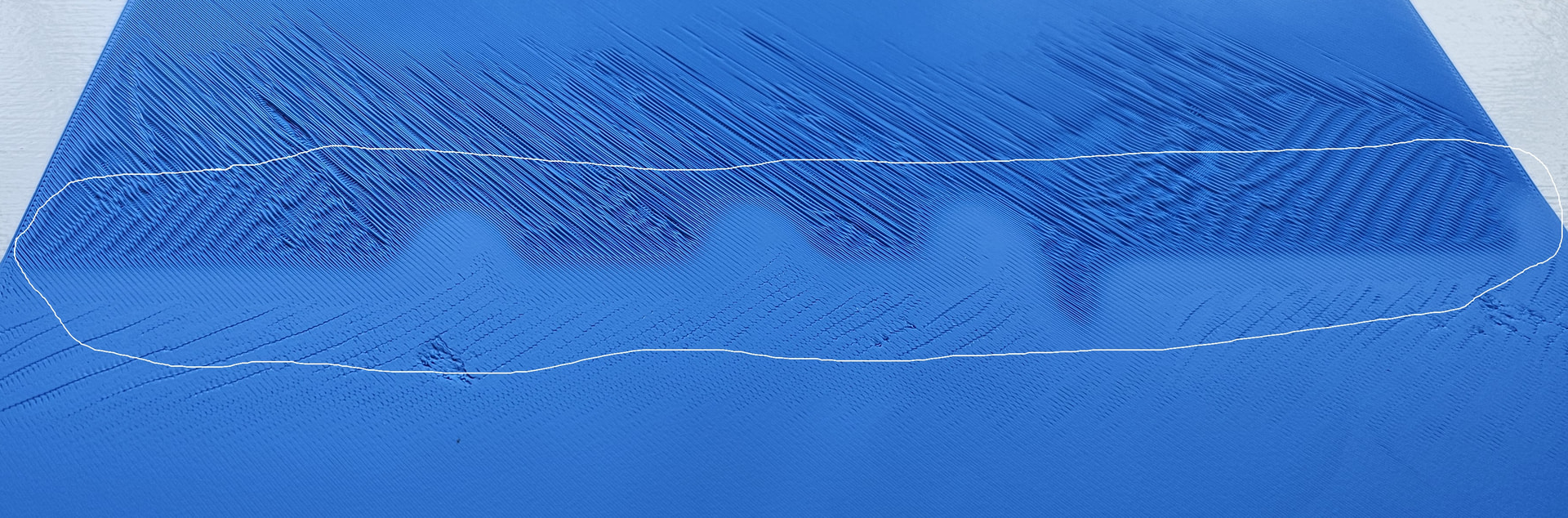
Every print on my H2D has a meandering strip of discontinuity going from left to right on the heat bed. It weaves back and forth and is always in the same place. It’s highlighted on the attached picture (never mind the stringy print. The filament needed to be dried before this 3-layer print.)
I’ve tried:
Thoroughly drying the filament;
Different kinds of filament;
Preheating the heat bed;
Preheating the heat bed and chamber;
A new calibration;
A high-temperature calibration (followed by preheating the heat bed).
Switching to the Bambu Lab Cool Plate Super Tack plate.
I’ve thoroughly washed both the original plate and the Cool plate with Dawn dishwashing detergent and then wore gloves while carrying and installing it.
It’s always the same - a snake-like band that’s a different sheen and pattern. It’s particularly noticeable when printing something like a box lid with the top flat on the plate. Very unattractive.
The print below is just a 300x300x0.6 cube from Bambu Studio, but the same meandering line appears on the plate-side of all prints.
I never like to blame the tool, but could there be a problem with the heat bed? It’s done this since I bought it.
I’ve thoroughly washed both the original plate and the Cool plate with Dawn dishwashing detergent and then wore gloves while carrying and installing it.
The object is just a Bambu Studio cube, 300x300x0.6mm. However, the same winding pattern appears on the plate side of thicker pieces (well, all pieces).
I edited the original post to include this information.
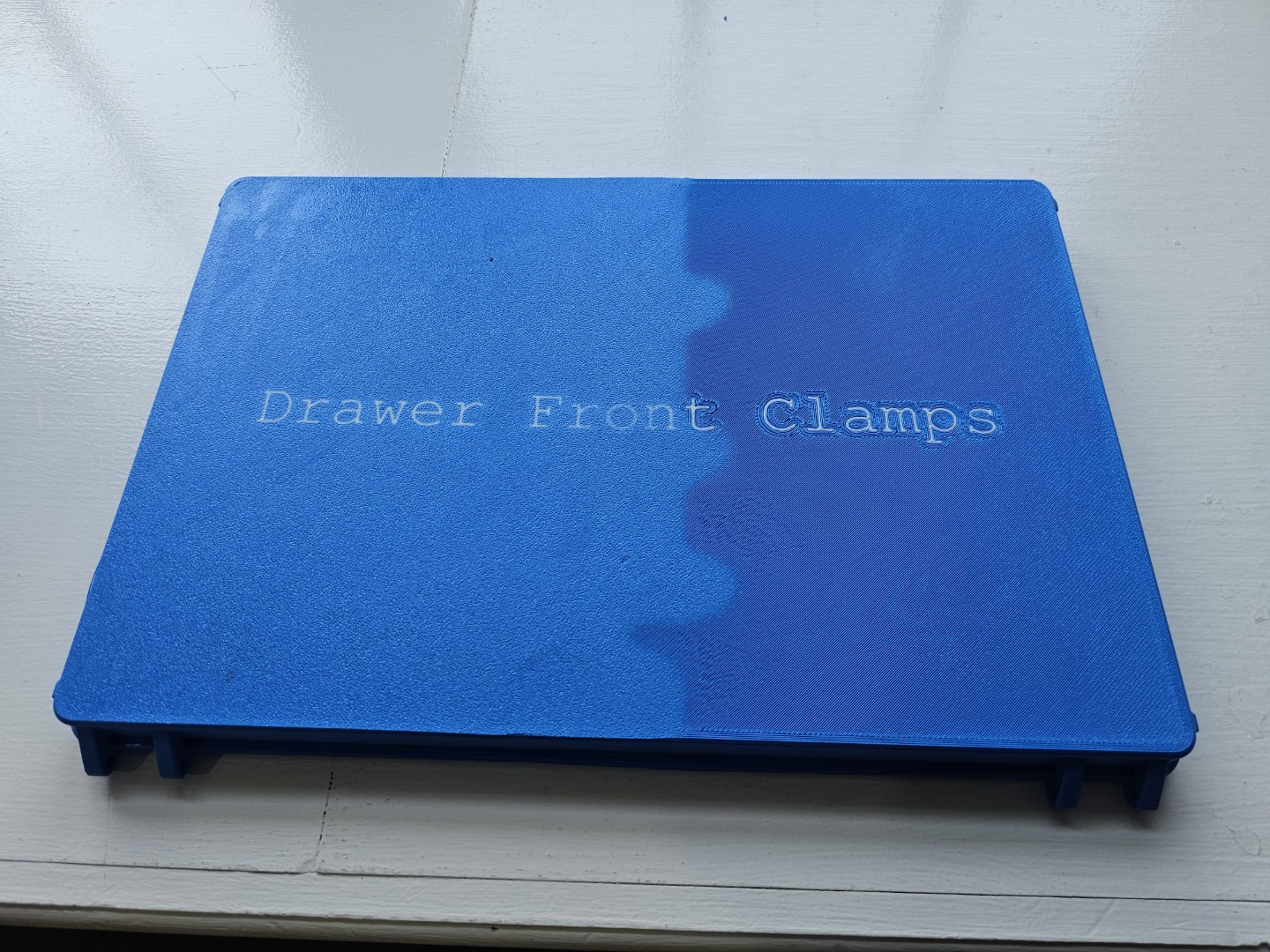
Does that changed color profile match anything else you might have printed?
Thing is there’s a bit more detail and definition to that division than I would expect from heat. It really looks like the lighter or darker area is a memory of some kind of a previous print.
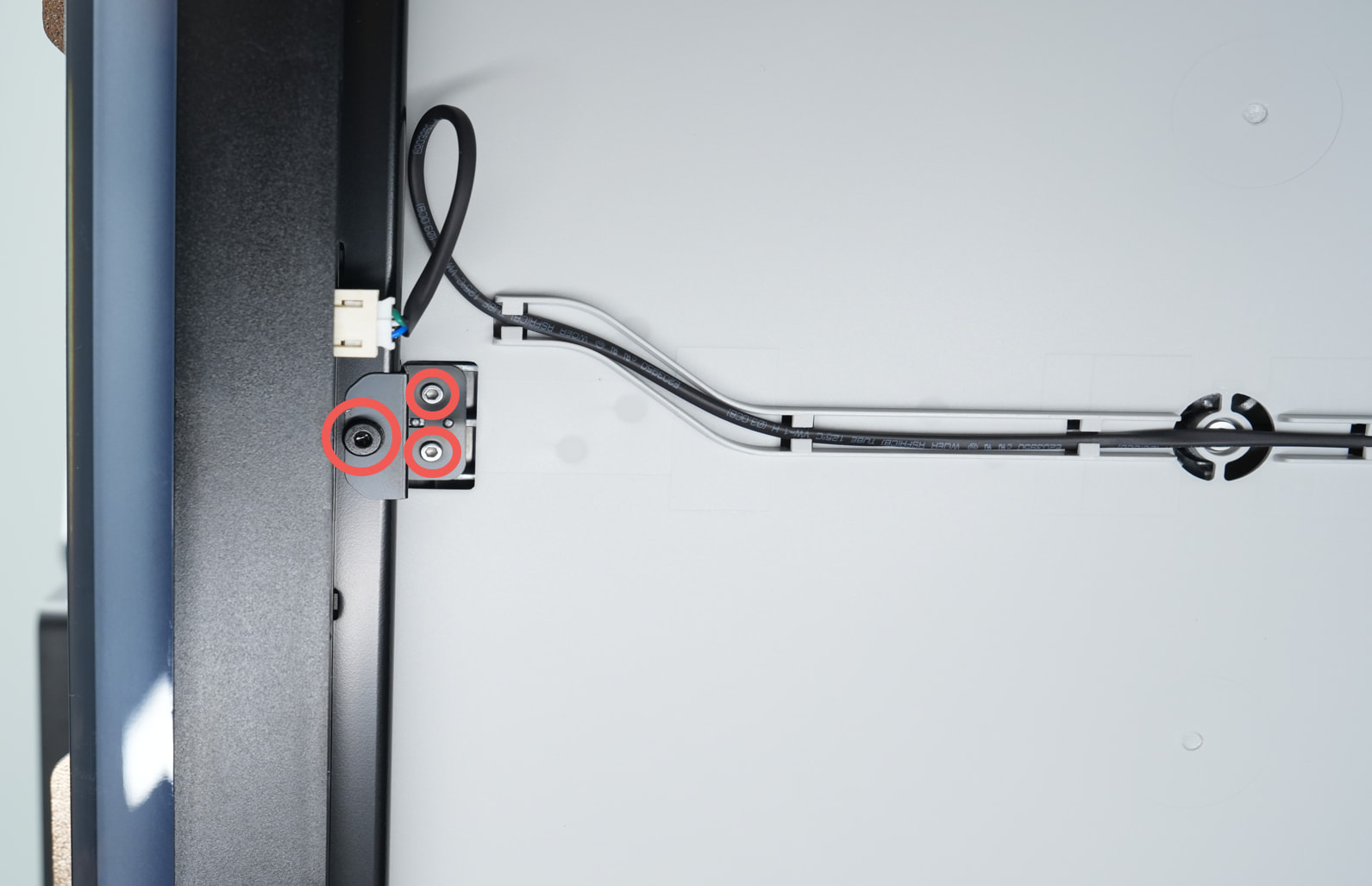
An update: At your suggestion, I opened a ticket. Bambu Lab support suggested that check the screw tightness on the nozzles and to do a manual bed leveling. H2D Bed Tramming
I’m off on business for the next week but I’ll try their suggestions when I return.
The different colorations around the text make a bed heating problem not as likely. The Bambu slicer lays down the lighter color text first and then surrounds it with the darker material for several rows. It then proceeds to lay down the surface. The fact that the initial surrounding field material is the lighter color indicates that the bed heat is not the issue. I would do a time lapse video so you can see what’s happening (or just watch) as it lays down the color across those transitions. I had a problem with text just like what you are using and looked at all kinds of physical problems. Then I wiped Bambu studio clean and removed all the vestiges from the computer and rehung it. The problem went away.
Following the Bambu Lab directions, I removed the the three screws and the black locking bracket from the front of the heatbed and recalibrating. I’m now getting a perfect first layer.