I wanted to share BambuHelper v3.0, an unofficial open-source ESP32-based status display for Bambu Lab printers.
It is a read-only companion device: it shows live printer status on a small dedicated screen, but it does not send print/control commands, G-code, or modify printer settings. It is not a replacement for Bambu Studio or Bambu Handy, just a small desk/printer-side dashboard.
ESP32-S3 Super Mini + 1.54" ST7789 240x240 display
CYD / ESP32-2432S028
Waveshare ESP32-S3-Touch-LCD-1.54
Waveshare ESP32-S3-Touch-LCD-2
Waveshare ESP32-S3-Zero
ESP32-C3 Super Mini builds
Connection modes:
LAN direct status monitoring for supported printers
Optional cloud status mode for printers or setups where LAN access is not suitable
The project started as a tiny desk monitor for my own printer, but it has grown into a more complete firmware with a web configuration portal, browser-based flashing, OTA updates, multi-printer display rotation on supported ESP32-S3 boards, display themes, buzzer alerts, LED effects, and several printable cases.
I would be happy to get feedback from people using different Bambu printer models, especially if you try it with X1E, P2S, H2 series, A1/A1 mini, or multi-printer setups.
Disclaimer: this is an unofficial community project and is not affiliated with or endorsed by Bambu Lab.
Well done, looks great.
Been thinking of doing something like this, but mainly to track humidity overtime.
Is it possible to track humidity of connected AMSes this way?
Or is that not part of the available API?
Yes, AMS humidity is available in the MQTT status data and BambuHelper already parses/displays it per AMS unit. Right now it is live status only rather than historical logging, but humidity tracking over time would be a great future feature.
That’s great, thanks for letting me know.
In my (future)project, I would parse the data and link it as a sensor to my home automation system to do the historical logging. I just couldn’t find info online if it was even available in the MQTT from Bambu. Good to know that it is.
Time for an update - this thread still says v3.0, and the project is on v3.8.0 now. Short version of what changed since:
Setup no longer needs a computer
Flash from the browser. The hosted flasher at BambuHelper Web Flasher handles bootloader, partitions and firmware in one click. No PlatformIO, no esptool, no flash offsets.
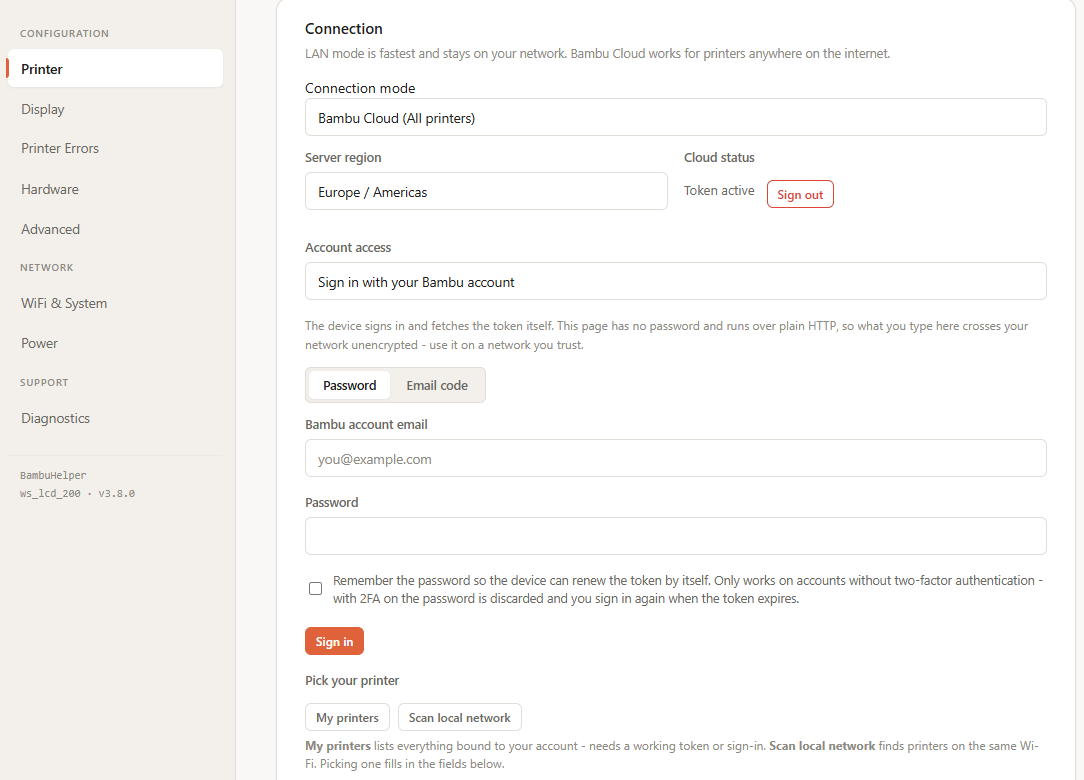
Sign in to your Bambu account on the device. Cloud mode used to mean digging a token out of browser DevTools. Now you sign in from the device’s web page - with a password, or with a 6-digit code Bambu emails you if you would rather not type one. 2FA and authenticator codes work too.
My printers lists every printer on the account with its model and serial, so you pick yours instead of typing a serial by hand.
Scan local network finds LAN printers automatically, IP and serial included.
Pasting a token still works, and so does the Companion Tool.
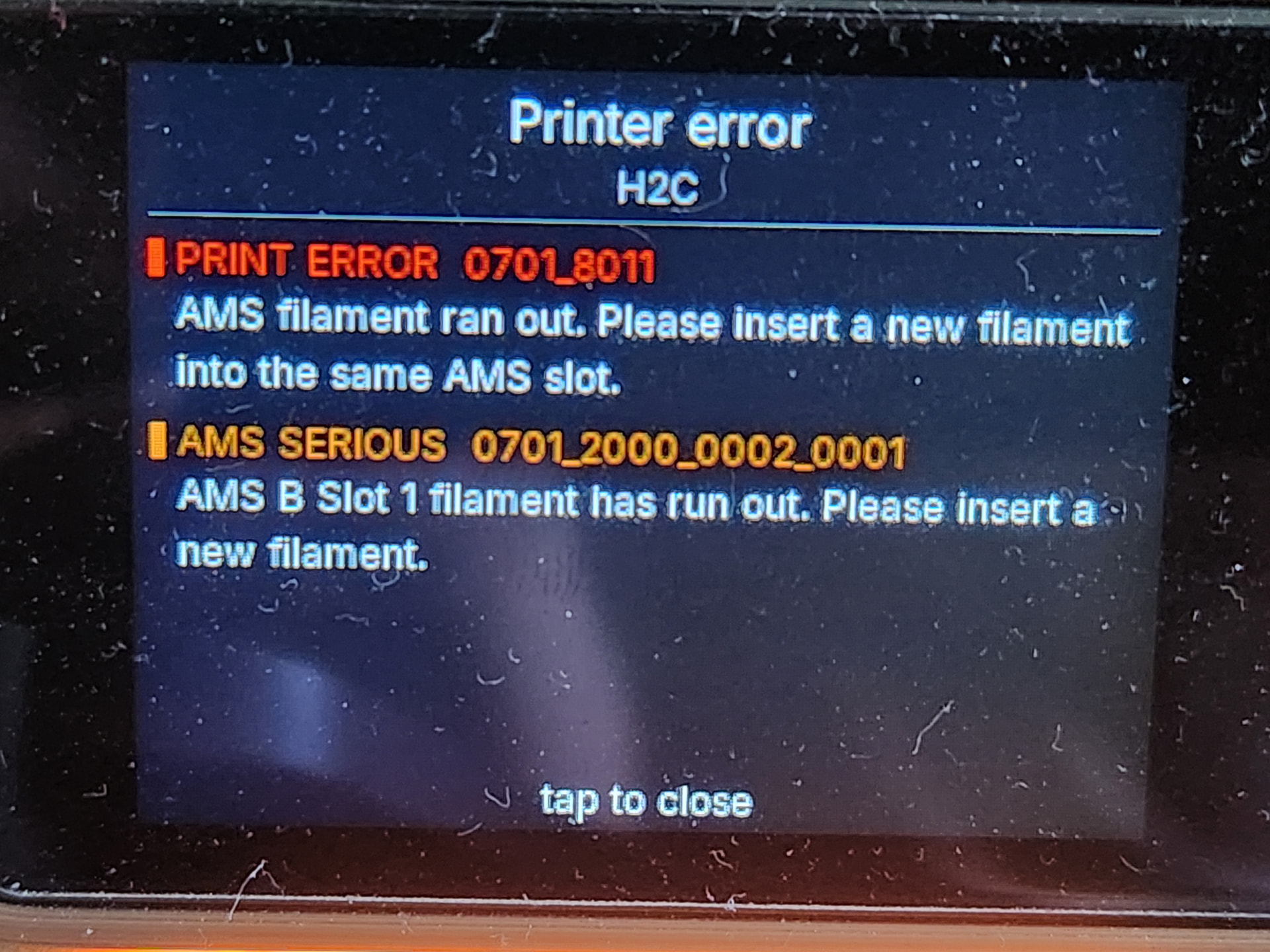
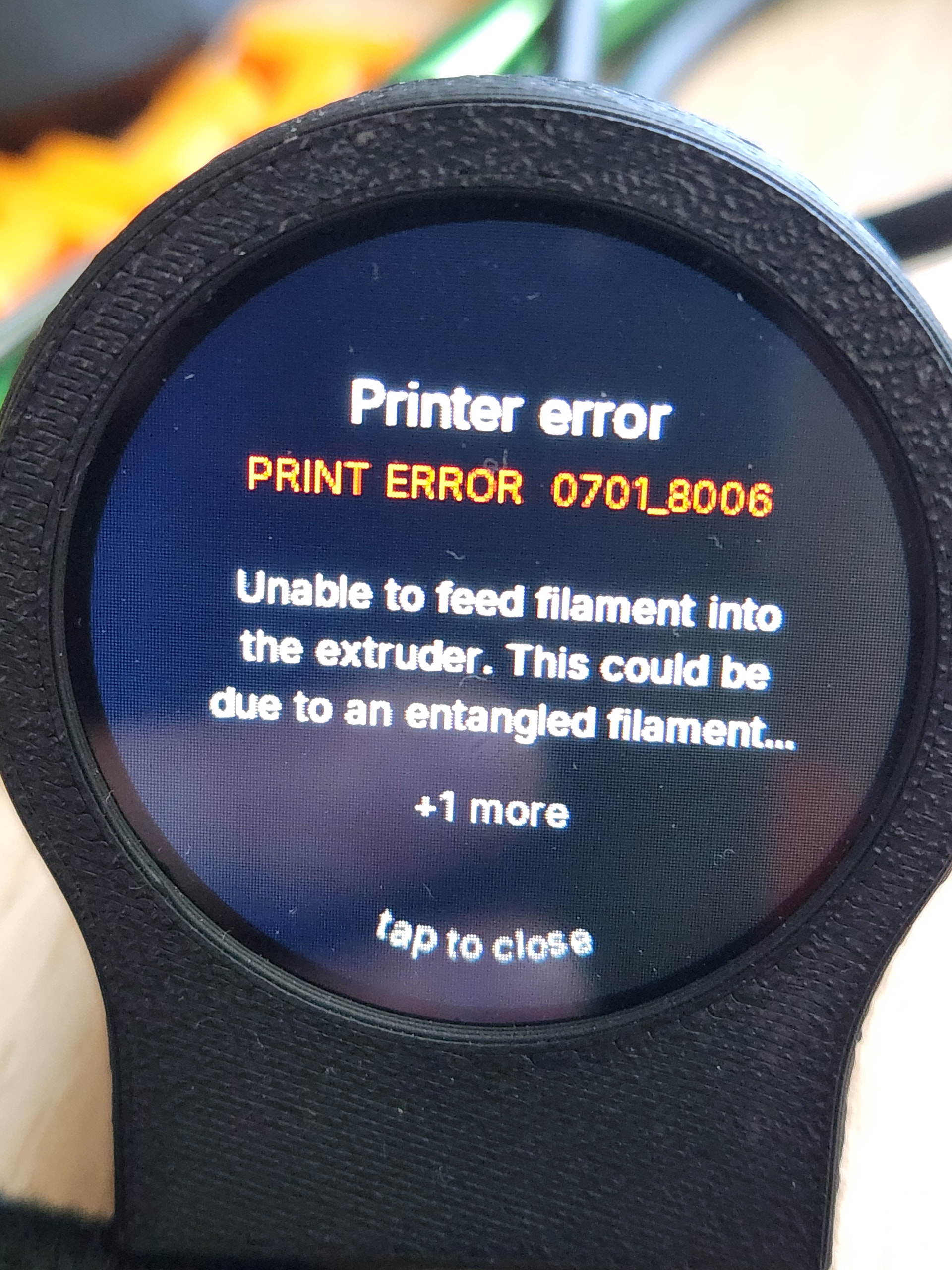
BambuHelper now reads the printer’s HMS codes and print errors and shows what they actually mean: a red ERR badge coloured by severity on every screen, the decoded sentence for the fault, and a link into the Bambu wiki page for that code from the web UI.
16 ready-to-flash builds in the release now, up from the single ESP32-S3 + 1.54" panel this thread started with:
CYD (ESP32-2432S028) and TZT clones - the cheap yellow display half of us already have in a drawer
Guition JC3248W535 3.5" 320x480 IPS
Waveshare Touch-LCD 1.54" / 2" / 2.8" / 3.5"
1.28" round GC9A01 on both S3 and C3 SuperMini, with a dashboard designed for the circle and 3 print skins
Panlee WT32-SC01 Plus, Panlee SC05_X, QD ES3N28P
Custom-wired DIY panels - a hand-wired SPI display that matches none of the above no longer needs C++ changes, just build flags (GC9A01 / ST7789 / ILI9341 / ST7796)
Dashboard
Split dual-printer view - both printers on screen at once instead of rotating between them
Configurable gauge grid - 8-slot landscape or 9-slot portrait, pick which gauges appear, rename any label, set each arc’s full-scale range
Per-nozzle temperature gauges for dual-nozzle printers (H2D / H2C / X2D)
Edge glow - animated light border on print complete or failure, visible across the room (Sweep / Pulse / Storm)
P1/A1 chamber camera tile on the bigger boards
Chamber light control - manual, or automatic per printer
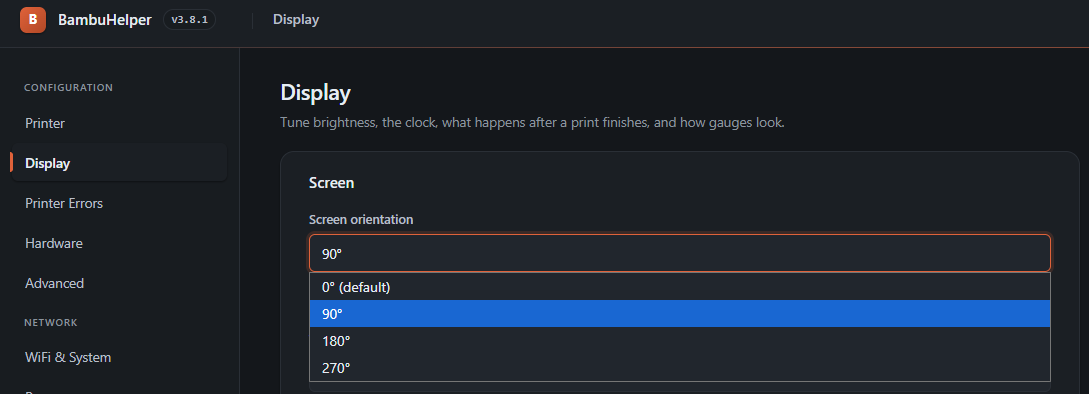
Redesigned web config with sidebar navigation and light/dark themes
Power monitoring
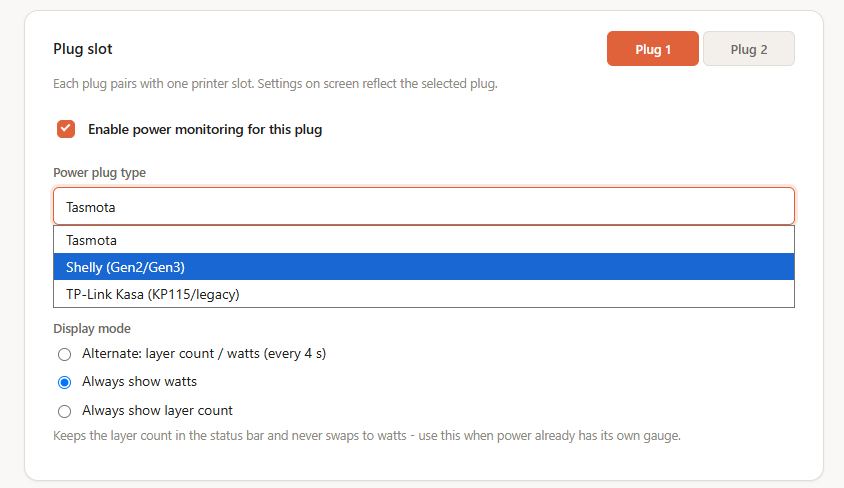
Per-printer smart plug support for Tasmota, Shelly Gen2/Gen3 and TP-Link Kasa (KP115 / HS110 over local TCP). Live watts, per-print kWh, a Power gauge, on/off from the web UI or from the device itself, and optional auto-off after a print finishes.
Unchanged since v3.0: BambuHelper reads printer status. It does not send print commands, G-code, or change printer settings. The only things it can act on are the chamber light and a smart plug, and only when you ask it to.
Hello i have a CYD 2,8 display but after flashing it show black screen but the wlan access is ok. i know there are 2 variants of this display on market. maybe this flash is for the wrong type.
First: which exact board + which flasher option did you pick?
The flasher page lists two CYD entries:
CYD / ESP32-2432S028 (ILI9341) - the classic board
CYD / TZT L1435-2.4 (ST7789) - looks almost identical but uses a different panel; the regular CYD build shows a black screen on it
If you haven’t tried the other entry, that alone may be the fix. Please tell me exactly which one you flashed.
Black screen but WiFi/web UI works (flash succeeded):
That means flashing worked fine, it’s just the panel driver. You don’t need to reflash. Open the web UI (the device IP shown in your router), go to Settings > Display, and try:
Use Classic CYD panel fallback (older units only - device will reboot) > toggle this. There are two ILI9341 panel revisions; the default build targets the newer one, and older units need this fallback.
If the screen shows a white background instead of dark, enable Invert display colors (fix white background).
If the screen is still black after the Classic fallback, your board is most likely the ST7789 (TZT) variant, reflash with the TZT L1435-2.4 option instead.
There is only one 3.5" display supported currently and it’s “Guition JC3248W535”.
I highly recommend it, it’s cheap and it has 320x480 resolution supporting up to 4 printers.
I installed this today and, WoW, I’m impressed! One of the few Bambu monitors that do not require Home Assistant. It works totally standalone. The web configuration gives you so many options, painlessly updating the display on the fly. Very nice. I built the ESP32-C3/GC9A01 option because I wanted to change the GPIO pins used because I had already wired them differently for another project. VS-Code and Platformio made that easy, too. Oh, and it is working great with my P2S and two AMS’s in cloud mode.
Is there a way to have a Max7219 led matrix with some sort of ESP32 to keep scrolling the actual progress percentage and maybe some other information? No control, just read the info only. Place the matrix on top of the printer could be read from a distance.
Hi, thanks for the great works. I have used " BambuHelper WebFlasher " to flash my CYD / ESP32-2432S028 board and it works..except I could not toggle it to landscape mode even I toggled “Landscape 8 gauge slots (replaces AMS sidebar with a 2x4 grid)” nothing change. How do I put it on landscape mode?? Please enlighten me.. thx