Just sent the first print to my H2S and BS had Timelapse off, with no option to turn it on. Pop up tip says not available on this machine, which I find hard to believe! I have had X1C, A1, A1 Mini, and H2D, so I’m well familiar with these machines.
Just wondering if anyone else has seen this.

To enable the time-lapse option, you must have a USB flash drive installed in the printer and select the Timelapse option before sending the print job from your computer.
Without the flash drive installed, you will not be able to enable the option or benefit from it.
See FAQ point 11.
Yep, just like on my H2D. Still doesn’t allow it to be turned on. Odd.
Is it formatted as required?
Yes. Same type of drive in both, all options enabled the same.
Interesting as it’s currently printing the job. If I go through the motions to start another job, it shows the timelapse option enabled, even though I obviously can’t start the job. I’ll have to try it after this print is complete.
Try swapping the two drives, the other one works in the other printer, so it should work in this one.
My H2S is exactly the same, swapped a known working card from H2D and still no option to turn on the Timelapse, exactly the same as you, so you are not alone in this.
I opened an issue for this on GitHub and one of the devs commented saying this is a known issue. They will be releasing an update to Bambu Studio to fix it.
Mine’s working great-- I didn’t even have a normal USB stick handy, so I used my microSD to USB-A adapter and it’s working fine.
I updated and am on firmware version 01.01.00.00 after I got the printer last week. It doesn’t list anything with Timelapse on the release notes, but maybe that makes a difference.
Mine worked after the first print. Weird.
Weird.
This is not the first post that I have seen on this issue. Someone on reddit posted about not being able to turn on timelapse on their H2S and it saying Timelapse not supported. We could not figure out why it was happening.
I have to keep turning it off when I do an manual print.
Hello,
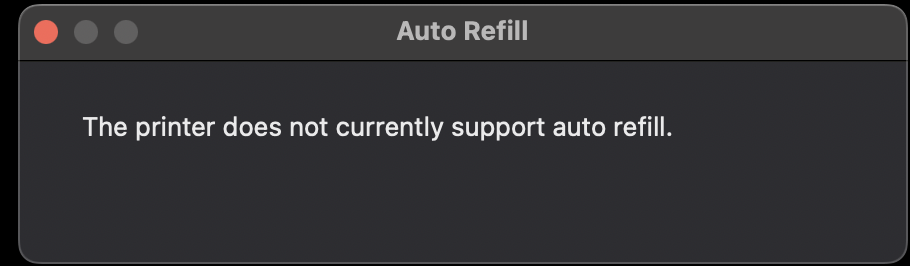
Yes, I’ve seen that strange message too, but don’t worry — everything still works fine. I’ve already had several automatic filament changes happen overnight, and each time, when I checked in the morning, everything had gone smoothly. By the way, if you use the Bambu Handy app to adjust your printer’s settings, you’ll see that the option is available there.
When trying to view my Timelapse stored on my external drive all I get is a long list of short video files, and the Timelapse folder is empty. What am I doing wrong? TIA
Same here, any progress with your printer?
Mine is working fine now. It just started recording. Must of had a firmware update somewhere along the line.
I have a H2S and when I inserted a micro usb memory card into it I was able to do time lapse, infact I just took a look in the Bambu Handy app and I can see all of the time lapse videos which I can download to my phone if I want.
i have H2C and cannot record timelapse without usb stick its not acceptable usb is looks ugly on machine i don’t want use it