I have bought a E3D High Flow ObXidian™ Hotend some time ago. I was excited to see it is now supported in the X1C 1.11 firmware.
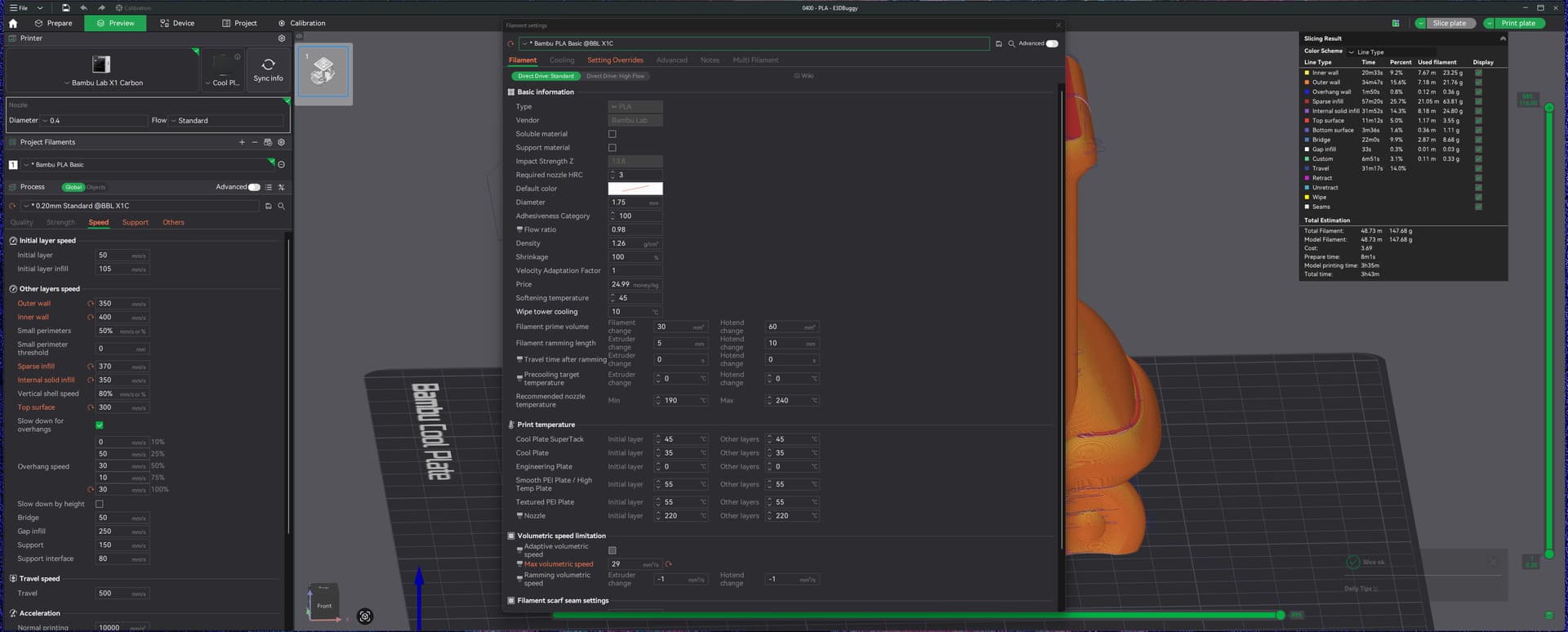
Yet now that it is officially supported, I am still not able to understand the Bambu Lab claim that it allows for faster printing. Although both the filament and quality profiles show a higher volumetric speed and layer speed. Actually the time estimation in Bambu studio is HIGHER when I select a High Flow nozzle.
As an example using ASA:
Standard
High Flow
max vol speed
18
25
Outer wall speed
200
350
Inner wall speed
300
400
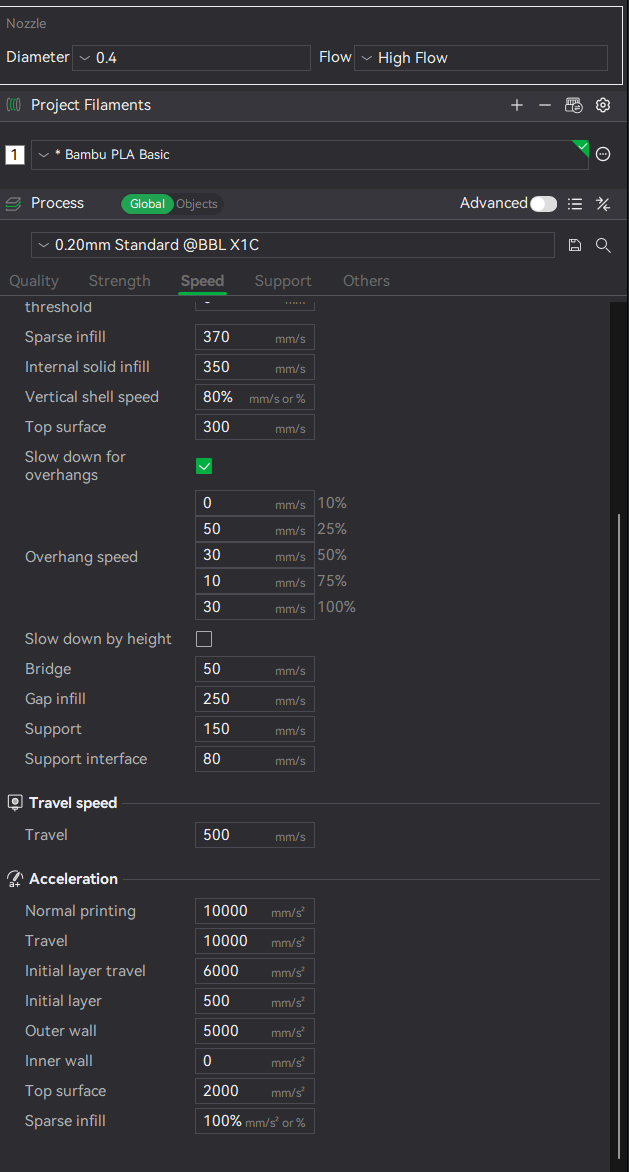
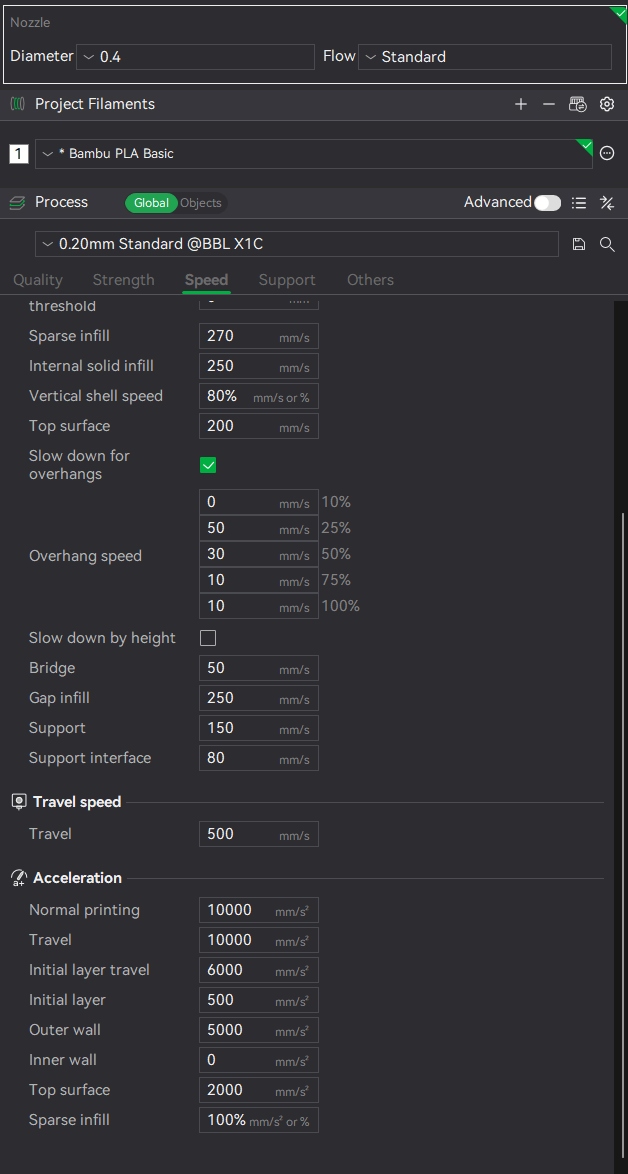
Sparse infill
270
370
Estimated print time
1h14m
1h29m
I must be missing something. Because of the BL claim I expected the HF to be faster than standard. Can someone help me understand these numbers?
I spent a couple of hours trying to find any possible profile setting somewhere that would achieve faster speeds with the E3D.
The only solution is to set the printer to Sport or Ludicrous mode and you have to wait for it to actually start printing before it accepts the change.
I tend to let it complete the first layer at normal speed then switch it up on the printer or via Studio
what kind of model did you try? the higher flow / speeds don’t take effect on small models, because the printer is mainly accelerating and decelerating and hardly or never reaches the speed setpoints. Or it could be limited by minimum layer time in the cooling section.
Maybe also compare acceleration values between normal and HF profile? If they are lower in the HF profile, I don’t know the idea behind it. I have been using the Obxidian nozzle for some time and simply created profiles as i liked them. The values suggested by BambuLab seem quite conservative to me. All PLA and also PETG HF managed around 40 mm³/s or more. i think for PETG HF I didn’t test more than 45 mm³/s because I didn’t see a point in it. I just set max flow rate for all filaments to 35 mm³/s.
Consider that you have several ways to make use of the higher flow capability:
higher print speed (that’s the obvious one)
wider lines (e.g. reduce nr of walls and increase inner wall line width)
higher layer height
Each has their pros and cons. E.g. layer height is the quickest setting but overhangs can suffer. higher speeds reduce definition of sharp corners and can generally cause bumpier surface. line width only makes sense for certain line types, e.g. increasing sparse infill line width mainly causes larger gaps between lines that need to be bridged. So you want to choose your compromise based on the model.
Often, I use a combination of those parameters. The flow rate view in the preview is your friend for optimising print times.
By the way, the Obxidian nozzle has a benefit even if you print with regular settings: Layer adhesion is quite a bit better than with the stock nozzle, so even if decide not to reduce print times, you gain stronger parts
I ordered my E3D 0.4 just now and was checking Bambu Studio to see what i could expect with official support.
What i found out:
Let’s assume you’ve set speed settings that even a standard nozzle can achieve, you only switch to HF nozzle and add the higher volumtric speed.
And i am talking using 100% same printing profile for both nozzles, the print time on HF nozzle increases.
No matter the item size.
That’s not normal, the expected result would be same speed in both scenarios.
When slicing with a Hf nozzle, setting volumetric speed at 35 in the high flow tab in the filament section and 500mms on speed for instance, it will not take this in to account.
When i choose standard nozzle and try the same, then no problem at all.
it seems to me like the implementation of the hf nozzle has some flaws. so for me the solution is, to tell the printer, that it’s a standard nozzle and do my own presets and not rely on official implementation.
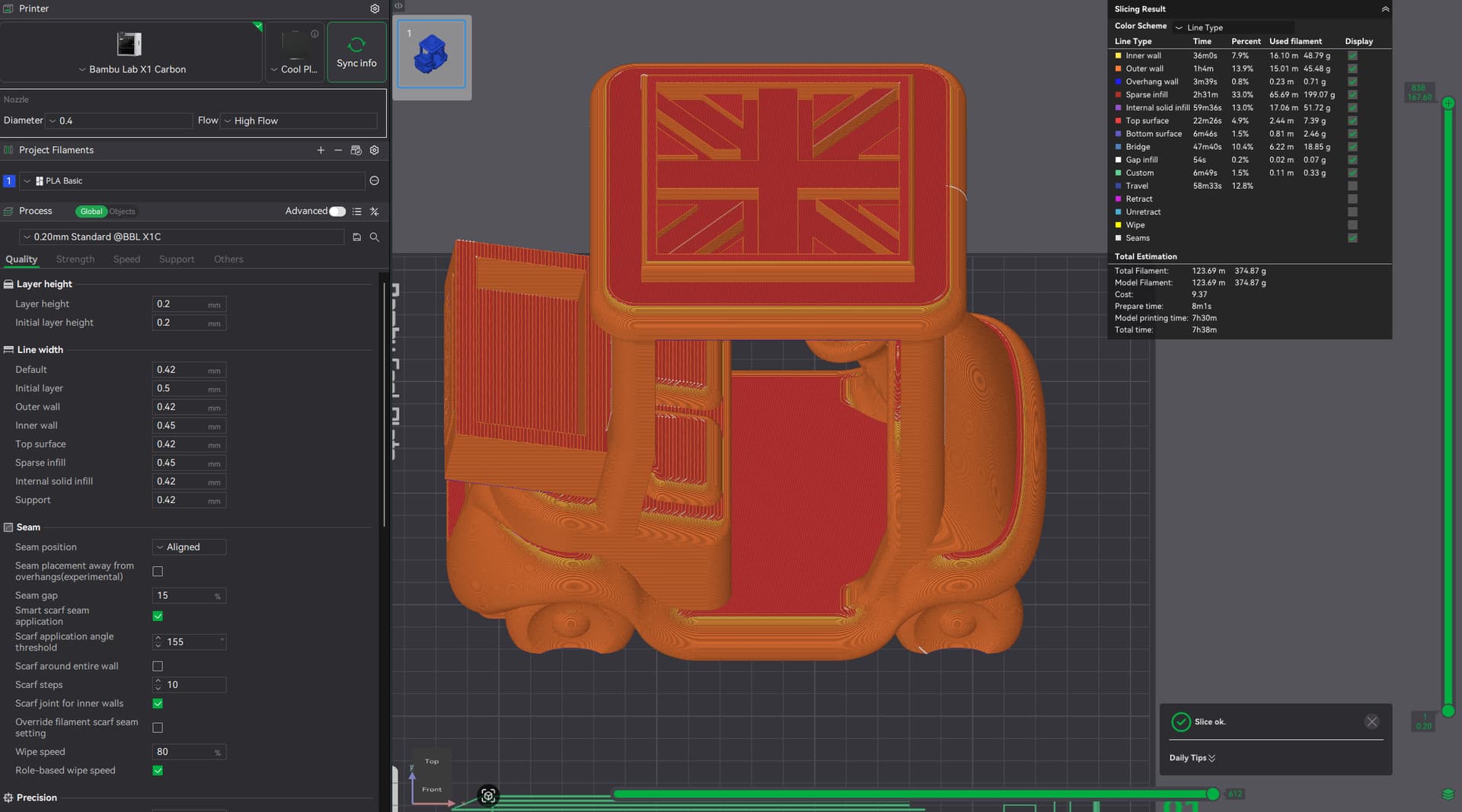
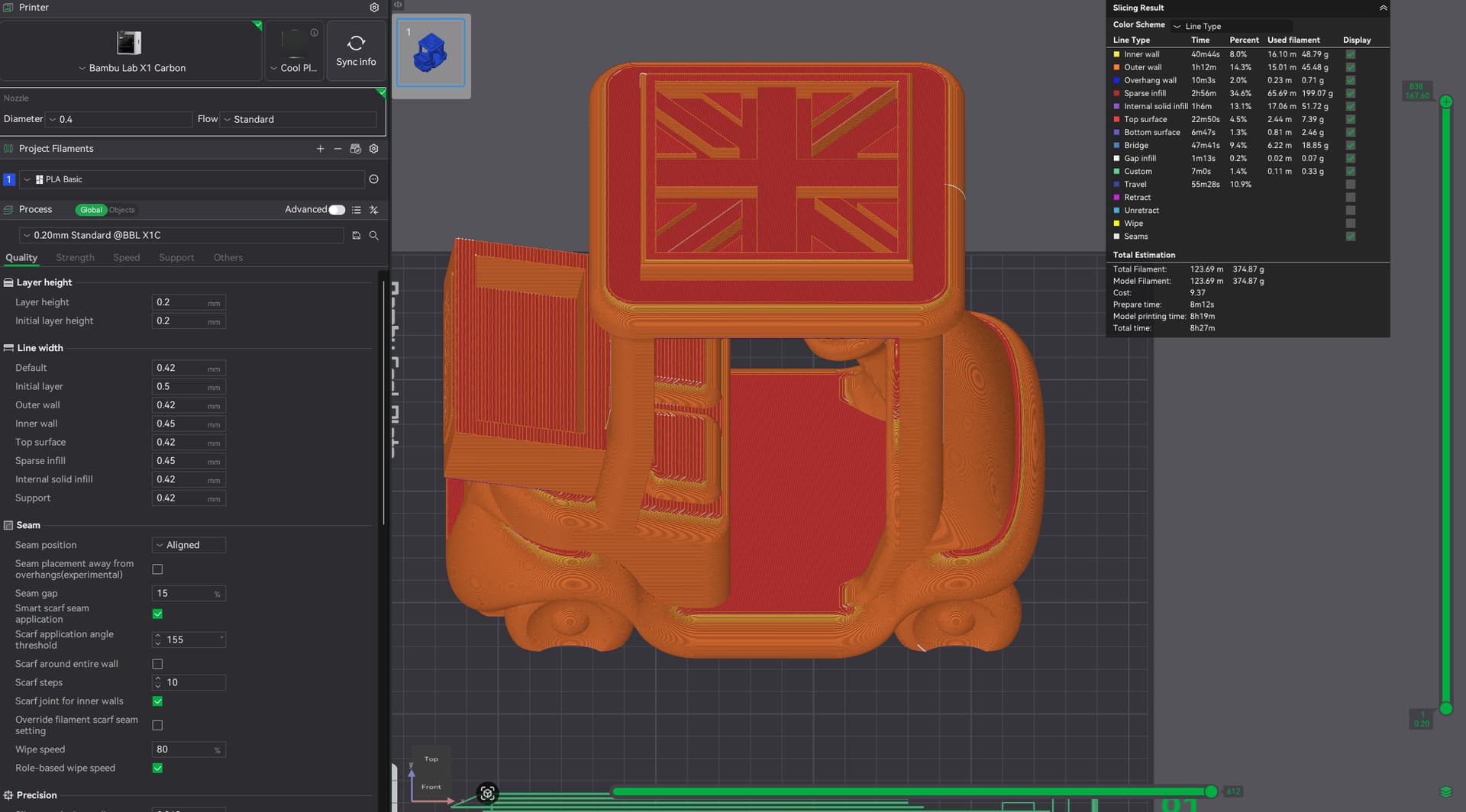
I experienced the same and looked in detail at the Slicing Result Table.
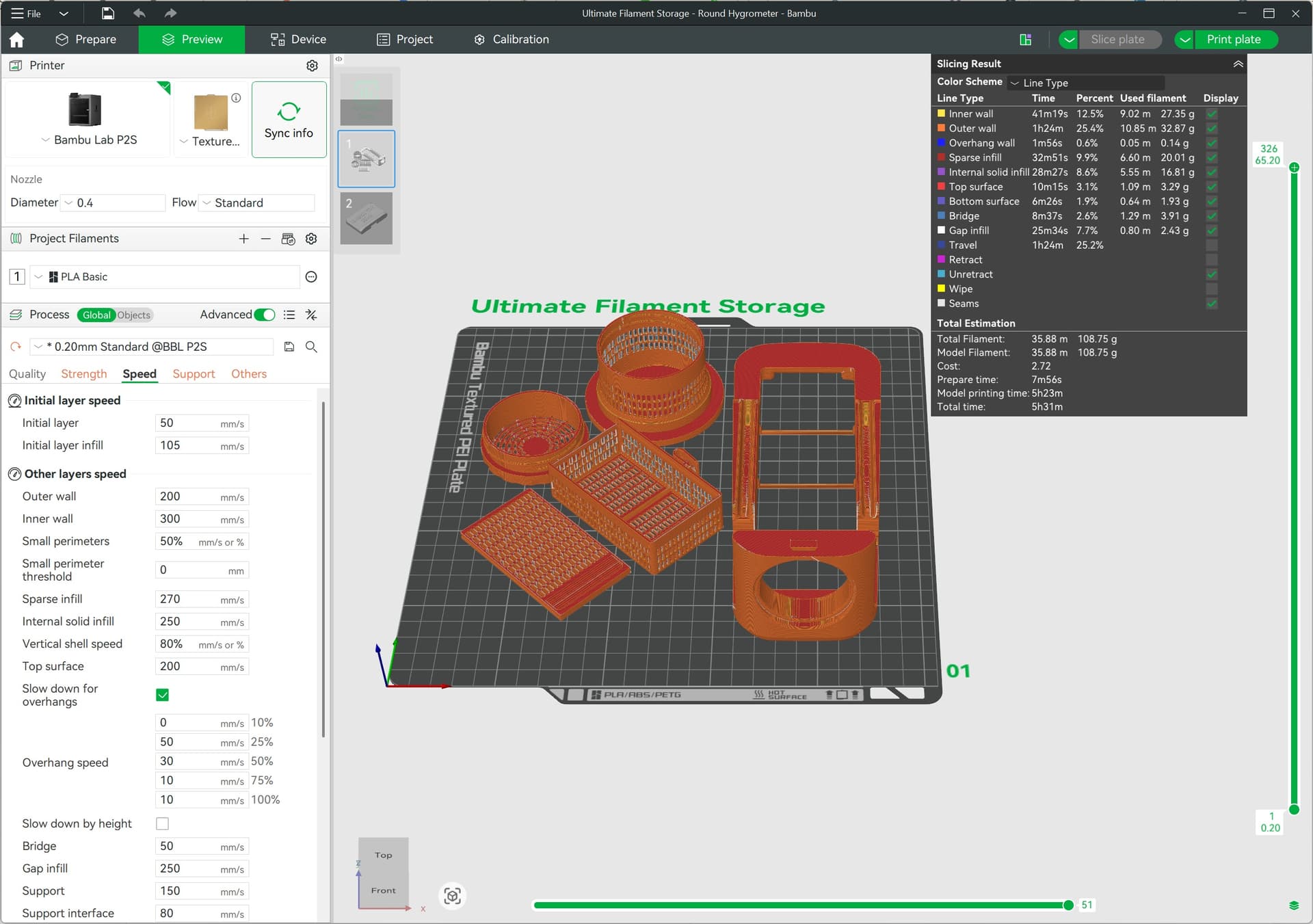
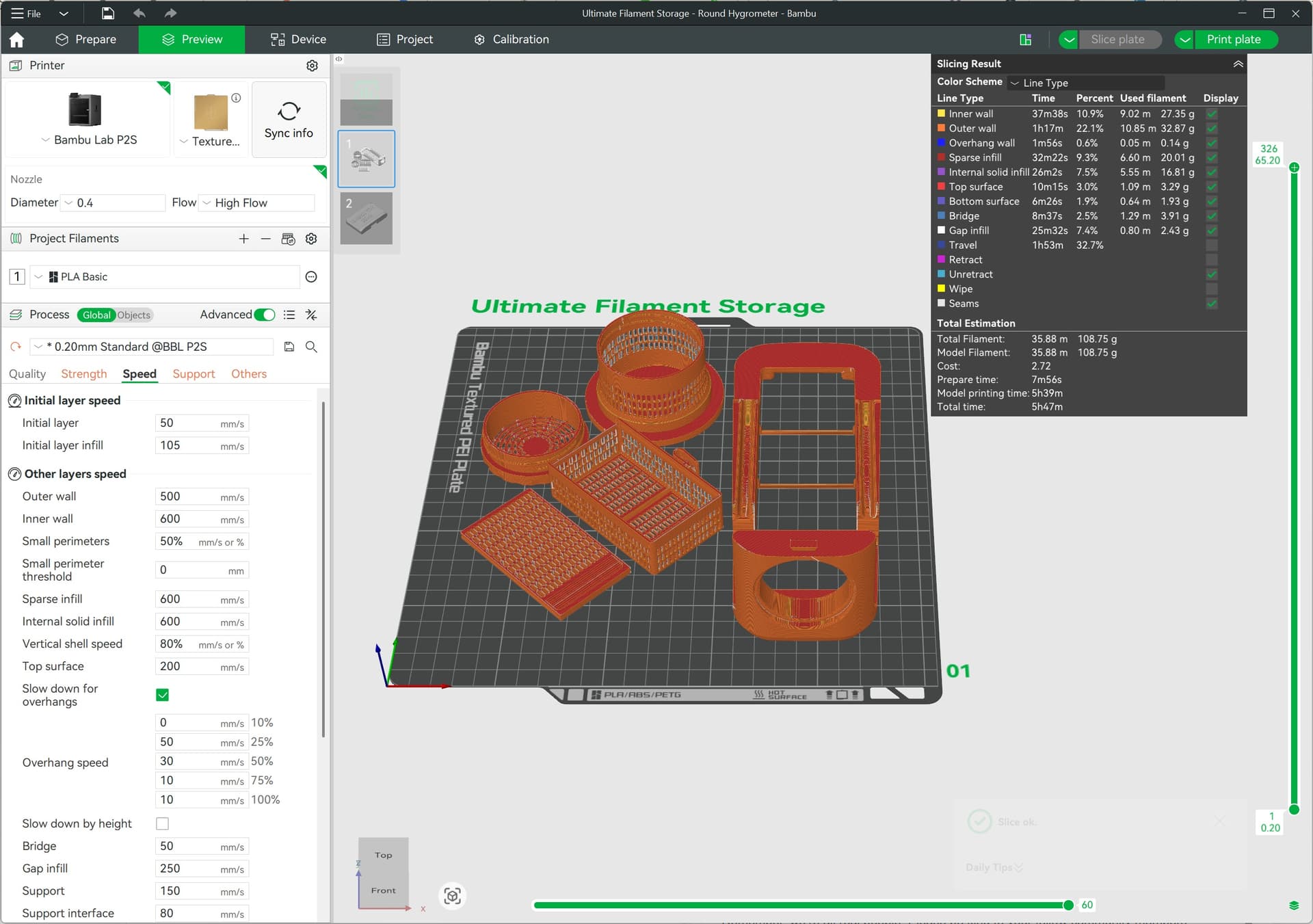
For me its the TRAVEL TIME! I have an ABS print with 3 objects and tree supports ( using support material for ABS).
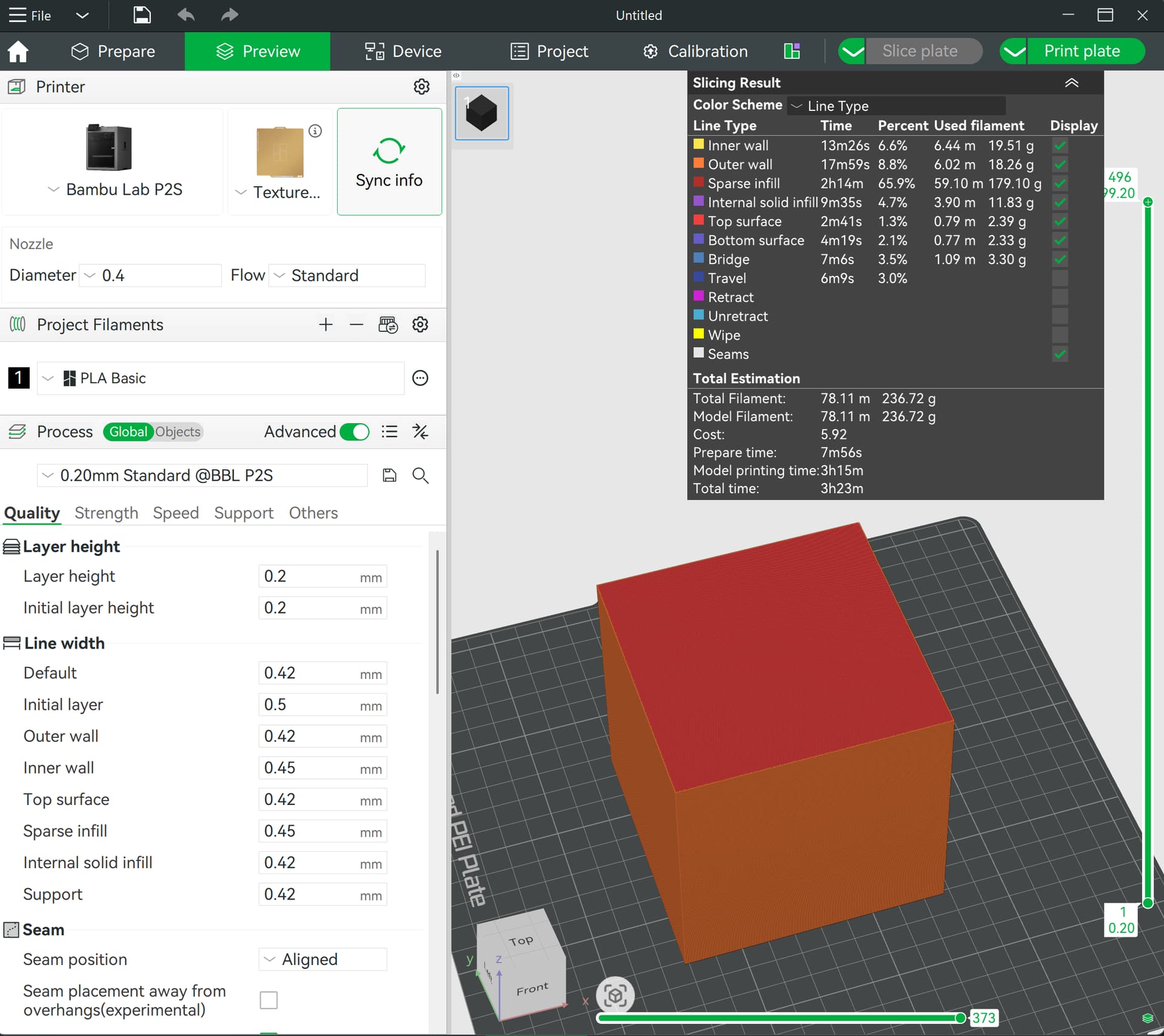
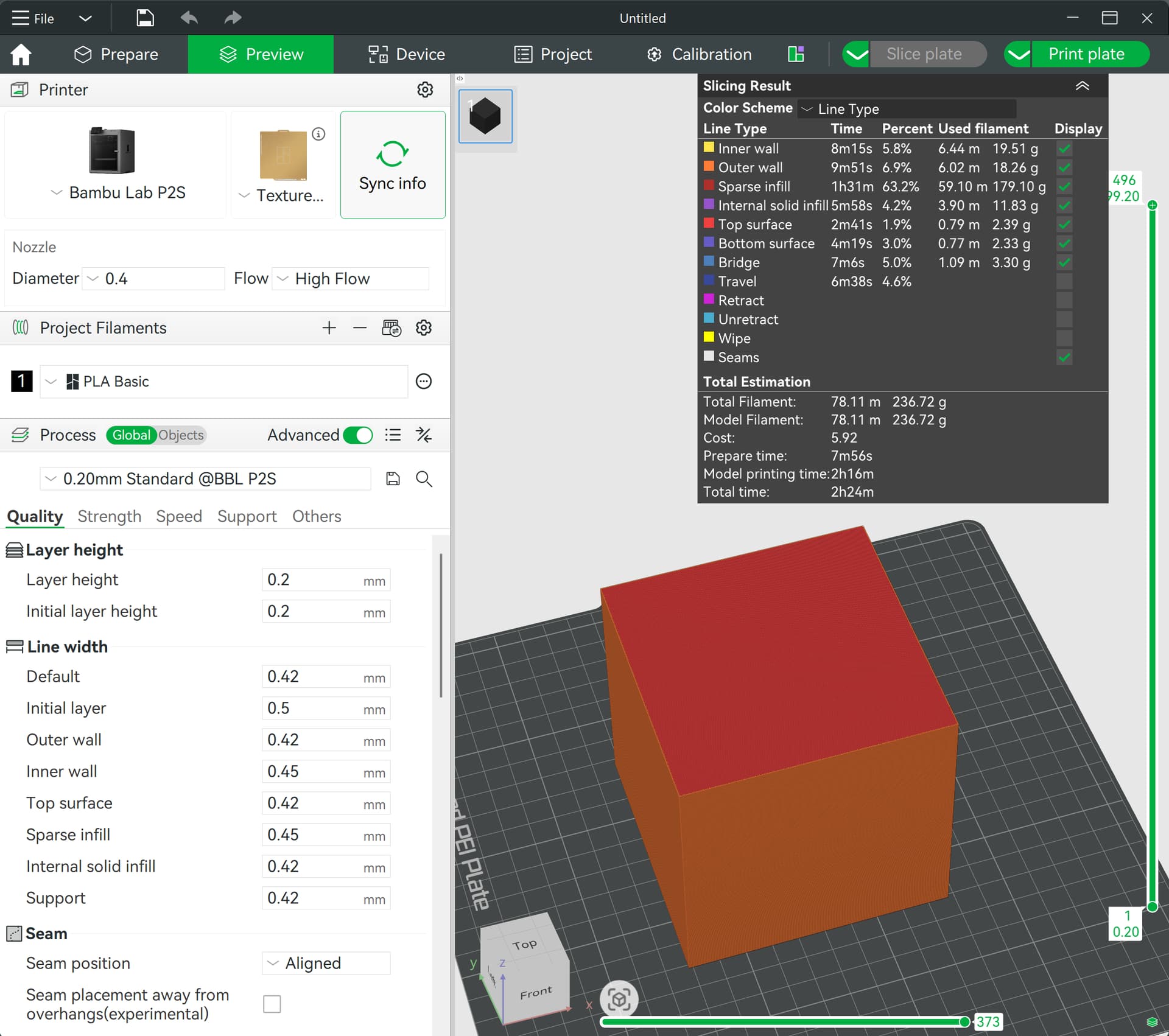
Nozzle Flow setting to Standard calculates 40m33s travel time and 3h12m total print time.
Nozzle Flow setting to High Flow calculates 1h3m travel time and 3h33m print time.
So 30minutes or 30% MORE travel time when choosing High Flow as nozzle time.
I can only assume there is a bug in Bambu Slicer.
And if they arent, make them the same, then reslice
“How fast it goes” is a set of constraints, only when ALL factors are unconstrained can it achieve the max speed
Flow rate constraint (extruder power, heater watts, highflow nozzle, filament characteristics, etc)
Mechanical motion constraint (speed,accel,jerk)
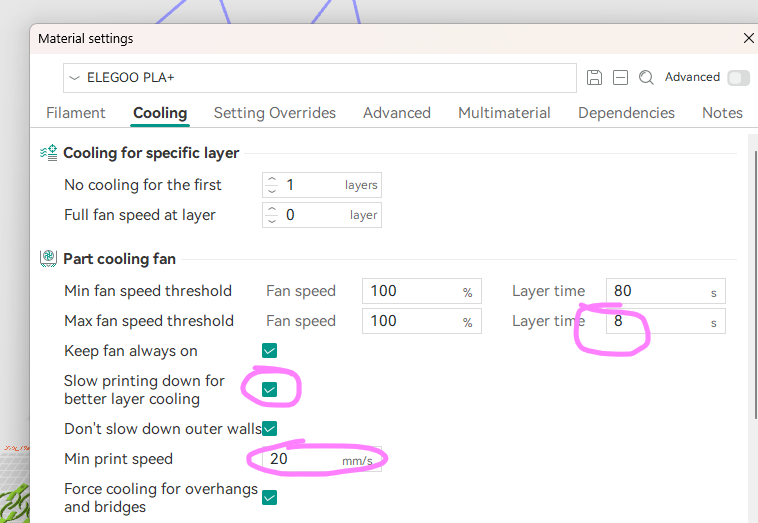
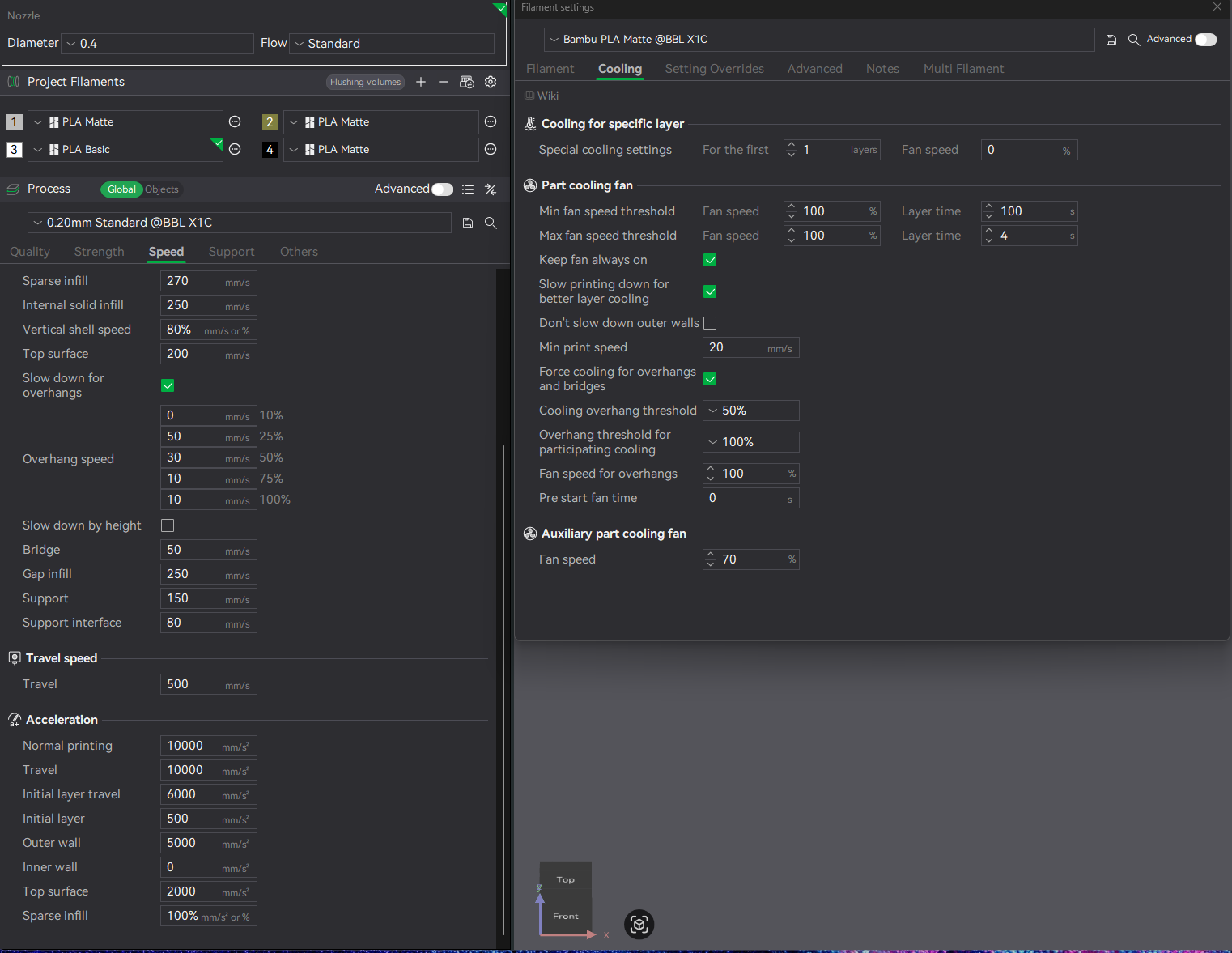
Heat dissipation constraint (the things i screenshotted)
etc etc
If i don’t manually change anything in the filament tab and constrain the speed values under process and set them to the same values when slicing the item with standard or high flow nozzle, then for my understanding it should be the same time.
If i unconstrain the speed tab it should take the faster volumetric speed and speed settings on process in to account .
And as @TinoS noticed the travel time is already longer then on standard and model printing time also, checked just now.
so i am comparing the same model on standard an hf nozzle profile, i am not touching any parameter, i let bambu studio do it’s thing. It is a 4h print on standard nozzle, and 4h10min on HF Nozzle. (weird)
Here what i found:
They added retract and zhop on the hf nozzle profile, so that adds like 3 min in a 4h print.
The inner walls on hf with speed set to 400mm/s take longer then on the standard nozzle with 300mm/s, like 2,5min longer.
while outer walls are faster.
And 15min lost in travel time on HF that i can not find where they went.
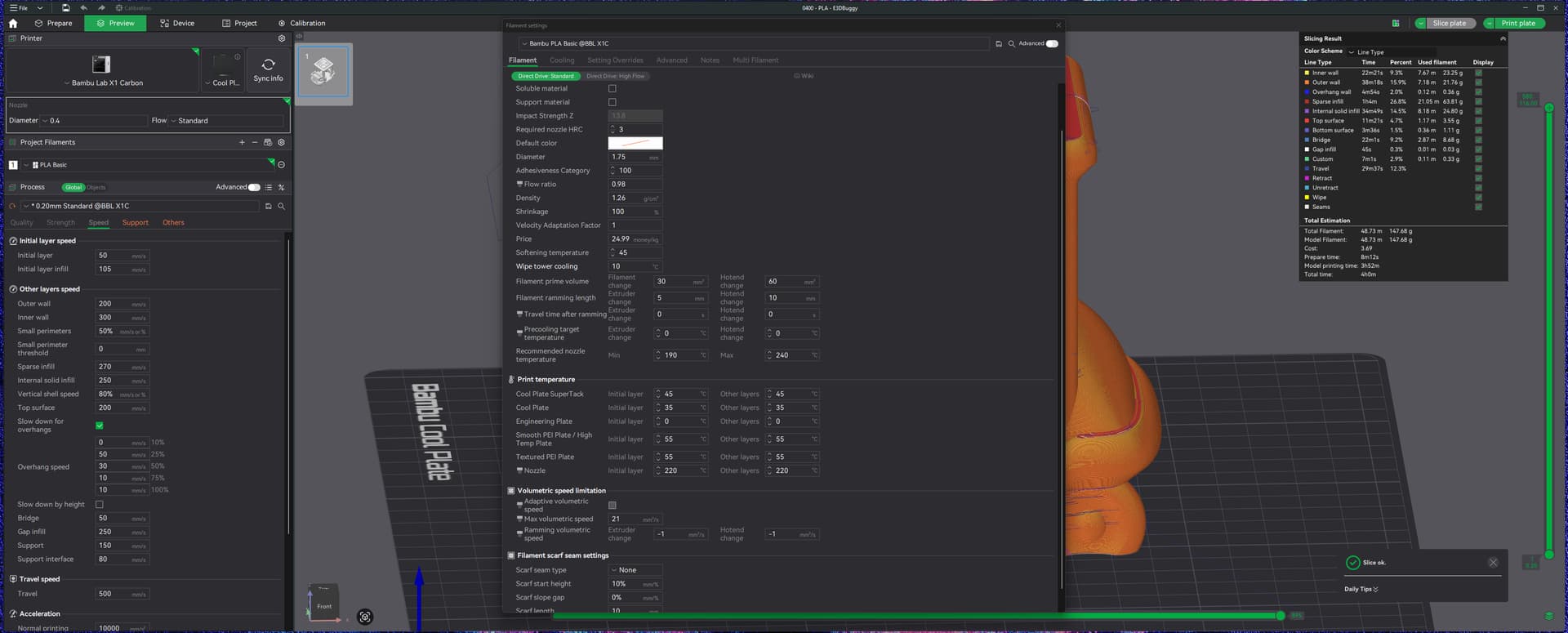
Just Note when switching to HF Nozzle, Bambu Studio increases speeds in the process tabs automatically. Nut HF nozzle is still slower than standard
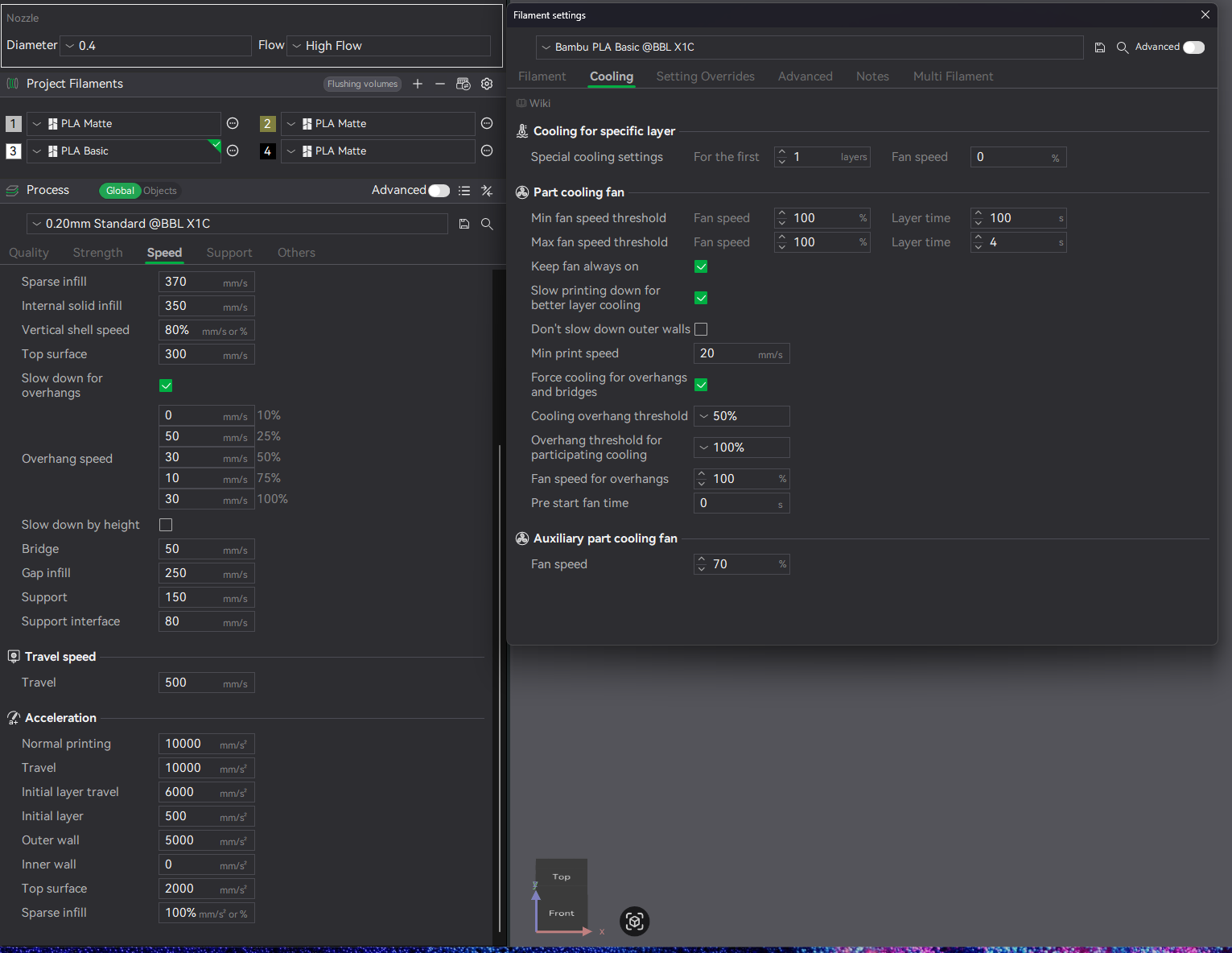
First of all, you could have asked nicely for the cooling tab pictures or check them yourself, as they’re stock settings in Bambu Studio, instead of calling me out.
Doesn’t kill you to be polite.
Or in your words. Argh such confidence.
Back to topic.
I am talking about everything on stock settings in the slicer, of course i checked cooling tab an they aren’t touched by anything.
That’s why i didn’t bother posting them, but here you go:
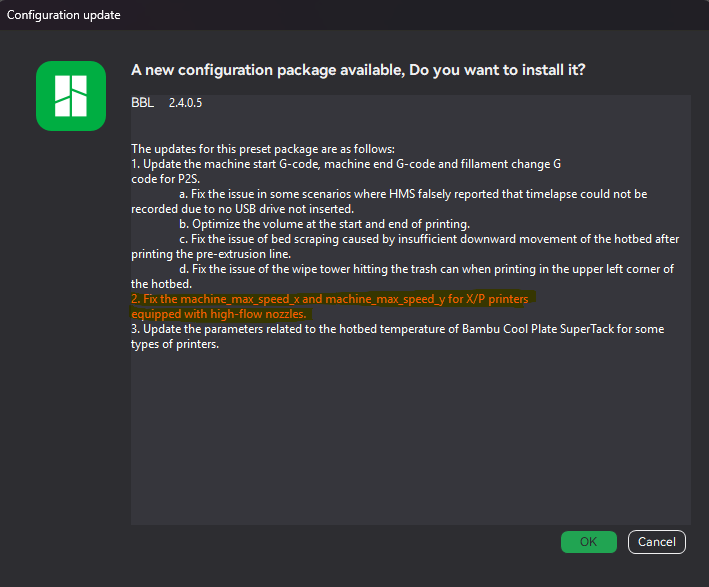
I did a new check with the Update applyed, i’ve increased the model size, to have a better comparision, but 1h gain when choosing the high flow nozzle now is a big gain.
I would say problem already resolved by Bambu Lab:
I only used the new P2S for a week. Everything works fine and happy about Hight flow speed for many prints, until today I tried to slice this, and got the same weird result: HF is slower than Standard, and noticeable longer time in “Travel Time”.
“Speed” is only the first dimension of “fast”, and only relates to straight-line motions. Not many models look like this . Drag strip speed != track speed.
You must also tune the second dimension (acceleration) and third dimension (je rk/junction deviation), and also update constraints (min layer time, volumetric flow max, overhang cool slow), and also check things that add absolute time (wipe, spiral, etc). There are dozens of settings that impact your overall print time. Diff the whole setup to understand why one is different from another. My guess is since you are only toying with a nozzle, and that you have your printer set to a bonkers 600mm/s “speed”, that your nozzle’s HF and non HF variants have different minimum layer times or retraction/wipe settings.
I think I got why the slicer do that: When you increase the max volumetric print speed for a filament preset, the system only applies it for one of the nozzle(standard or high flow), which probably depends on which you you selected when you change the setting. And subsequently changing the volumetric flow rate somehow is ignored by the slicer. Anyways, the solution I found is to temporarily change the volumetric speed to 0, which slicer set to 0.5, slice it, and then change it back to the desired new volumetric rate, this seems to force the system to recognize the setting. Let me know if this works for you guys too.

 . Drag strip speed != track speed.