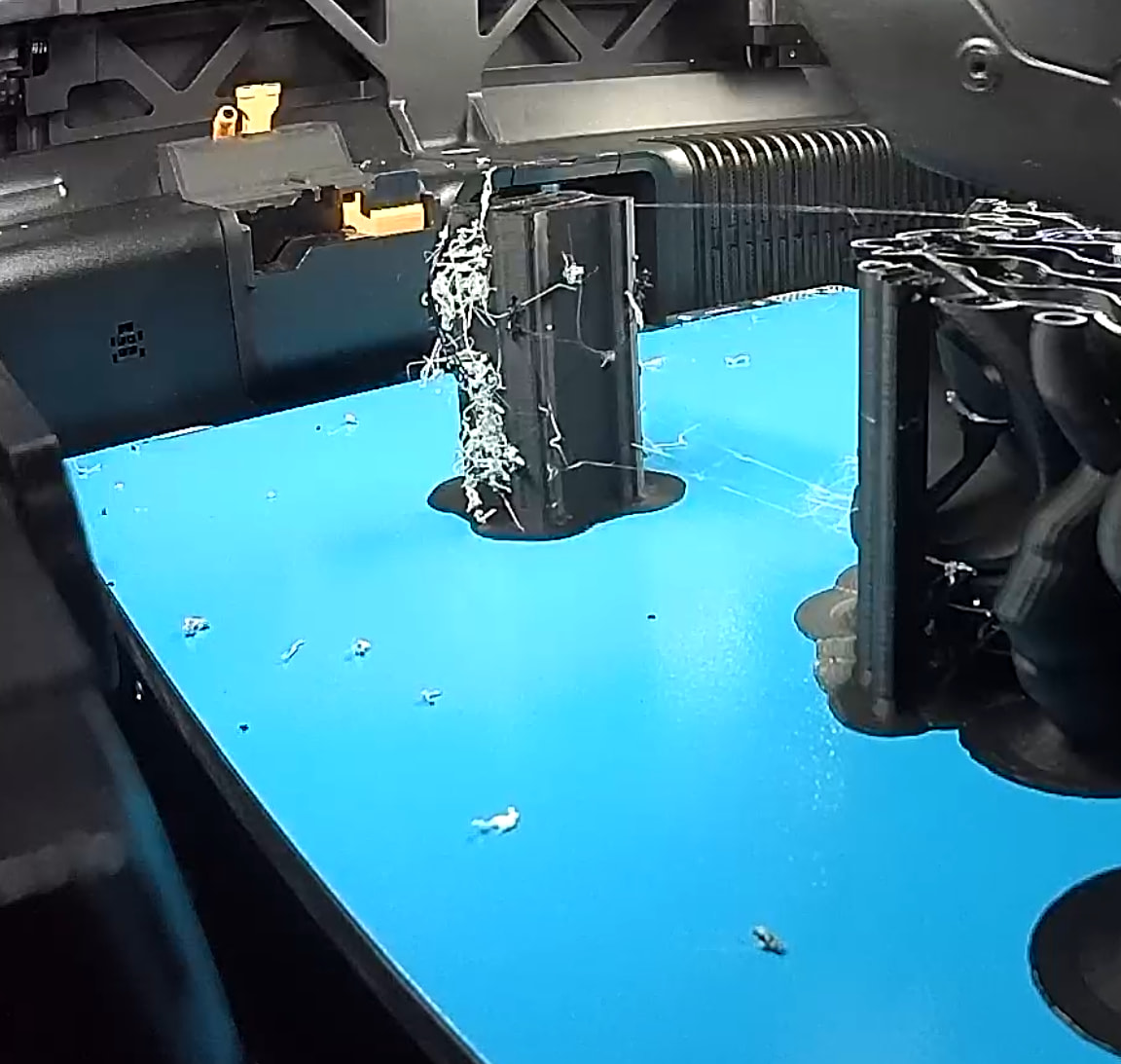
Hi, whenever I try to print PLA with a PETG support layer, the Prime Tower looks terrible, just like the build volume, and eventually the tower tips over.
Filaments used: PLA Basic (Bambulab) and PETG HF from Bambulab.
The PETG was dried beforehand.
Does anyone have any ideas?
Pretty sure this is normal - look in your slicer. You’ll see lines sticking out from the side of it. I don’t know the reasoning behind it but I’ve had it happen to me as well.
I couldn’t print it with PLA/PLA, but I could with PETG/PLA.
If the stickiness category of the filaments used is different, the slicer adds extrusion paths during the nozzle change. This enables an anchoring of dissimilar filaments on the walls of the prime tower.
The other thing to look out for when using PETG as a support interface for PLA is the PETG nozzle temp. In some cases (looking at you: New PETG Basic), increasing that temp from a 240°C default to 260 or even 265° can improve interface performance.
 &
& 
Yes, I set the nozzle temperature to 265°, just as described in the wiki. The part about adjusting the Primetower walls is fine, too—the problem is that at some point there’s so much material that the tower tips ov
I think you can play a little with the adhesiveness category and look at the effect in the slicer.
And of course, the PETG needs to be really dry. It does not have much contact with the prime tower so even small amounts of moisture can cause it to curl there and cling to the nozzle rather than the tower.
&
The Primetower stays together just fine, but with all that stuff dangling from it, it’ll eventually get caught on the nozzle and fall over.