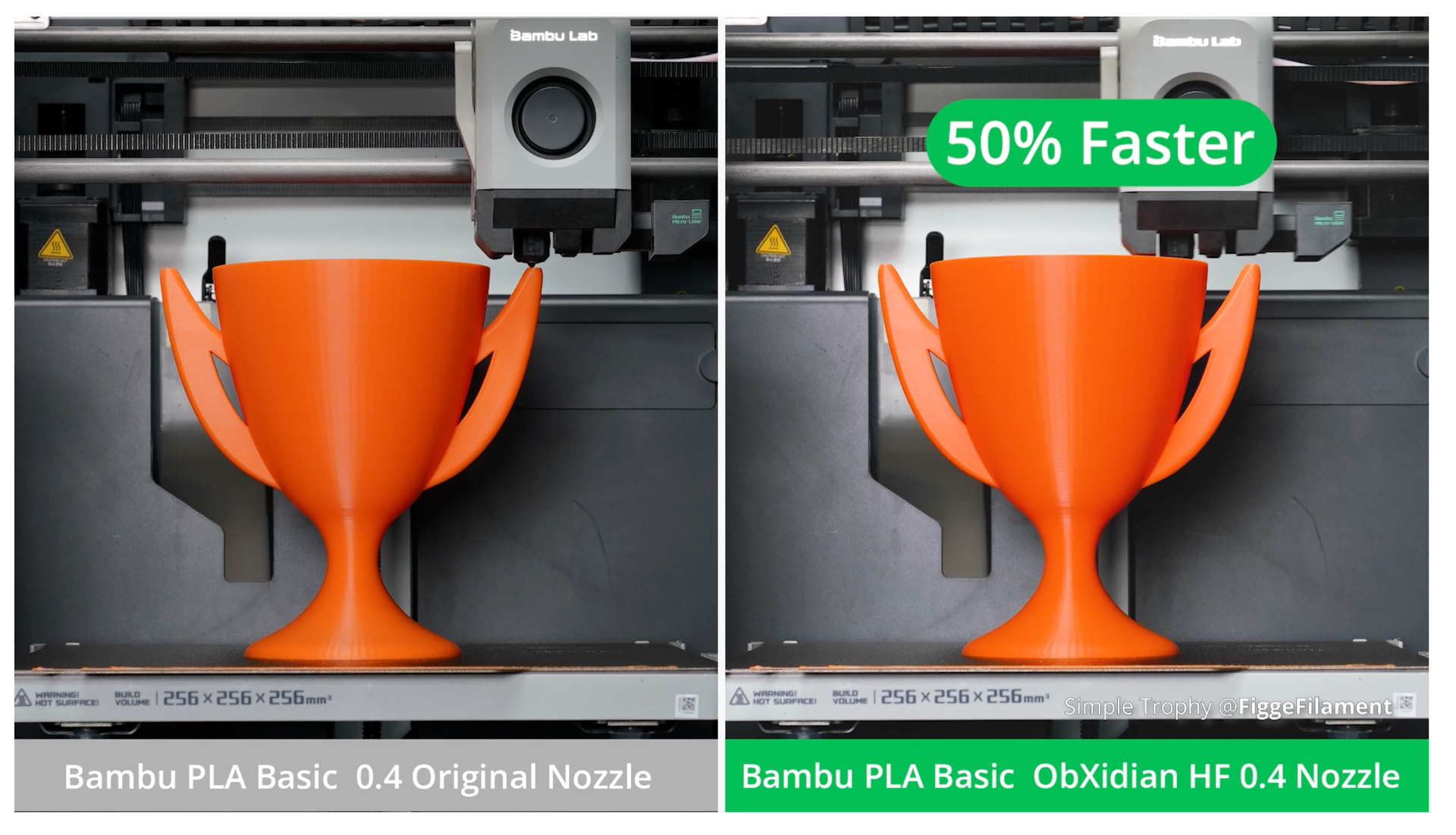
I’m not an expert, but was very impressed by the idea of getting a 50% increase in print speed. But I can’t seem to get any info on supported config files, or really have any increase in speed. Has anyone cracked it and feel like sharing? Thanks, Morgan.
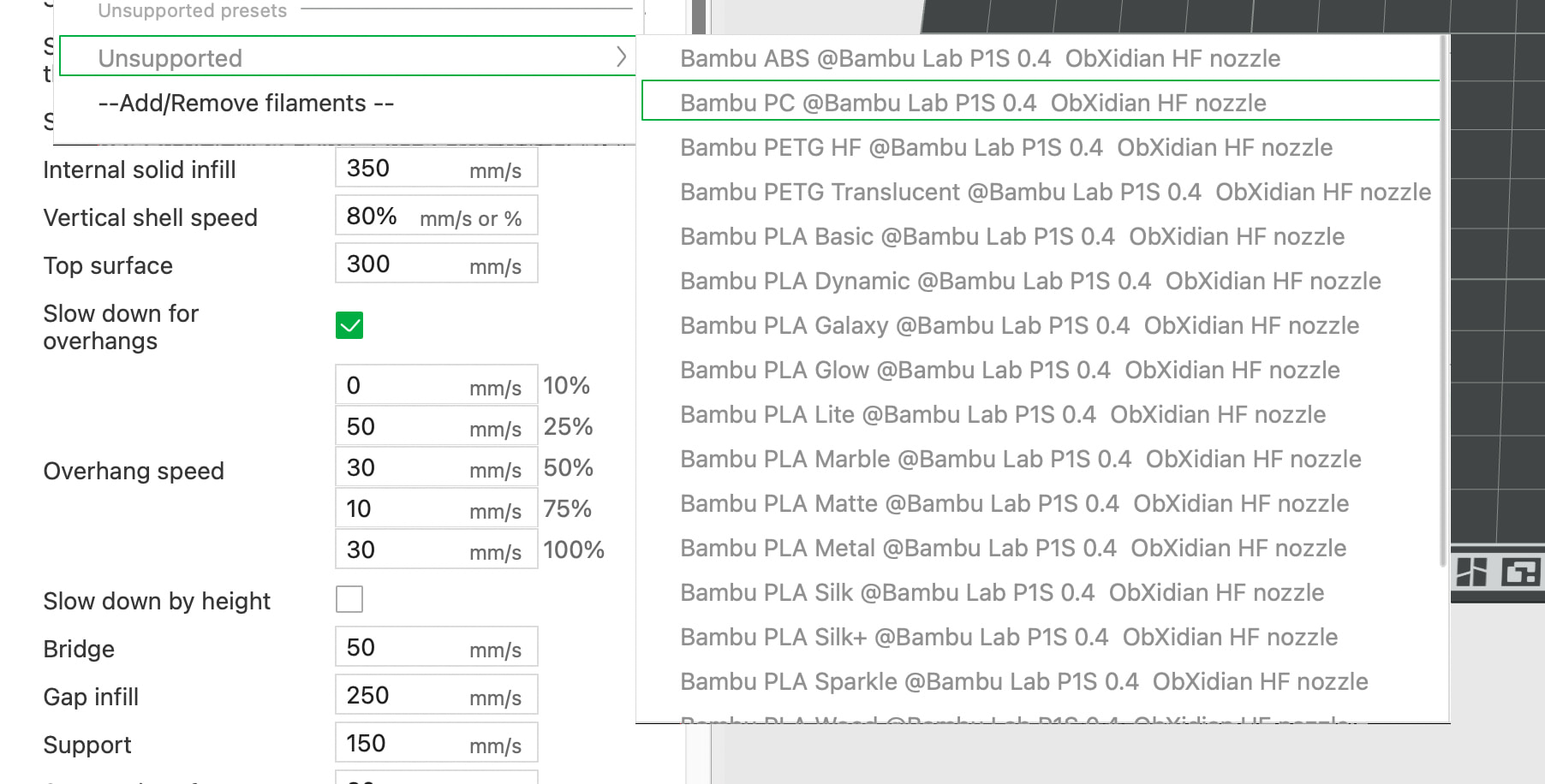
I’m not sure exactly what the question is, but if you want to go full speed, you’ll need two things:
First: An HF filament along with the appropriate filament profile; otherwise, an HF nozzle won’t provide any benefit.
Second: Set the nozzle to HF and switch to: Direct Drive: High Flow
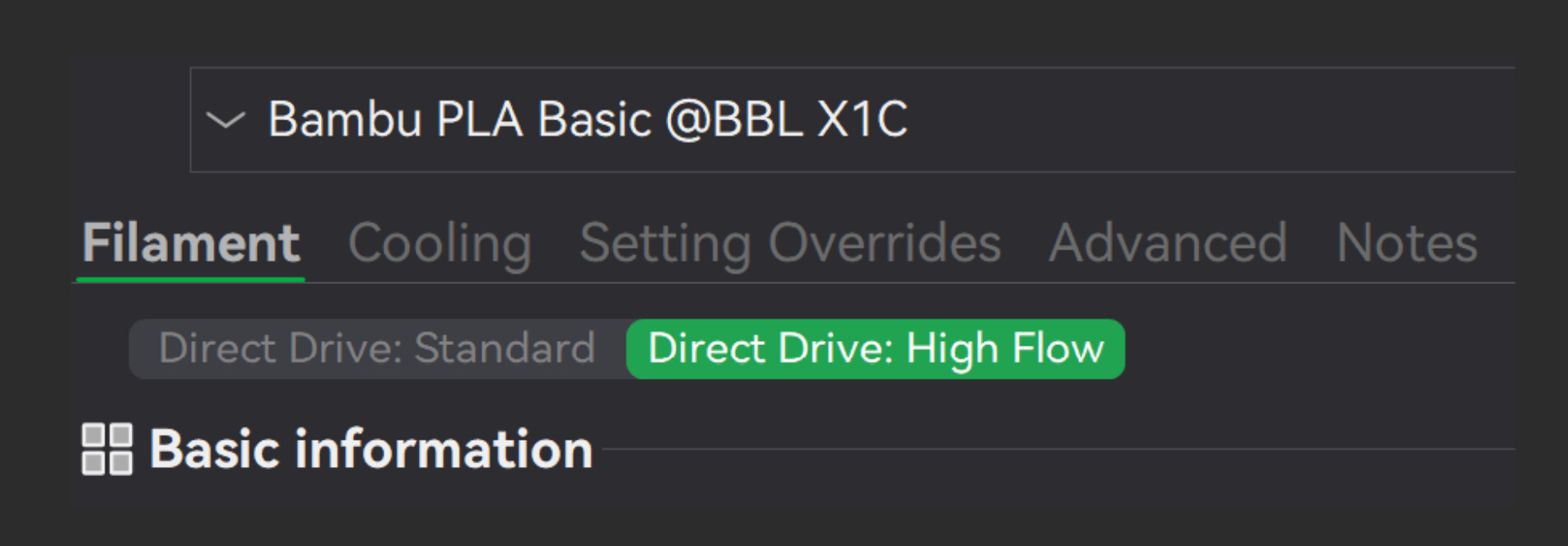
If no time savings are shown, it may be because the direct drive was not switched to High Flow, or because the correct filament and profile are not being used. Of course, the object to be printed also affects how much time you save, or not.
Note: Just because “HF” is printed on the filament spool doesn’t mean that all of them support the same speed; there are differences depending on the manufacturer.
And, of course, the printer itself has to be able to keep up with those speeds. You have a P1S, so it’s possible - though I’m not 100% sure - that it can’t reach the speeds of current-generation printers.
Hey, I’ve editted the question as i phrased it wrong. My issue is that with the E3D head I can’t seem to get much increase in speed with PLA and defo not 50%. I think though my PLA is not set to high speed also. I have looked at the settings you mention. Thanks.
Just wondering: Did you buy PLA HF, or do you just have PLA? You’ll need PLA HF - and preferably a high-quality one that can handle high speeds.
It’s like buying a sports car but filling it with old oil instead of good gas - you won’t reach top speed that way.
Here’s a MakerWorld file with some profiles that are tuned for ObXidian.
Can you recommend a good HF PLA? Thanks.
In my experience this simply the case. Calibrate the the filament and do a max volumetric flow rate test. I run high volumetric rates and speeds on pretty much every filament I have ever used. PLA, PLA+, PLA 2.0, PLA HS, PETG, PETG HF, etc. Even the cheap crappy non-name stuff which strings a lot still can have high volumetric rate against an HF nozzle (I have E3D Obx 0.4 in P1S and many HF nozzles for the H2). I barely find a difference between “high-speed” filament and regular filament. Of course YMMV.
HF filament has a lower melt viscosity. In addition, certain additives are mixed in to achieve this, unlike with regular PLA. You probably only notice that when you push your printer to its absolute limit.
That said, it really depends on the specific printer model you have, the nozzle you’re using, and - most importantly - the 3D model itself. Many 3D models simply aren’t suitable for this.
That’s why the discussion is so challenging, because it almost always comes down to the 3D model, too.
One more thing… 50% speed increase is CRAZY. With a lot of optimization and line width changes you might be able to pull out 30% on a large engineering 12hr+ model, but 50% I just don’t see how that is possible. ABS/ASA you can get a lot more flow with the high flow nozzles, but you then hit other limits and quality issues start creeping in. Anyway, RetroSharky is right.. there are a lot of variables to this. The point is that you CAN achieve fast prints, but it isn’t simple or guaranteed. If I had to do it all over again for the P1S, I would have saved my money and bought another printer. Now for the H2 series I see a lot of advantage with the HF nozzles and a lot less quality issues at high speed. Again there are a lot of variables.
Here’s a video where they hit 51 mm^3/s - which is more than 50% above the baseline.

Definitely, every filament benefits from a HD vs standard nozzle. With regular PLA, I easily achieved double the flow rate with the Obxidian 0,4mm nozzle. I didn’t test at more than 45mm³/s, because that is already more than I have use for. The same speeds also worked great with Polymaker matte PLA and a recycled PLA from Recyclingfabrik.
PETG was more demanding. Some standard PETG (Sunlu, old BBL basic) didn’t manage the 20mm³/s with the standard nozzle and consequently also didn’t achieve the high flowrates like the HF filaments. But all of them printed much better at 20mm³/s with the HF nozzle. So every filament benefits from a HF nozzle in my experience. And at default speeds, you gain much better layer adhesion. With the stock nozzle, I measured an average drop of 30% in layer adhesion between 70 and 300 mm/s. With the Obxidian nozzle, layer adhesion just stayed the same regardless of speed.
The other point is, that a 100% increased flowrate doesn’t translate into half the print time. First, you have to find settings that actually increase the flow rate sufficiently. I typically use a combination of higher layer height (eg 0,24 instead of 0,2mm), higher line width at reduced wall count (e.g. 2 walls at 0,6mm instead of 3 walls at 0,4mm) and some higher speeds.
And then, the print speed is also limited by acceleration and finally by min layer tine for small parts. Eg gyroid infill won’t print any faster even if you increase infill speed from 300 to 500, because it is changing direction all the time and never reaches the set print speed.
And then each of the settings also has its drawbacks. Eg higher layer height causes worse overhang performance, higher line width causes less details.
So with the right part geometry (big, little details) and careful settings you can absolutely achieve a print time almost cut in half. But in many cases, the time benefit won’t be all that impressive.
For me it was absolutely worth it on the X1C.
On my new X2D, I instantly bought HF nozzles too, but the benefit over the standard nozzles is far less, because those are already much better than the first generation nozzles. Still have to thoroughly compare them though.
Its very complicated, but mayby also my P1S is not the machine for high speed. Alot to check out so thanks for the replies.
The P1S has the same hotend heater as the X1C, there’s no reason why it wouldn’t be as well suited as the X1C aside from some slight weight distribution differences.
Does it also go without saying you really need to be running Orca Slicer to get the best out of this type of Head?
Why would that be the case?
No Idea, but i hear alot about how good it (orca) is and It can do things like flow rate tests etc. So I was curious. I’m still working my way thought this 3d printing game. But for me i can make really quick prototypes, then make a batch to sell. It really beats my old skool way of making card models.
Orca has some additional calibrations and does contain some features that Bambu Studio doesn’t have, but you can absolutely max out ObXidian nozzles using only Bambu Studio.
Great Thanks for that, saves me a bit of time.
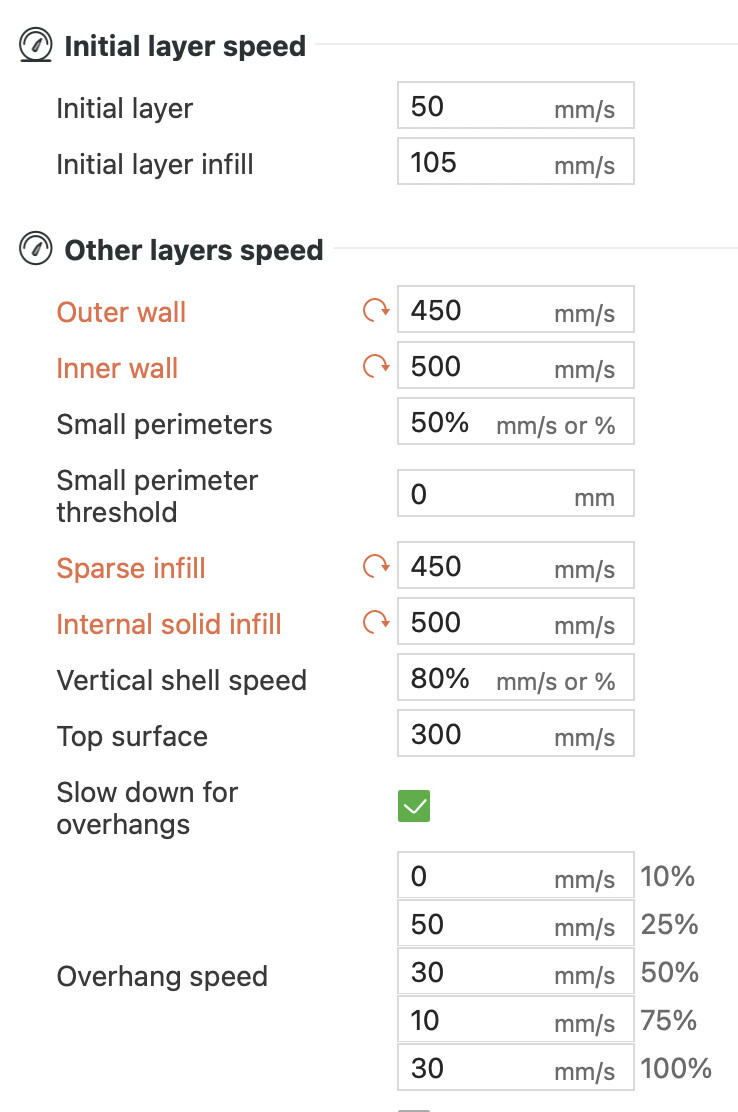
I’ll just say I’m not a speed person, so I haven’t done this myself, but if I’d suggest starting with an extrusion flow rate test, not a linear speed test.
From what I’ve heard from people at Bambu the machine’s linear motion system is more capable than the extruder’s flow rate, so I think finding that flow rate limit for your material should be the first step - then as I understand it, you can then increase those speeds for each of those line types, those become the maximum BUT only to the limit of your material extrusion rate.
If you just turn up max speeds but don’t increase extrusion rates nothing will happen.
Edit: changed the linked model, apparently the ObXidian maxes out the test model I had previously posted.