When sending a model to Bambu Lab Studio from Fusion 360 the user has to navigate to a folder to save the project under ‘Save Project as’ (Ctrl+Shift+S).
Essentially, the model is being passed via command line parameters from the third-party software and it would be useful to be able to pre-populate the user’s top-level preferred path from a default defined within Studio’s Preferences, in the same way that we can already set the default ‘Downloads’ path.
I’m using Bambu Studio v2.3.1.51 and I’m trying to save my projects to a Synology NAS. I googled how to do this and found that it can be done, but it seems the instructions are not for BS v2.3.x. These instructions say to go to settings or preferences section and look for an option to set the project storage location then add smb://IP/sharename. I’ve looked all over for a way to do this in BS v2.3.x. Does any one know how to change the project storage location in BS v2.3.1.51. THANKS!
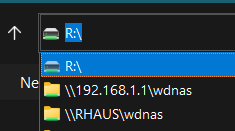
Is there a project storage location setting? You just pick where you want to save or open a file using the normal windows file selection browser when it prompts you for a file name, in your case you would pick a network location in the left panel.