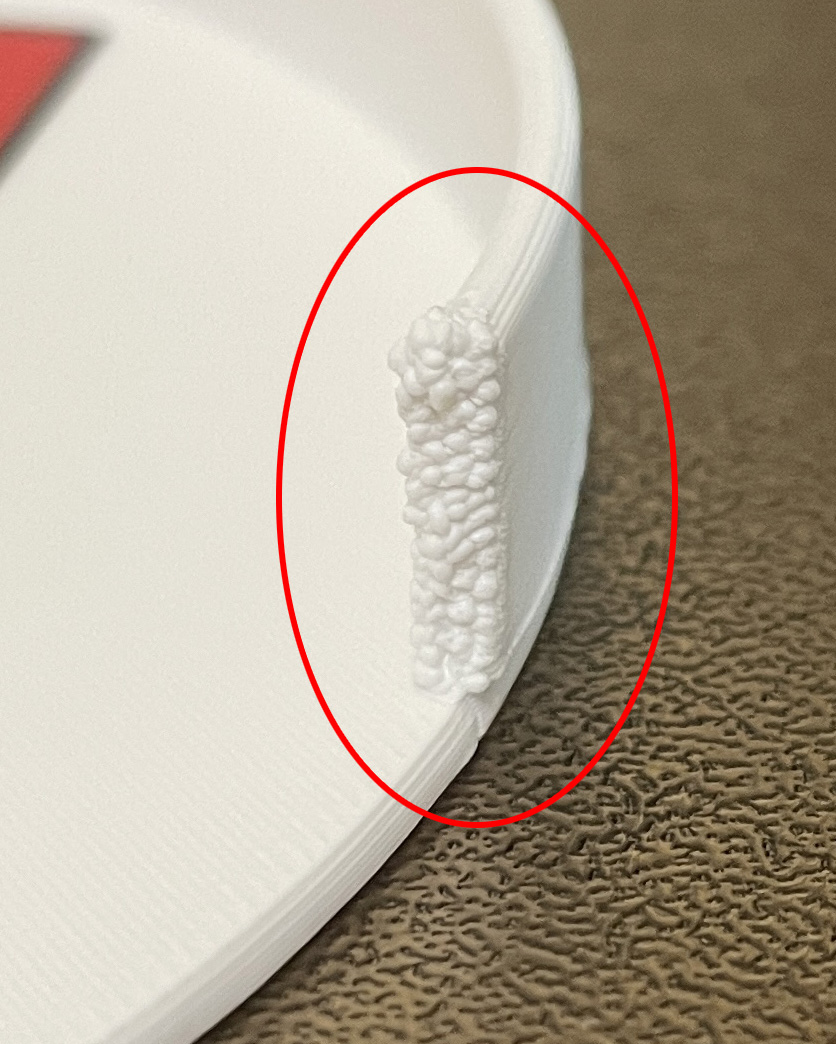
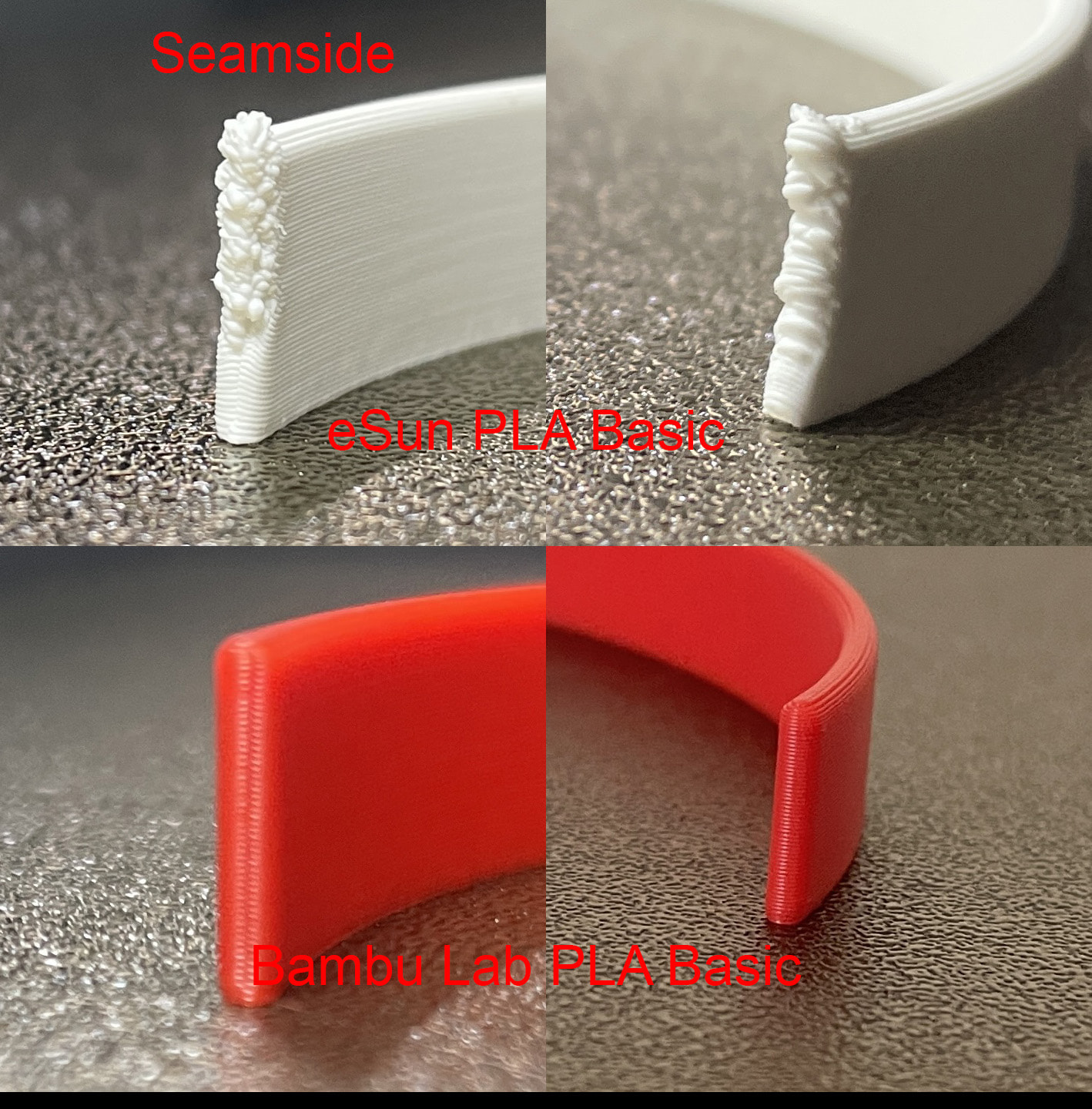
The filament is eSun Basic white. I check print settings and all are the same as virtually any PLA Basic. Right side is shown, left side was a little rough but nowhere near the right.
Suggestions?
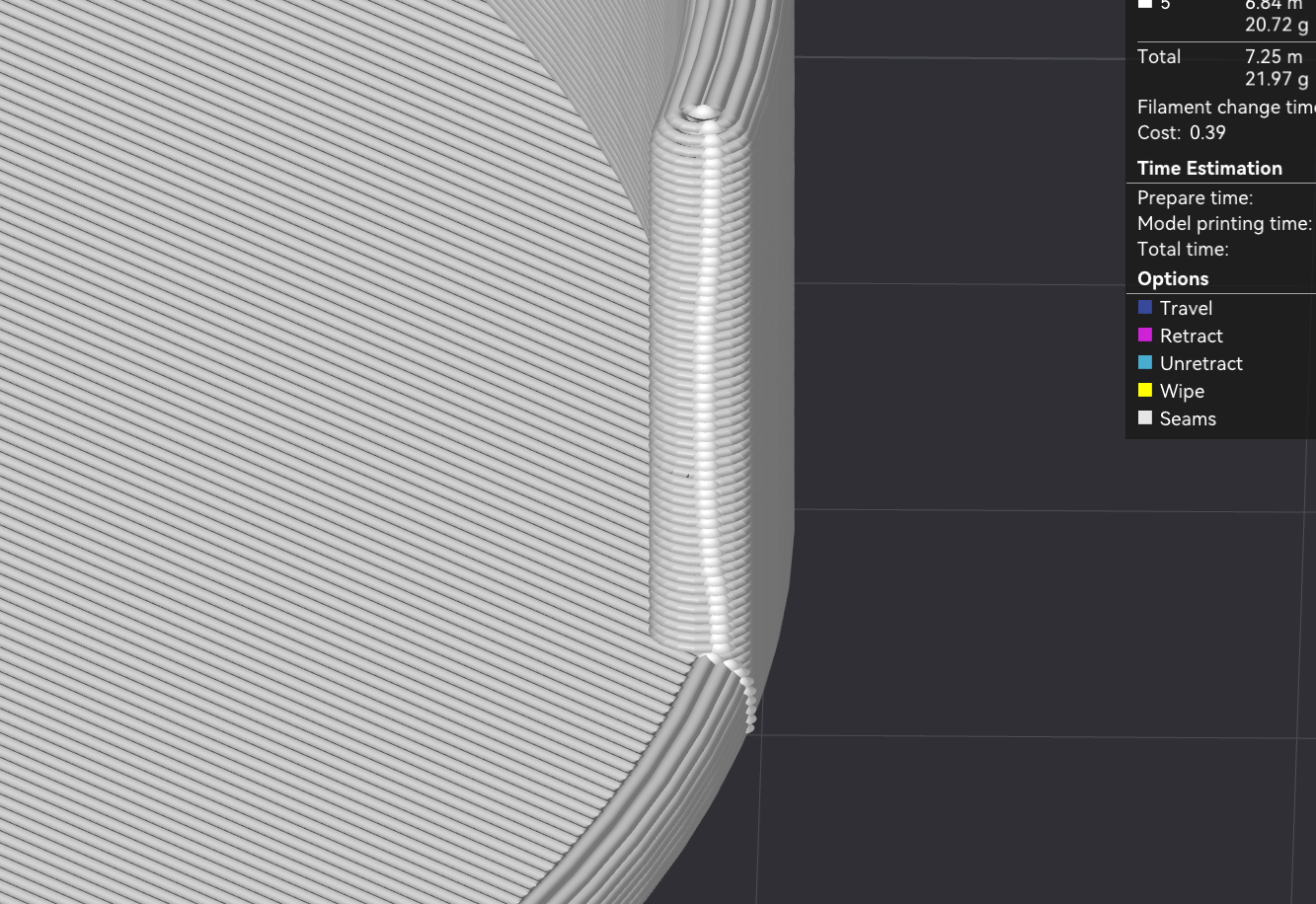
Does the preview window show the seam at that location?
With my previous print I used up Jayo basic white and used this eSun basic white as a backup but named it “Jayo” so the AMS would finish the print. The results were similar. Jayo looked perfect and eSun as in the first post.
The AMS original has desiccant beads keeping dryness at 18% at the moment.
Basically it looks like it develop small blob and at the end it wipes it at the corner. So maybe it will need better manual calibrated profile.
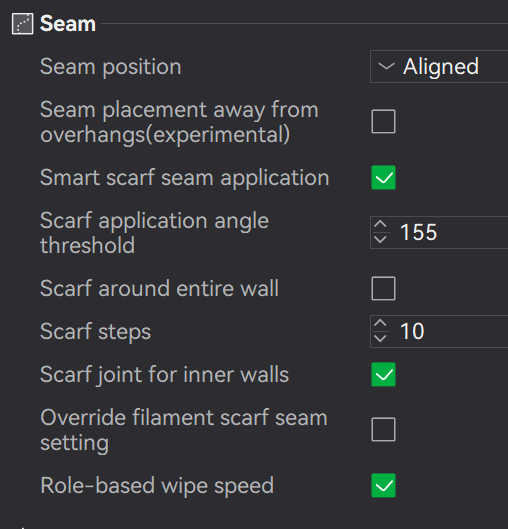
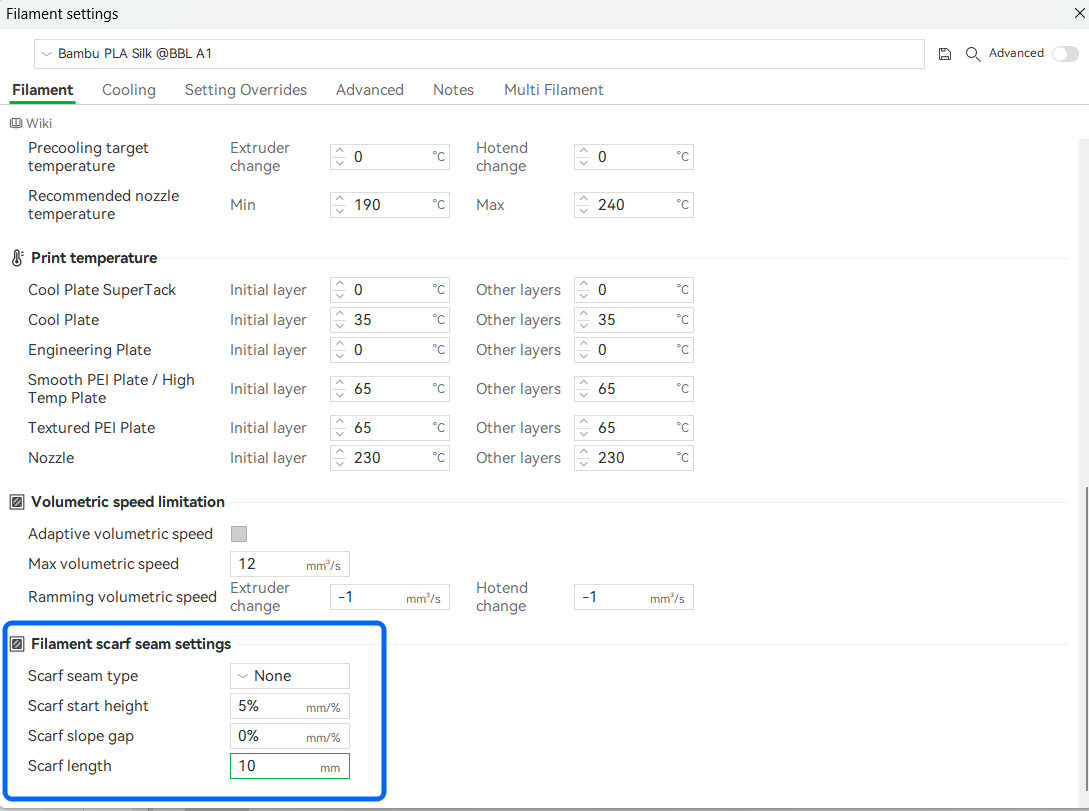
As suspected the seam is located exactly where the issue is. My guess is that your scarf settings are causing this issue. Try turning scarf off. It’s this or your flow dynamics (pressure advance) are set too high.
The scarf seam also looks as good option to try.
Please note that the two filaments differ significantly in terms of the required parameters, such as temperature and supported print speed. Just a note that the two filaments have very different properties, even though they’re both PLA.
That could also be a possible cause of the error or contribute to it. The flow behavior of the filaments varies greatly.
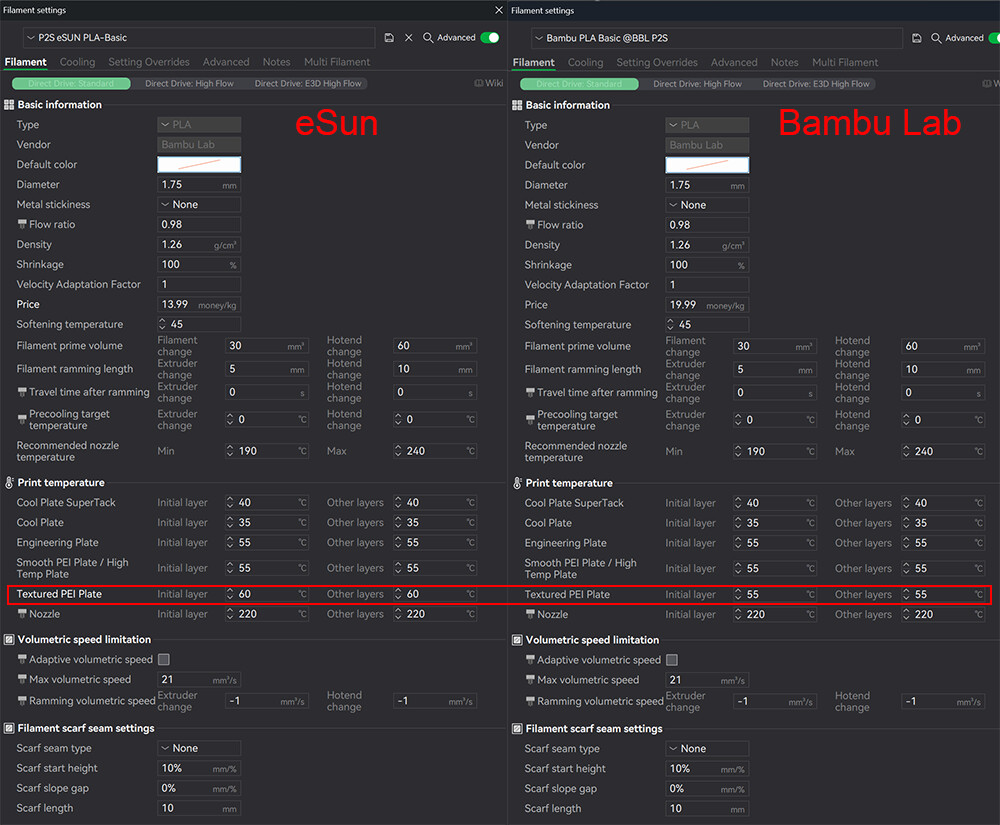
Ran a test today; All settings are the same. I did not change Scarf settings. Both printer settings are the same with one difference; eSun has bed temp set at 60C instead of 55C.
The eSun spool is nearly at the bottom. I have not noticed this issue until last week. The Bambu Lab red is a year old PLA Basic.
Did you run the same filament profile for both or a different one for each?
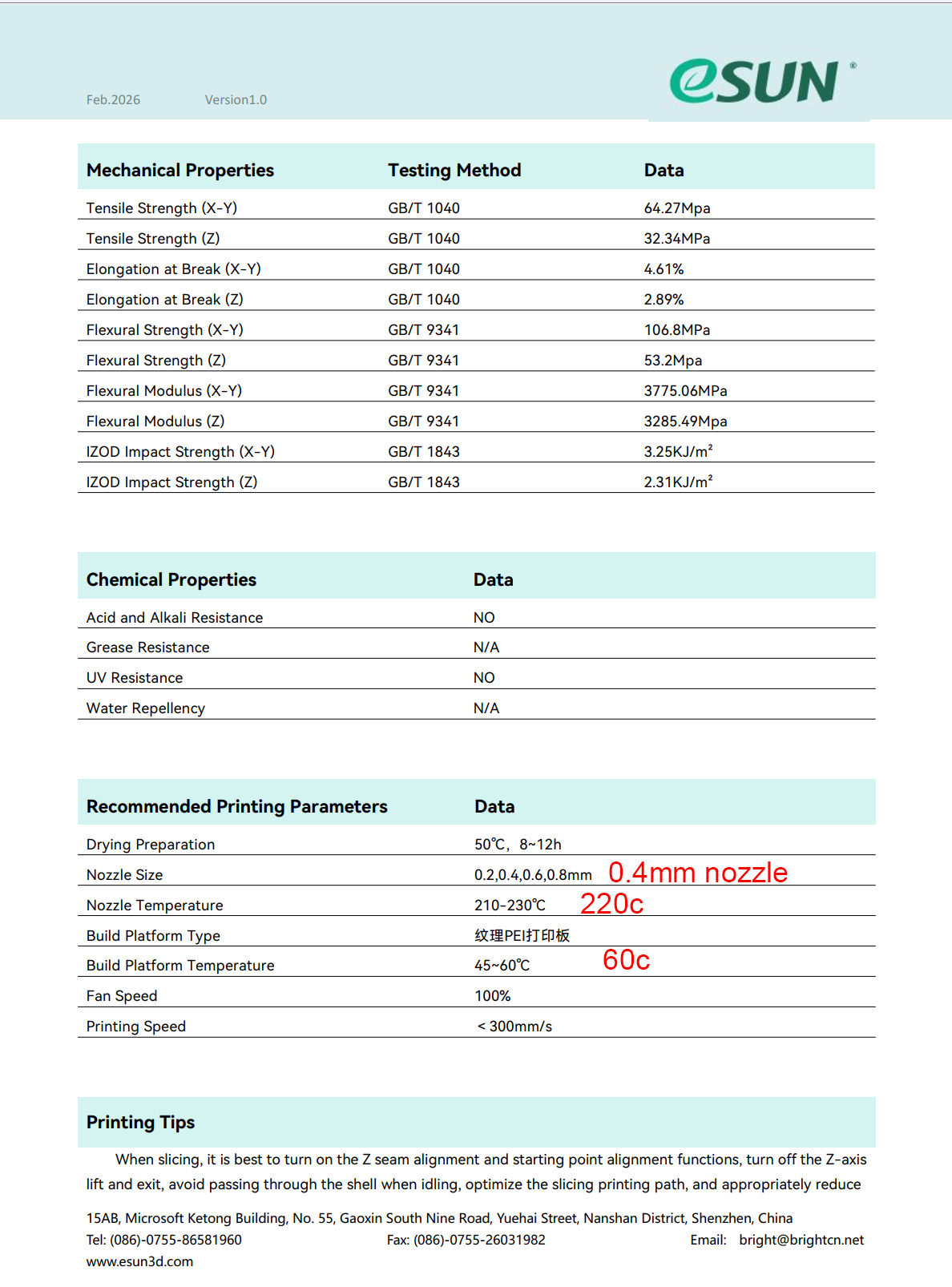
However, this differs from the manufacturer’s recommendation. It won’t make much of a difference, but it does raise the question of whether the profile is set up correctly:
eSUN PLA
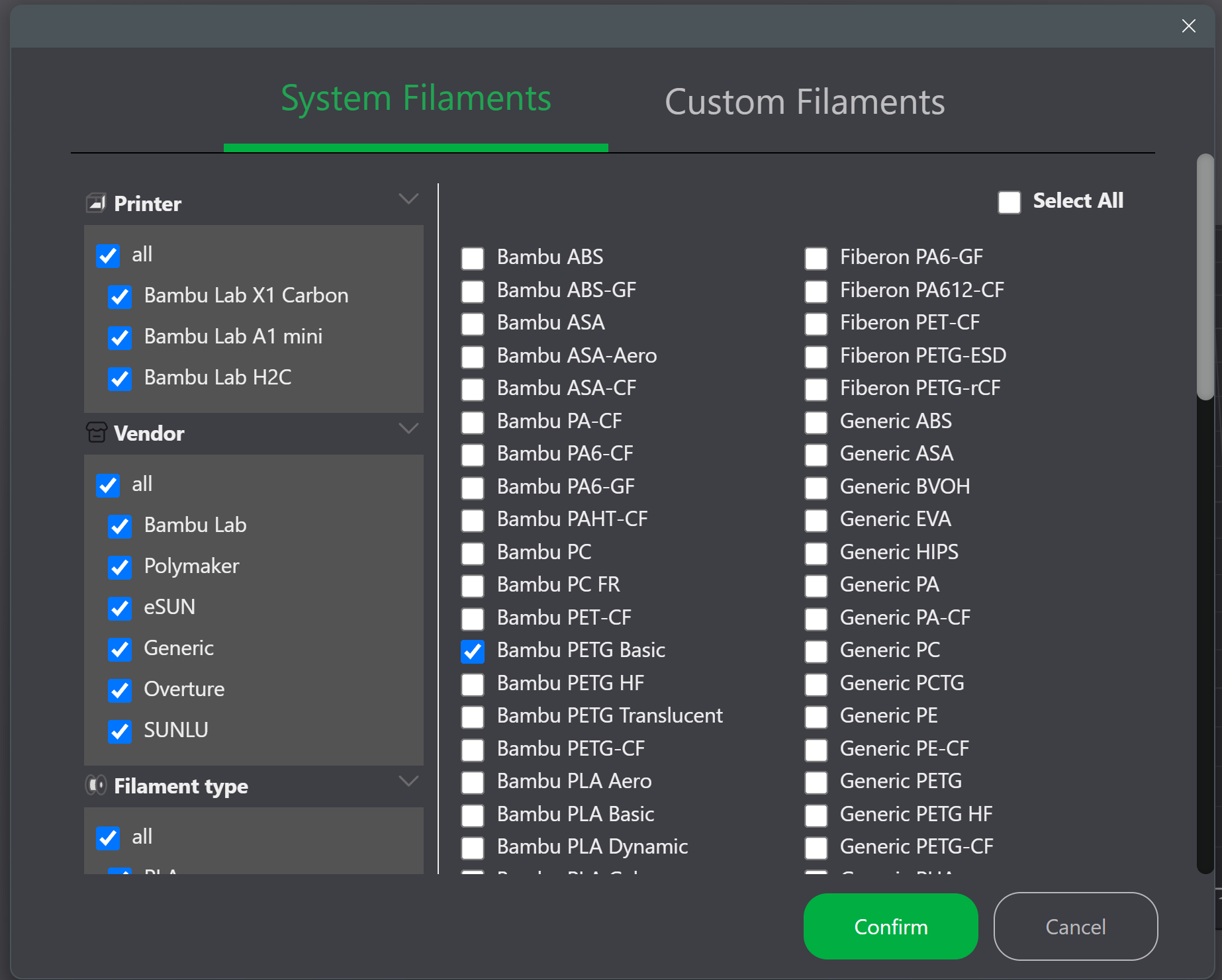
You can see from your profile that it says “Bambu”, not “eSUN.” Actually, that should be listed in the profile - Vendor: eSUN
Did you accidentally select the wrong profile? Did you follow the manufacturer’s settings?
I’ve searched for other filament manufacture settings and used what I have found. I see nothing in Bambu Studio for filaments other than Bambu Lab and generic. When using a P1S Bambu did list other manufactures like Sunlu but I don’t see anything for P2S.
I also think that can be ruled out.
However, it does make troubleshooting more difficult if the correct profile wasn’t selected. By the way, it’s not 220°C but 210°C to 230°C. It’s a range, not a fixed value; that should actually be specified in the profile. This means there is a potential shortfall of 10°C in the upper range.
As I said, that probably isn’t the problem, but it all helps in pinpointing the cause: Different profiles that don’t match the manufacturer’s specifications, different filaments - some of which were mixed during printing? BambuLab, eSun, Jayo, … It’s starting to get a little confusing.
If it really is just a problem with a specific PLA spool, well, then it’s probably due to that particular spool: either the filament has gone bad or the specified profile is incorrect. There aren’t really any other possibilities.
I always use 208 degrees for Esun PLA above that it is a problem.
Yes, disabled in mine, too.
I have printed many cellphone size, 2mm thick items and never noticed anything like this. Until this seem issue on this print I was happy with eSUN. Now I’ve lost confidence. No more eSUN.
I have contacted eSUN for advice but I think they just want to refund.