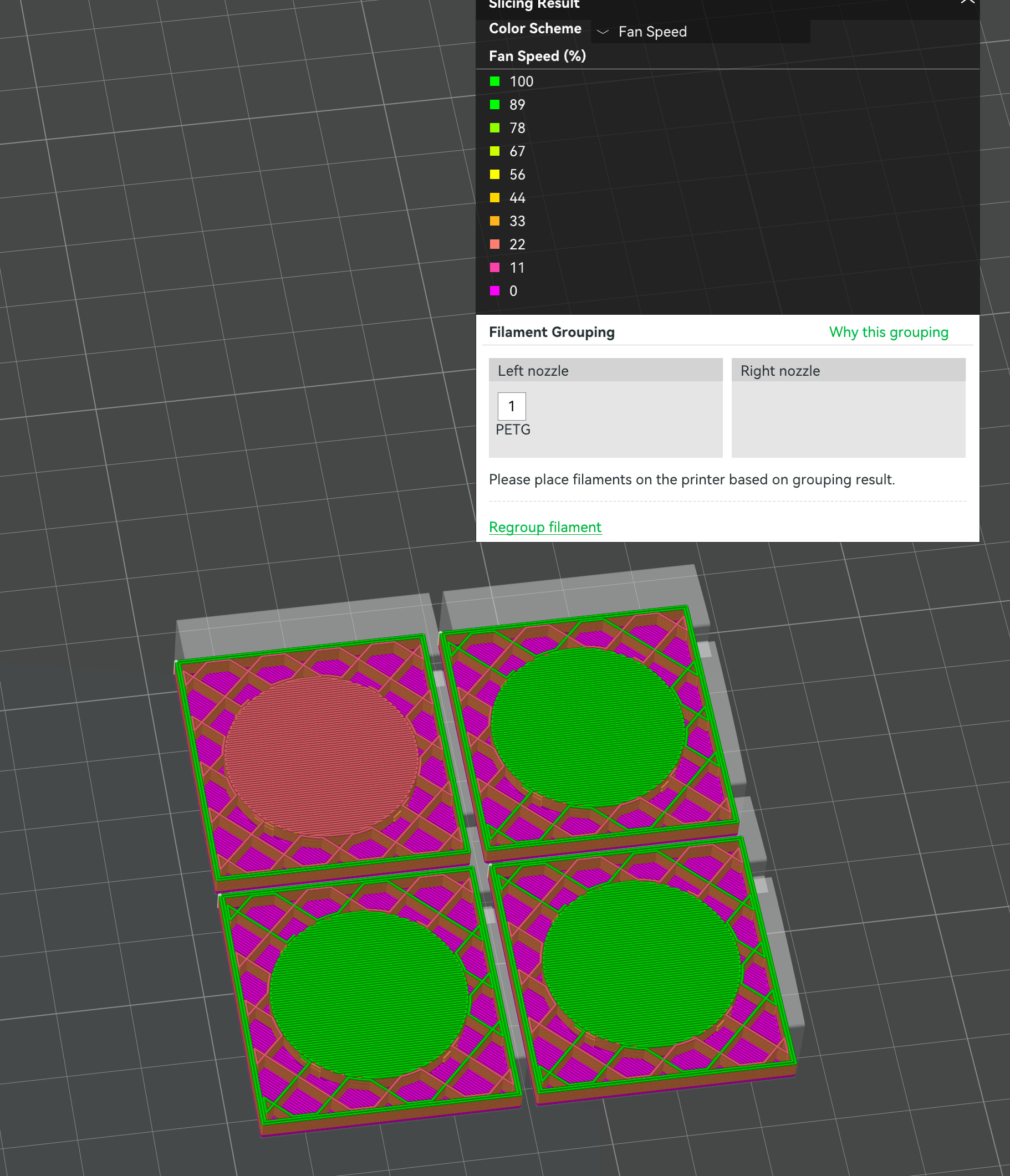
So I was printing something simple with a hole for a magnet.
The result was not great in terms of bridging so I spend a little time playing with Bridge Flow, Bridge Speed and Fan Speed for overhangs.
Doing so I noticed something that I don’t understand.
I sat the Fan Speed for Overhangs to 100% and when I sliced it and looked at Preview-Fan Speed I can see that indeed the fan is set to 100% for the bridging.
What I don’t understand is that when I then clone the part and slice again - Fan Speed at 100% is only applied when printing the second part.
And no matter how many clone’s I add - the first part that prints has default fan speed whereas the remaining parts has fan speed at 100% during bridging
If I select Print Sequence By Object all parts print with default fan speed (i.e not at the 100% Fan Speed that I entered in the filament settings.
Is this the normal behaviour and if yes - is there an explanation as to why?
Are there other settings that I need to configure to have all parts print equally?
My printer is an H2D with the latest released firmware and Bambu Studio is 2.8.2.60 ( I did not try this on earlier versions of Bambu Studio)
The difference appears in the first 2.8 series beta release, v02.08.00.50.
In the preceding public release, v02.07.01.62, and previous versions, the fan speeds are shown correctly.
Robert, thanks for the heads-up. It would be best to submit this to GitHub issues where the Studio developers can see it, with the same details you provided here. I searched for some similar report just now and didn’t find one (FWIW). Please update this thread with a link to the filed issue if you submit one, or let me know if I can help do that.